
Slateo Restora · WhatsApp
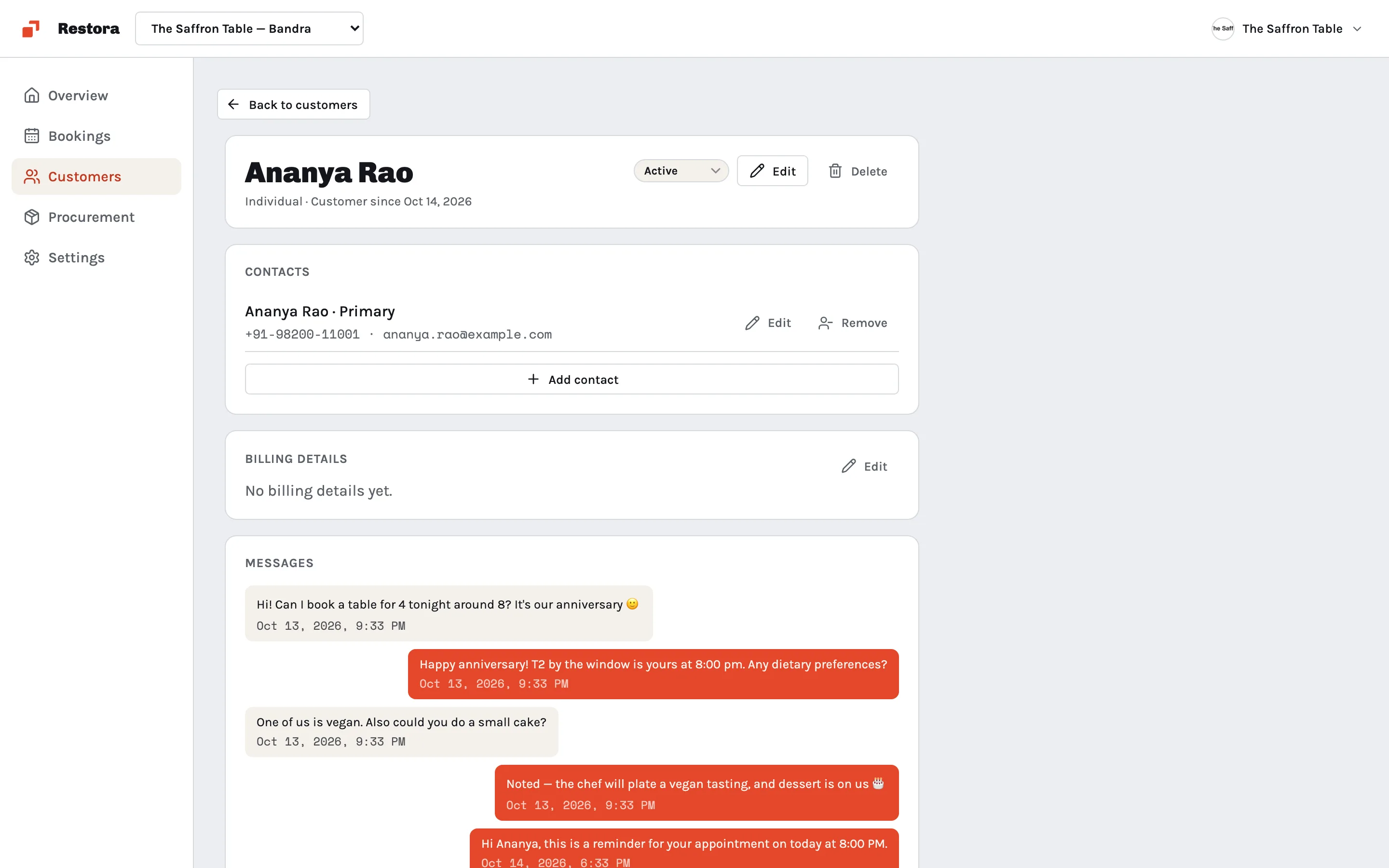
WhatsApp for restaurants, on every guest's profile
Guests already message you on WhatsApp. Keep every conversation next to their bookings, so anyone on the team can reply.
Free for up to 3 users.
How does WhatsApp work in Slateo Restora?
Last updated:
Connect your WhatsApp Business number in Restora's settings. Messages from guests appear on their profile next to their bookings, and your team replies from there. When a new number messages you, Restora saves it as a lead so the enquiry isn't lost, and approved message templates let you reach a guest after WhatsApp's 24-hour reply window.
How it works
From first message to regular guest
- Step 1
Connect
Connect your WhatsApp Business number in Settings → Integrations.
- Step 2
Templates
Create reminder and confirmation templates and submit them for review.
- Step 3
A guest writes
New numbers become a lead; known guests' messages land on their profile.
- Step 4
Reply
Answer with text inside 24 hours, or an approved template after.
- Step 5
Book
Add the booking to the same guest, and the floor updates.
The booking and the chat, together
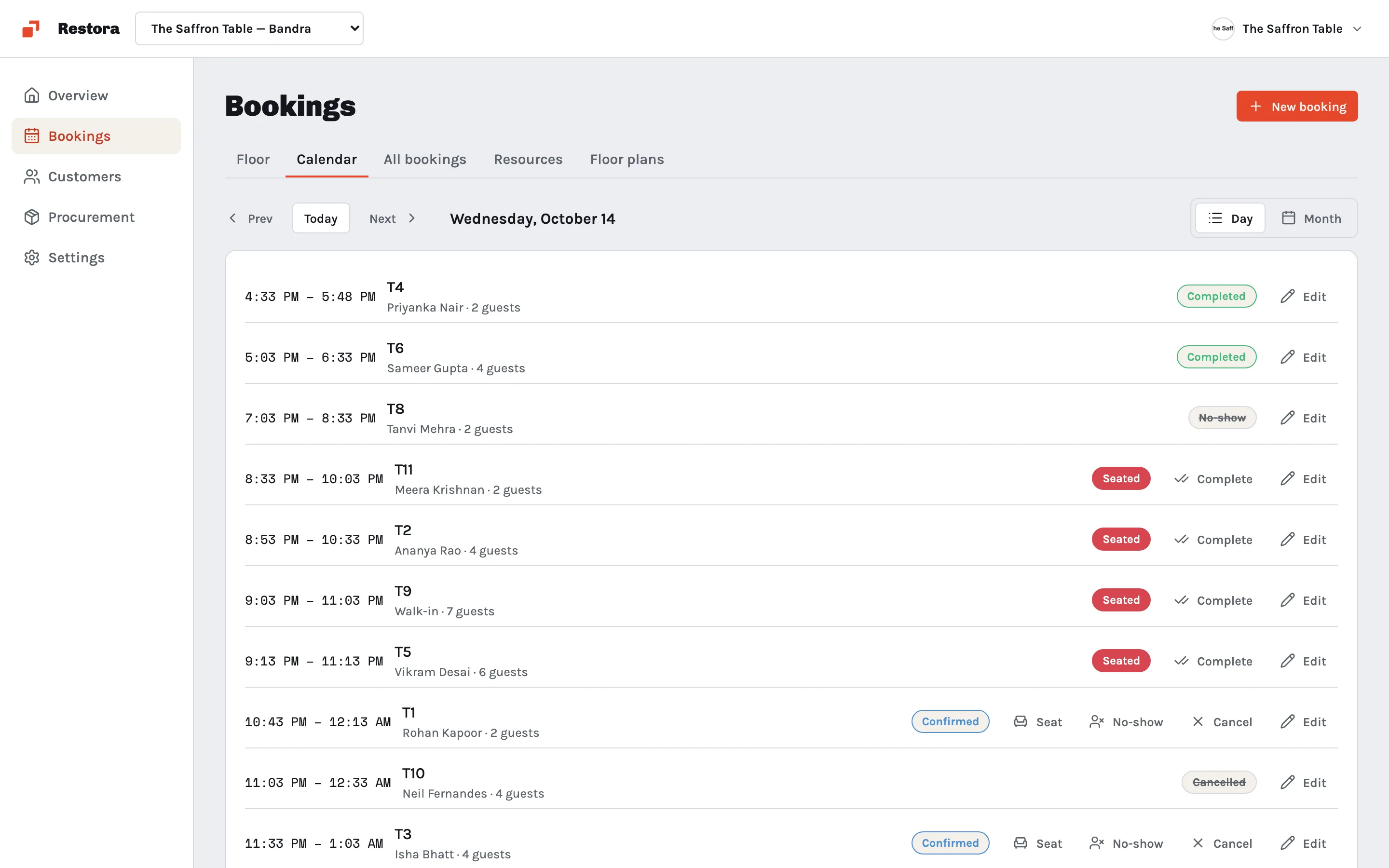
Every reservation on the calendar belongs to a guest, and that guest's profile keeps their bookings next to the WhatsApp conversation, so confirming a table and answering a question happen in one place.
Reply from the host stand
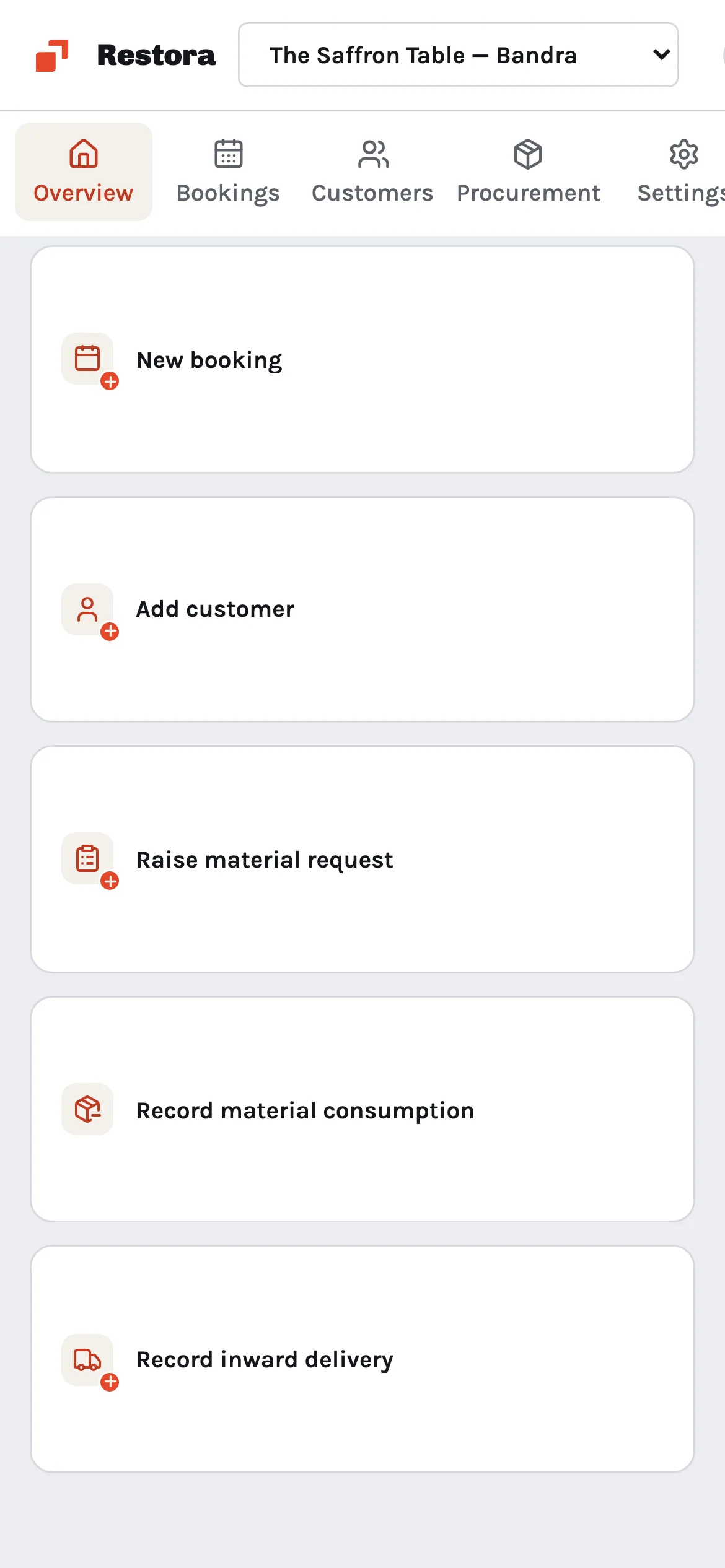
Restora runs in a phone's browser and installs like an app, so whoever is at the door can check a booking or a guest's messages.
Also included
- Your own numberMessages go out from your WhatsApp Business number.
- Message templatesCreate templates in Restora and submit them to Meta for review.
- Failed sendsA message that does not go through is marked, so you can try again.
- Instagram tooConnect Instagram in the same settings.
Pricing
Start free. Upgrade when your team grows.
Free
$0
For a single small team
- Up to 3 users
- 1,000 guests
- Bookings and procurement
Pro
$7.49 /user/mo
Billed per user
- Unlimited users
- 5,000 guests
- Automations
- Email and chat support
Enterprise
Custom
For restaurant groups
- Unlimited guests
- Onboarding and training
- A dedicated account manager
- Priority support
Questions
Do I need a WhatsApp Business account?
Yes. Restora connects to your own WhatsApp Business number, so guests see your restaurant's name.
What happens when a new number messages us?
Restora saves it as an unqualified lead with the conversation. Qualify it with the guest's name, or merge it into a guest you already have.
Why can't I send a normal message to every guest?
WhatsApp only allows free-form messages within 24 hours of the guest's last message. After that, send an approved template.
Can Restora reply automatically?
No. Your team reads and replies to every message.