
Slateo VenueOps · Event venues
Banquet hall and event venue management software
Book the hall, prep the venue, and keep every event running. Bookings with deposits, a live view of which halls are in use, checklists for your team, and building maintenance that doesn't slip.
Free for up to 3 users.
- Hall bookings with deposits
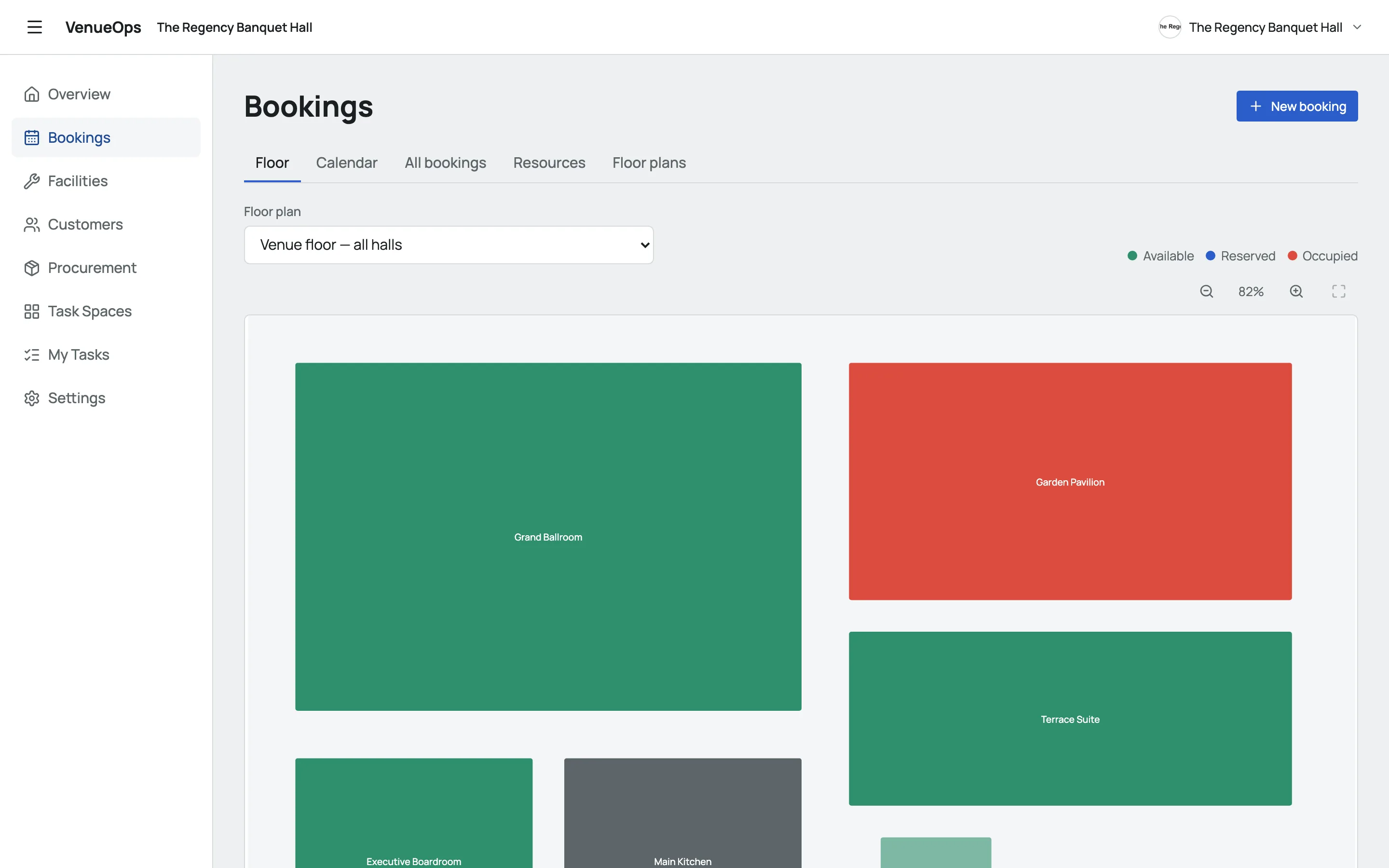
- Which halls are in use, live
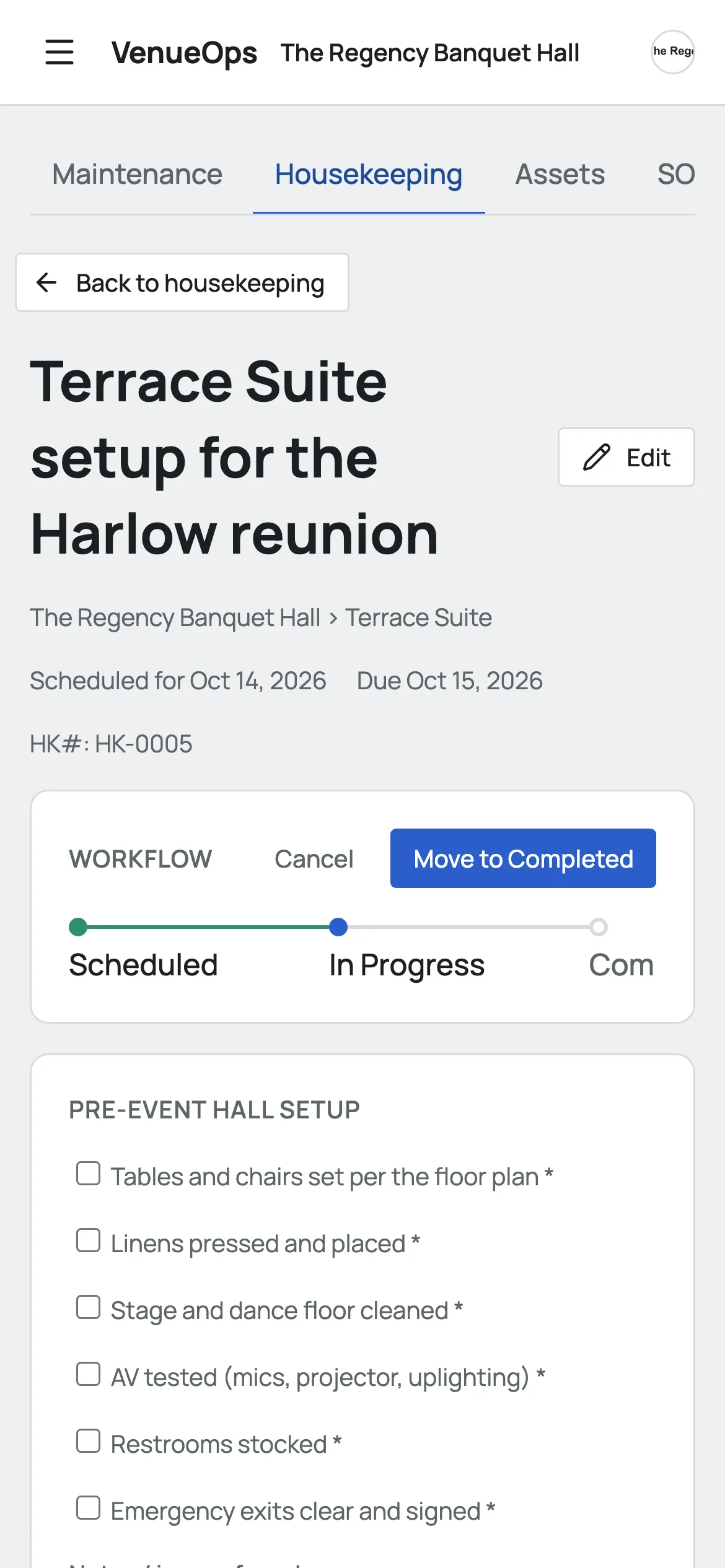
- Maintenance with SOP checklists
- Preventive maintenance on a schedule
What is Slateo VenueOps?
Last updated:
Slateo VenueOps is management software for banquet halls and event venues. It books your halls with amounts and deposits, shows which halls are in use, and tracks maintenance, housekeeping and supplies for the building, with checklists your team follows on a phone. It's part of the Slateo platform.
Who uses it
Owner or venue director
See upcoming events, deposits and anything overdue in the building.
Sales and guest relations
Book halls, check what's free and track what's been paid.
Facilities lead
Log breakdowns, assign repairs and keep preventive maintenance on time.
Housekeeping
Work through each hall's checklist on a phone, tick by tick.
How it works
From the booking to a hall that's ready again
- 1 · Booking
Hall booked
Hall, date, times, party size, amount and deposit on one record.
- 2 · Confirmed
Amount and deposit
The booking holds the agreed amount and the deposit, for the whole team to see.
- 3 · Event day
Guests seated
The floor shows the hall as occupied while the event runs.
- 4 · After
Clean-up checklist
Housekeeping works through the hall's checklist on a phone.
- 5 · If needed
Repair logged
Anything broken becomes a maintenance request with a severity.
Two bookings can't overlap on the same hall, so nothing gets double-booked.
Every event, with the money attached
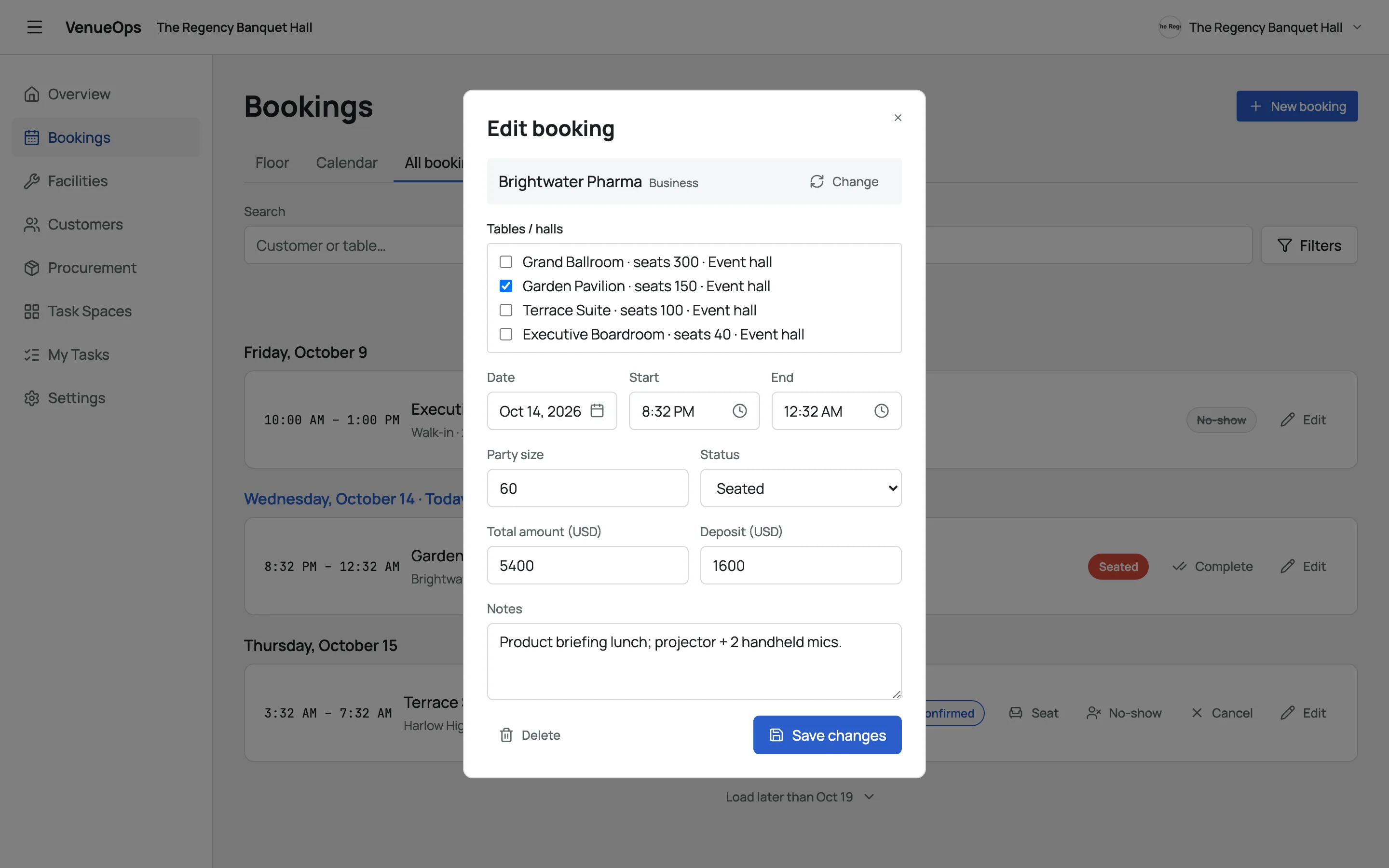
Pick the hall, the date and the times, add the party size and the client, and record the total amount and the deposit. Mark it seated when guests arrive and completed when it's done.
Checklists your team can follow
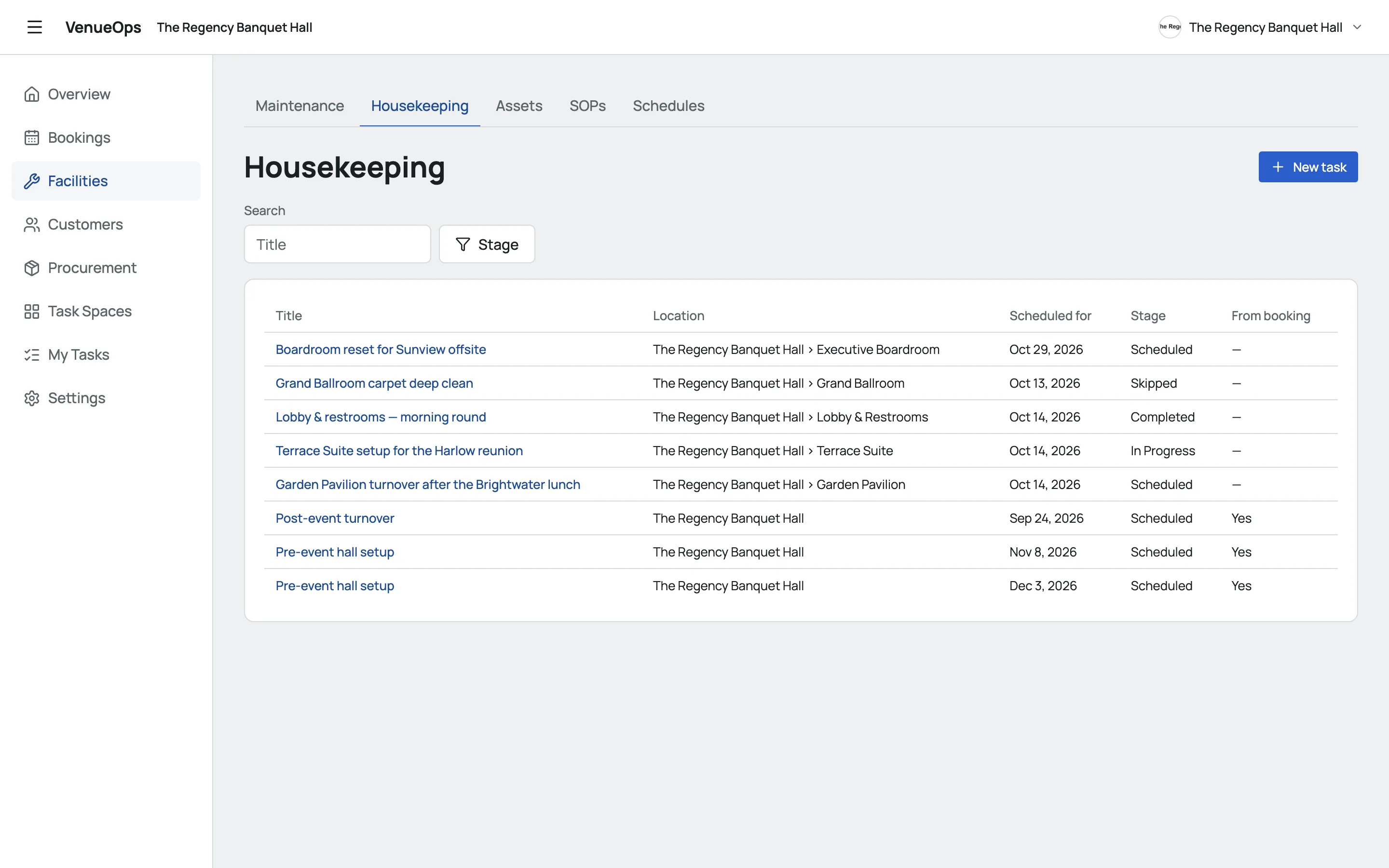
Write your standard checklists once: opening, closing, set-up, clean-up, inspection. Attach them to housekeeping and maintenance tasks, and schedule daily, weekly or monthly housekeeping so it happens without anyone remembering.
Know the state of the building
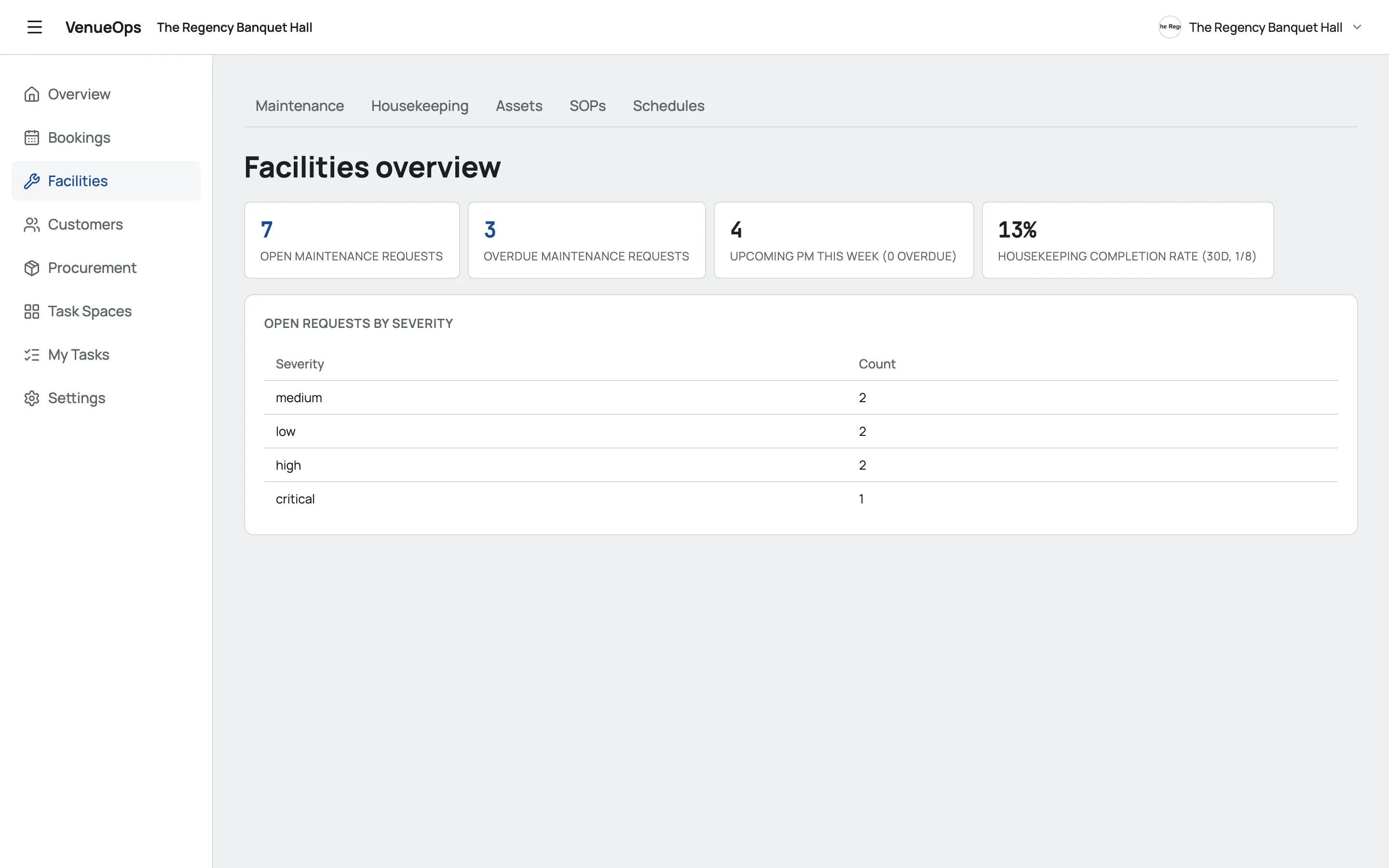
Open requests by severity, overdue repairs, preventive maintenance due this week, and how much housekeeping got done in the last 30 days. Keep a register of every asset, from the generator to the sound system.
Supplies and clients in the same place
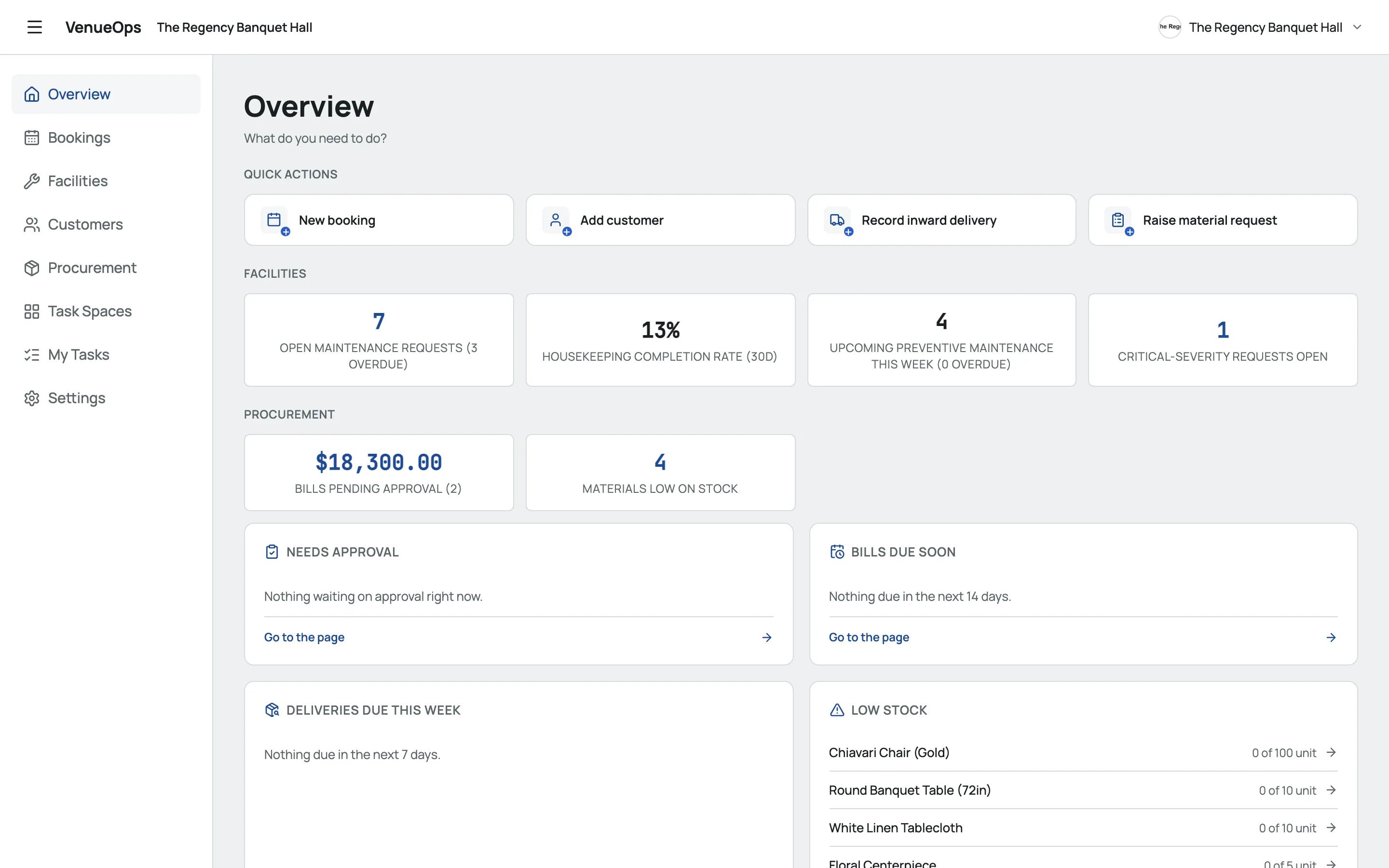
Order chairs, linen and décor through purchase requests and orders, and see what's low on stock. Every client has a record with their bookings, so repeat events start from what you already know.
Also included
- Floor plansLay out each hall with the stage, bar, tables and doors.
- Asset registerCategory, criticality, warranty and status for every asset.
- Install on any phoneAdd it to the home screen from the browser.
What it replaces
A booking diary at the front deskOne calendar for every hallCalls to check who's cleaningChecklists ticked off on a phoneFinding the broken AC mid-eventPreventive maintenance on scheduleDeposits tracked in a notebookDeposit and amount on the booking
Pricing
Start free. Upgrade when your team grows.
Free
$0
For small teams getting started
- Up to 3 users
- 1,000 customers
- Bookings, facilities and procurement
Pro
$7.49 /user/mo
Billed per user
- Unlimited users
- 5,000 customers
- Automations
- Email and chat support
Enterprise
Custom
For venue groups
- Unlimited customers
- Onboarding and training
- A dedicated account manager
- Priority support
Questions
How are deposits tracked?
Each booking holds the total amount and the deposit. Your team sees them on the booking itself, next to the hall, date and times, so nobody has to look for a notebook.
Can a hall be double-booked?
No. VenueOps won't save a booking that overlaps another booking for the same hall, so two events can't end up in the same room at the same time.
Can I schedule preventive maintenance and cleaning?
Yes. Set daily, weekly or monthly schedules for maintenance and housekeeping. Each one creates its task on time, with the checklist attached.
Can my staff use it on their phones?
Yes. Open VenueOps in the phone's browser and add it to the home screen. Housekeeping and maintenance staff can work through checklists from there.
Does VenueOps send invoices?
No. VenueOps tracks the booking amount and the deposit on each booking. It doesn't issue invoices.
How much does it cost?
Free for up to 3 users. Pro is $7.49 per user a month (₹629 in India). Enterprise is priced for venue groups; book a demo to talk about it.