
Bookings
Every table and hall, booked without clashes
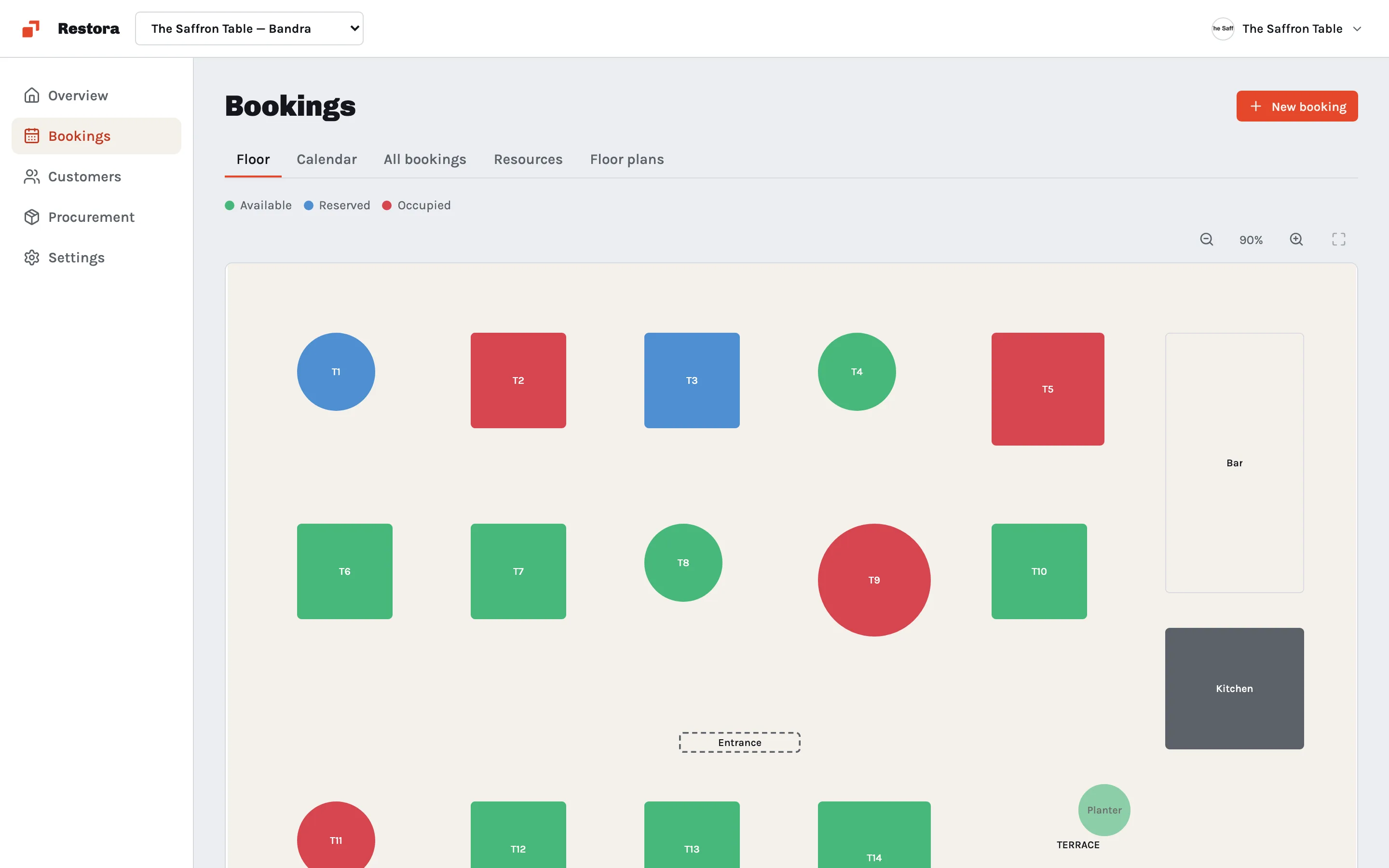
See your floor at a glance, take reservations and event bookings in one calendar, and let Slateo stop the same table or hall being booked twice.
Bookings run in Slateo VenueOps for event venues and Restora for restaurants.
How do bookings work in Slateo?
Last updated:
You set up the things people can book, like restaurant tables or event halls, and draw a floor plan for each space. Each booking reserves one or more of them for a time, a party size and a customer. Slateo won't let two bookings overlap on the same table or hall, and the floor view shows what's free right now.
Calendar
The whole day, one list
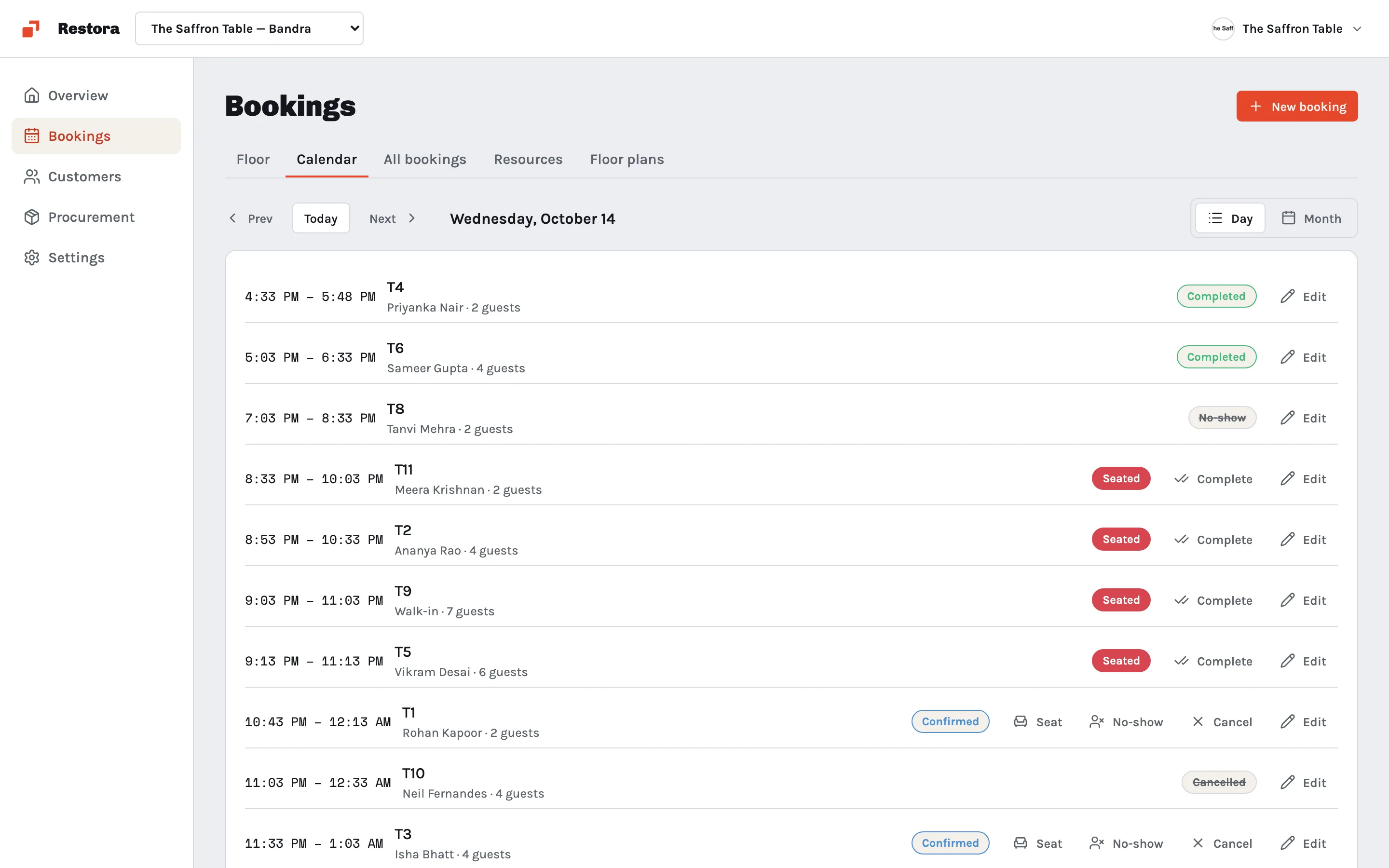
See every booking for the day or the month with its table or hall, party size and status. Seat guests, mark a no-show, cancel or complete a booking in one click as the service goes.
- Pending
- Confirmed
- Seated
- Completed
- Cancelled
- No-show
Event bookings
Events with the money attached
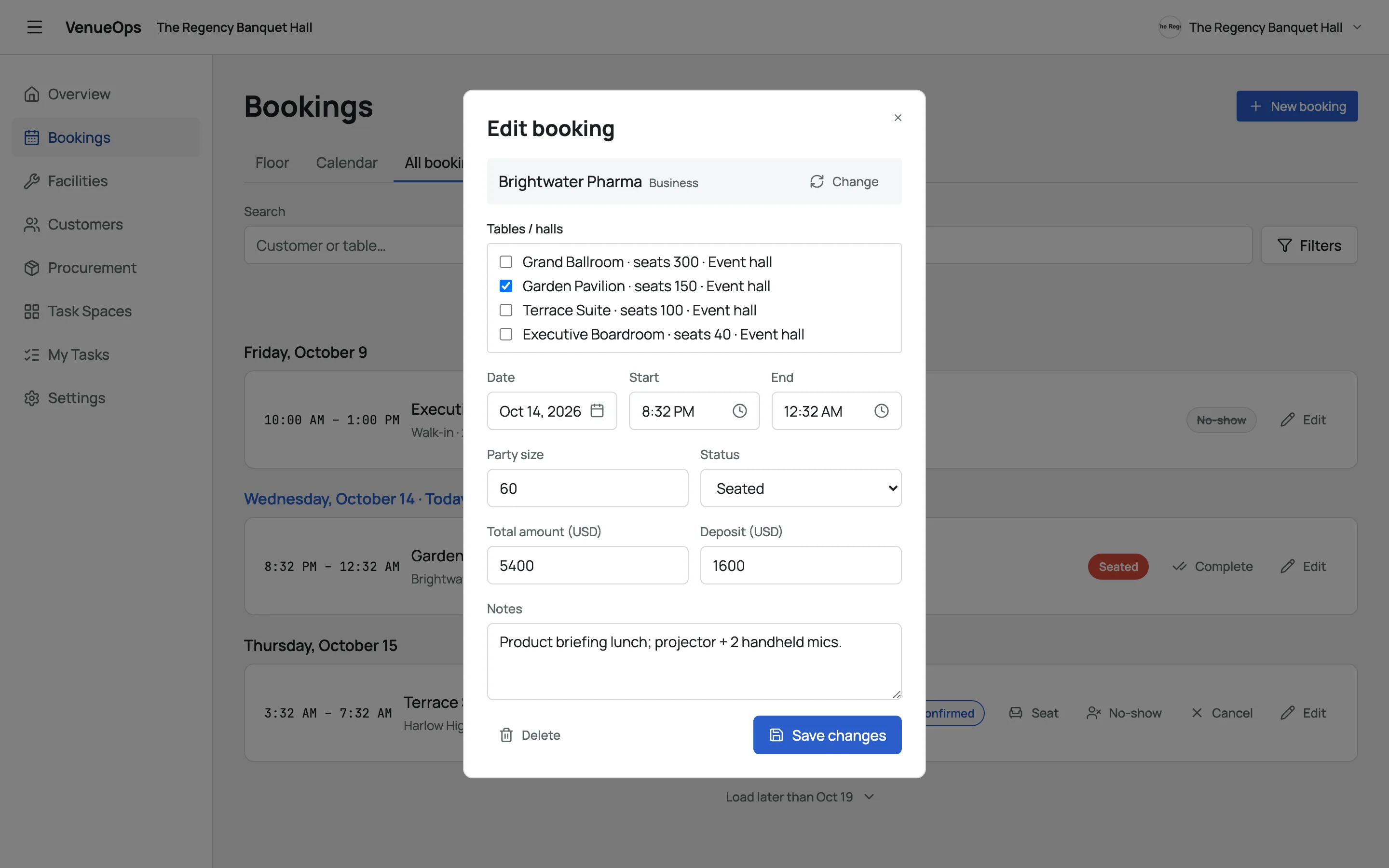
Book one or more halls for an event with the customer, timings, guest count and notes. Record the total amount and the deposit so the team knows what's been paid.
Floor plans
A floor plan for every space
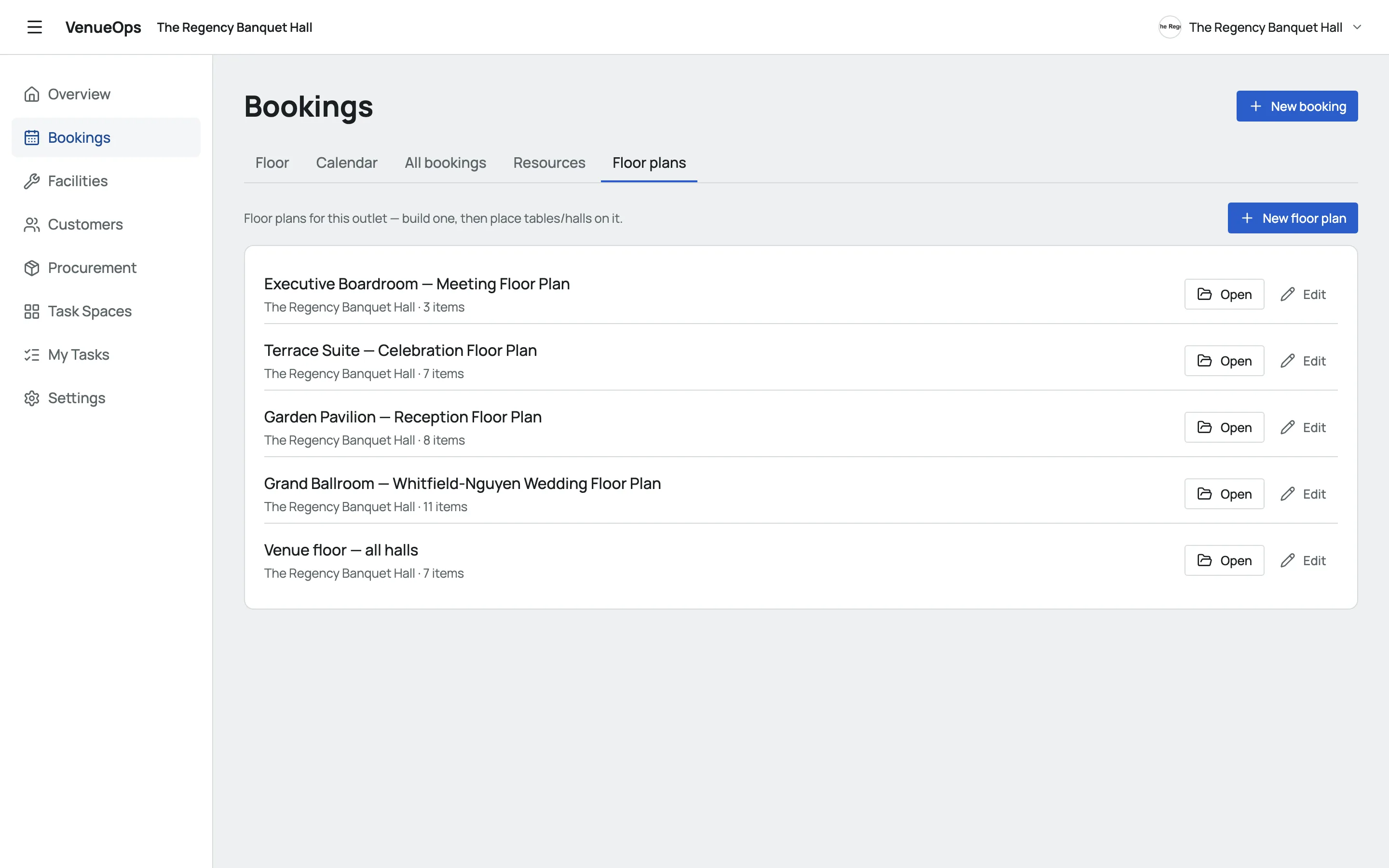
Draw each hall or dining room with its tables, chairs, bar, stage, walls, doors and plants, round or square. Keep several plans for the same venue, like a wedding layout and a meeting layout.
Also in bookings
No double bookings
Slateo blocks a booking that overlaps another on the same table or hall.
Guests as customers
Every booking is tied to a customer, with their history and messages.
WhatsApp for guests
Restora connects to WhatsApp so you can message guests about their booking.
Housekeeping and upkeep
VenueOps also runs housekeeping, maintenance and checklists for every space.
How it's priced
VenueOps and Restora use Slateo's Free, Pro and Enterprise plans. Free covers up to 3 users.
Questions
Where can I use bookings in Slateo?
In Slateo VenueOps for banquet halls and event venues, and Slateo Restora for restaurants. Both use the same booking calendar and floor plans.
Can Slateo prevent double bookings?
Yes. If a table or hall is already booked for any part of the time you choose, Slateo won't save the new booking and tells you about the clash.
Can I take a deposit for an event?
You can record the total amount and the deposit on each event booking, so everyone can see what's been paid. Slateo doesn't take card payments itself.
Can one booking use several halls or tables?
Yes. Pick as many tables or halls as the booking needs, and all of them are reserved for that time.
Can I see which tables are free right now?
Yes. The floor view shows every table as available, reserved or occupied on your floor plan.
Fill your tables and halls without the clashes.
Start free with the app for your business, or book a demo.