
Slateo Restora · Restaurants
Restaurant management software for the back office
Tonight's tables, your guests and your kitchen supplies in one place. See which tables are free, keep each guest's bookings and WhatsApp messages together, and stay on top of stock.
Free for up to 3 users.
AvailableReservedOccupiedThe floor, as your manager sees it tonight
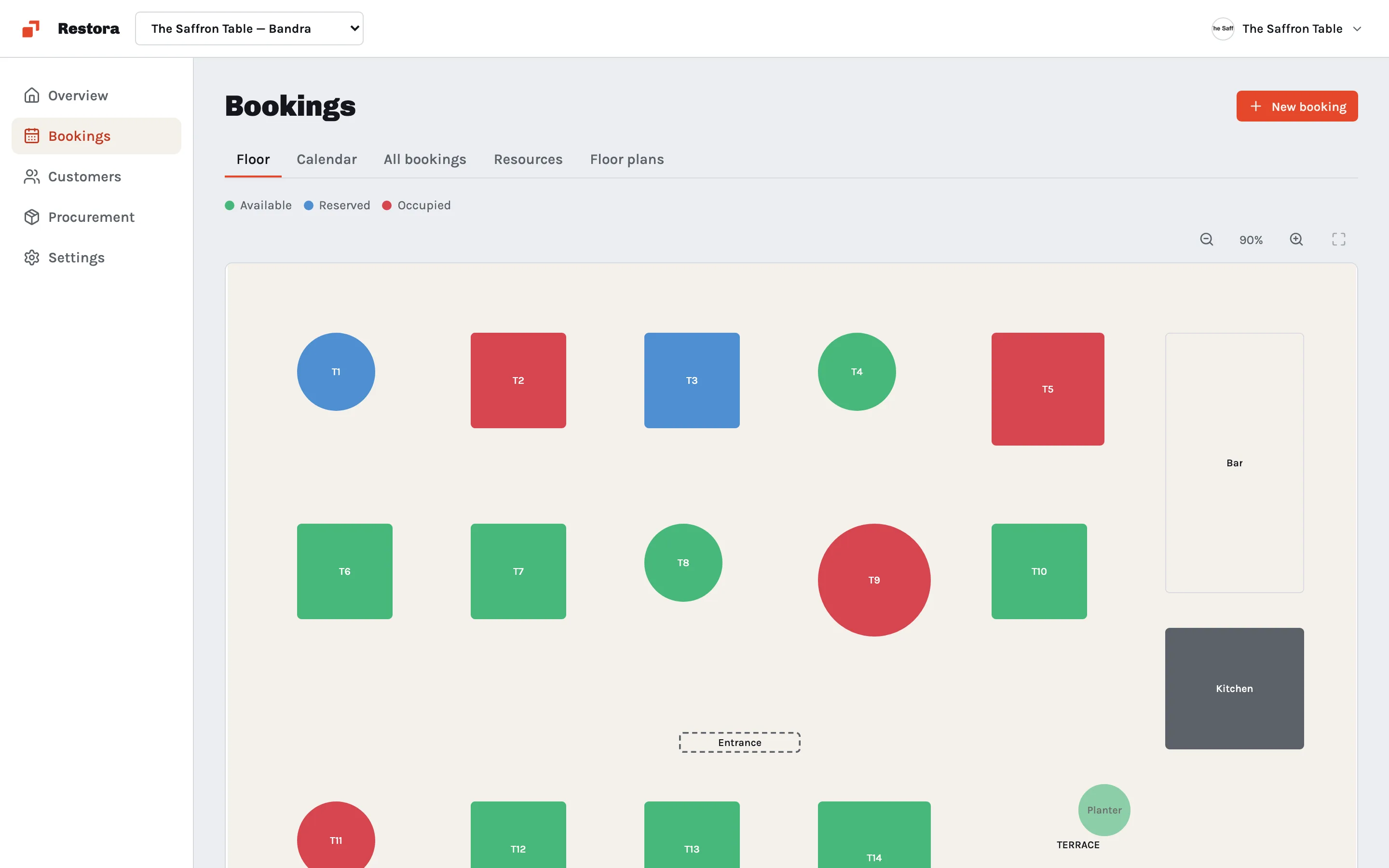
- Live table floor
- Reservations calendar
- WhatsApp messages on each guest
- Kitchen stock and purchasing
What is Slateo Restora?
Last updated:
Slateo Restora is back-office software for restaurants. It shows your floor and reservations, keeps every guest's bookings and WhatsApp conversations on their profile, and runs kitchen purchasing and stock from request to delivery. It's part of the Slateo platform.
Who uses it
Owner-operator
Check tonight's bookings and what the kitchen is short of, from anywhere.
Floor manager
Seat guests, see which tables are free and plan the next turn.
Guest relations
Take reservations and reply to guests with their history in front of you.
Kitchen and back office
Request supplies, receive deliveries and record what was used each day.
How it works
Two loops, one back office
Front of house
- A guest books a table, and it shows as reserved on the floor.
- They arrive and are seated: the table turns occupied.
- They leave, and the table is available for the next booking.
- The visit is saved on the guest's profile for next time.
Kitchen
- The kitchen raises a material request when something runs low.
- It's approved and ordered from the supplier.
- The delivery is received and verified, and stock goes up on its own.
- Daily consumption is recorded, so the stock count stays true.
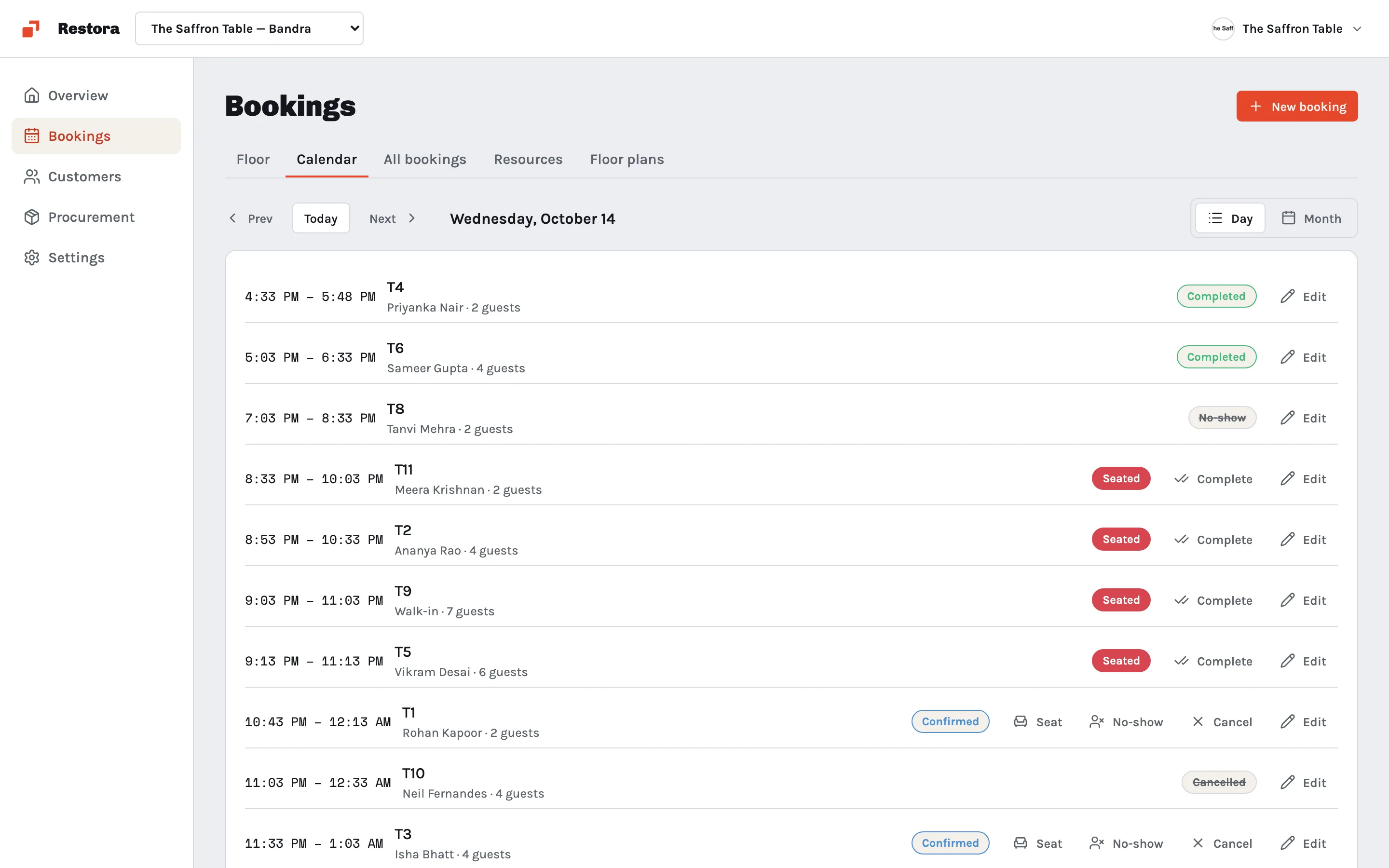
Every reservation on one calendar
See the day or the month at a glance. Each booking holds the party, the time and the table, and the floor updates as guests are seated.
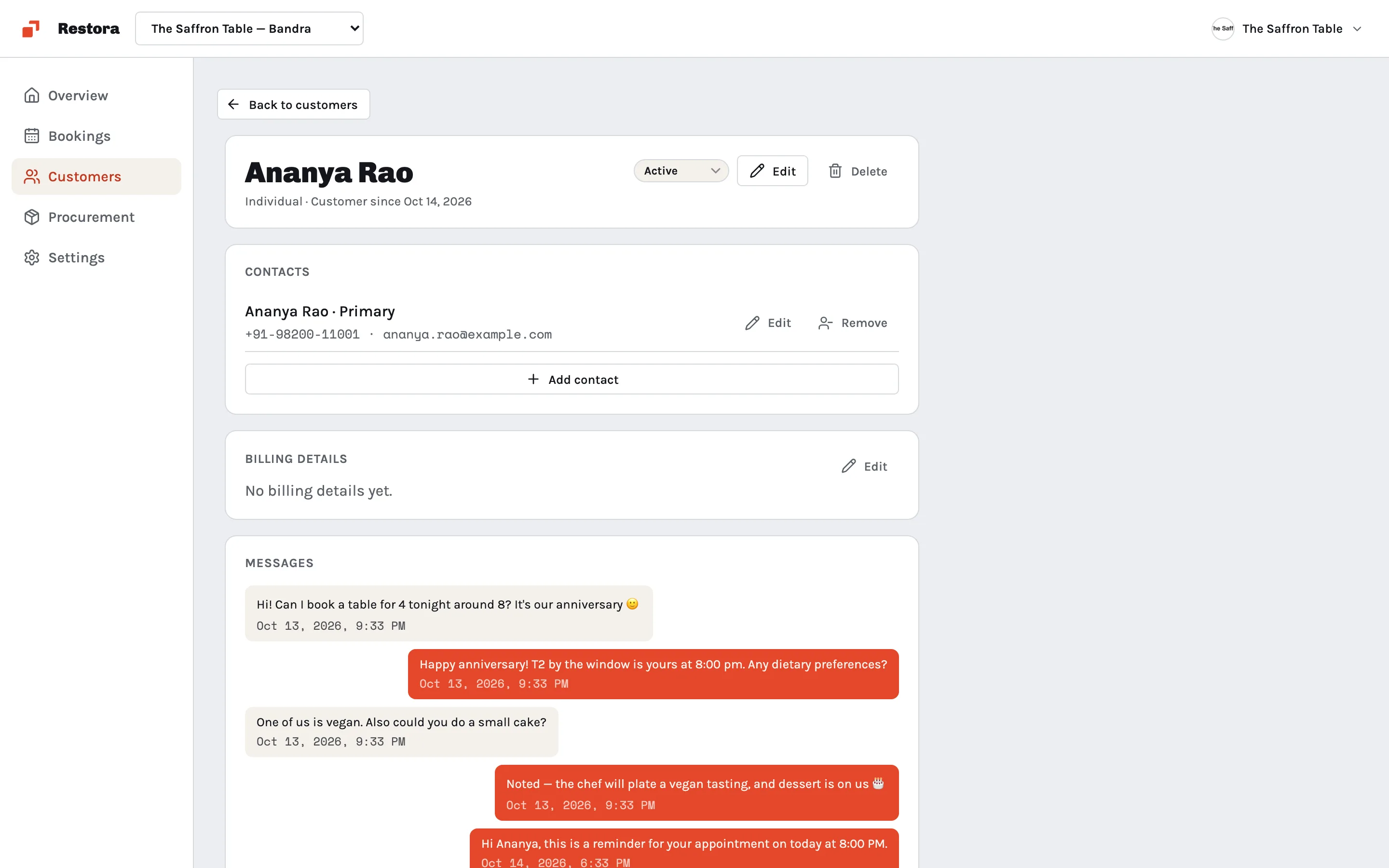
Know your regulars
Each guest has a profile with their bookings and their WhatsApp conversation. Whoever picks up the next message knows who they're talking to.
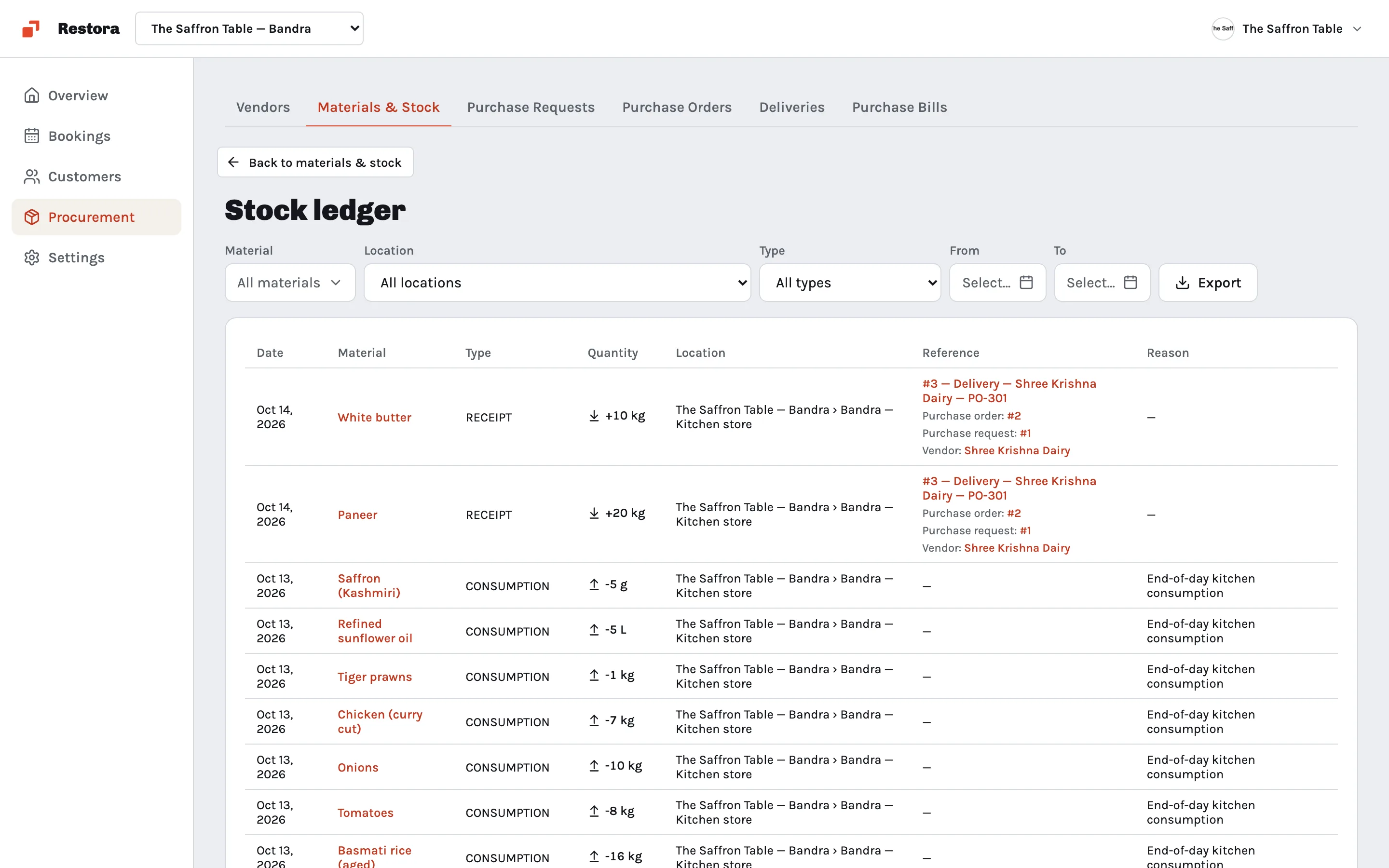
A kitchen that never runs dry
Track every ingredient with deliveries in and daily use out. Requests, orders and deliveries go through the steps you set, so nothing is bought twice and nothing runs out unnoticed.
Also included
- Floor plansLay out the dining room, terrace and bar.
- Several outletsSwitch between your restaurants in one account.
- Install on any phoneAdd it to the home screen from the browser.
What it replaces
The reservation bookA calendar tied to the floorGuest chats on one person's phoneMessages on the guest's profileStock counted on paperA running stock ledgerSupplier orders over the phoneTracked requests and orders
Pricing
Start free. Upgrade when your team grows.
Free
$0
For a single small team
- Up to 3 users
- 1,000 guests
- Bookings and procurement
Pro
$7.49 /user/mo
Billed per user
- Unlimited users
- 5,000 guests
- Automations
- Email and chat support
Enterprise
Custom
For restaurant groups
- Unlimited guests
- Onboarding and training
- A dedicated account manager
- Priority support
Questions
Can I see which tables are free right now?
Yes. The floor view colours every table as available, reserved or occupied, and changes as bookings come in and guests are seated.
How do WhatsApp messages work?
Connect your WhatsApp Business number, and guest conversations appear on that guest's profile next to their bookings, so anyone on the team can pick up where the last person left off.
Can I track kitchen stock?
Yes. Deliveries add stock once they're verified, and you record daily consumption. The stock ledger shows every movement for each item.
I have more than one restaurant. Does that work?
Yes. Add each outlet to your account and switch between them. Each one keeps its own floor, bookings and stock.
How much does it cost?
Free for up to 3 users. Pro is $7.49 per user a month (₹629 in India). Enterprise is priced for restaurant groups; book a demo to talk about it.