
Slateo PlantOps · Manufacturing
Procurement software for manufacturers
Every material from request to payment, even when the factory Wi-Fi drops. Raise purchase requests, place orders, receive deliveries at the gate and clear vendor bills, each one tied to the right plant and warehouse.
Free for up to 3 users. PlantOps Pro is priced per location, with unlimited users.
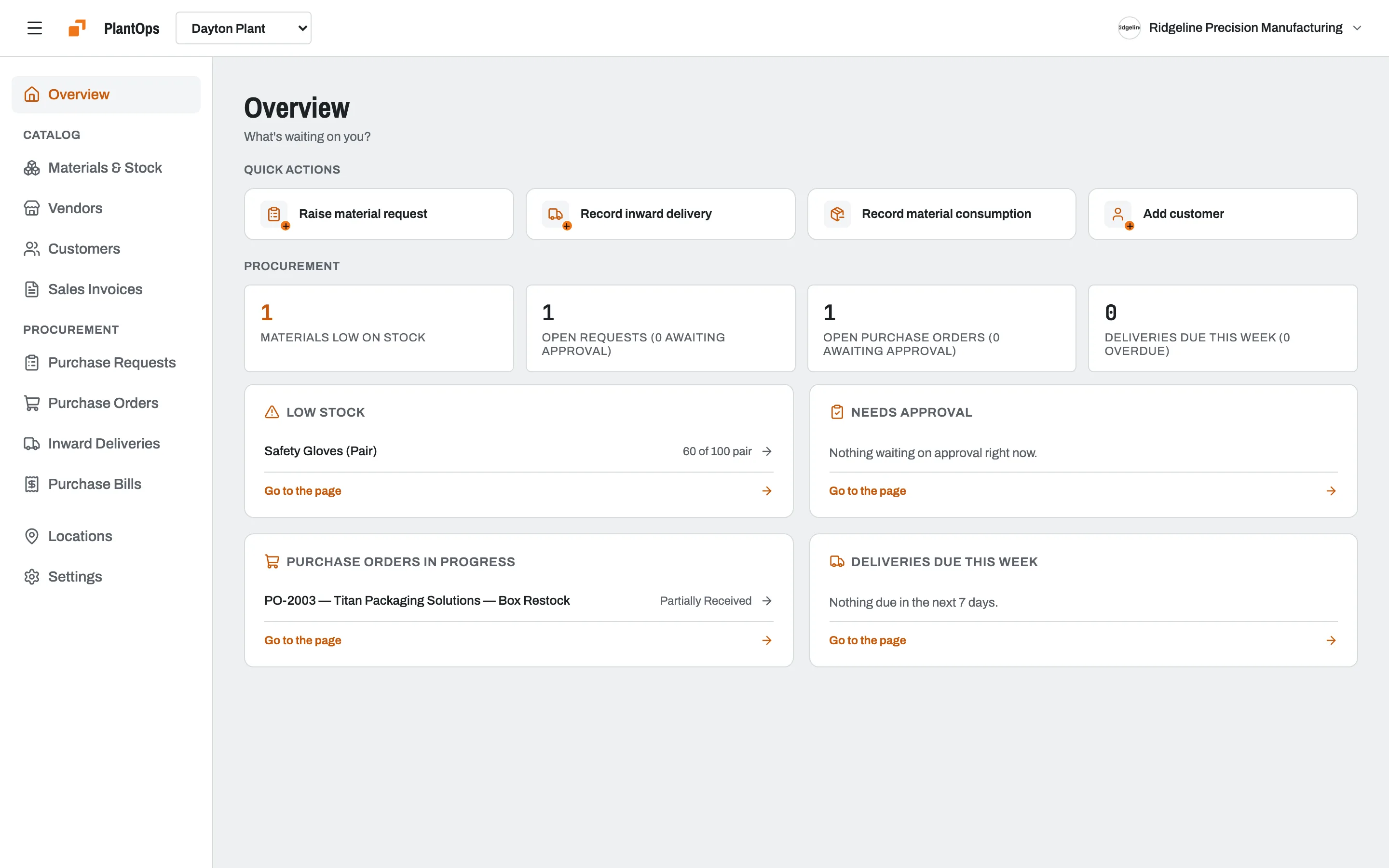
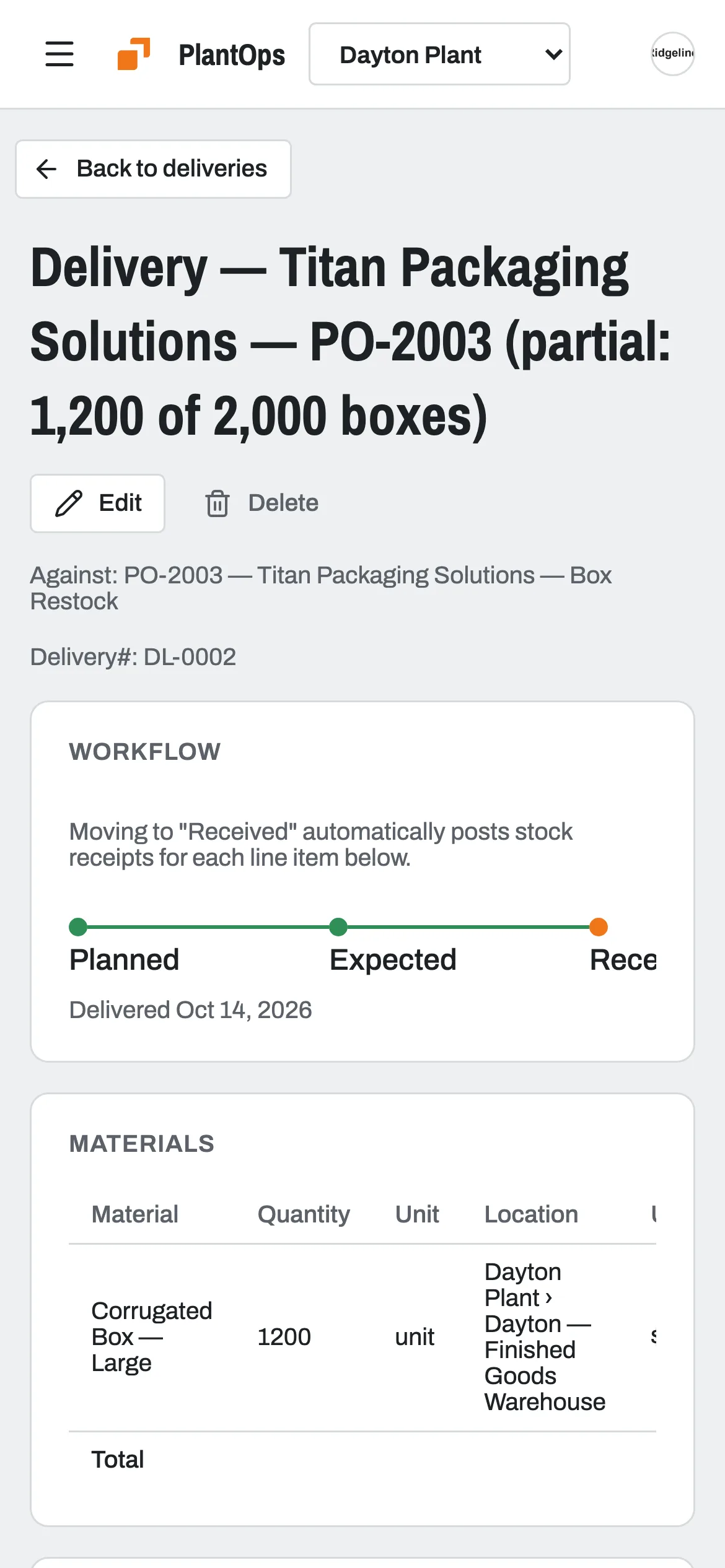
- Works offline on the floor
- Stock updates when a delivery is verified
- Delivery photos checked by location
- Several plants and warehouses
What is Slateo PlantOps?
Last updated:
Slateo PlantOps is procurement and inventory software for factories and manufacturing units. It runs every material from purchase request to purchase order, delivery, stock update and vendor bill, with approval workflows, stock across several sites, and offline support for the factory floor. It's part of the Slateo platform.
Who uses it
Stores and operations
Raise a request when stock runs low, and receive deliveries at the gate with a photo.
Purchasing
Approve requests, turn them into purchase orders and track each one with the vendor.
Accounts
Check each bill against its order, flag what's wrong and record payments.
Plant owner
See what's waiting on approval, what's low on stock and what's due this week.
How it works
From purchase request to paid bill, in one flow
- Step 1
Purchase request
Requested, then approved by whoever you choose.
- Step 2
Purchase order
Raised for the vendor and tracked until they acknowledge it.
- Step 3
Delivery
Received at the gate, with a photo, then verified.
- Step 4 · Automatic
Stock and bill
Verifying a delivery adds the stock and creates the bill.
- Step 5
Bill cleared
Approved, checked against its order, then paid.
Don't use purchase requests? Turn them off and start from the purchase order.
Nothing is ordered without approval
Each purchase request shows where it stands, from requested to fulfilled. Set up approval steps per document type, so a request, an order and a bill each go to the right person.
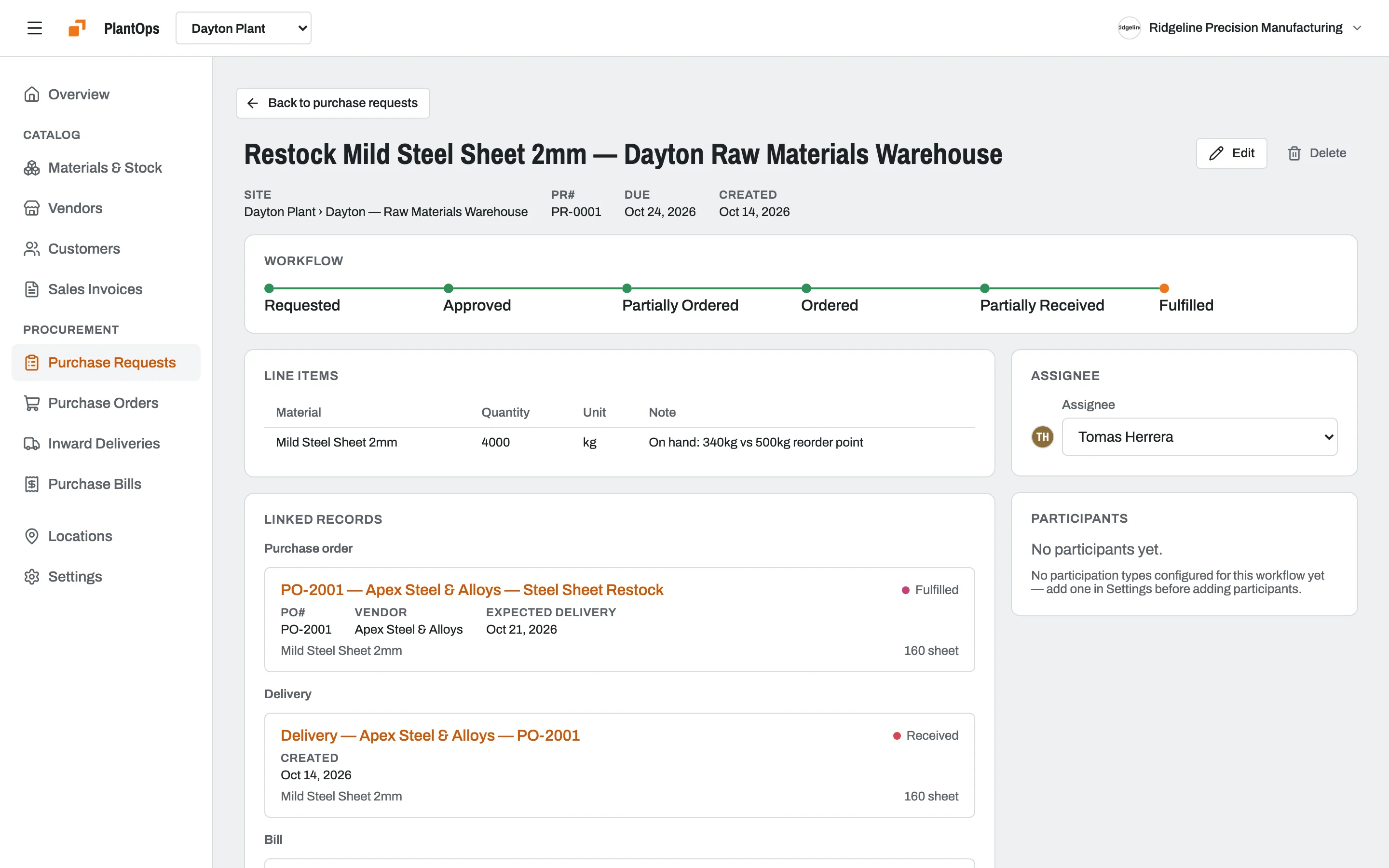
Photo proof at the gate
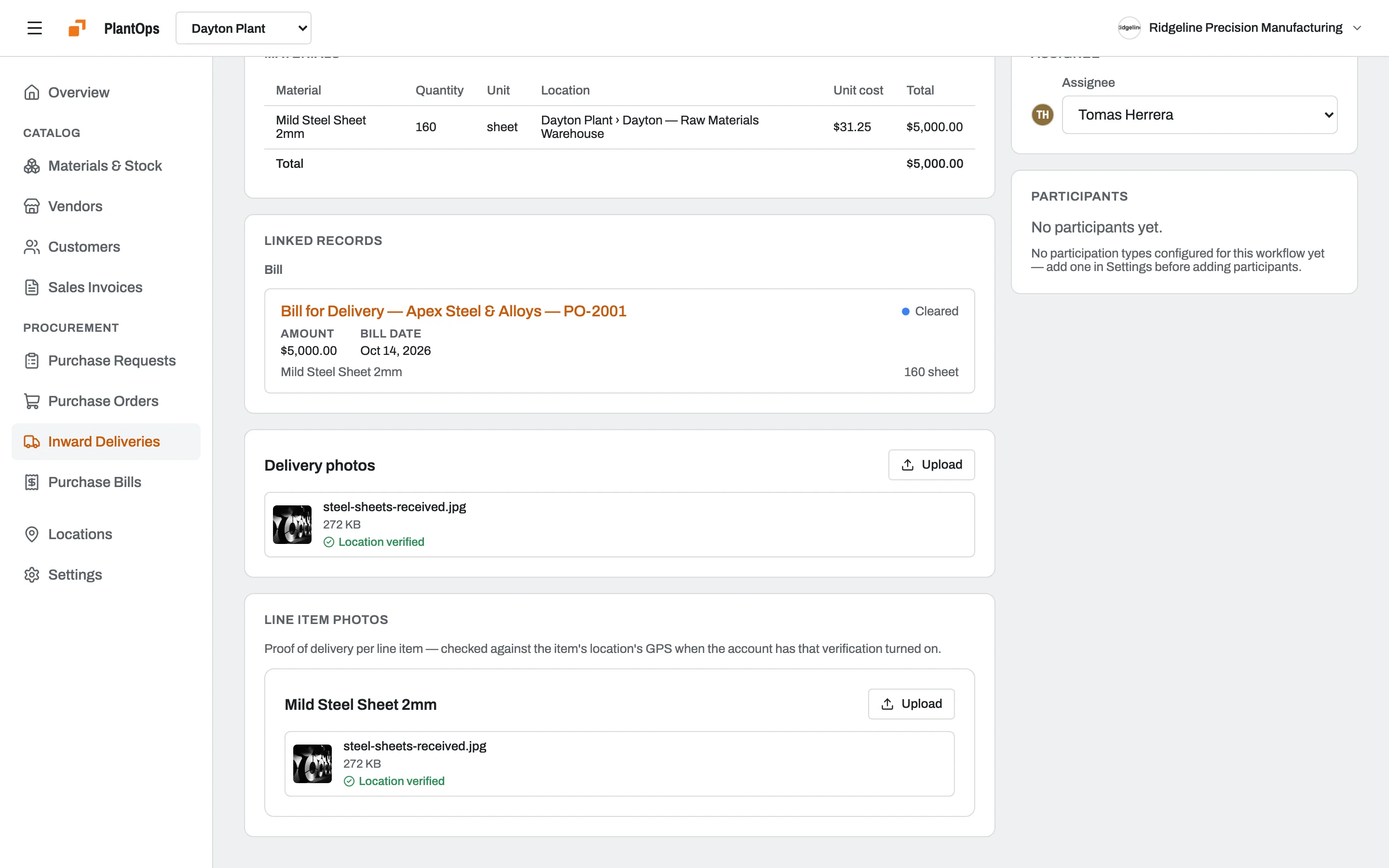
The person receiving goods takes a photo on their phone. PlantOps checks the photo's location against the site, so a delivery can't be marked received from somewhere else. Verify it, and stock goes up on its own.
Stock for every plant, warehouse and zone
Set up your sites the way they really are. Stock, orders, deliveries and bills all belong to a location, so each plant sees its own numbers and the owner sees all of them.
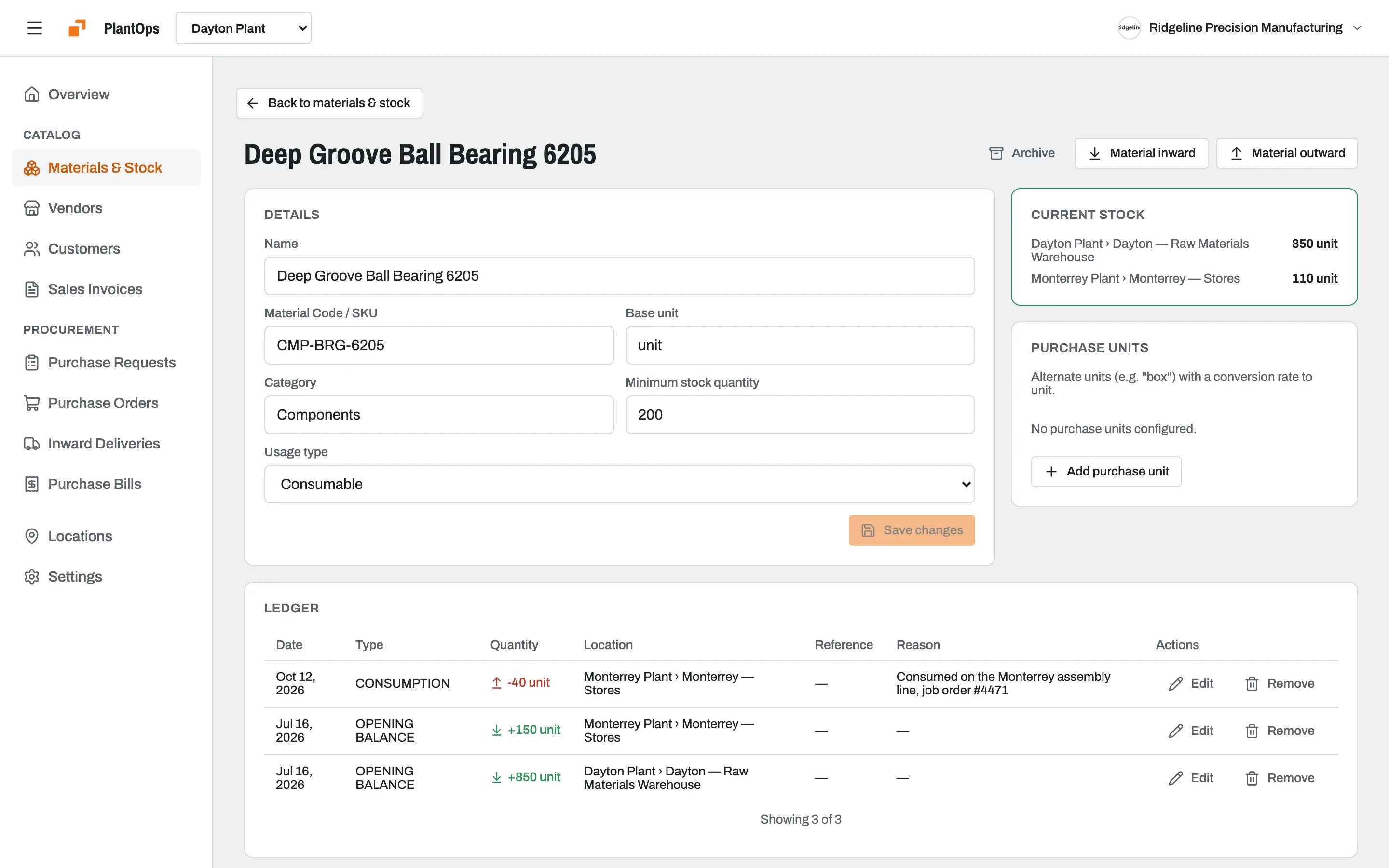
Keeps working when the Wi-Fi doesn't
Record deliveries, stock changes and new purchase requests with no signal. They sync when you're back online, and anything that couldn't sync waits in a list for someone to review.
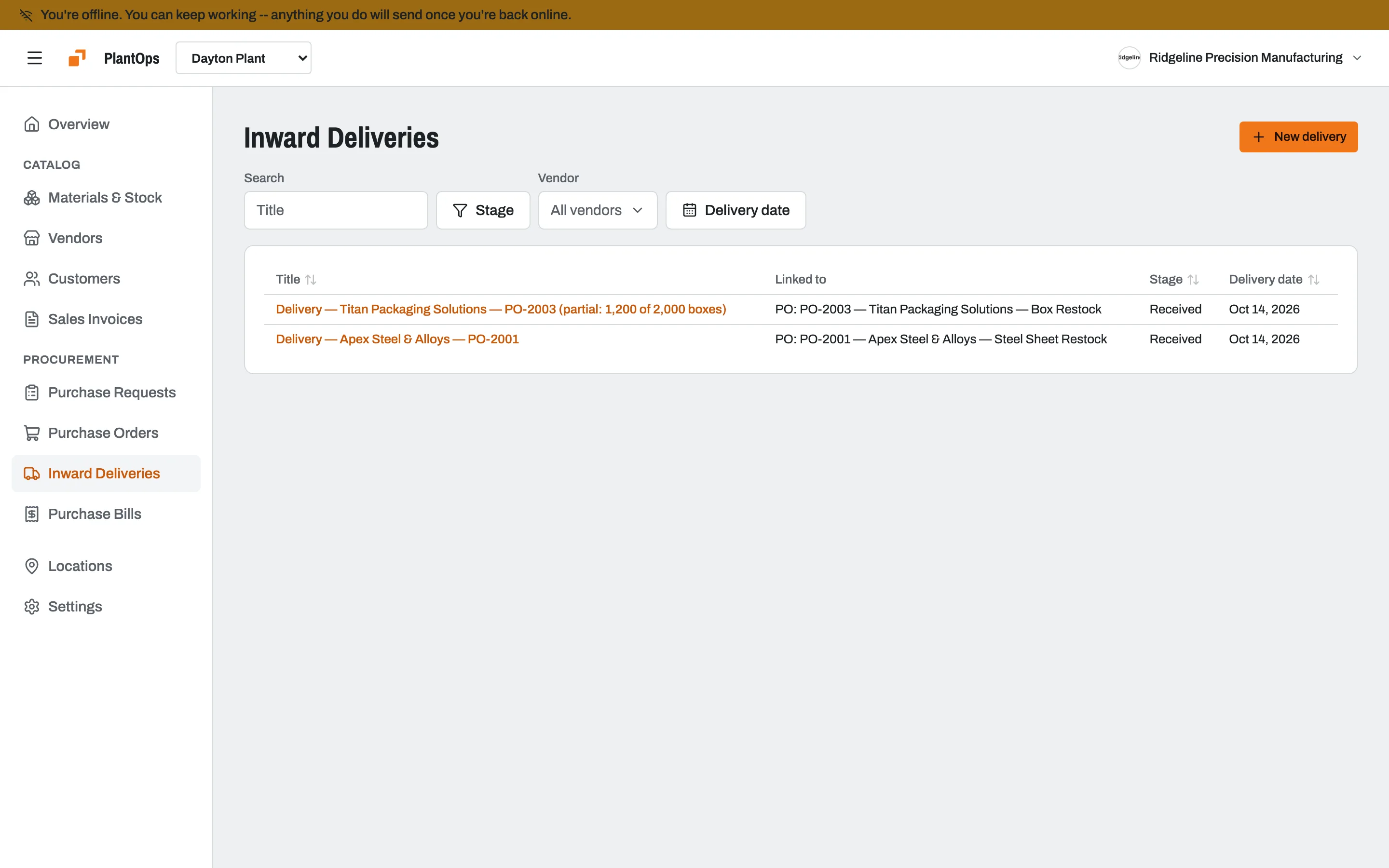
Also included
- Bills tied to ordersEach bill links to its purchase order; flag one with a note when something's off.
- Customer invoicesTax per line, discounts and your letterhead.
- Vendor historyEverything you've bought from each vendor.
- Hindi and MarathiFor teams on the floor who read Hindi or Marathi first.
- Install on any phoneAdd it to the home screen from the browser.
- Material exportDownload or print your materials as CSV.
What it replaces
Requests in WhatsApp groupsTracked requests with approvalsPaper delivery challansPhoto proof checked against the siteStock in a spreadsheetStock that updates on deliveryBills paid without a checkBills approved against their order
| Slateo PlantOps | Spreadsheets and chat | General ERP | |
|---|---|---|---|
| Request to bill in one flow | Yes, with approvals | Copied between files by hand | Usually, after a long setup |
| Receiving on a phone at the gate | Yes, with photo and location check | Photos lost in chat | Often desk-only |
| Works offline | Yes, syncs later | Depends on the file | Rarely |
| Price | Free, or a flat price per location | Free, plus the time it costs | Licences per user, plus setup |
Pricing
PlantOps Pro is priced per location, however many people use it.
Free
$0
Up to 3 users
- Unlimited locations
- Unlimited materials
- Unlimited vendors
- 1,000 customers
- 100 invoices
PlantOps Pro
$14.99 /location/mo
Per location, unlimited users
- Unlimited locations
- Unlimited materials
- Unlimited vendors
- 5,000 customers
- Unlimited invoices
- Unlimited users
- Email and chat support
Questions
Does Slateo PlantOps work offline?
Yes. You can record deliveries, stock changes and new purchase requests without a connection. They're saved on the device with draft numbers and sync when you're back online. If something can't sync, it appears in a review list so nothing is lost.
Can it handle several plants or warehouses?
Yes. Set up plants, warehouses inside them, and zones inside those. Stock, purchase orders, deliveries and bills each belong to a location.
How does delivery verification update stock?
When someone verifies a received delivery, PlantOps adds the quantities to stock at that location and creates the vendor bill. Nobody has to re-enter it.
How much does it cost?
Free for up to 3 users. PlantOps Pro is $14.99 a month per location (₹1,499 in India), or $149.90 (₹14,990) a year, with unlimited users. There's no free trial of Pro; start on Free and upgrade when you need to.
Can my team use it in Hindi?
Yes. PlantOps is available in English, Hindi and Marathi, and each person can pick their own language.
What's the difference between Slateo and Slateo PlantOps?
Slateo is a work management app for projects, tasks and workflows. PlantOps runs on the same platform but is built around factory procurement, with screens, words and defaults made for a plant.