
Invoicing
Bill customers without leaving Slateo
Create an invoice from a customer or a won deal, email it with your branding, and always know what's paid and what's still due.
Free for up to 3 users and 100 invoices. No credit card required.
How does invoicing work in Slateo?
Last updated:
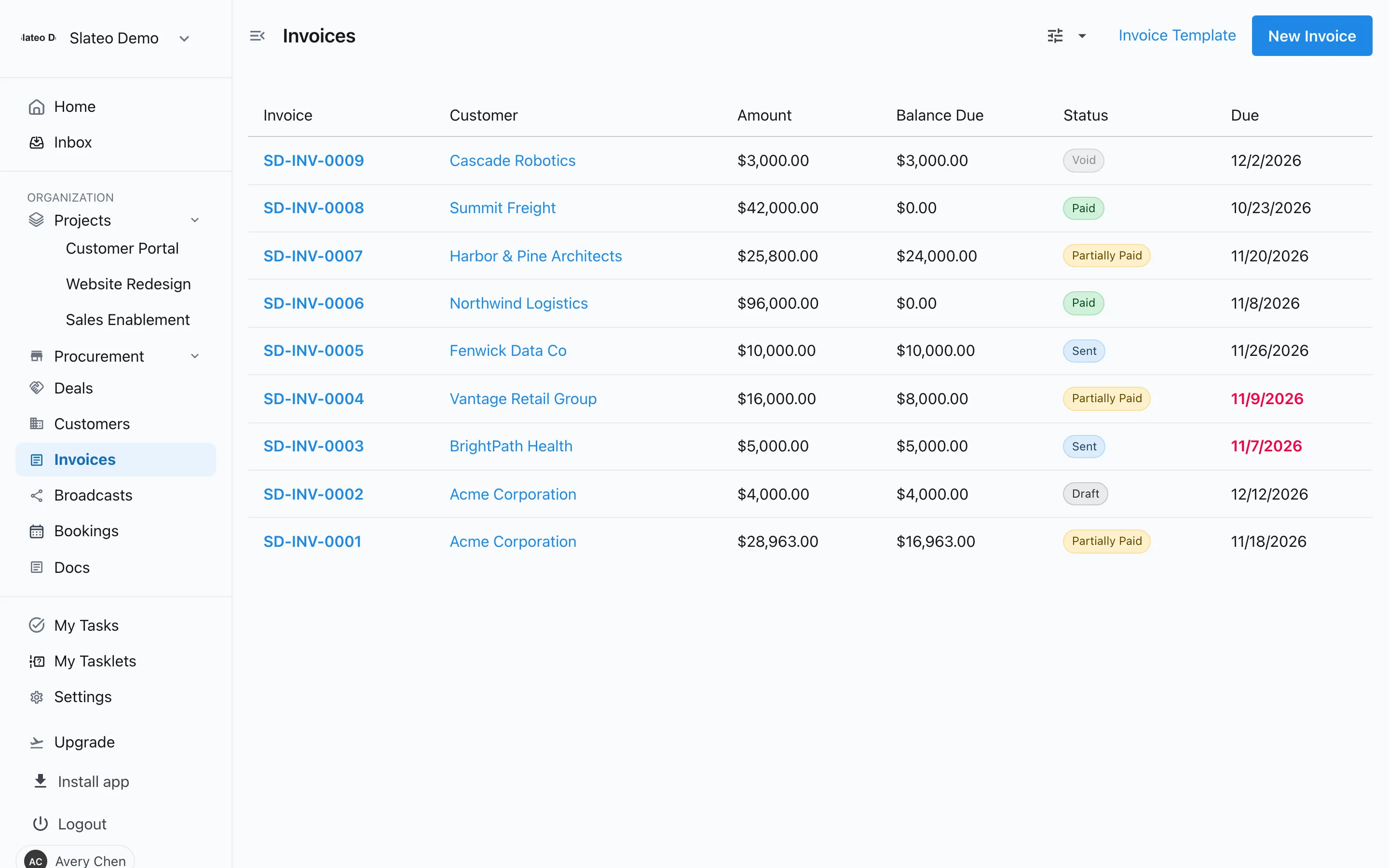
You create an invoice from the invoice list, a customer or a deal, add line items with tax and discounts, and send it by email with the PDF attached. When the customer pays, you record the payment and Slateo updates the balance and status. Every invoice stays linked to its customer and deal.
Create
A professional invoice in minutes
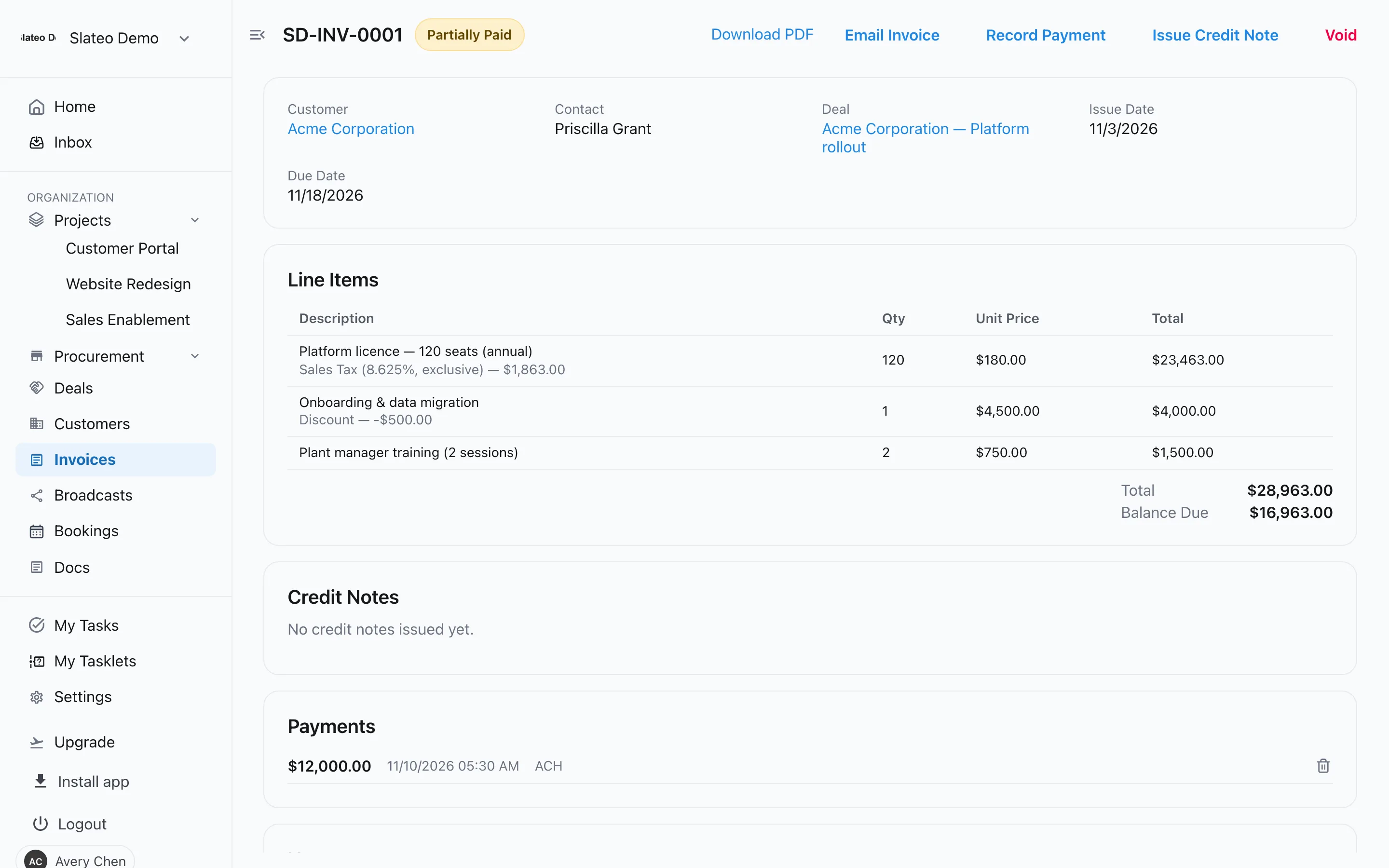
Add line items with quantity and price, apply a tax to each line, inclusive or added on top, and give a discount as a percentage or an amount. Start from a customer or a won deal and they're filled in for you.
Send
Your brand on every invoice
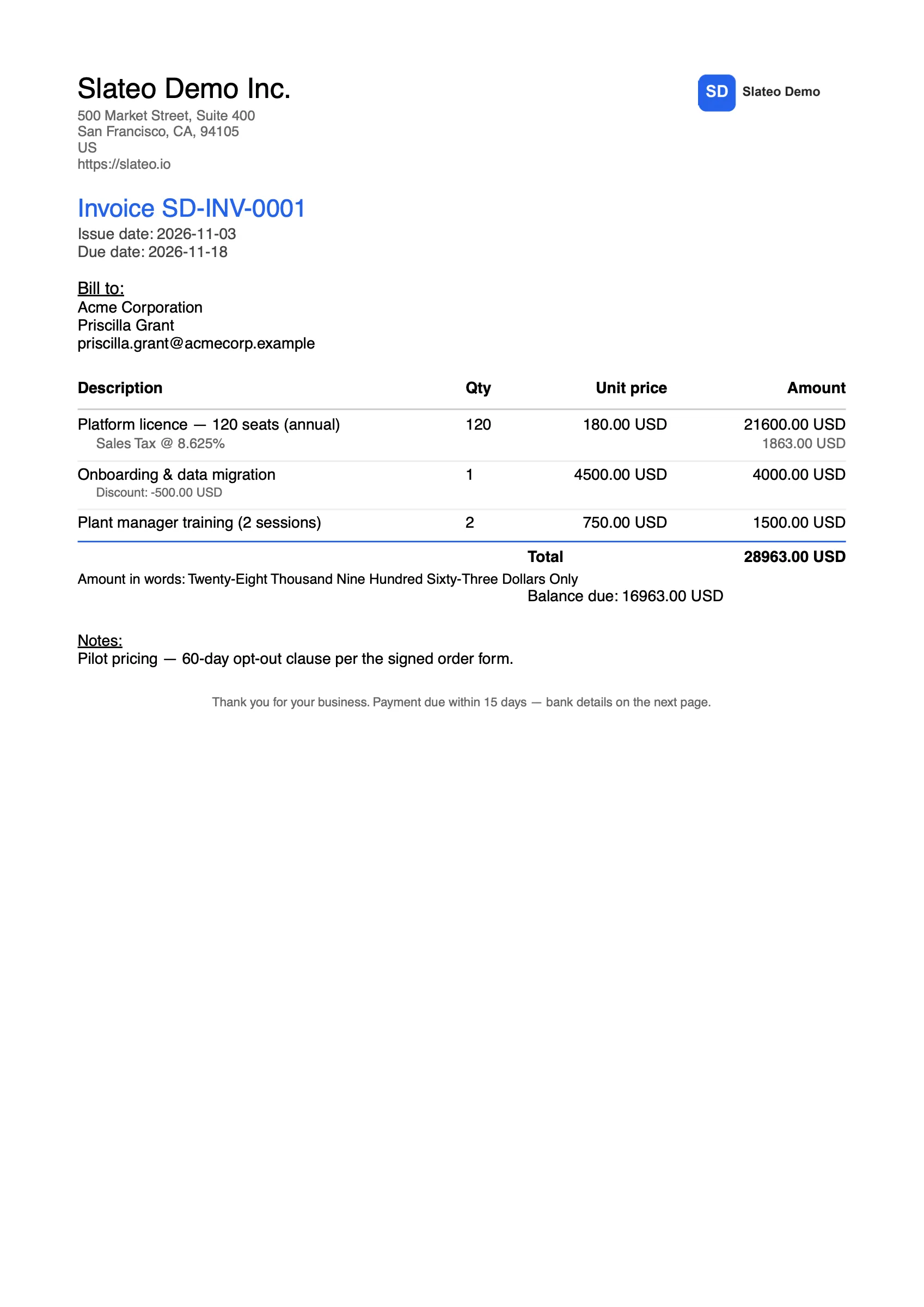
Add your logo, company details, an accent colour and a footer once, and every invoice PDF uses them. Each PDF also spells out the total in words. Email the invoice from Slateo with the PDF attached, or download it to send yourself.
Payments
Always know what's owed
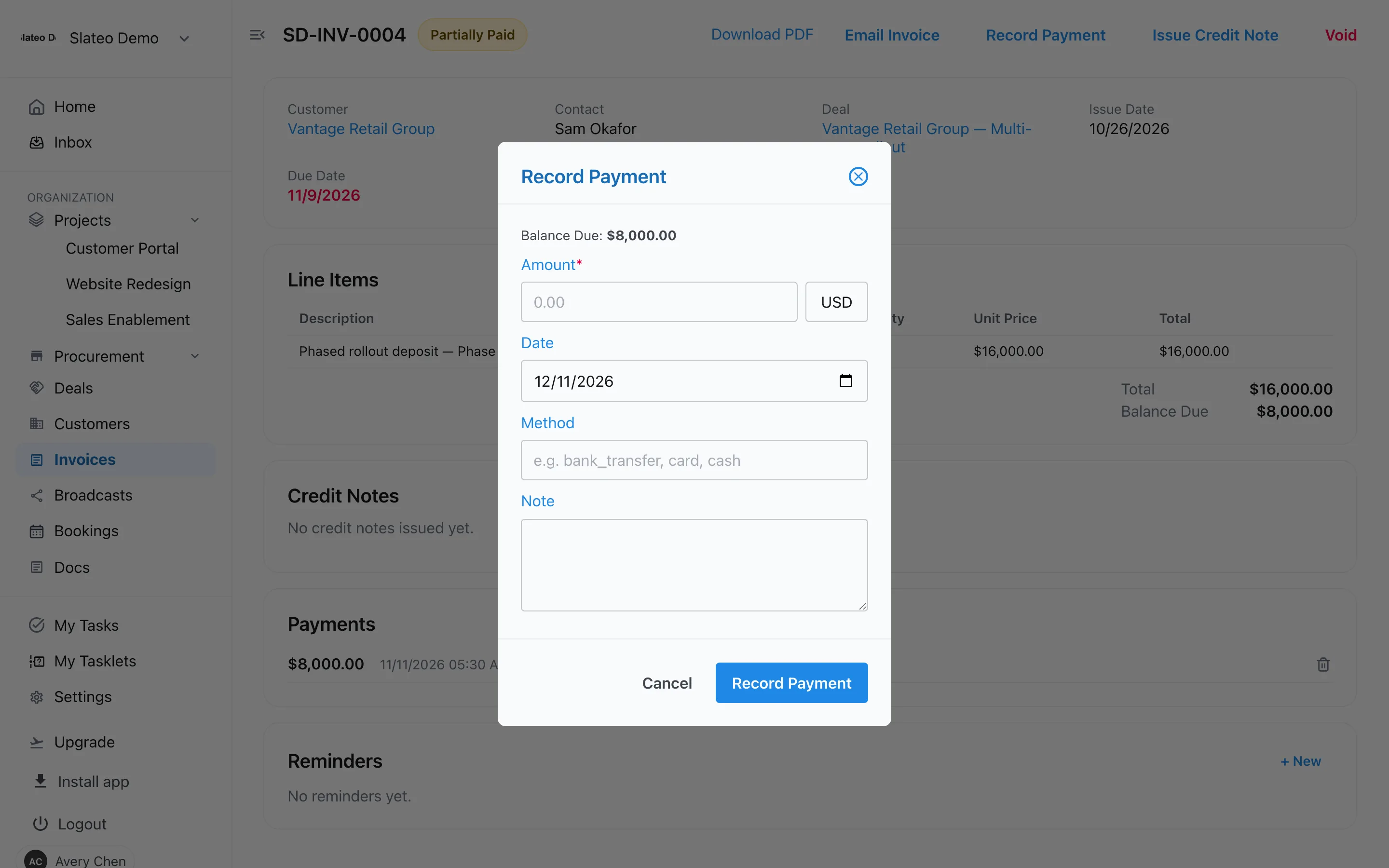
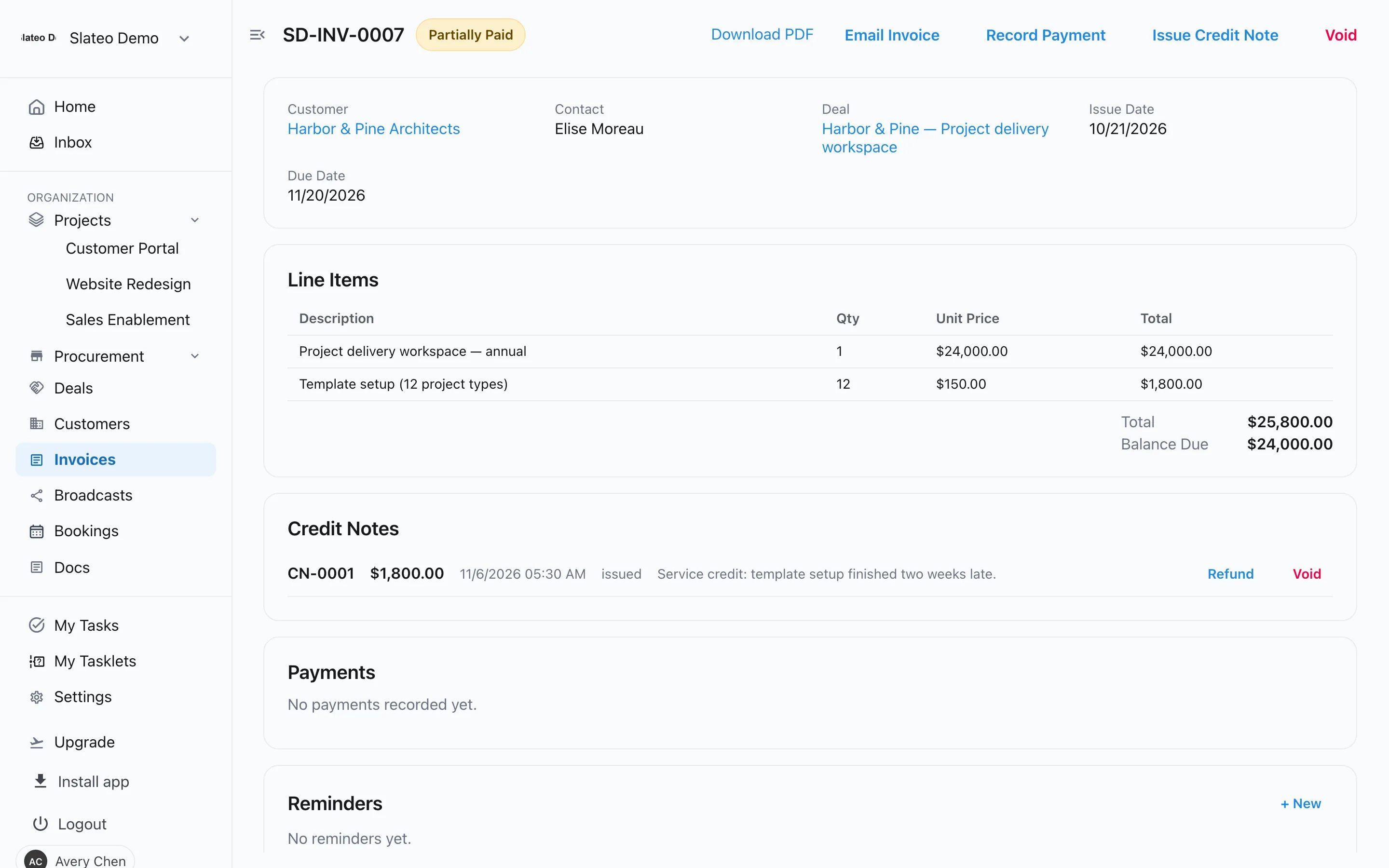
Record full or partial payments with the date, method and a note. The balance and status update straight away, from sent to partially paid to paid, and overdue invoices stand out in the list.
- Draft
- Sent
- Partially paid
- Paid
- Void
Credit notes
Fix mistakes the right way
Issue a credit note against an invoice instead of editing history, then refund it or void it if plans change. Void an invoice that should never have been sent.
Also in invoicing
Your numbering
Set a prefix like INV- and Slateo counts up from there. Reset the counter when you need to.
Tax presets
Save the taxes you use with their rates, and choose whether prices include tax by default.
Amount in words
Every invoice PDF writes out the total, in lakh and crore for rupee invoices.
Linked to the deal
Invoices show on the customer's and the deal's page with their balance due.
Reminders
Set a reminder on an invoice to follow up before it's overdue.
Included on every plan
Free includes 100 invoices. Pro, Growth and Enterprise have no invoice limit.
Questions
Can I email invoices from Slateo?
Yes. Email an invoice to the customer's contact, or any address you choose, and the PDF is attached. You can also download the PDF.
Can I add tax and discounts?
Yes. Apply a tax to each line, either included in the price or added on top, and give discounts as a percentage or a fixed amount. Save the taxes you use as presets.
Can customers pay partially?
Yes. Record each payment with its amount, date and method. The invoice shows what's still due and moves to partially paid, then paid.
What if an invoice is wrong?
Issue a credit note against it, which you can later refund or void, or void the invoice itself.
Can I use my own invoice numbers?
Yes. Set a prefix and the next number, and Slateo counts up from there. Changing it doesn't renumber invoices you've already created.
Get paid without adding another tool.
Send your first invoice in minutes. No credit card required.