
Use case: agency invoicing
Bill clients from the same place you run their work
Create the invoice from the client or the won deal, send a branded PDF, and see what's still owed.
Free for up to 3 users. No credit card required.
What is invoicing for agencies?
Last updated:
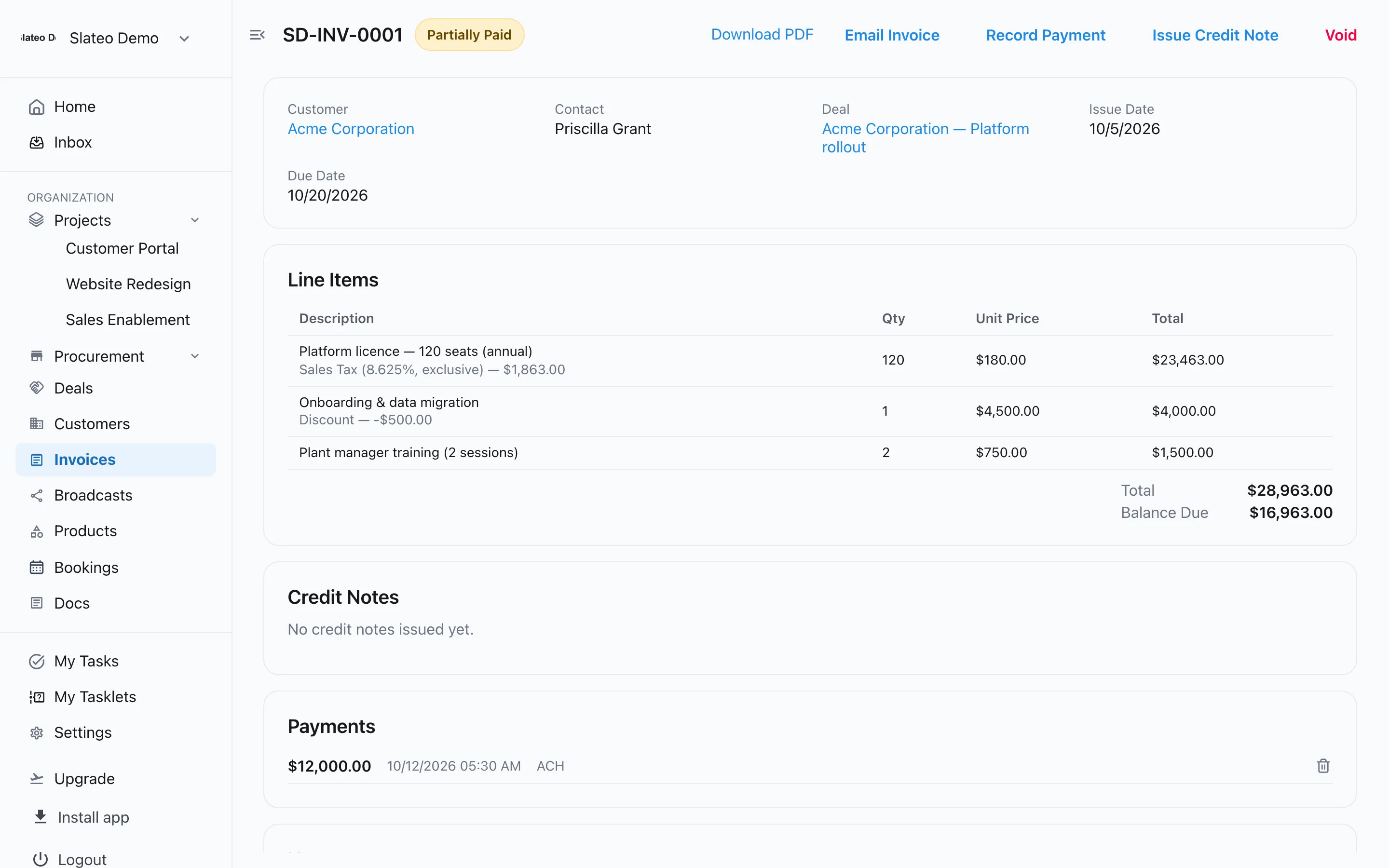
Agencies invoice clients for projects, retainers and extra work. In Slateo, invoices live next to the client's record and deals: start one from either and the details are filled in, add line items with tax and discounts, email it with your branding, and record payments as they come in.
Brand
Your brand on every invoice
Add your logo, company details, an accent colour and a footer once, and every PDF uses them. Email the invoice from Slateo with the PDF attached.
Invoicing →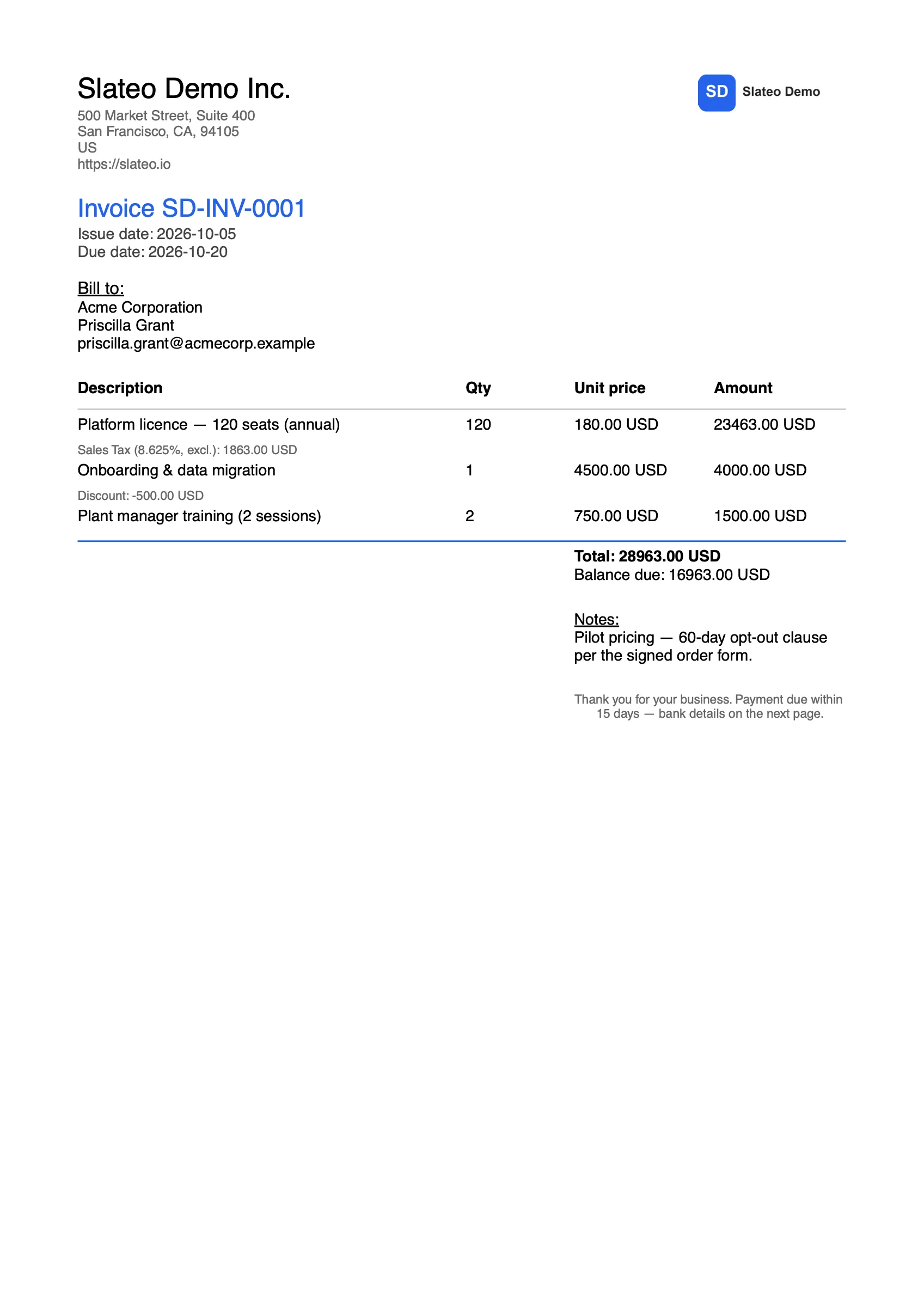
Payments
Always know what's owed
Record full or partial payments with the date and method. The balance and status update, and overdue invoices stand out.
Create and send invoices →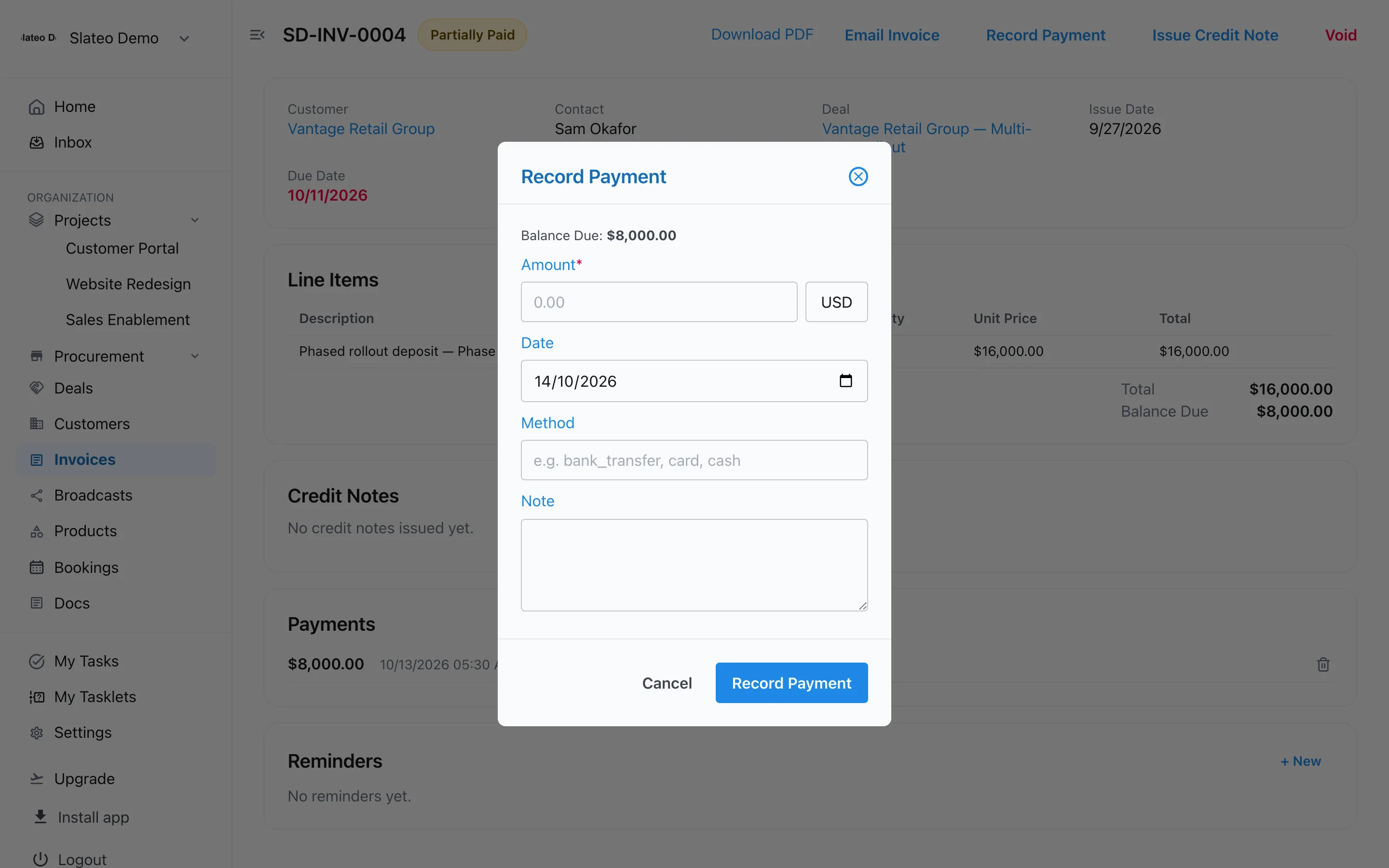
From the deal
From won deal to invoice
Track the work as a deal with its value and close date. When it's won, create the invoice from the deal, and the deal shows what's been billed and paid.
Deals and pipeline →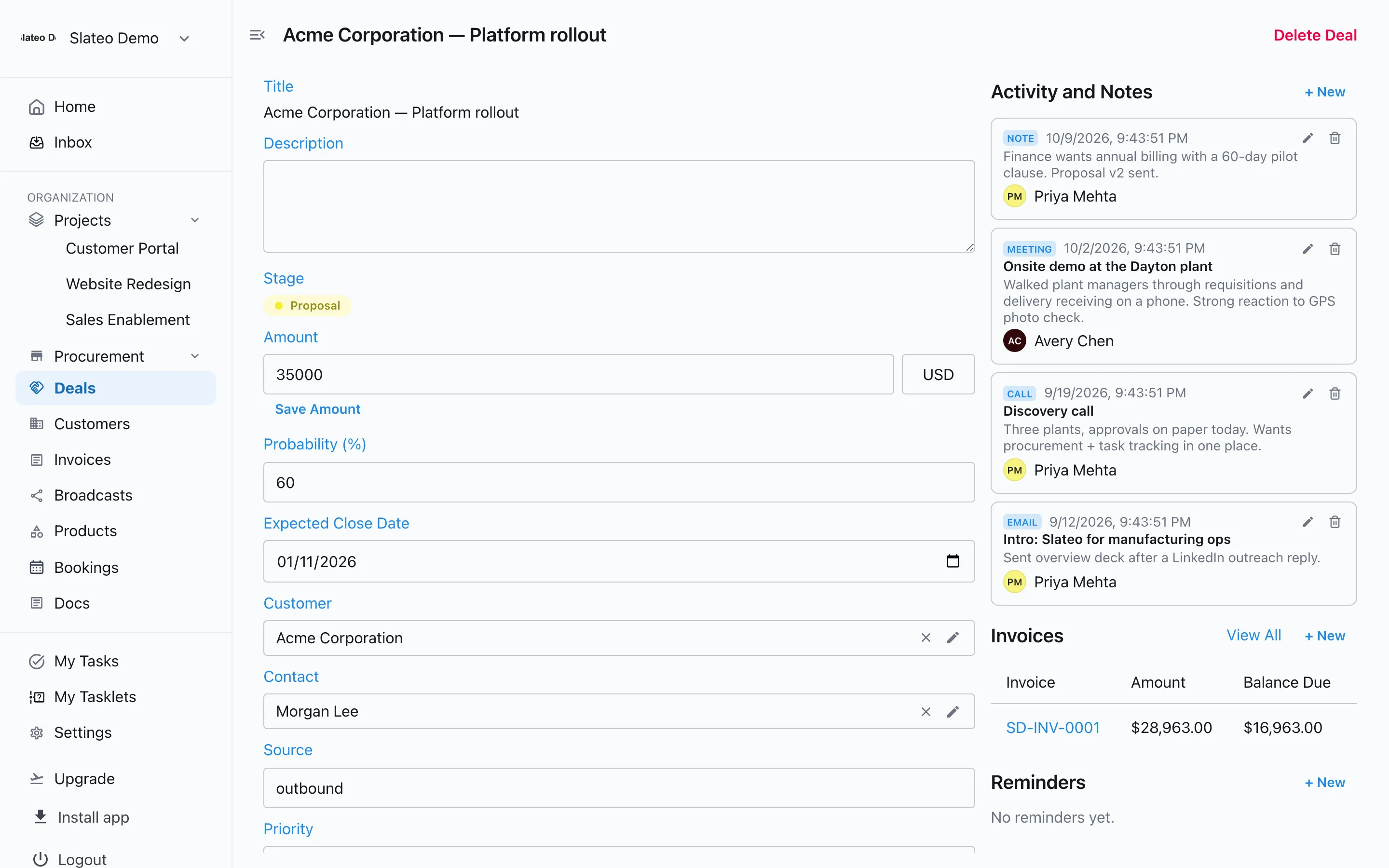
Also in invoicing
Your numbering
Set a prefix like INV- and Slateo counts up from there.
Tax presets
Save the taxes you charge and choose whether prices include tax.
Credit notes
Credit an invoice instead of editing it, then refund or void the credit.
Reminders
Set a reminder on an invoice to follow up before it's overdue.
Invoices on every plan
Invoicing is included on every plan. Free covers 100 invoices; Pro and above have no invoice limit.
Questions
Can I email invoices from Slateo?
Yes. Email the invoice to the client's contact or any address, with the PDF attached, or download the PDF.
Can clients pay online through Slateo?
No. Record payments in Slateo when they arrive by bank transfer or any other method.
Can I add tax and discounts?
Yes. Apply a tax to each line, included or added on top, and give a percentage or flat discount.
Does Slateo send recurring invoices?
No. Create each invoice when it's due, or start from the client's record so their details are filled in.
Send your next invoice from Slateo.
Start free. No credit card required.