
For agencies
Run every client engagement from one workspace
Keep each client's projects, conversations and invoices organized and separate, and give clients and contractors exactly the access they need, no more.
Free for up to 3 users. No credit card required.
How do agencies use Slateo?
Last updated:
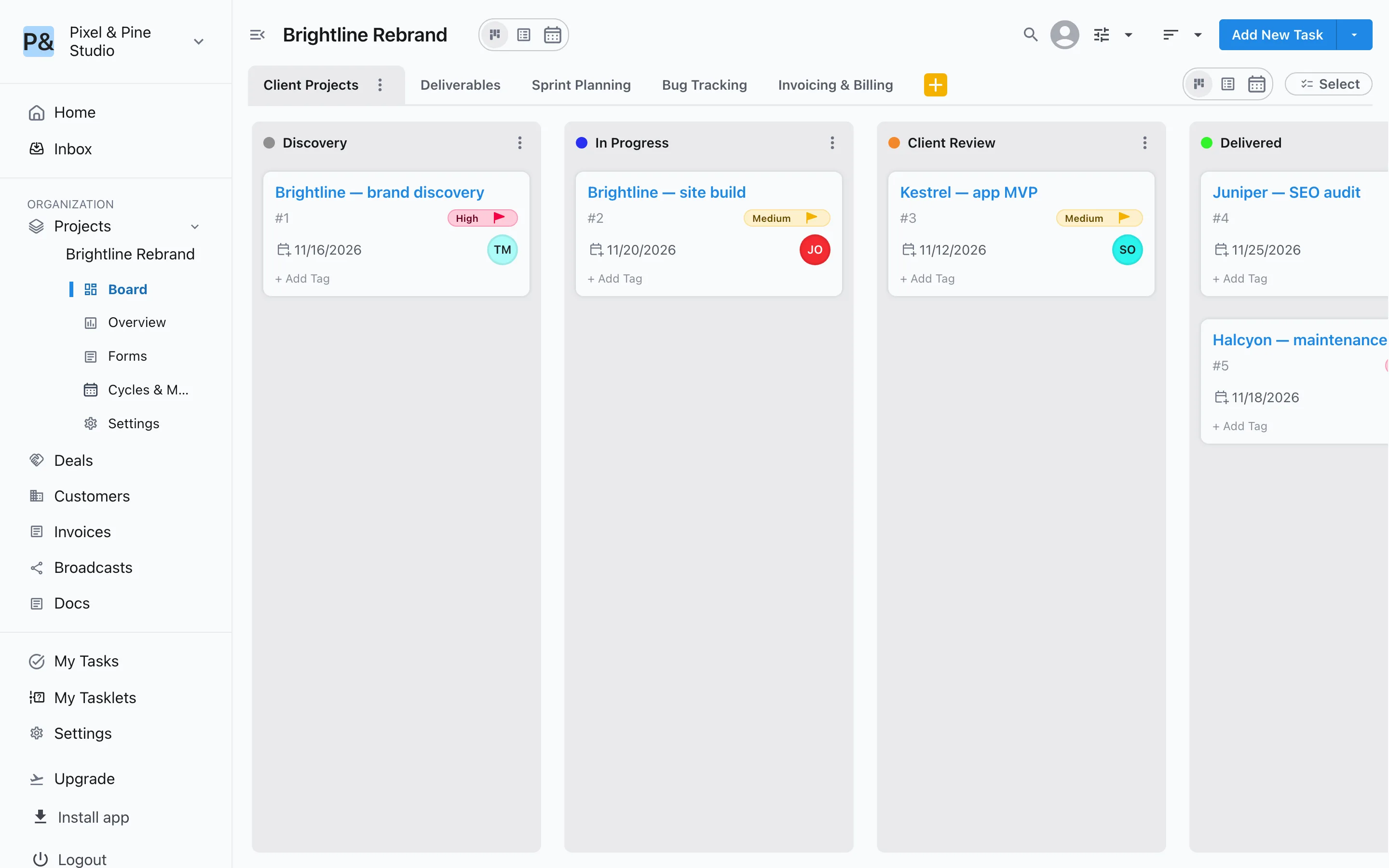
Agencies use Slateo to run each client engagement as a project with stages that match how they deliver, from discovery to client review to done. Each client has a record with their contacts, conversations, deals and invoices. Clients and contractors can be added to only their own projects, and internal approvals make sure nothing reaches the client before the right person signs it off.
Clients
A record for every client
Keep each client with their contacts, a timeline of every call, email, meeting and WhatsApp message, and their deals and invoices. Account managers get the whole story in one place, even when someone else ran the last project.
Customers →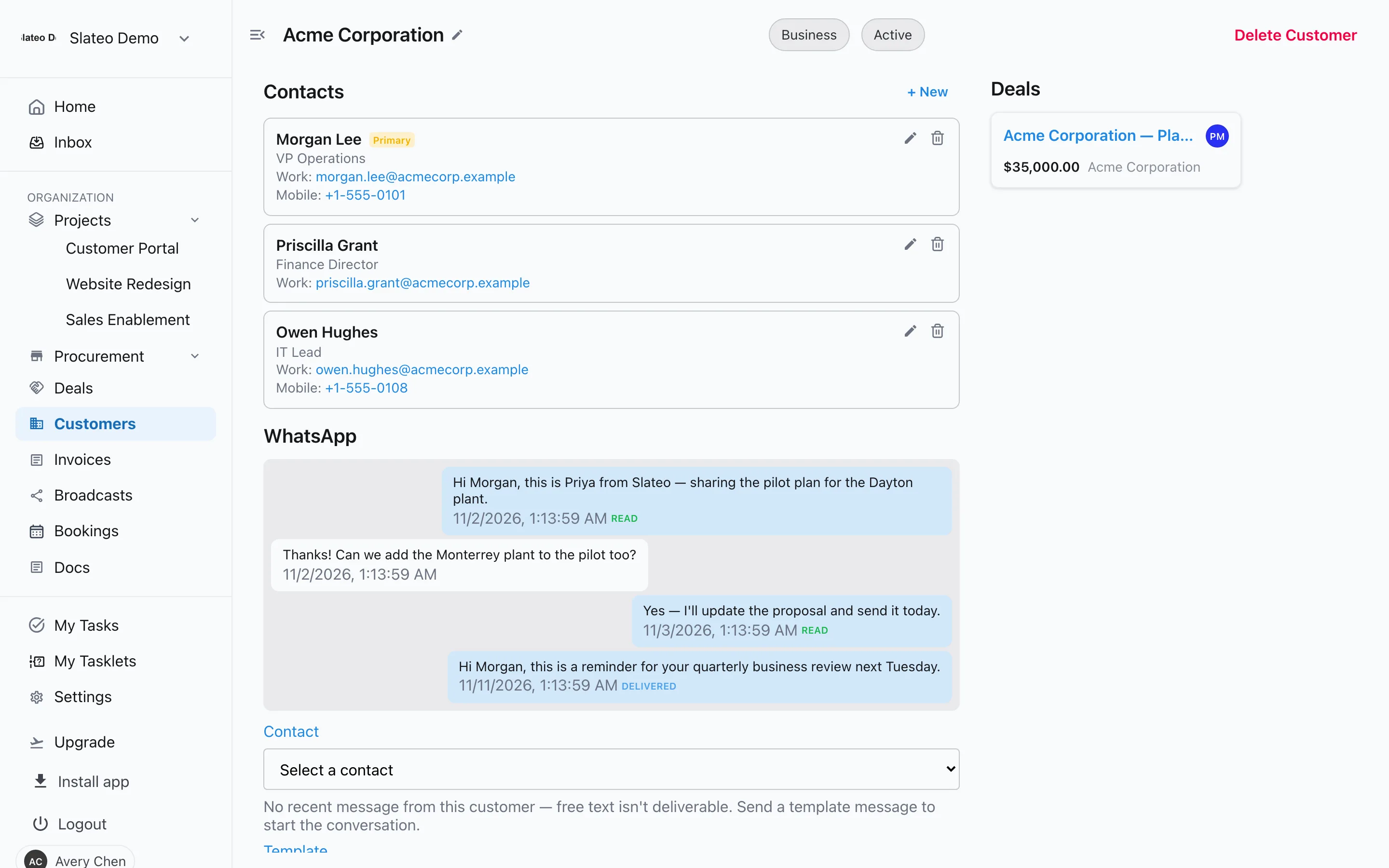
Client access
Let clients see their project, and nothing else
Add a client or a contractor to the projects they work on. Give clients a guest role so they can follow progress and comment, and give contractors an external role so they only ever see the projects they're added to.
Team management →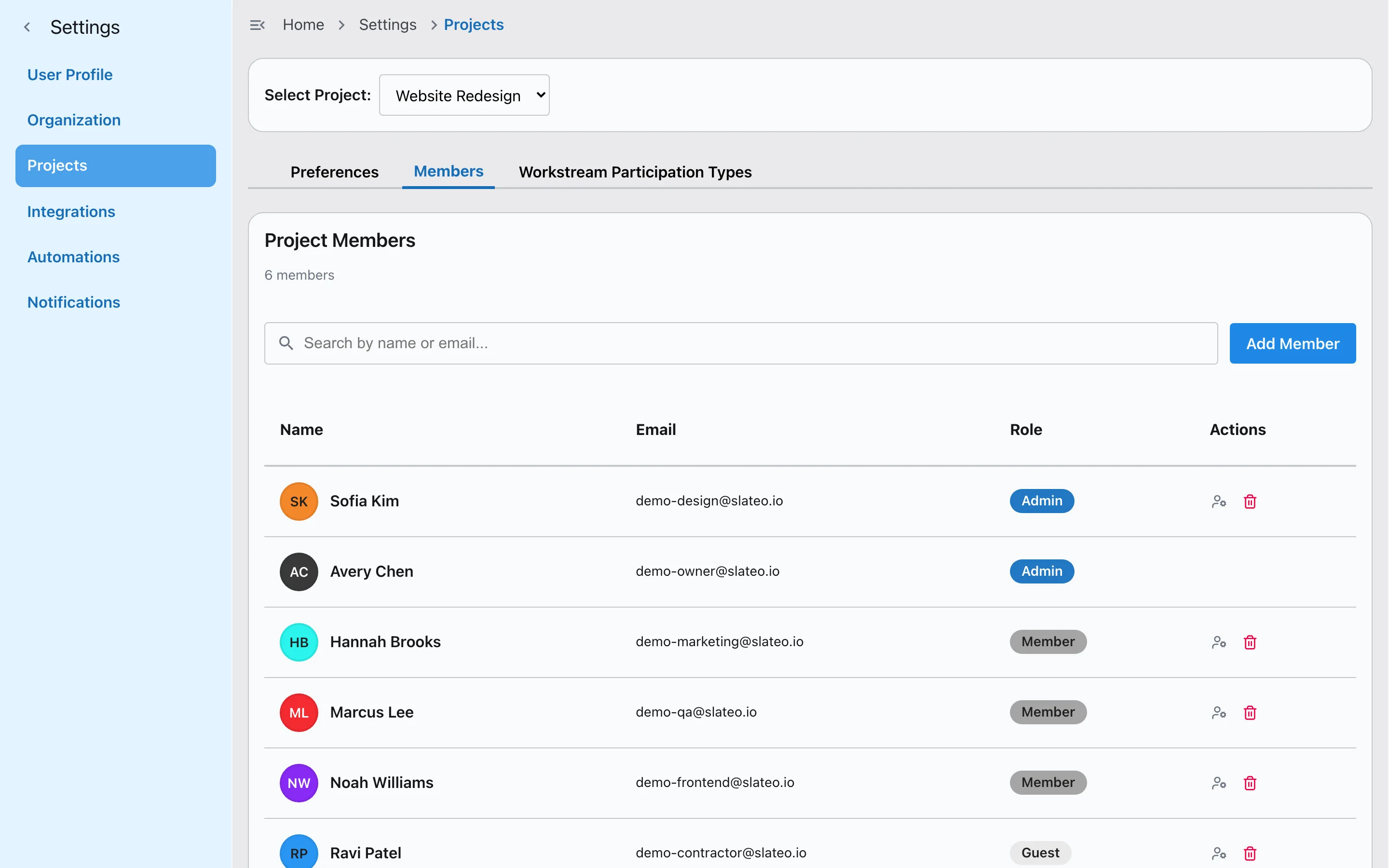
Quality
Nothing goes to the client without sign-off
Require an approval before work enters stages like Client Review or Delivered, so a lead or reviewer checks it first. Ask for an approval, send a reminder, and keep a record of who approved what.
Workflows and approvals →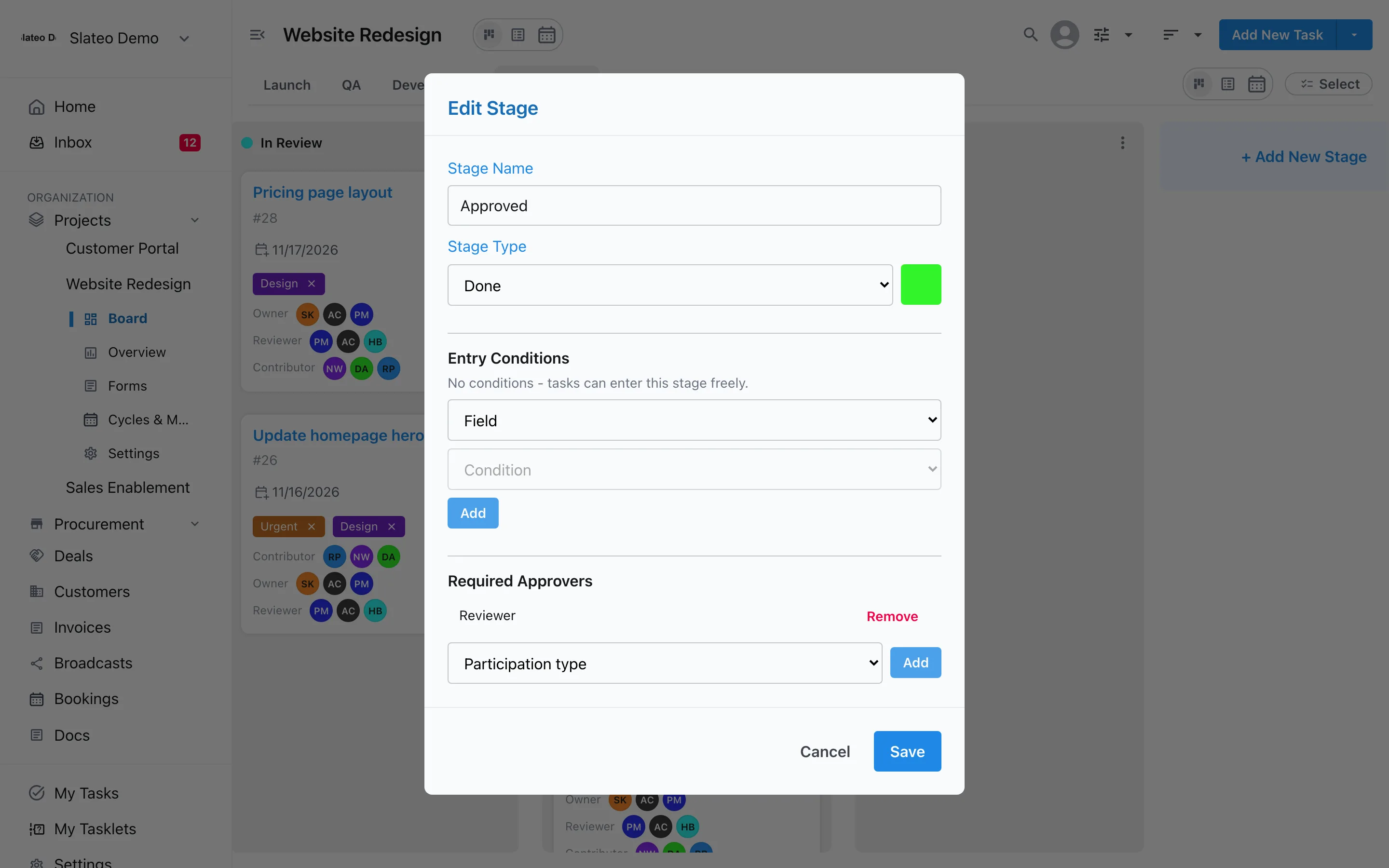
Billing
Invoice the work you just delivered
Create an invoice from the client's record or a won deal, with line items, tax and discounts, and email it with the PDF attached. Record payments and see what each client still owes.
Invoicing →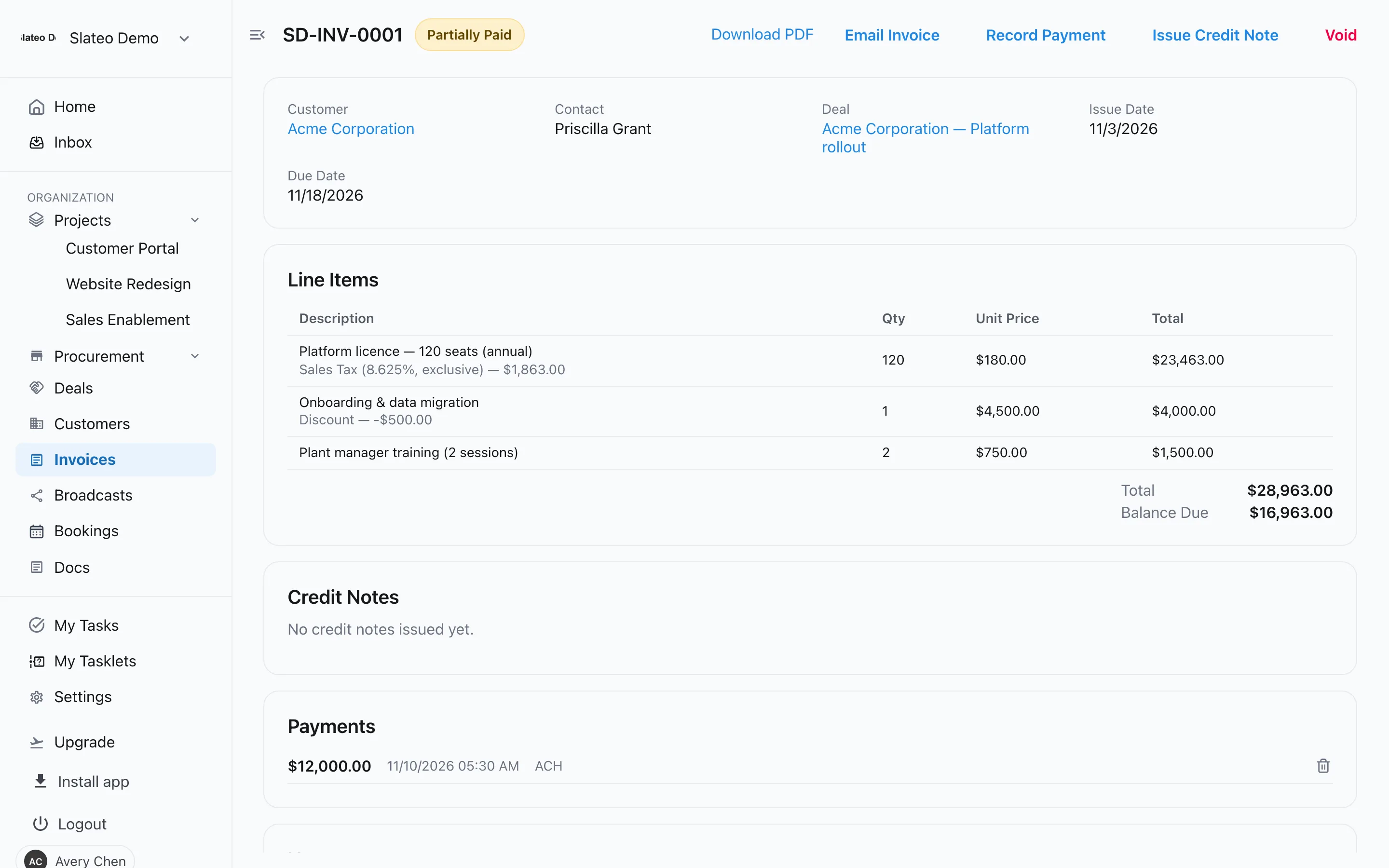
Also for agencies
Agency templates
Start from the Software Development Agency or Consulting Firm template, with workstreams for client projects and deliverables ready to go.
Client intake forms
Share a form for briefs or change requests, and turn each response into a task in one click.
Sprints and milestones
Plan each engagement in phases or sprints, with milestones for the dates you've promised.
WhatsApp with clients
Connect WhatsApp Business so client messages land on their record.
Grows with your client list
Free covers up to 3 users and 3 projects. Pro adds unlimited users, projects and invoices, so every client can have their own project.
Questions
Can my clients see their project in Slateo?
Yes. Add them to their project as a guest. Guests can view the project's tasks and workstreams and read or add comments, but can't change anything or see your other projects.
Can contractors work in Slateo without seeing every client?
Yes. Give contractors an external role and add them to the projects they work on. People with external roles only see the projects they've been added to.
Is there a template for agencies?
Yes. When you create a project, choose Software Development Agency or Consulting Firm. Slateo sets up workstreams such as Client Projects and Deliverables (plus Invoicing & Billing in the agency template), each with stages you can change.
Can we invoice clients from Slateo?
Yes. Create an invoice from the client's record or a won deal, email it with the PDF attached, and record payments to keep the balance up to date. Pro and above have no invoice limit.
Bring every client engagement into one place.
Set up your free workspace now. No credit card required.