
Workflows and approvals
Your stages, your rules, the right sign-off
Give each kind of work its own stages, set what a task needs before it moves on, and make sure the right person approves it.
Free for up to 3 users. No credit card required.
What is a workflow in Slateo?
Last updated:
A workflow is the list of stages a piece of work moves through, like Brief, Design, Review and Approved. In Slateo each type of workstream has its own workflow, and every stage can have rules a task must meet and people who must approve it before it moves in.
Stages and rules
Stages that match how the work really moves
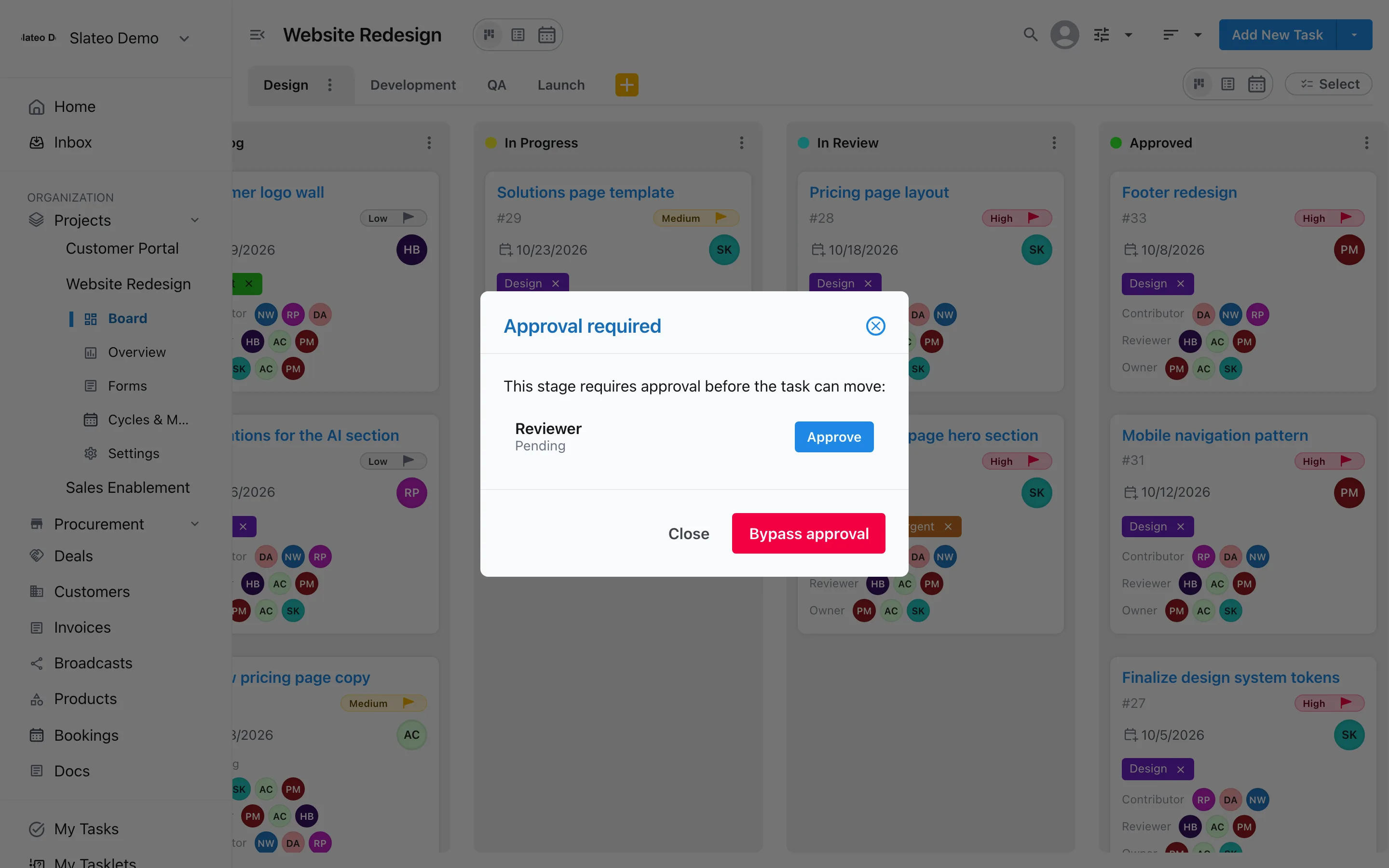
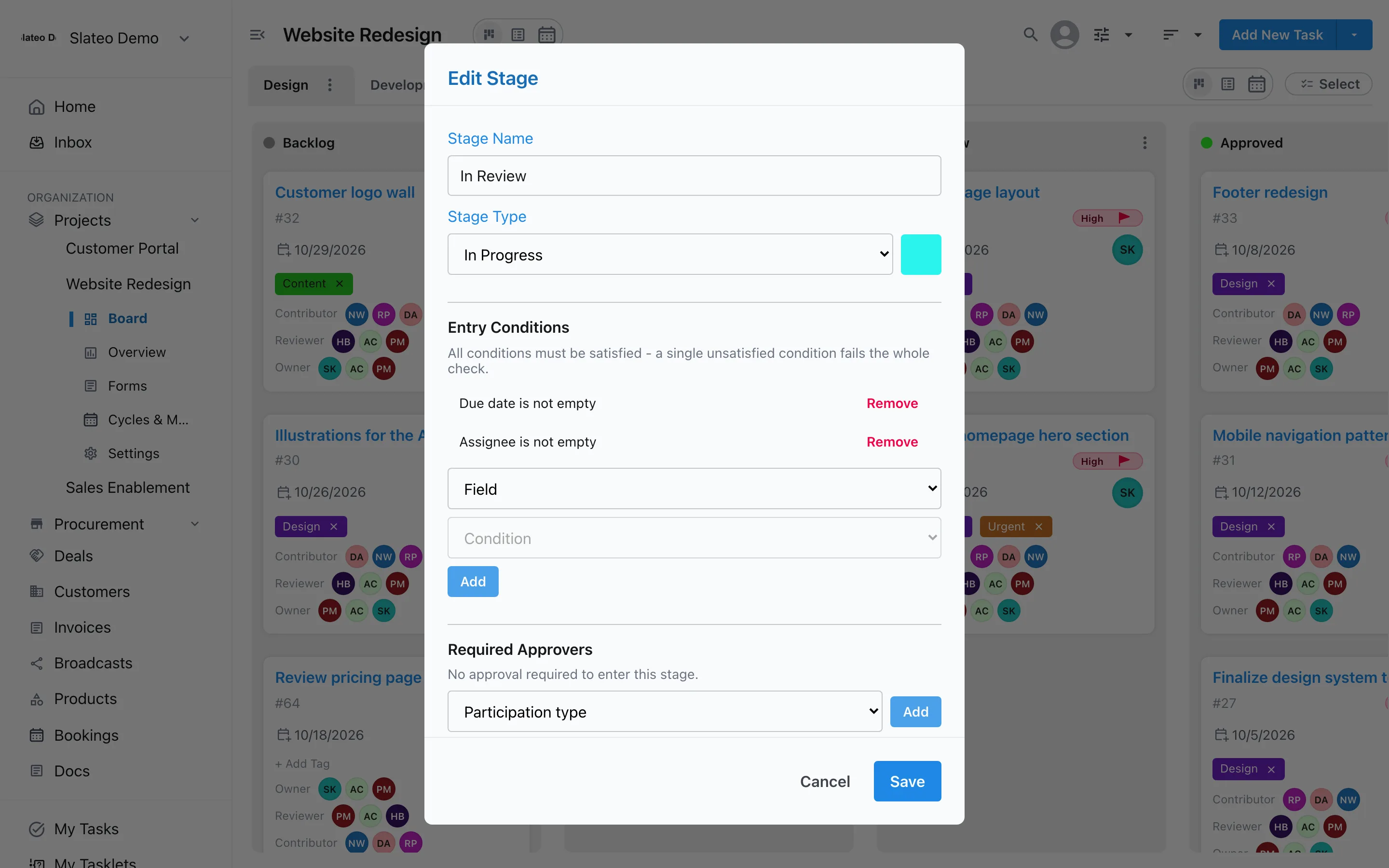
Give each type of workstream its own stages, so Design and Development can follow different steps in the same project. Then set rules a task has to meet before it enters a stage, like an owner and a due date before Review. A task that doesn't meet them stays where it is.
- Is empty / not empty
- Equals / not equals
- Contains
- Greater or less than
- In a list
Approvals
The right person signs off, every time
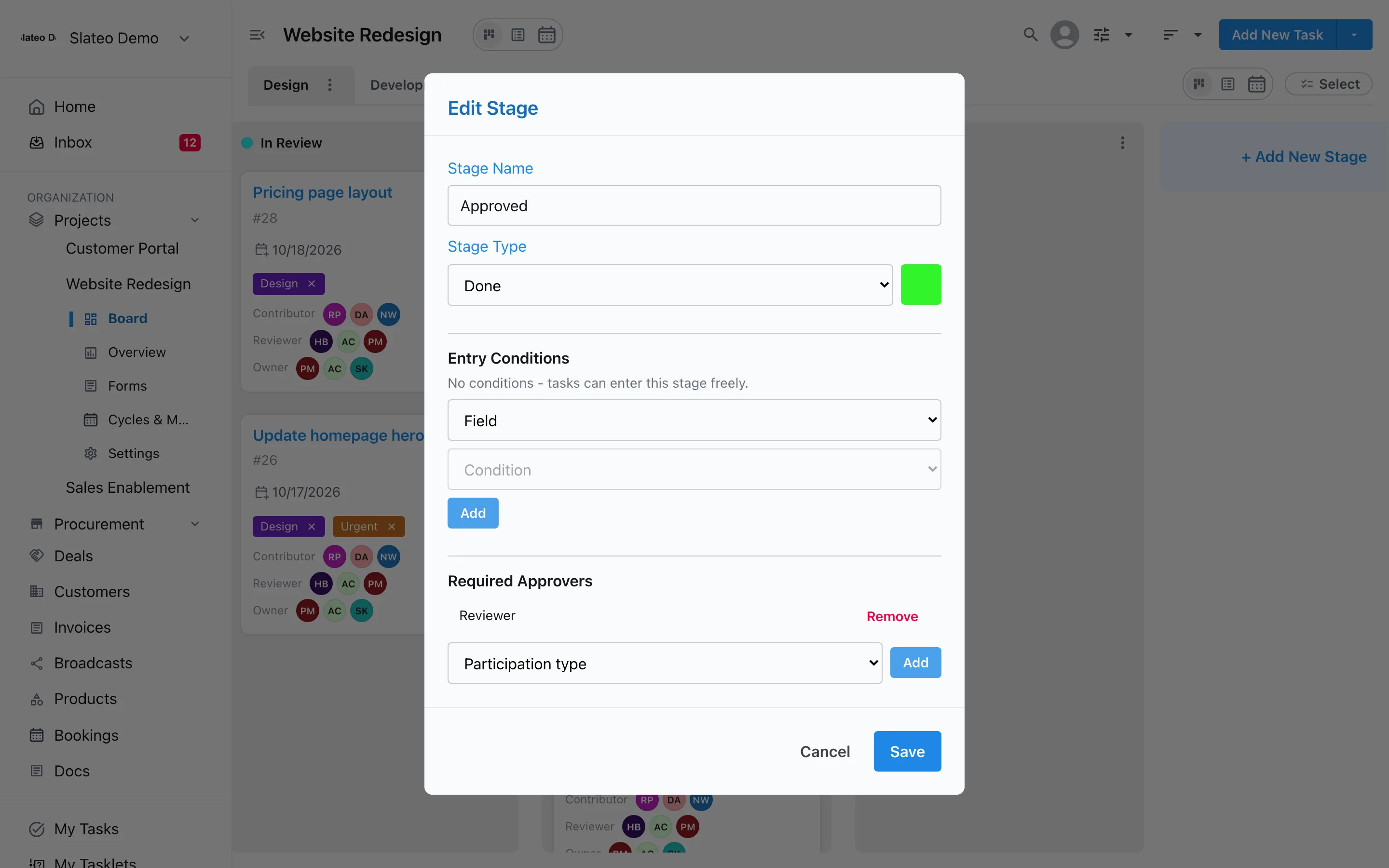
Require approval from a role, like Reviewer, before work can enter a stage. Approvals follow the role, not a name, so the rule still works when the team changes.
Approval requests
Ask, remind, and keep a record
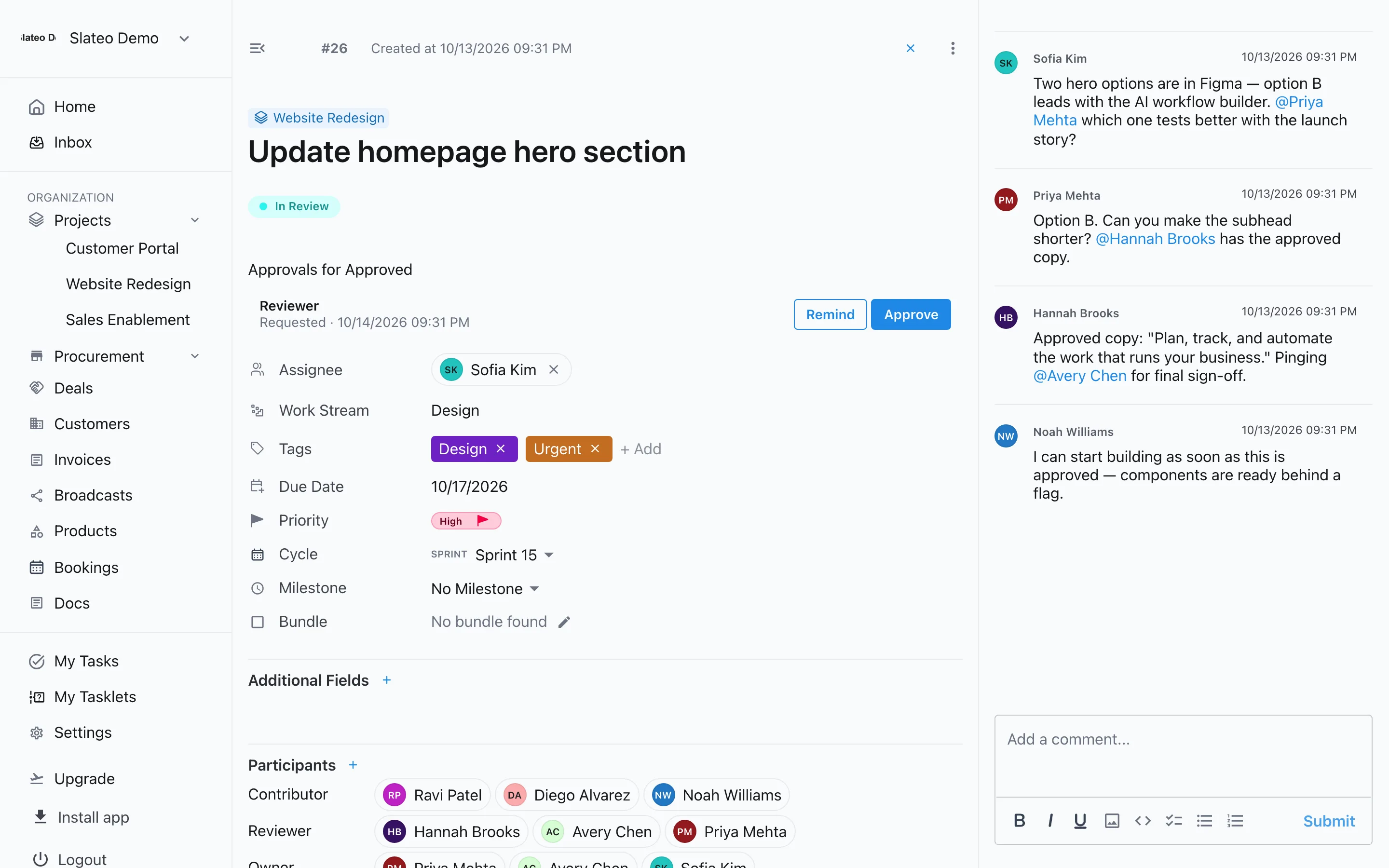
Ask a specific person for their approval and send a reminder if it's still waiting. People you allow can bypass an approval when they must, and Slateo records who did.
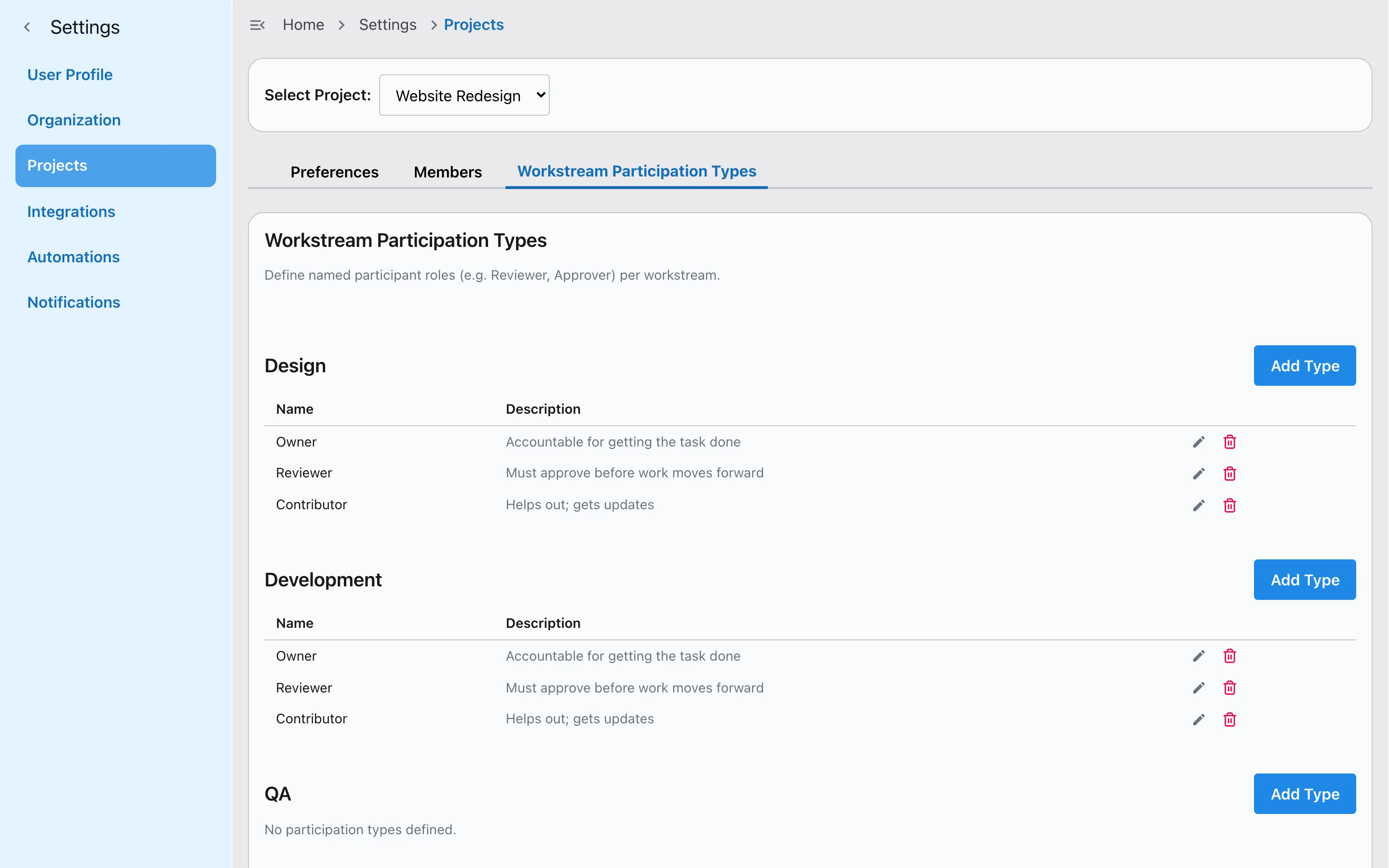
Roles on the work
Owners, reviewers and contributors
Name the roles people play on each workstream, describe what each one does, and choose who can take them. Approvals and permissions build on these roles.
Templates
Start from a workflow that already works
Pick your team type when you sign up and Slateo sets up ready-made workstreams with their stages: hiring, content calendars, client projects, bug tracking, renewals and more. Change any of it later.
Get started free →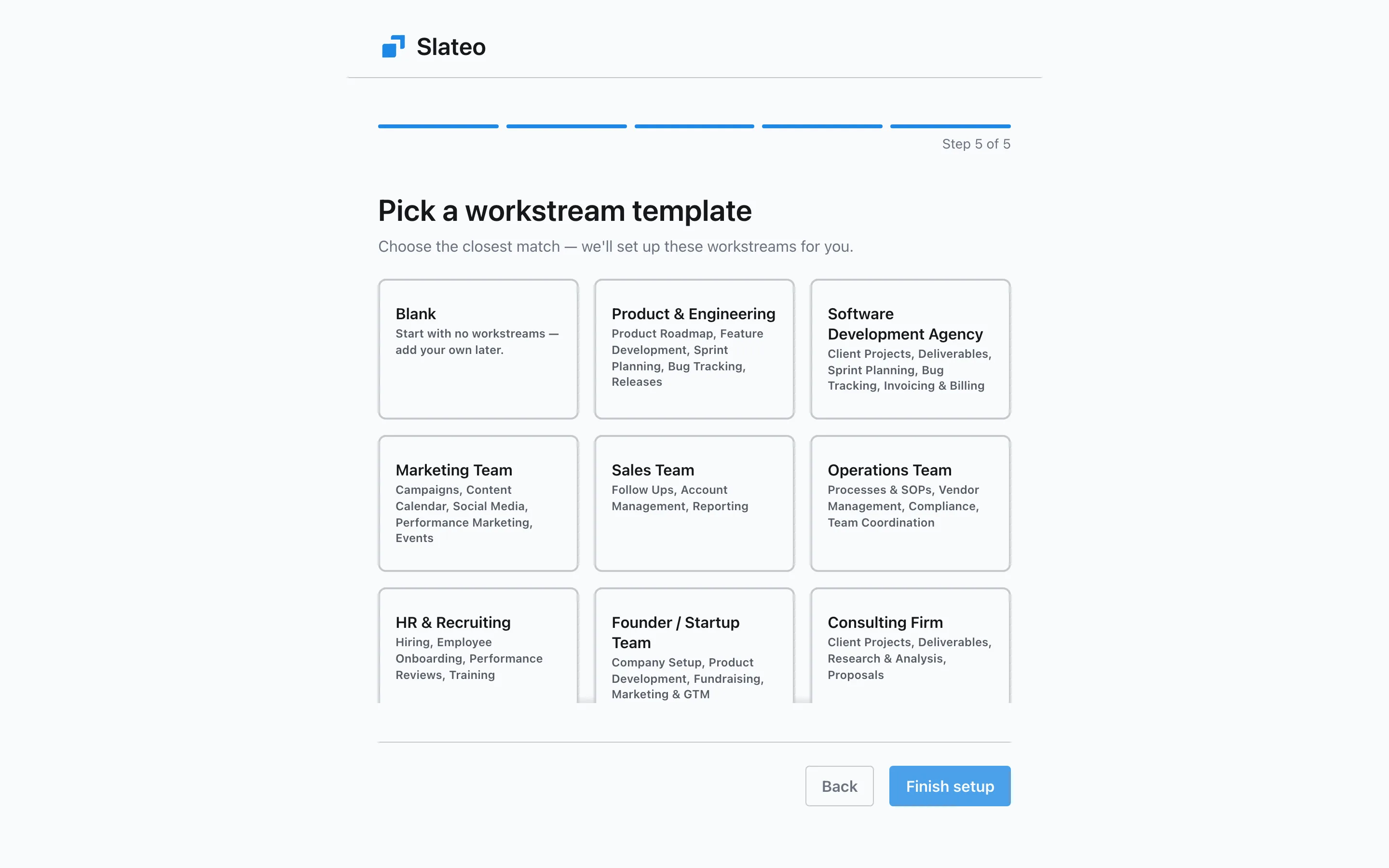
Also in workflows
Automations
Update a task automatically when it enters a stage, like assigning it or raising its priority. On Pro and above.
Deal pipelines
Deals move through pipeline stages that can need approval, just like tasks.
AI workflow setup
Describe what you're doing and Slateo suggests the workstreams and stages.
Custom fields in rules
Use your own fields in entry conditions, like a budget or a client sign-off date.
Included on every plan
Stages, entry conditions and approvals work on Free. Automations need Pro or above.
Questions
Can different teams have different workflows?
Yes. Each type of workstream has its own stages, so Design can go from brief to approved while Development goes from backlog to shipped, in the same project.
What happens if a task doesn't meet a stage's rules?
It can't move into that stage. Slateo shows which rule isn't met, such as a missing owner or due date, so the person can fix it and try again.
Who can approve work?
You choose a role for each stage, such as Reviewer. Anyone in that role on the workstream can approve, and you can ask a specific person for their approval.
Can someone skip an approval?
Only people whose role allows it. Slateo records who bypassed the approval, so there's always a trail.
Do approvals cost extra?
No. Stages, entry conditions and approvals are on every plan, including Free. Only automations need Pro or above.
Put your process into Slateo.
Start with a template for your team, then shape the stages and approvals around how you work.