
Custom fields
Track exactly what matters to your team
Add your own fields to tasks, deals, customers and invoices, define them once for the whole workspace, and make sure the details your team depends on get filled in.
Free for up to 3 users. No credit card required.
What are custom fields in Slateo?
Last updated:
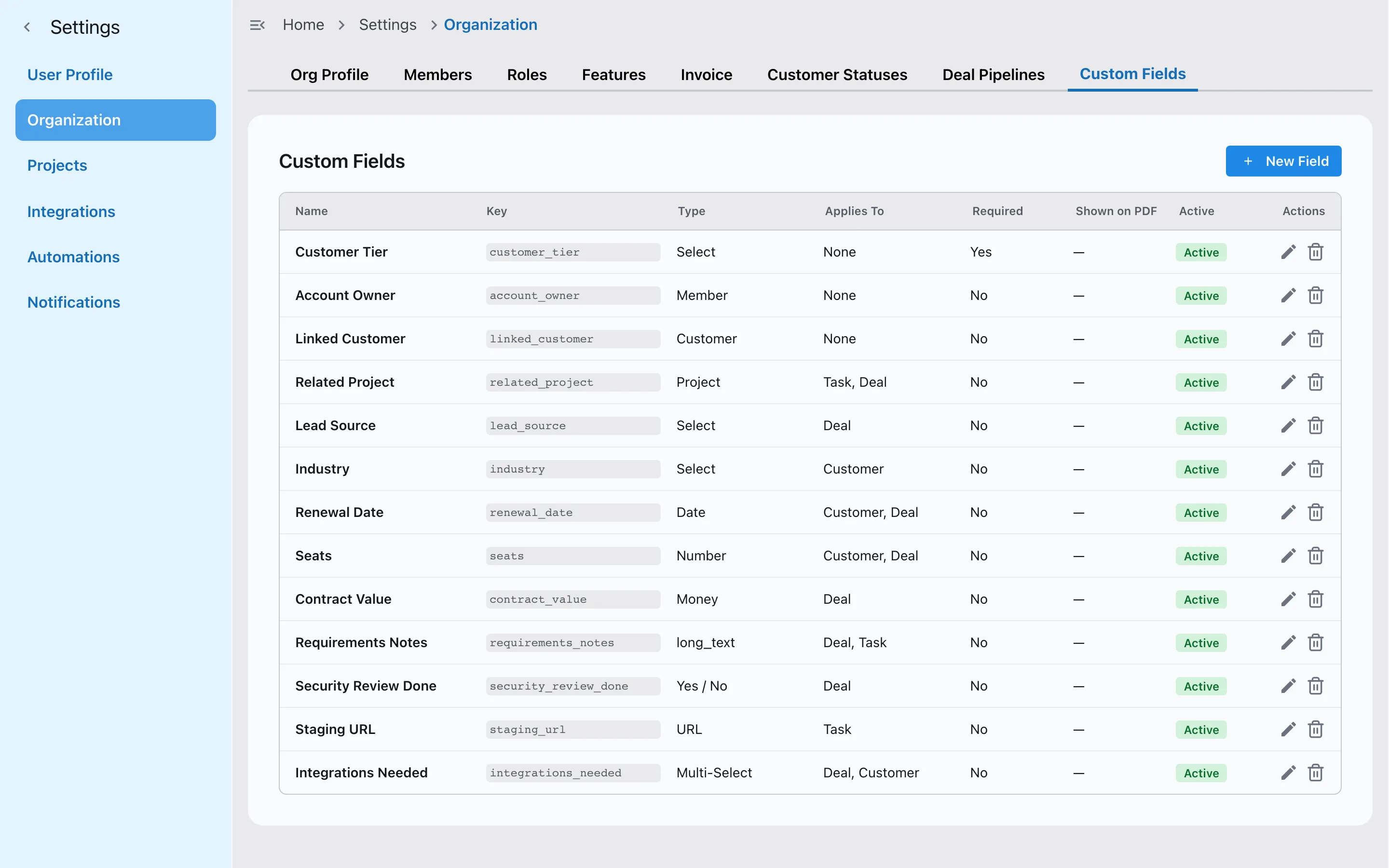
Custom fields are your own pieces of information added to Slateo records, like a lead source on a deal, a renewal date on a customer or a staging link on a task. You define each field once for the workspace, choose its type and the records it applies to, and it's ready to use on every one of them.
Field types
Capture data the way your team thinks about it
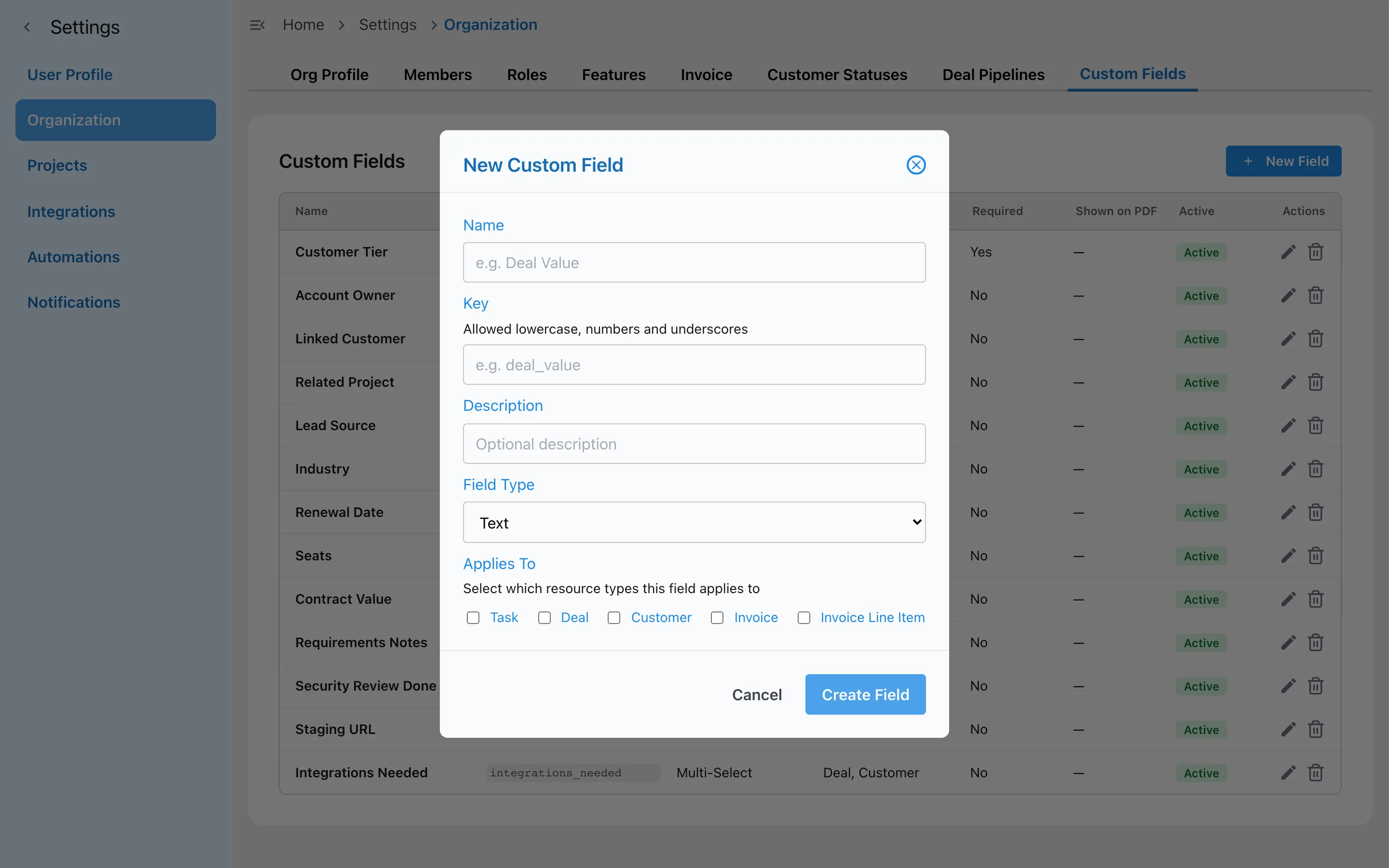
Choose from text, numbers, dates, yes/no, dropdowns with one or several choices, links, emails, phone numbers, money amounts and team members. Give the field a name and a short description so everyone knows what to enter.
- Text
- Number
- Date
- Yes / No
- Dropdown
- Multi-select
- Money
- Team member
- URL
- Phone
On every record
Define it once, use it everywhere it applies
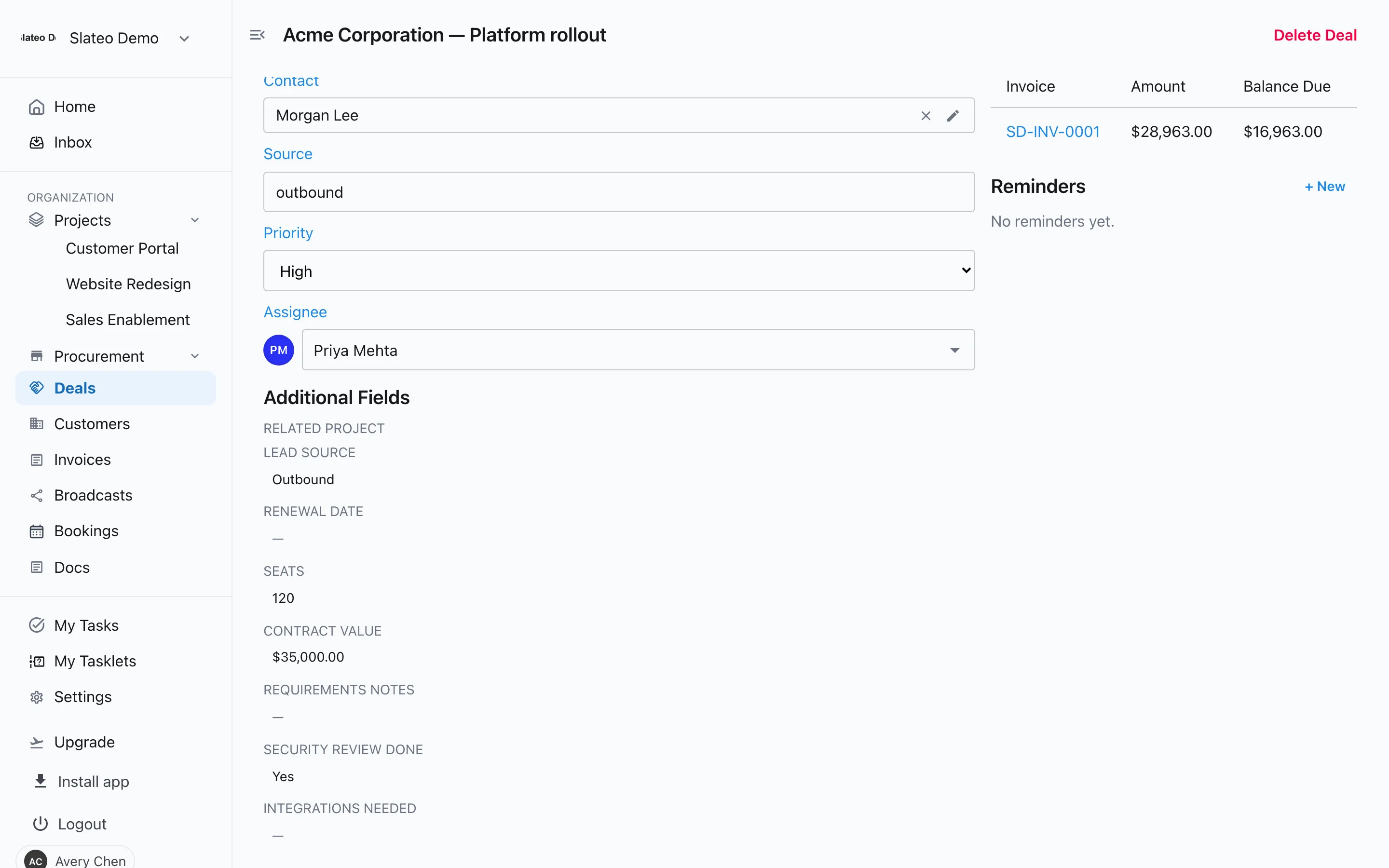
Pick which records a field belongs to: tasks, deals, customers, invoices or invoice lines. Deals, customers and invoices show their fields ready to fill in, and on a task you add the fields that task needs. No rebuilding them project by project.
Workflows
Make sure the important details never get skipped
Use a custom field in a stage's entry conditions, for example 'Staging URL is not empty' before review. Slateo won't let a task into that stage until the condition is met, and says what's missing.
More about workflows →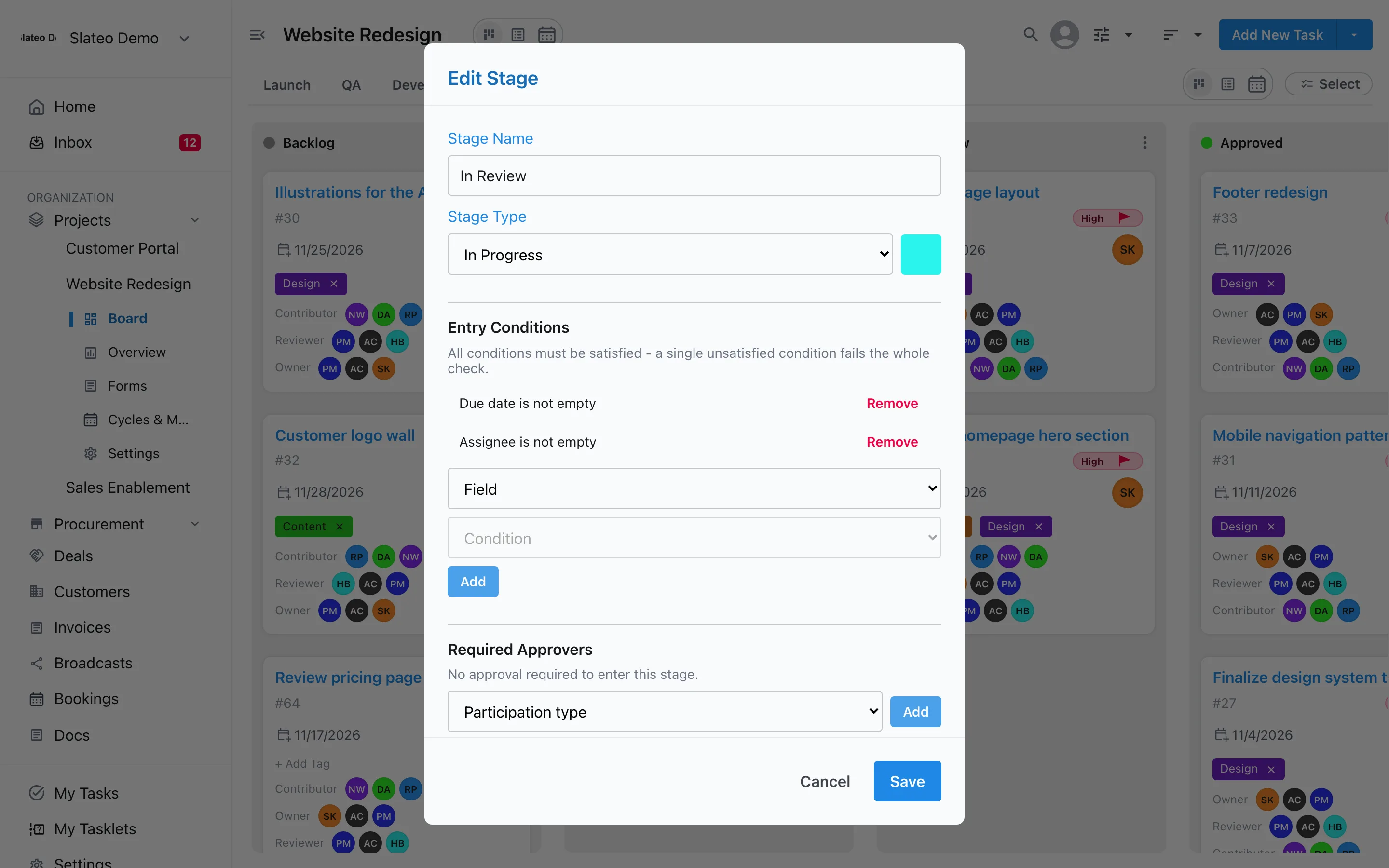
Also in custom fields
Filter by your fields
Filter a task board by your own fields, such as a dropdown or a team member.
On your invoices
Print invoice and line-item fields, like a PO number, on the invoice PDF.
Add one from a task
Need a new field while you work? Create it right from the task.
Retire without losing data
Switch off a field you no longer use. The values entered so far are kept.
Included on every plan
Custom fields are on every plan, including Free, with no limit on how many you create.
Questions
Which records can have custom fields?
Tasks, deals, customers, invoices and invoice line items. Each field can apply to one or several of them. On deals, customers and invoices every field shows; on tasks you add the ones each task needs.
Can I make a field required?
Yes, at the stage where it matters. Add an entry condition such as 'is not empty' to a stage, and tasks can't move into it until the field is filled in.
Can a custom field point to a person on the team?
Yes. A team member field lets you pick someone from your workspace, like an account owner or a reviewer, instead of typing a name.
What happens if I switch a field off?
It's hidden from records and filters, but the values already entered aren't deleted. Switch it back on and they're there again.
Track the details that actually matter to your team.
Add your first custom field in minutes. No credit card required.