
Task management
Task management that fits how your team works
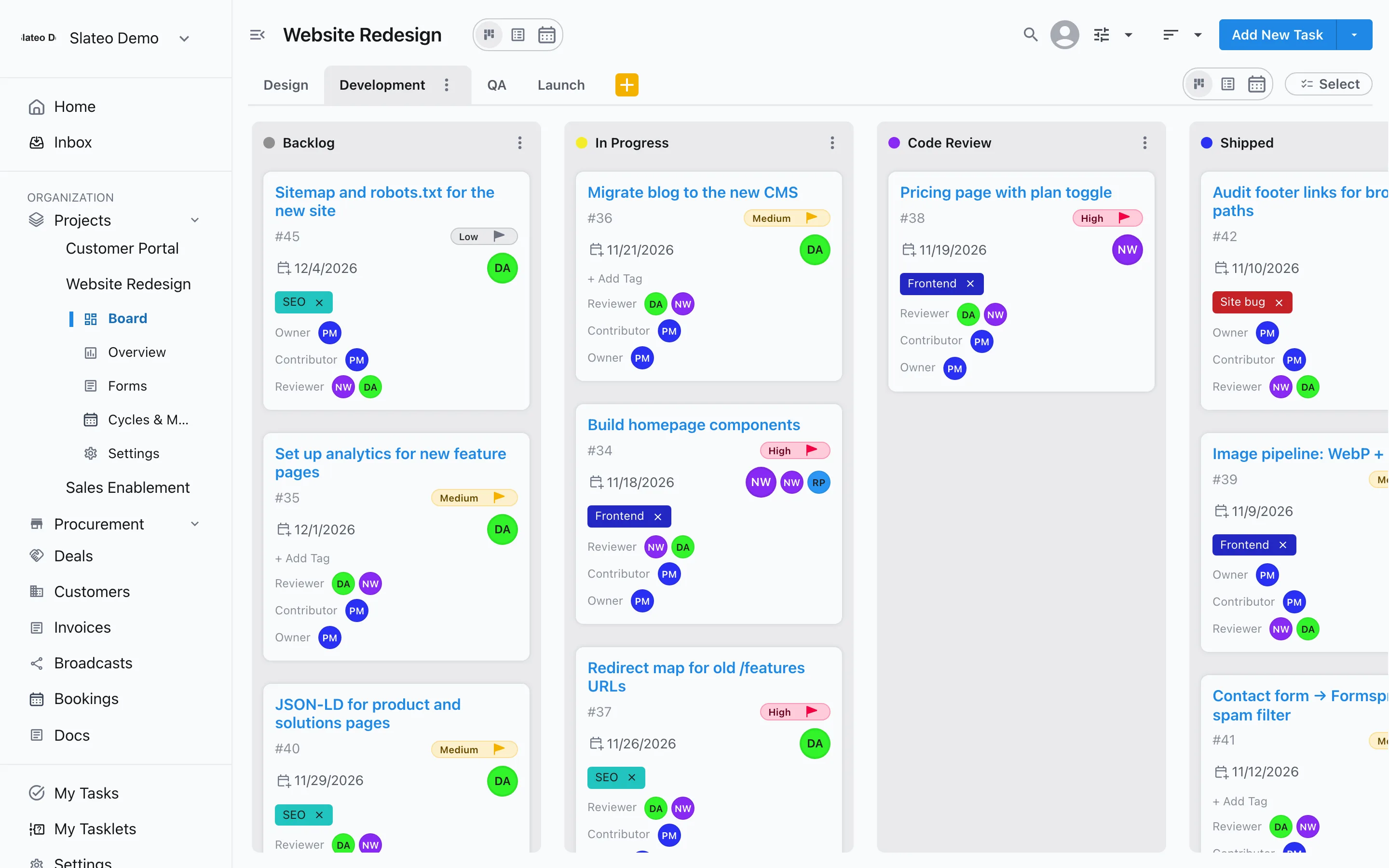
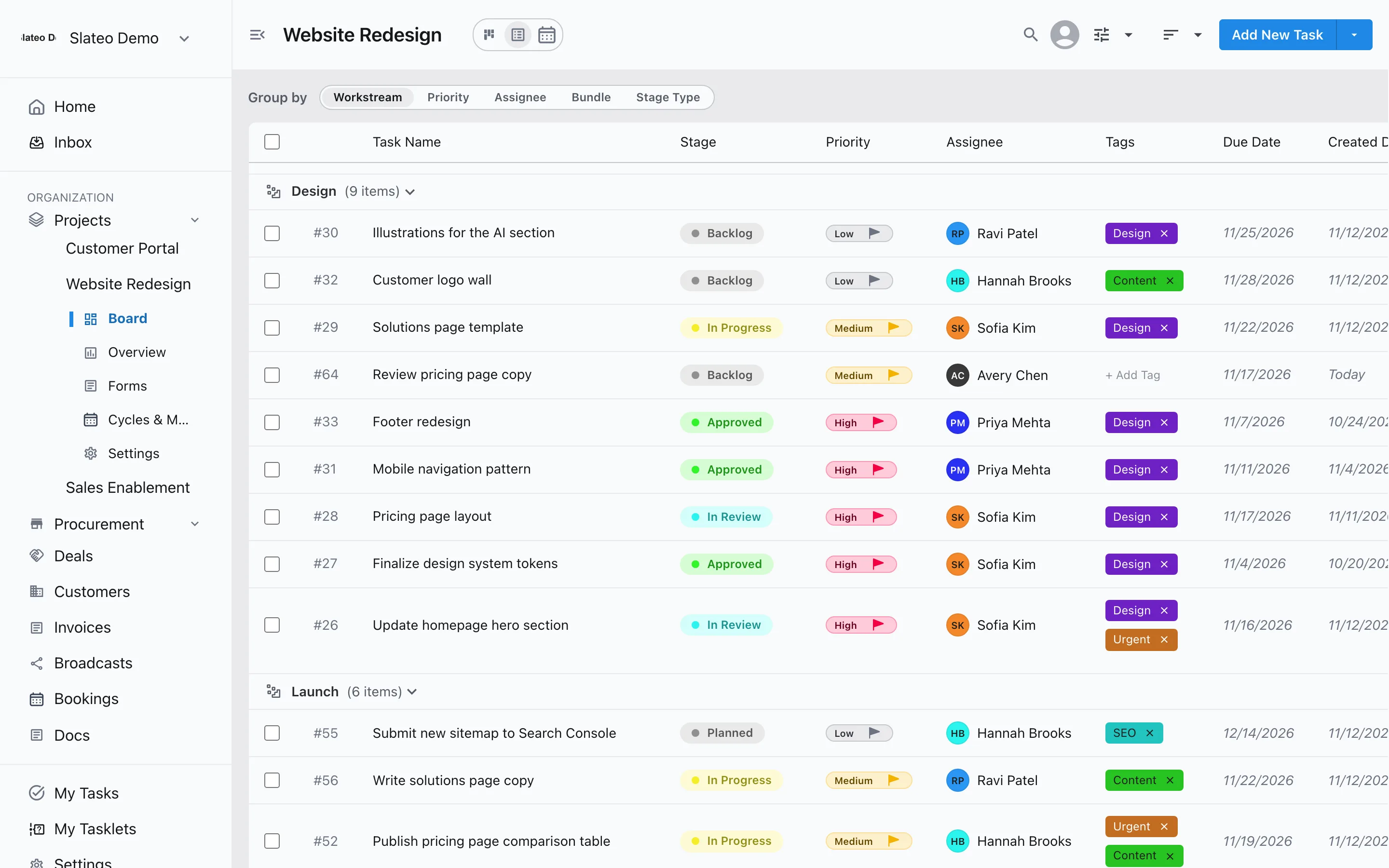
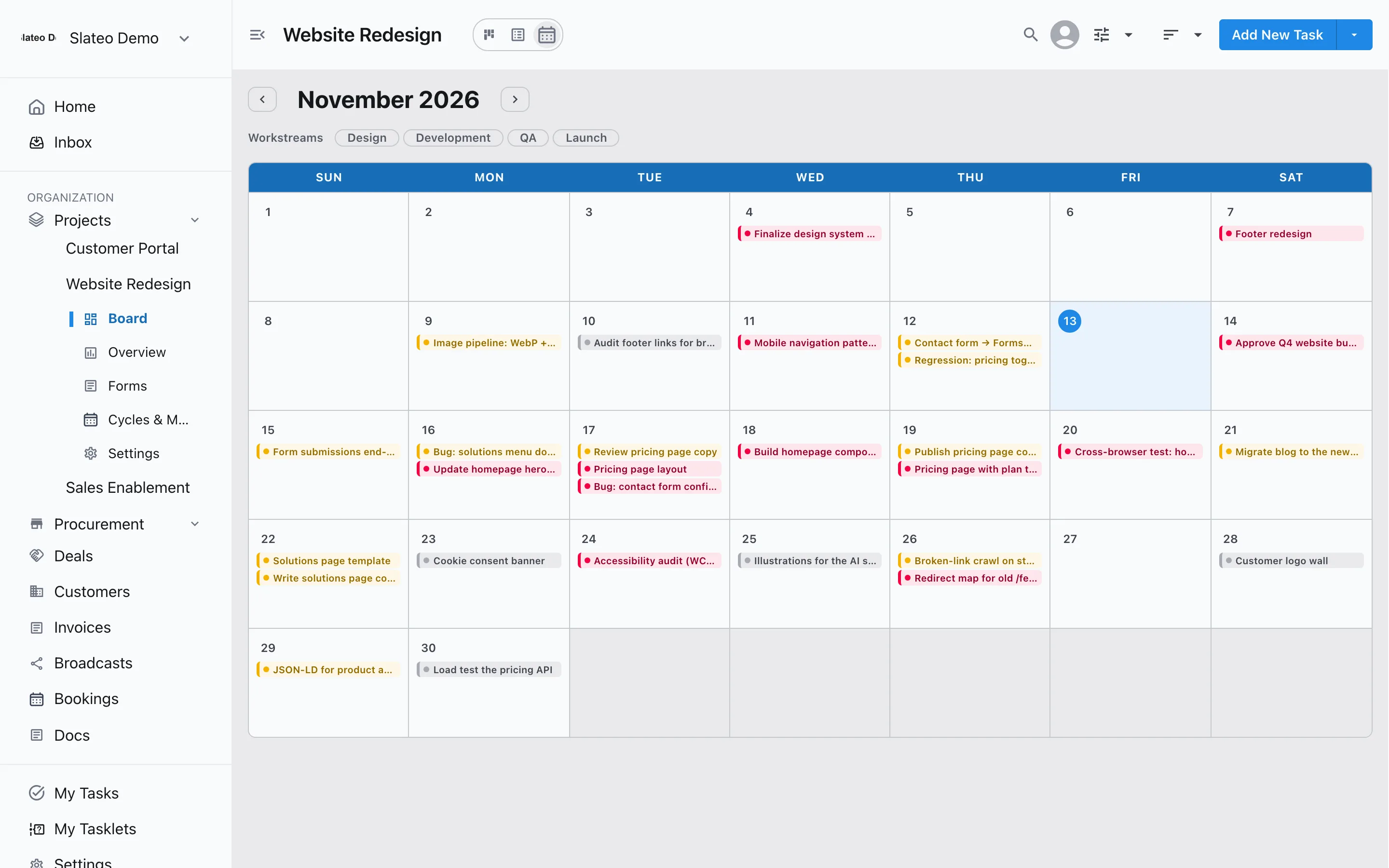
Plan projects in workstreams, move tasks through your own stages, and see what everyone is working on in Kanban, List or Calendar.
Free for up to 3 users. No credit card required.
What is task management in Slateo?
Last updated:
Slateo organizes work into projects, splits each project into workstreams, and moves tasks through stages your team defines. Every task has an owner, a due date, a priority and its own discussion, and everyone can see their work across projects in one list.
Workstreams
One project, every team in it
Split a project into workstreams like Design, Development, QA and Launch. Each one gets its own board and its own stages, and the project still shows the whole picture.
Explore workflows and approvals →Tasks
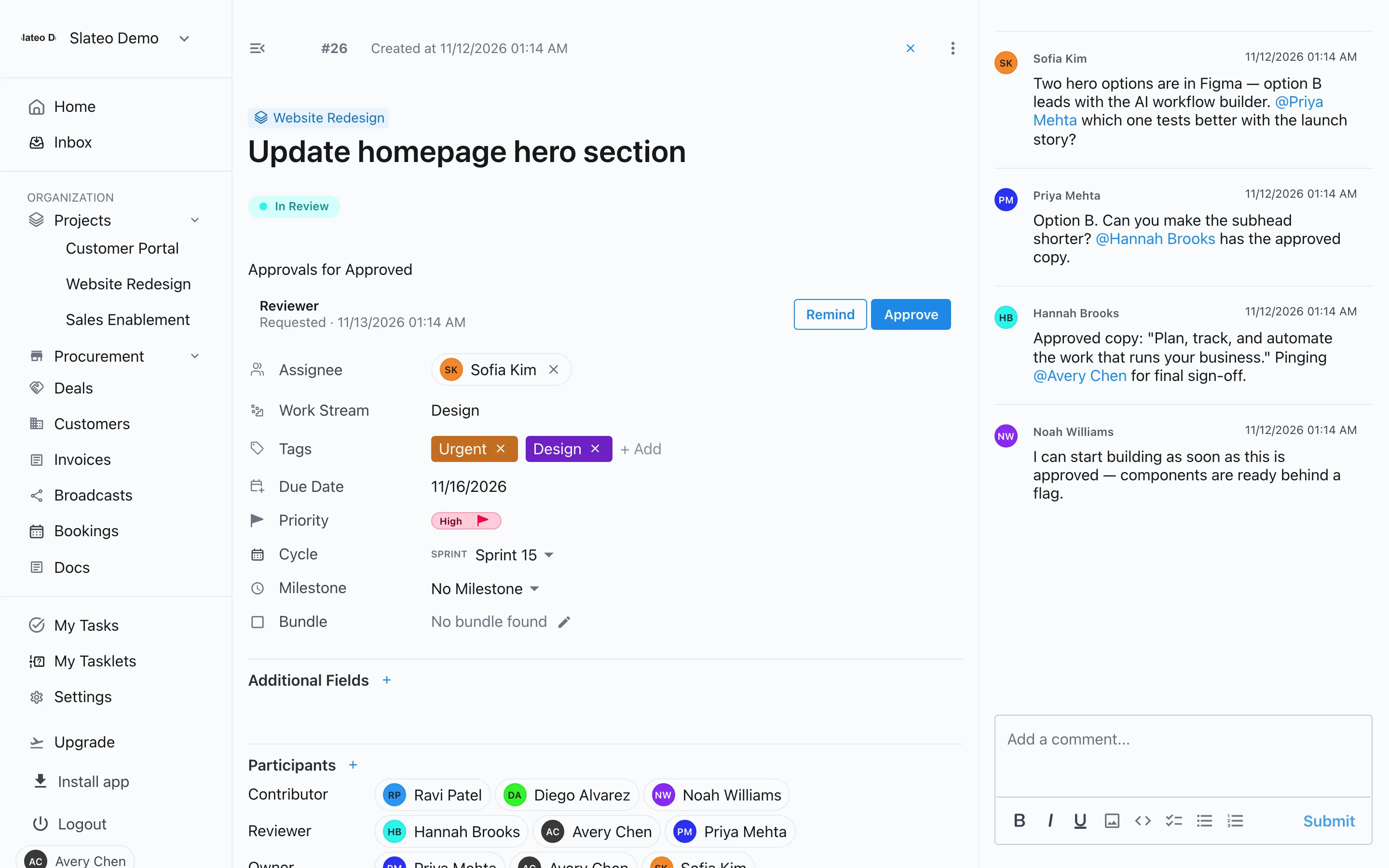
Everything about a task in one place
Description, owner, due date, priority, labels and your own fields. Discuss it in comments with @mentions, attach files, and add the people involved.
Dependencies
Know what's blocking what
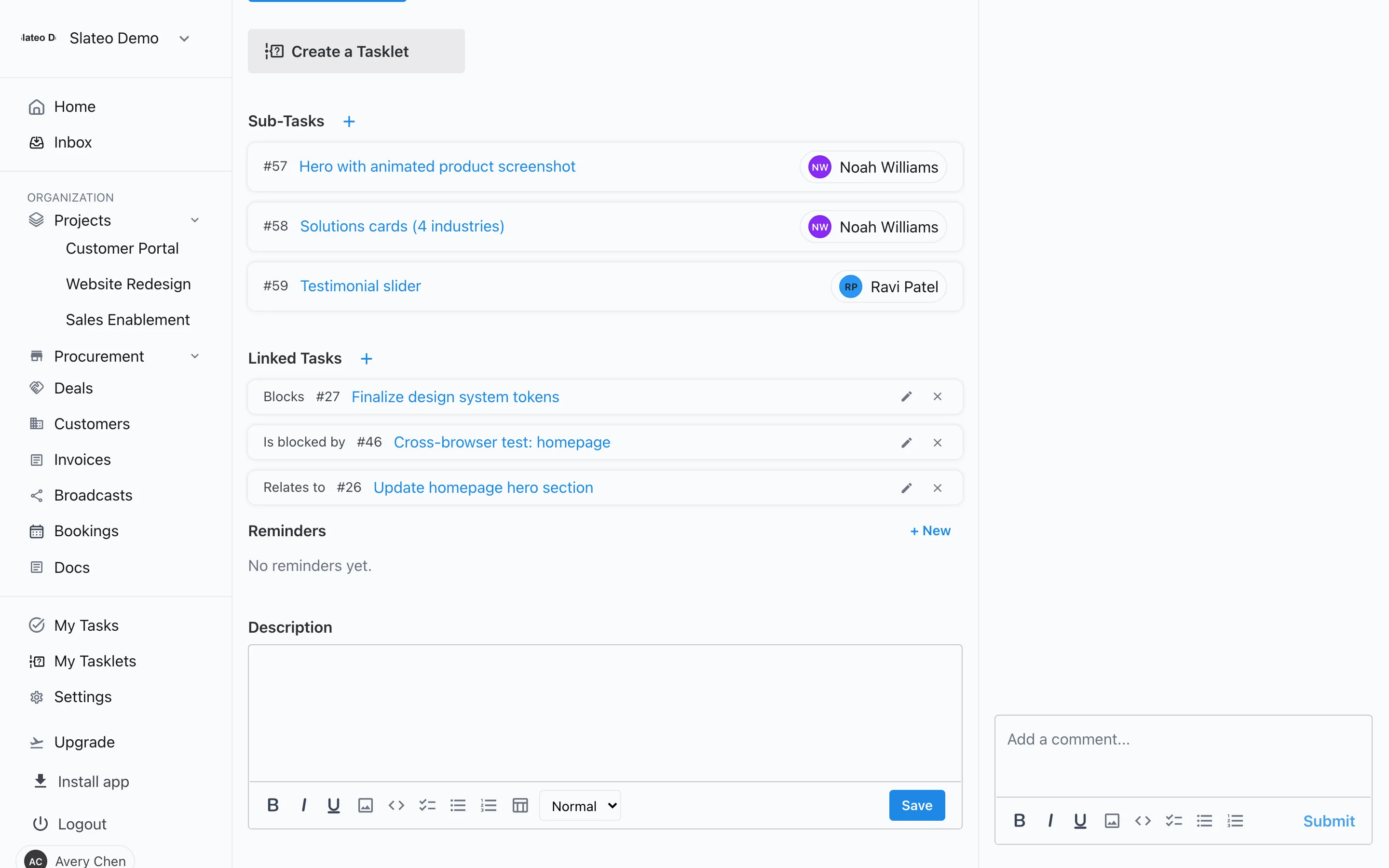
Link tasks to show which one has to finish or start before another. Mark duplicates and related tasks so nothing gets done twice.
- Finish to start
- Start to start
- Finish to finish
- Start to finish
My Tasks
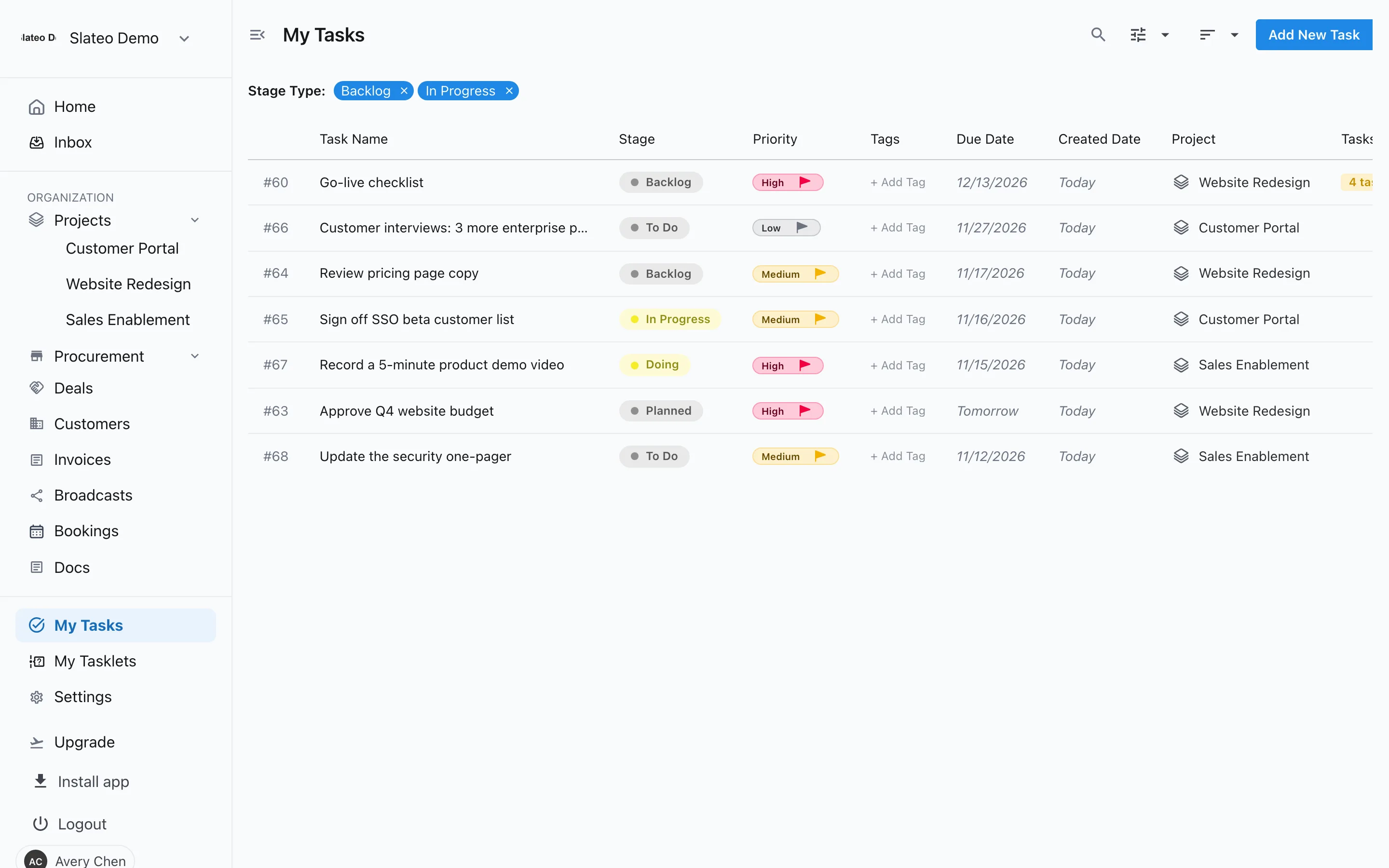
Your work, across every project
Everything assigned to you in one list, wherever it lives. Filter by stage, priority or project, sort it your way, and start the day knowing what's next.
Also in task management
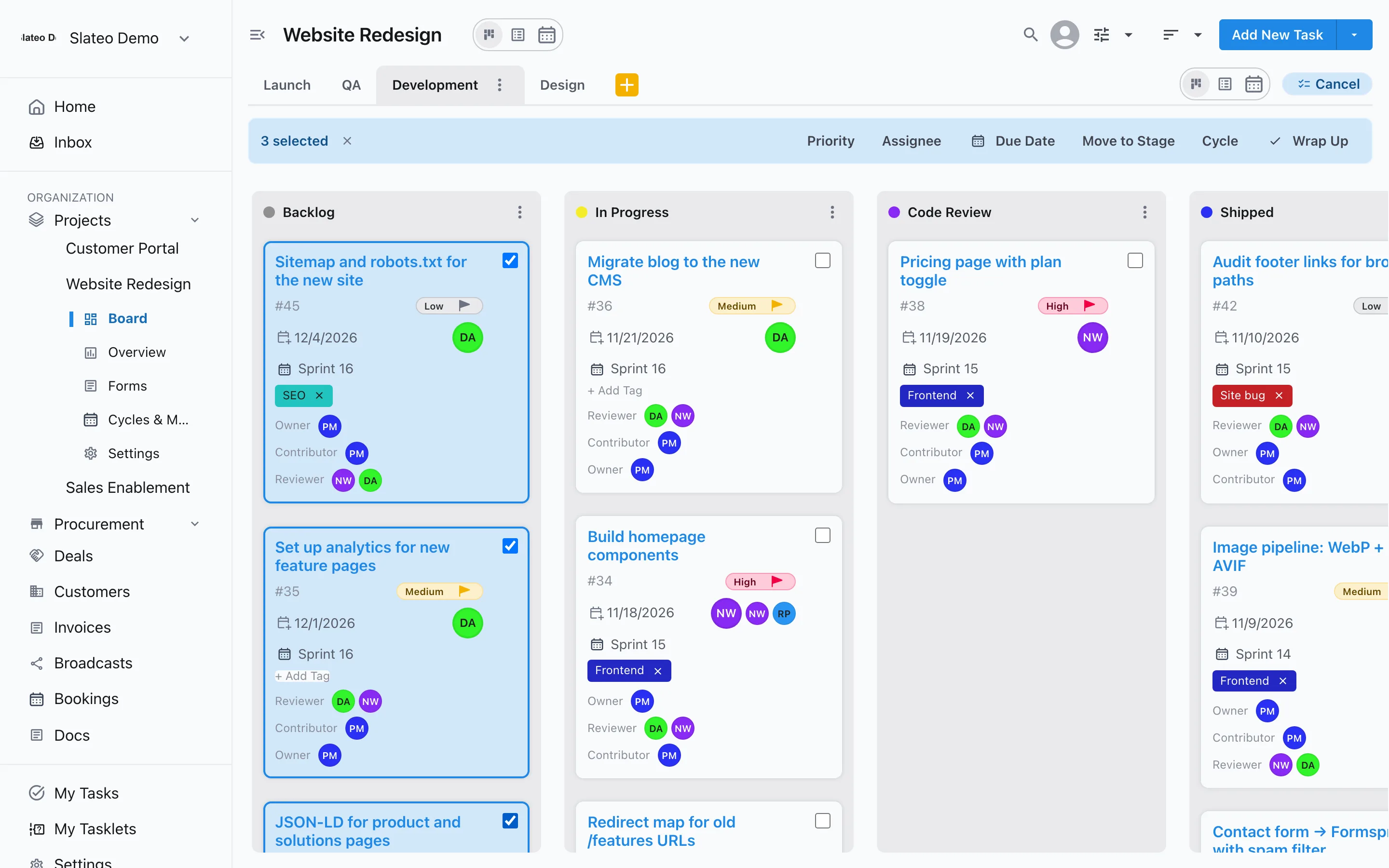
Edit tasks in bulk
Select several tasks and change their priority, owner, due date, stage or cycle in one go.
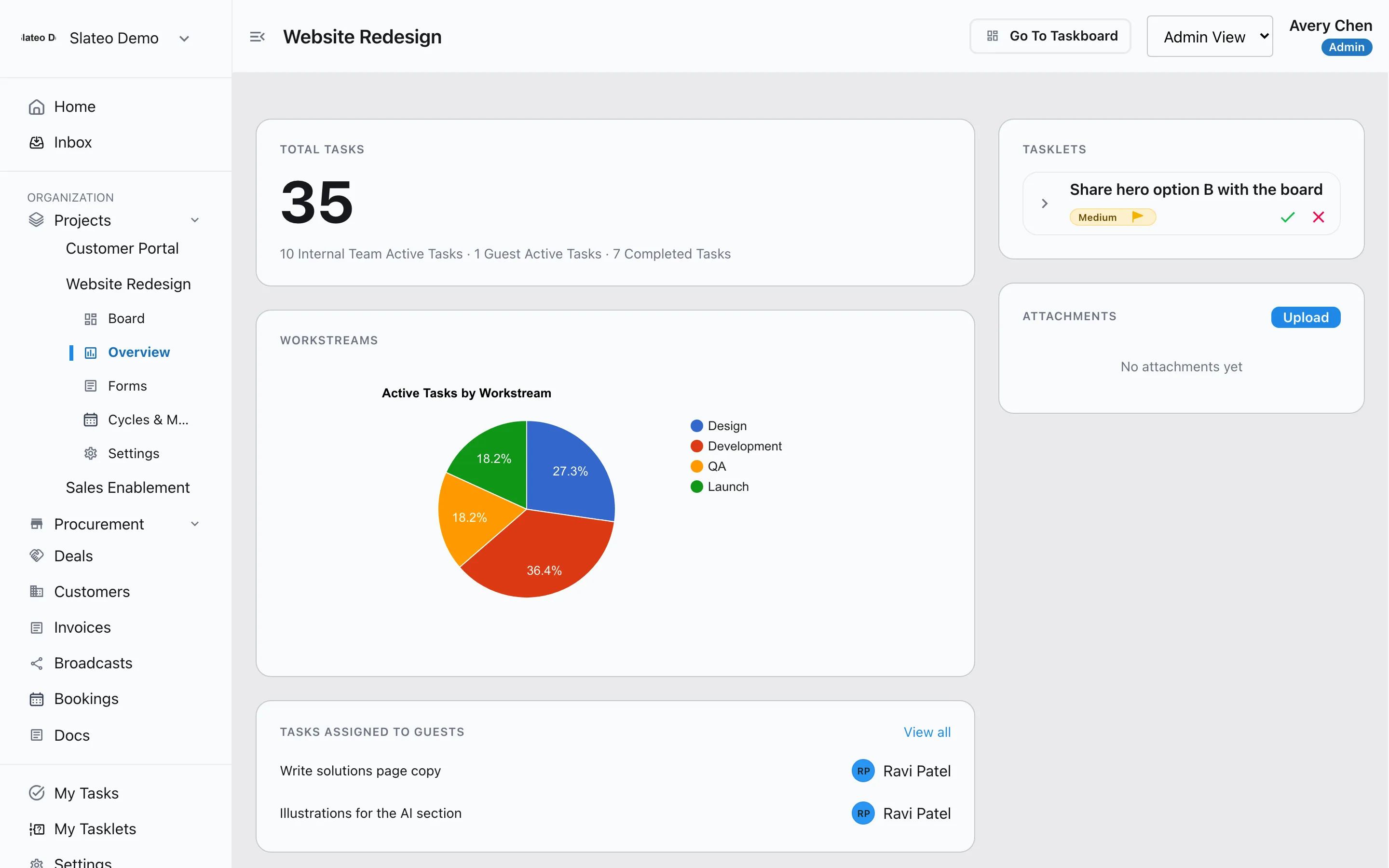
A project overview
Active tasks, completion, the split by stage, members and files for each project.
Tasks from your documents
The AI assistant in Docs reads a document, suggests tasks, and adds the ones you pick in one go.
Subtasks and bundles
Break work down, or group related tasks and track their progress together.
Tasklets
Quick follow-ups you can snooze, too small to be a full task.
Filters and grouping
Group by workstream, priority, owner or stage, and filter by any field.
Works on your phone
List view by default on small screens. Install it from the browser.
Included on every plan
Free covers 3 users, 3 projects and 10 workstreams. Pro and above remove those limits.
Questions
Which views does Slateo have?
Kanban, List and Calendar. Kanban is the default on a computer and List on a phone, and you can switch at any time. Slateo doesn't have a Gantt or timeline view.
Can different teams use different stages?
Yes. Each type of workstream has its own workflow, so Design can move from brief to review while Development moves from backlog to shipped, in the same project.
Can I set dependencies between tasks?
Yes. Link tasks as finish-to-start, start-to-start, finish-to-finish or start-to-finish, or mark them as duplicates or related.
How many projects can I have for free?
The Free plan includes 3 projects, 10 workstreams and up to 3 users. Pro, Growth and Enterprise have no limit on projects, workstreams or users.
Bring your team's work into one place.
Start with a template for your team, or build your own workflow in minutes.