
Project planning
Plan in phases, sprints or both
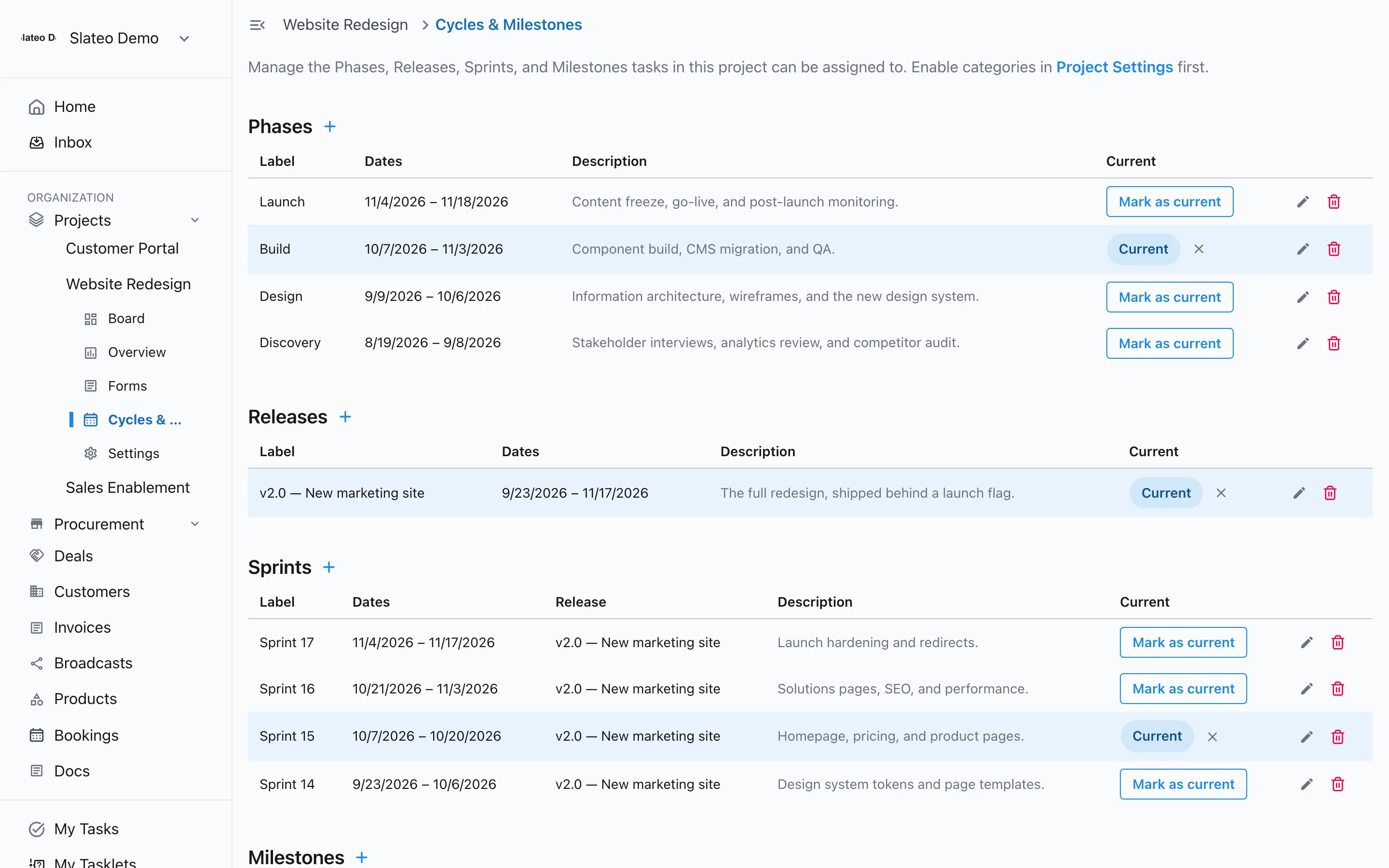
Break a project into phases, releases and sprints, set milestones for the dates that matter, and see which ones are current.
Free for up to 3 users. No credit card required.
How does project planning work in Slateo?
Last updated:
Each project can use phases, releases, sprints and milestones. Phases and releases are the big stages of a project, sprints are short blocks of work that can sit inside a release, and milestones are key dates. Every task can be placed in one of them, so plans and day-to-day work stay in one place.
Your planning style
Agile, waterfall, or a bit of both
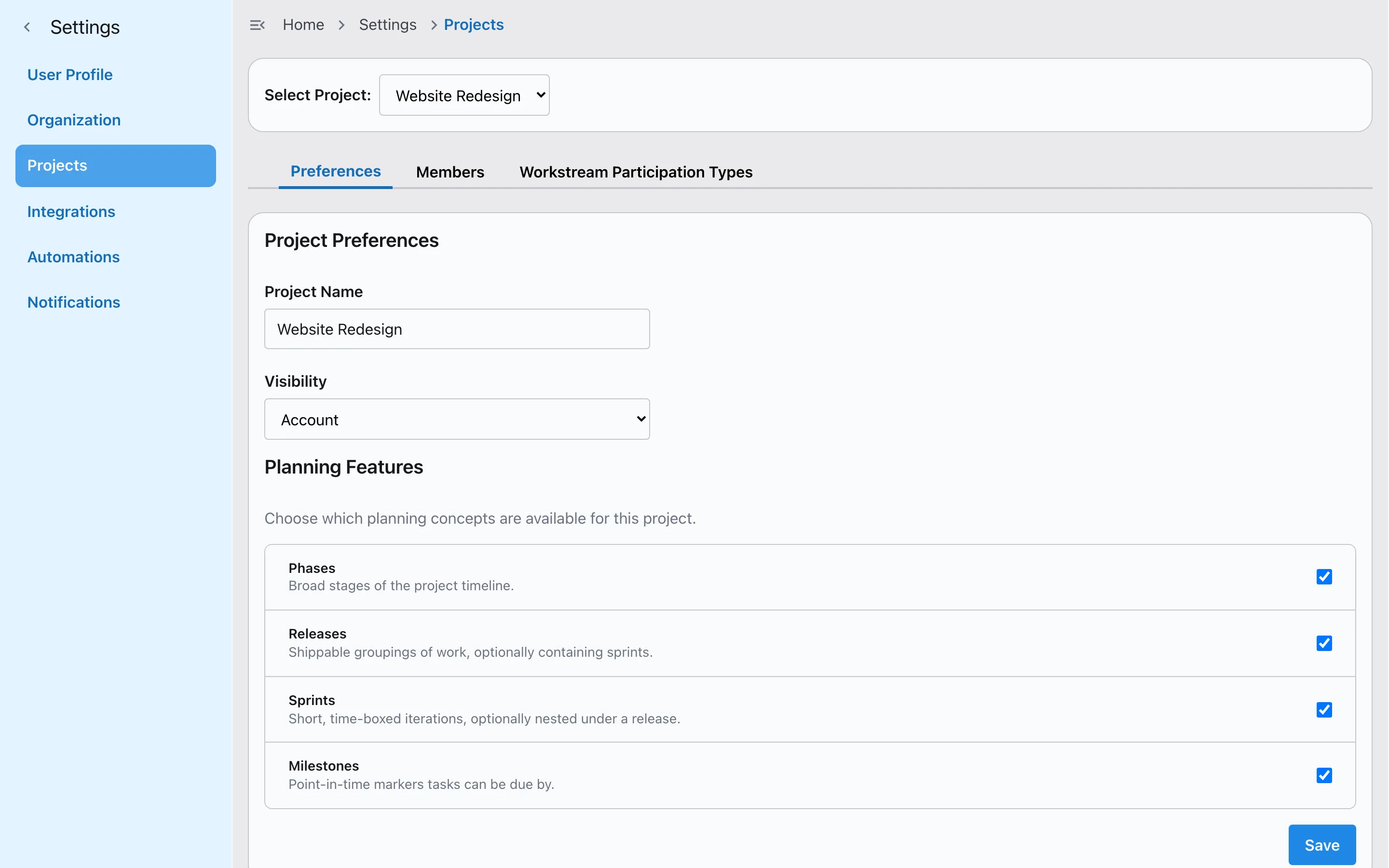
Turn on only what a project needs: phases for a step-by-step plan, releases and sprints for agile teams, milestones for the dates you can't miss. Put sprints inside a release, mark which ones are current, and Slateo keeps two of the same kind from overlapping.
Tasks in the plan
Every task knows where it belongs
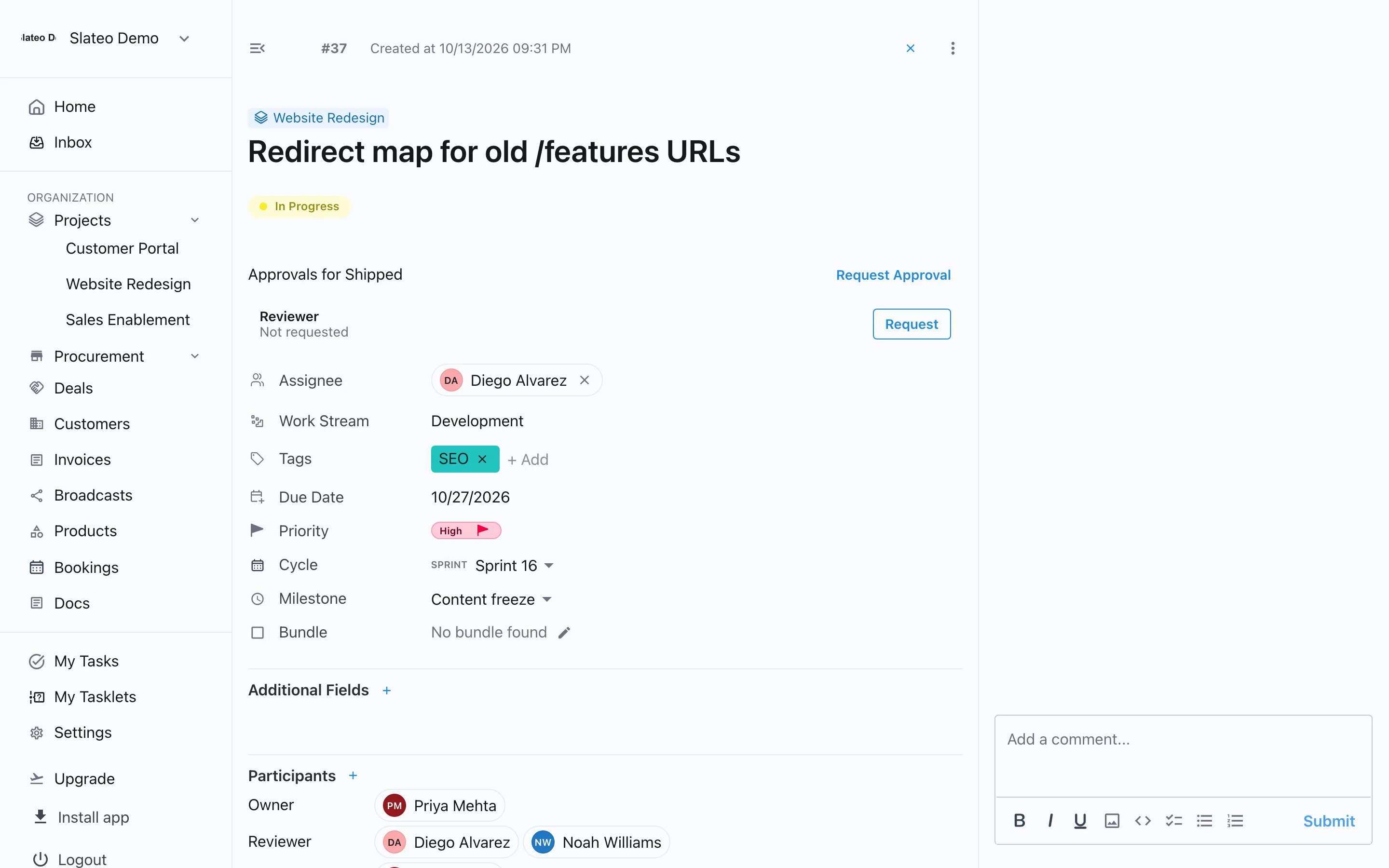
Set a task's sprint and milestone right on the task, next to its owner, stage and due date. When plans change, move the task, not the whole board.
Dependencies
See what has to come first
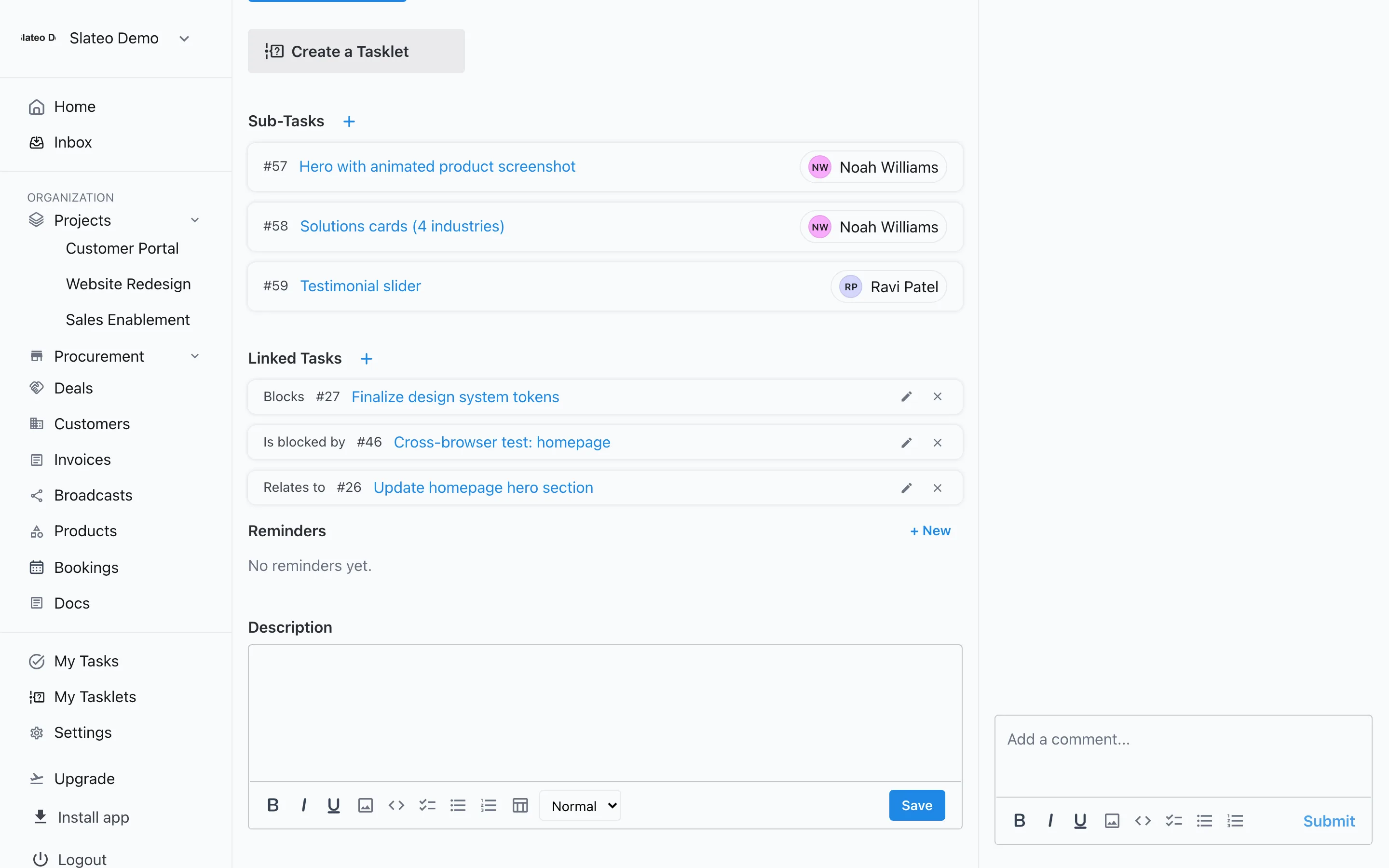
Link tasks to show which one has to finish or start before another, and mark tasks that are related or duplicates.
- Finish to start
- Start to start
- Finish to finish
- Start to finish
Reminders
Nudges that don't get lost
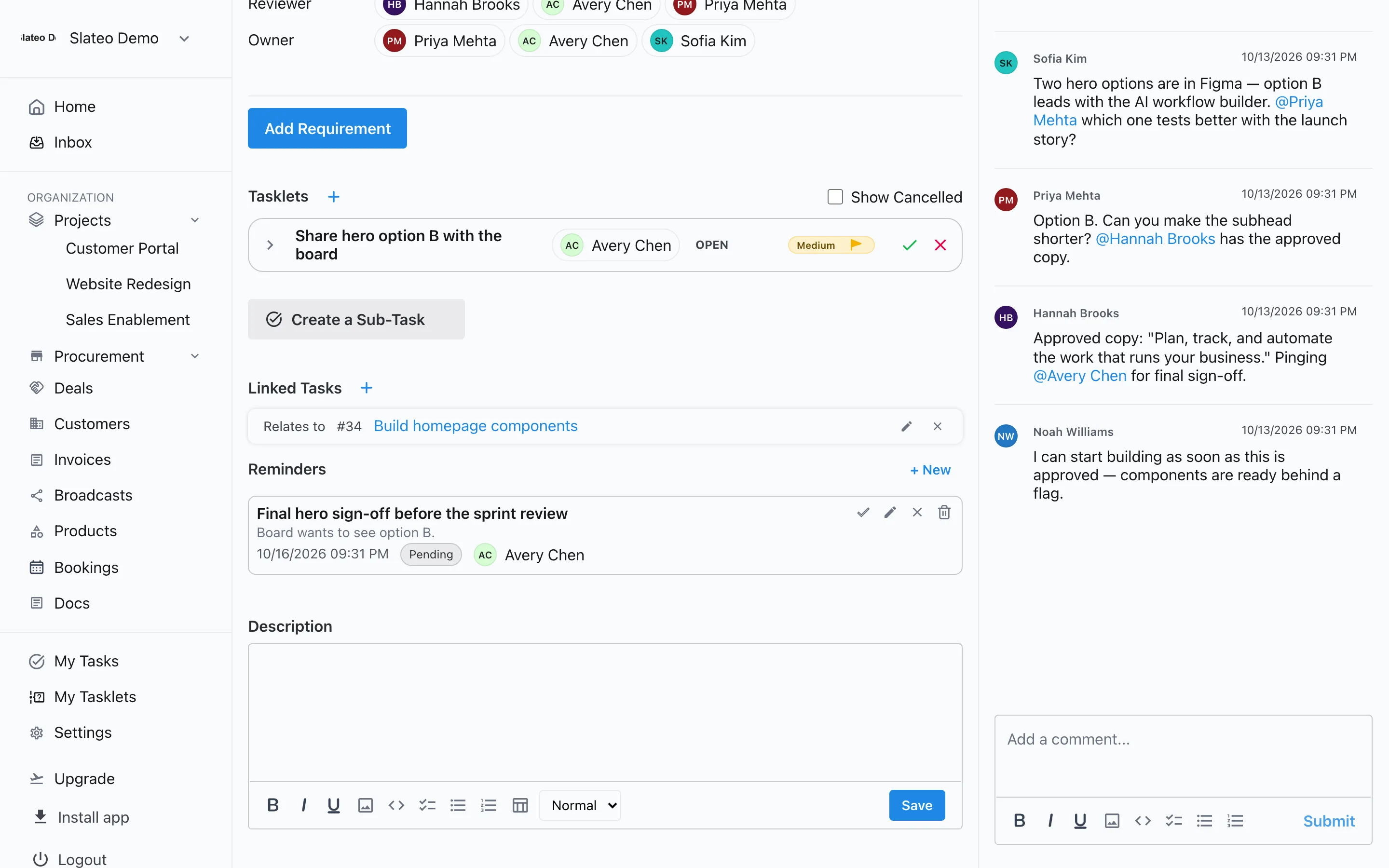
Add a reminder to a task, deal, customer or invoice, assign it to someone, and keep it private or share it with the team. Slateo sends a notification when it's due.
Also in project planning
Calendar view
See every task's due date across the month, next to Kanban and List.
Project overview
Active tasks, completion and the split by stage for each project.
Product roadmap
Plan features and ideas for a product, and link them to the tasks that deliver them.
OKRs
Set objectives and key results, and track progress against them.
Included on every plan
Phases, releases, sprints, milestones, dependencies and reminders are on every plan, including Free.
Questions
Does Slateo support both agile and waterfall?
Yes. Turn on phases for a step-by-step plan, or releases and sprints for agile work, or use both in the same project. Each project chooses its own.
Can a sprint be part of a release?
Yes. Sprints can sit inside a release, and you can mark which release and which sprint are current.
Does Slateo have a Gantt chart?
No. Slateo plans with phases, releases, sprints and milestones, task dependencies, and a calendar view of due dates, but it doesn't have a Gantt or timeline view.
What can I set reminders on?
Tasks, deals, customers and invoices. Each reminder has a date and an owner, can be private or shared, and sends a notification when it's due.
Does Slateo have recurring tasks?
Not in the main Slateo app yet. Repeating checklists and maintenance schedules are available in Slateo VenueOps.
Plan the project. Then run it in the same place.
Set up phases, sprints and milestones in minutes, and keep every task tied to the plan.