
Notifications and inbox
One inbox for everything that needs you
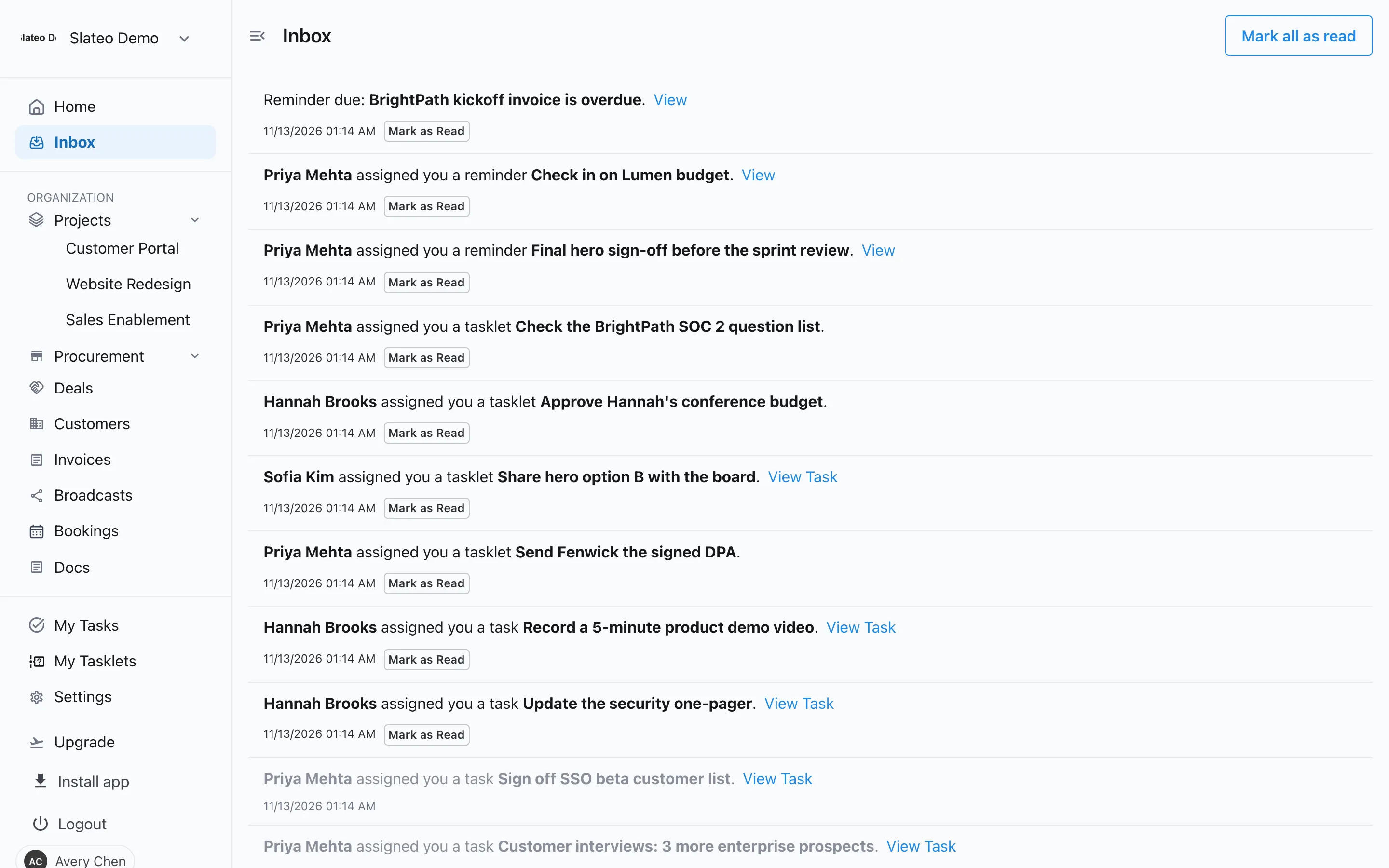
Assignments, mentions, reminders and approval requests land in one place, with a link straight to the work. Clear it in a click when you're done.
Free for up to 3 users. No credit card required.
What does the Slateo inbox show?
Last updated:
The inbox lists every update that's about you: work assigned to you, mentions in tasks and comments, reminders that are due, and requests for your approval. Each one links to the task or record it's about, and you can mark updates as read one by one or all at once.
What you hear about
Only the updates that are about you
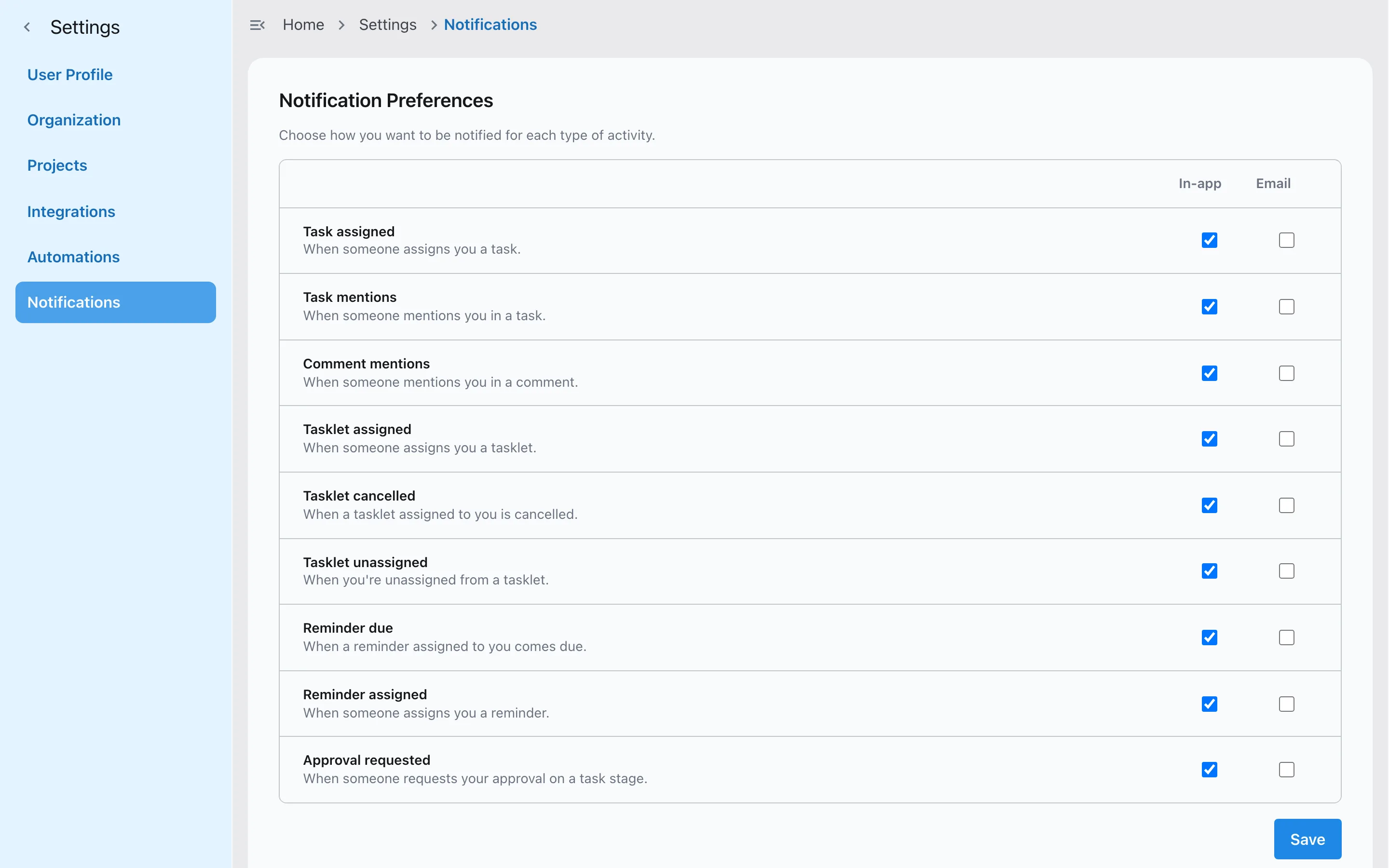
Slateo tells you when you're assigned a task, tasklet or reminder, when someone mentions you, when a reminder comes due, when your approval is requested, and when a tasklet you own is cancelled or taken off you. Pick which of these also come to you by email.
- Assigned to you
- Mentions
- Reminders due
- Approval requests
- Tasklet changes
On your phone
Check your inbox from anywhere
The inbox works on a phone screen too. Install Slateo from your browser and it opens like an app, so you can clear updates between meetings.
Install Slateo on your phone →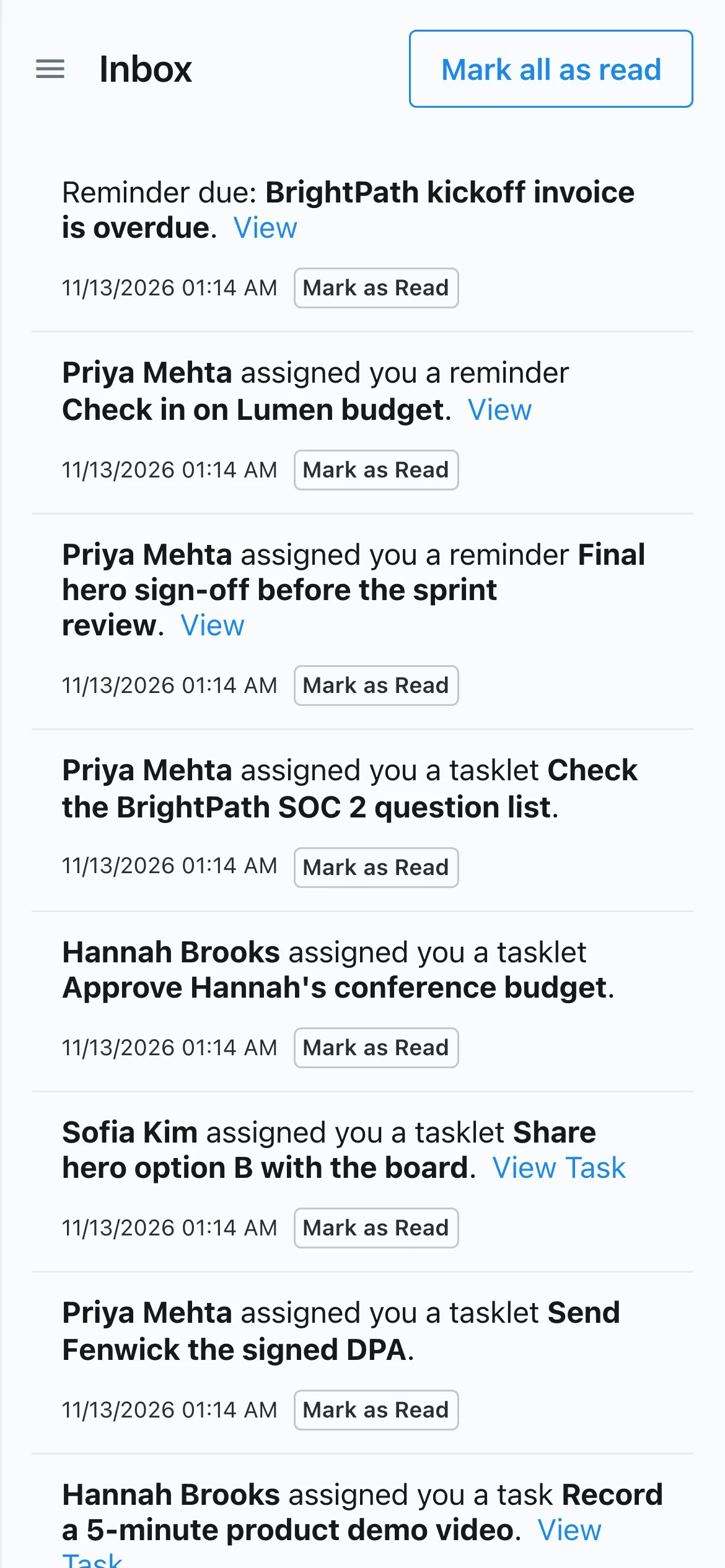
Also in notifications
Reminders
Set a reminder on a task, deal, customer or invoice, and the person gets notified when it's due.
Approval requests
Ask a specific person to approve work, and it shows up in their inbox.
Mentions
@mention a teammate in a task or comment to bring them in.
Unread count
See at a glance how many updates are waiting for you.
Included on every plan
The inbox and email notifications are on every plan, including Free.
Questions
What does Slateo notify me about?
Tasks, tasklets and reminders assigned to you, mentions in tasks and comments, reminders that come due, approval requests, and tasklets of yours that are cancelled or unassigned.
Can I get notifications by email?
Yes. Email is off until you turn it on, and you choose it separately for each type of update in your notification settings.
Will I get too many notifications?
Slateo only notifies you about things that involve you, like work assigned to you or a mention. It doesn't send an alert for every change in a project.
Can I see notifications on my phone?
Yes. Open Slateo in your phone's browser, or install it from the browser so it opens like an app, and check your inbox there.
Stop missing what needs your attention.
Set up your inbox in minutes. No credit card required.