
Collaboration
Keep every conversation on the work it's about
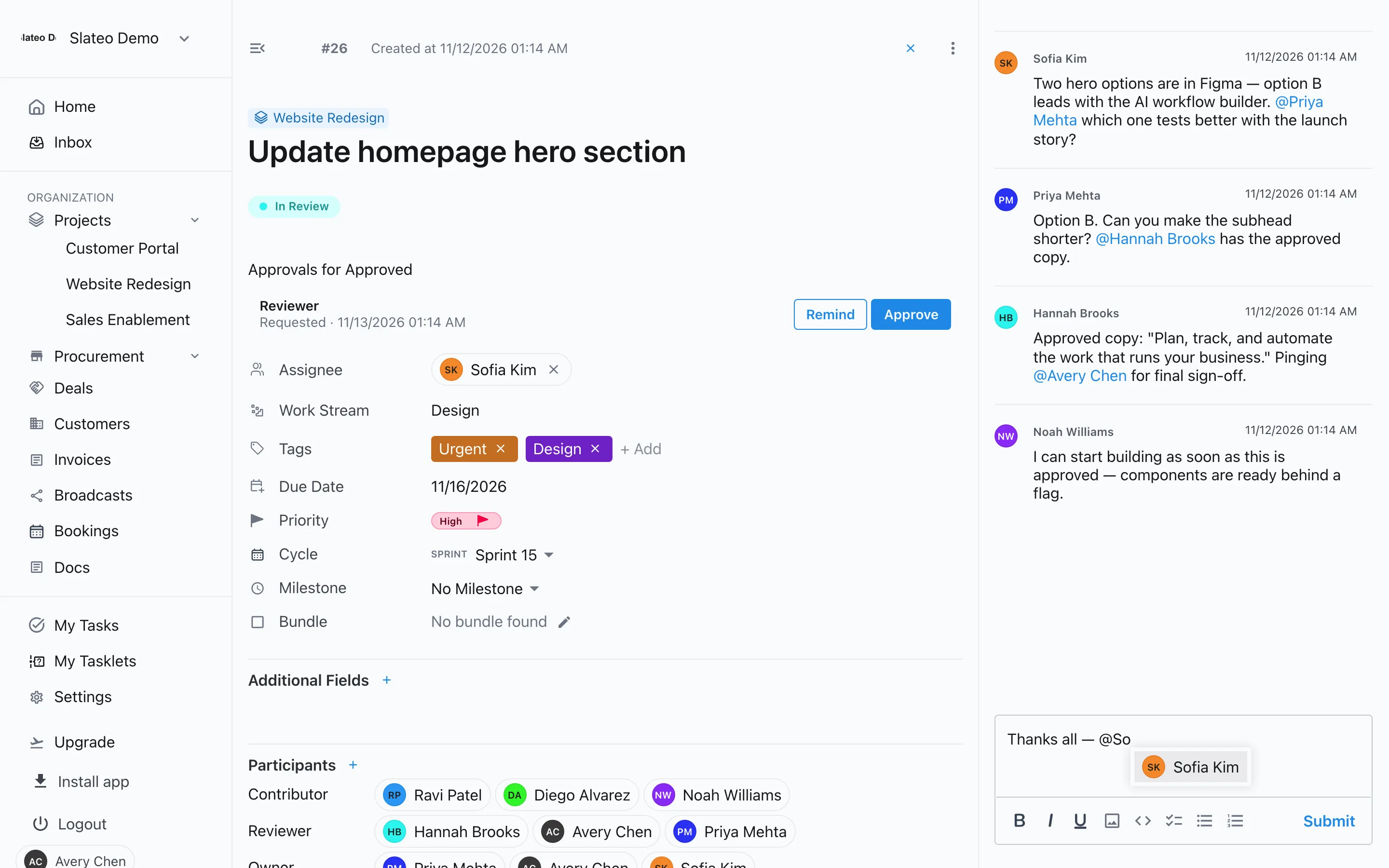
Comment and @mention teammates right on the task, get a recorded sign-off on the documents behind it, and stop hunting through chat for what was agreed.
Free for up to 3 users. No credit card required.
How does collaboration work in Slateo?
Last updated:
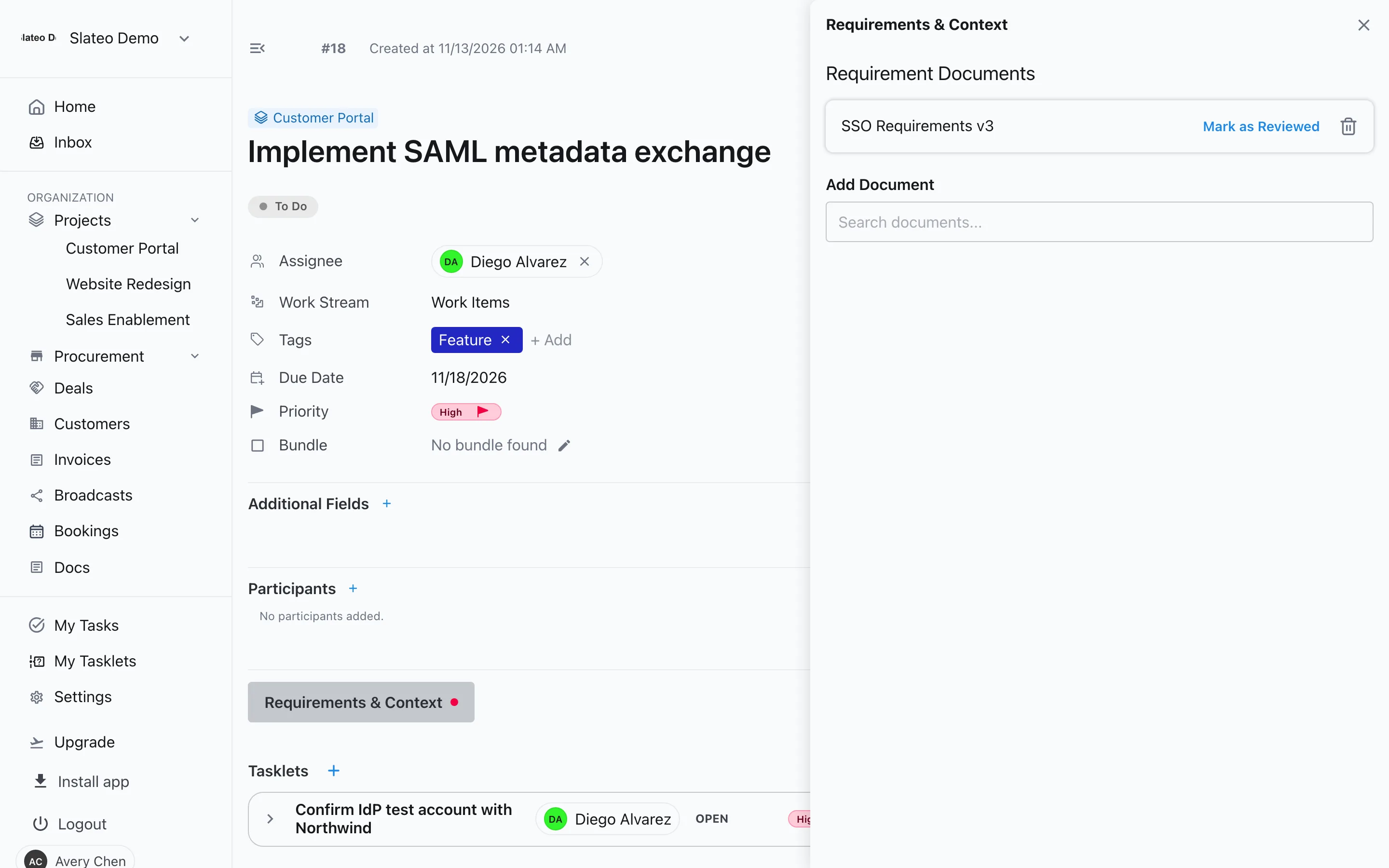
Every task and tasklet in Slateo has its own comment thread. Mention a teammate with @ and they get a notification. Requirement documents can be linked to a task, and the person doing the work marks them as reviewed, so there's a record of who confirmed what, and when.
Sign-off
A clear record that it was read
Link the requirement documents a task depends on. The person doing the work marks each one as reviewed, and Slateo records who confirmed it and when, so nobody has to chase a 'yes, I've seen it' over chat.
Document versions
Know which version everyone is working from
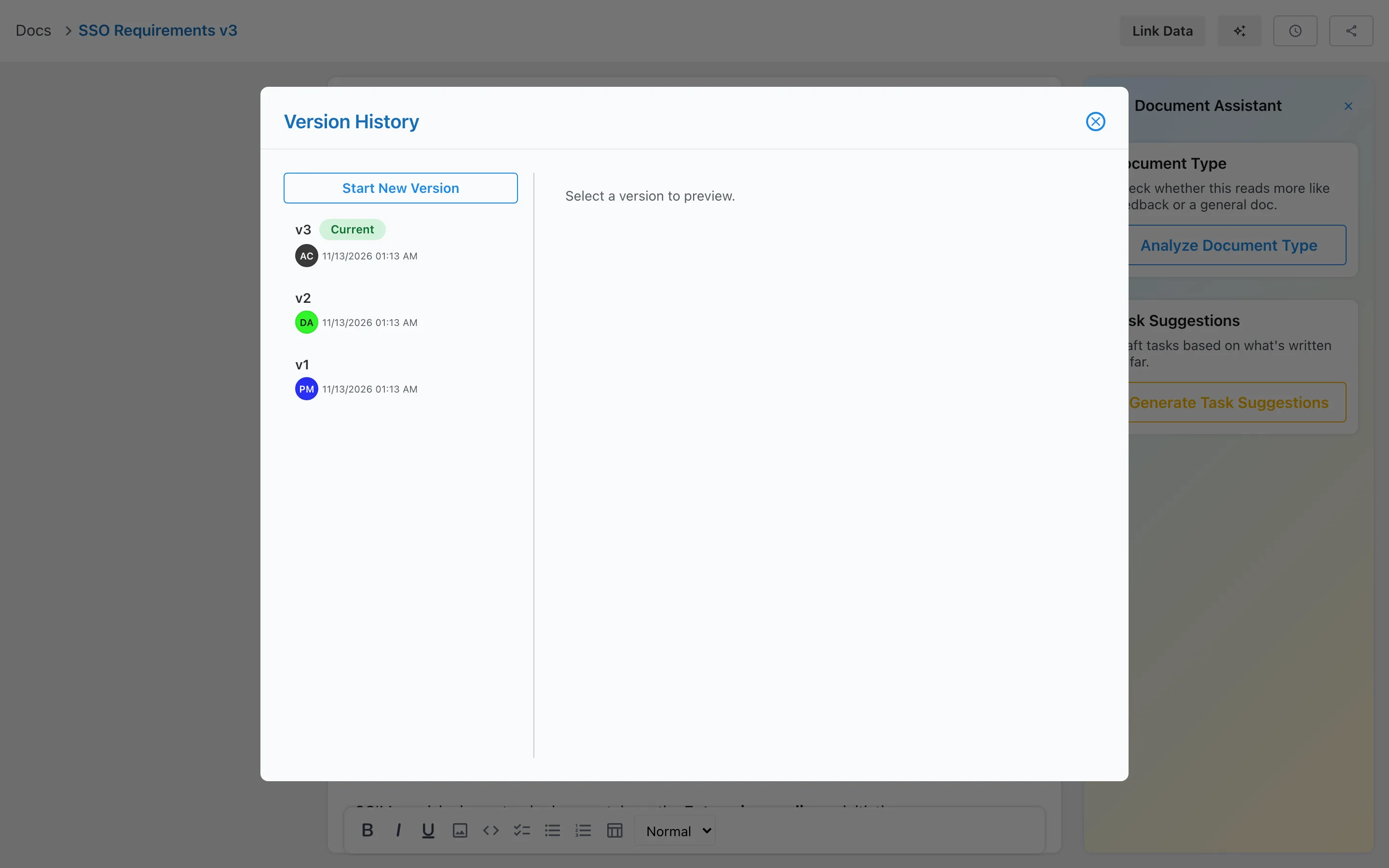
Save a new version of a document when it changes, and see every earlier version with who saved it and when. The current version is always marked.
Inbox
Mentions and requests in one place
When someone mentions you, assigns you work or asks for your approval, it lands in your inbox. Choose which of them also come to you by email.
See notifications →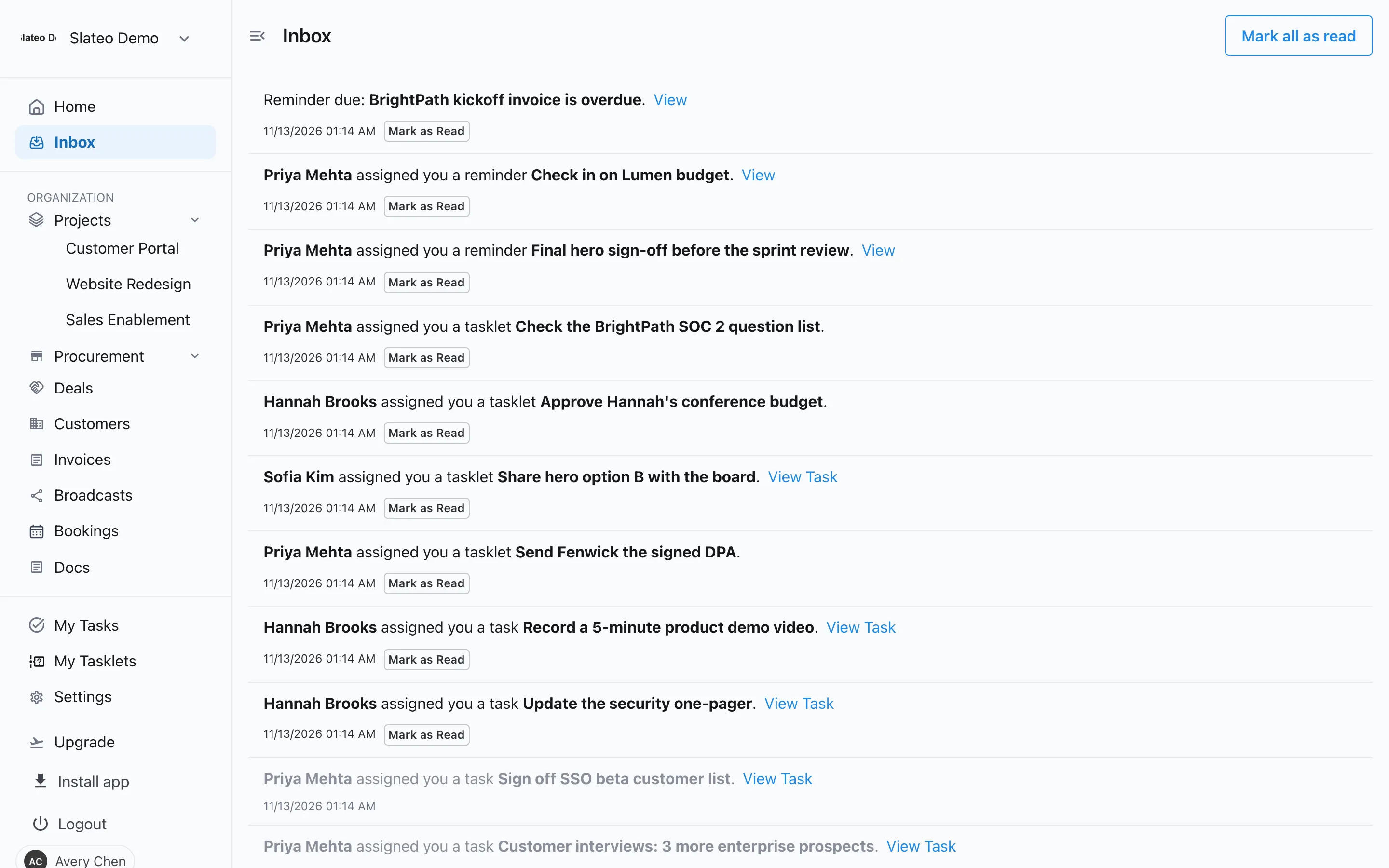
Also in collaboration
Approvals
Ask a specific person to approve work before it moves on, and remind them if it's waiting.
Participants
Add owners, reviewers and contributors to a task, so everyone's part in it is clear.
Project files
Share the files a project needs on its overview page, next to its tasks and members.
Mentions in docs
@mention a teammate in a document to bring them in.
Included on every plan
Comments, mentions, sign-off and document versions are on every plan, including Free.
Questions
Where can my team comment in Slateo?
On tasks and tasklets. Each has its own thread, so the discussion stays with the work instead of getting lost in chat.
What happens when I @mention someone?
They get a notification in their Slateo inbox, and an email too if they've turned that on.
What is an acknowledgement?
A recorded confirmation that someone has reviewed a document linked to a task. Slateo keeps who confirmed it and when.
Does Slateo keep old versions of documents?
Yes. Save a new version whenever a document changes, and open any earlier version to see what it said.
Bring your team's conversations into one place.
Start collaborating in minutes. No credit card required.