
Docs
Docs that stay connected to the work
Write briefs, requirements and notes next to your projects, link them to the customers they're about, and turn what's written into tasks.
Free for up to 3 users. No credit card required.
What are docs in Slateo?
Last updated:
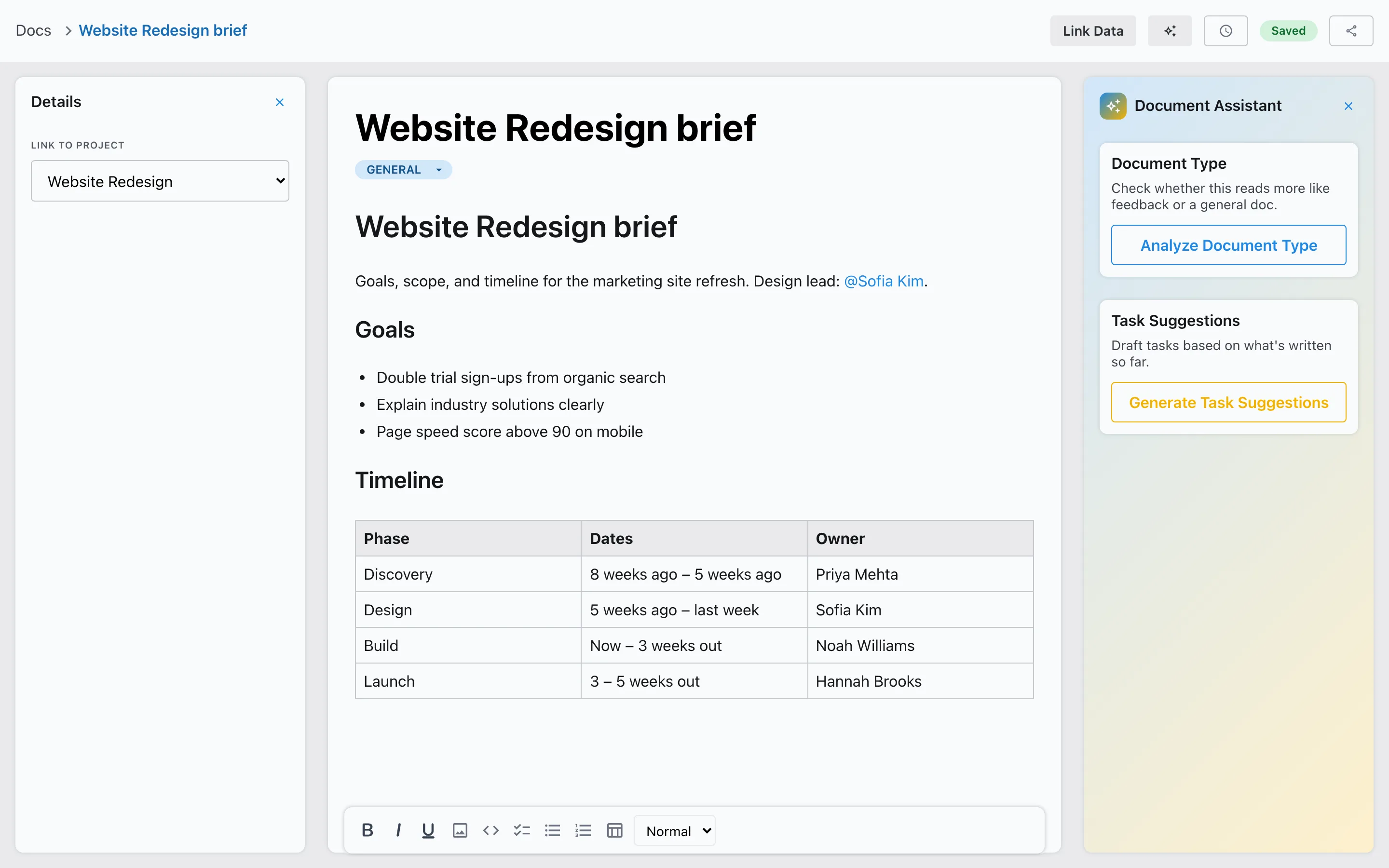
Docs are rich-text documents inside Slateo. Each one can be linked to a project and the customers it's about, so the context travels with it. A document assistant reads what you've written and suggests tasks, or pulls customer feedback into a structured summary.
Write
An editor for real documents
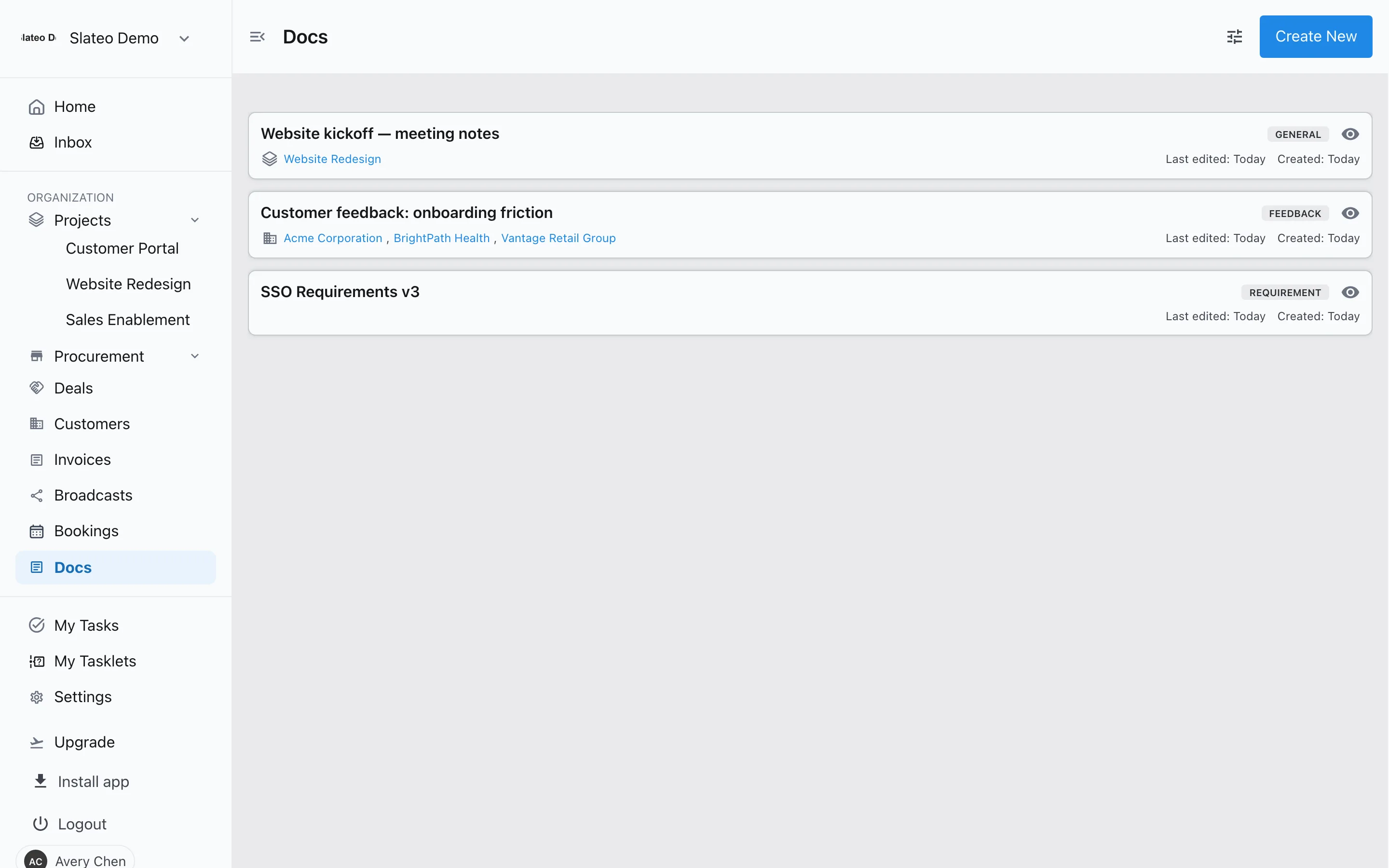
Headings, lists, checklists, tables, images and code, with @mentions to bring a teammate in. Nest related docs under a parent so a brief and its notes stay together.
Customer feedback
Feedback tied to the customers who gave it
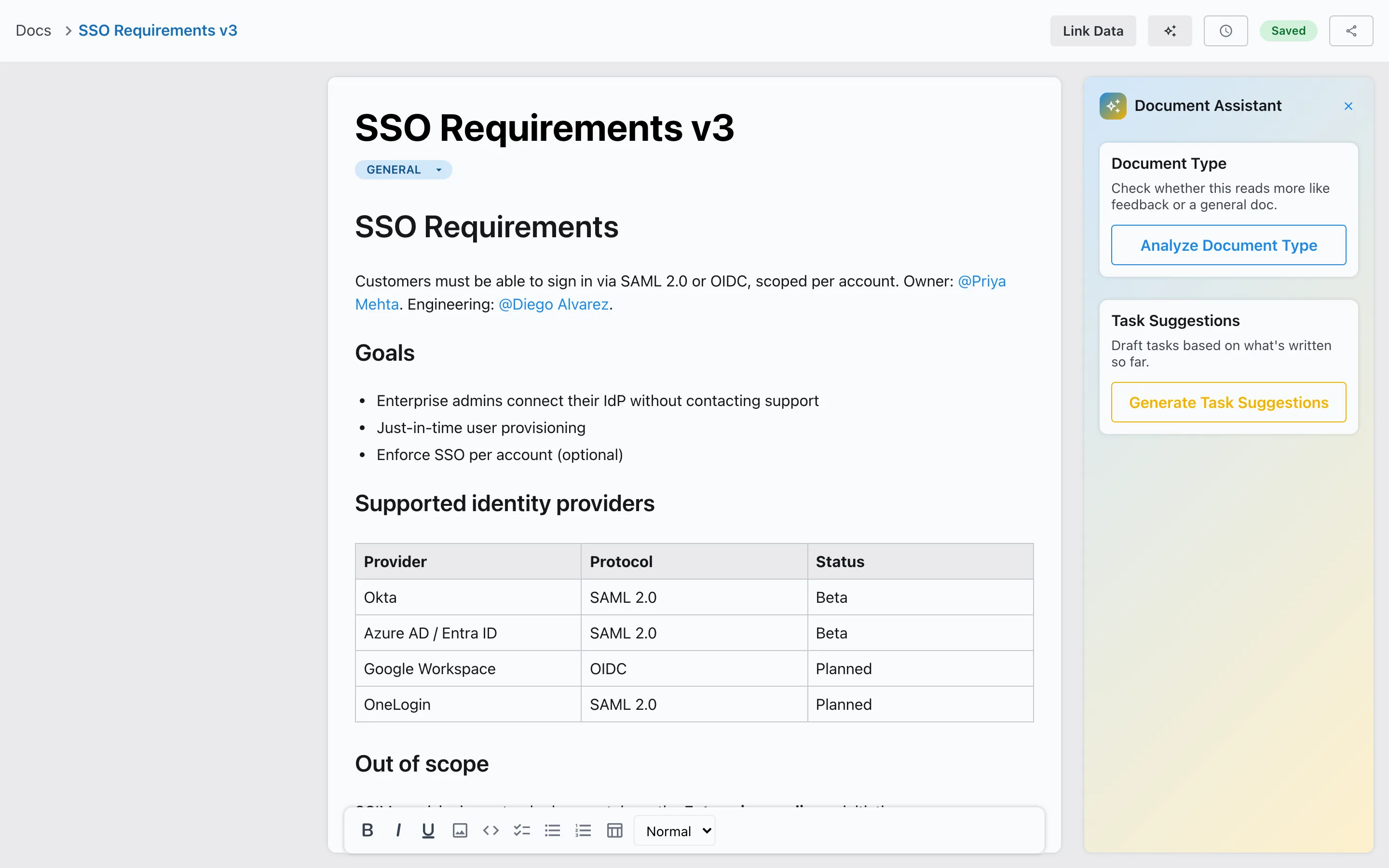
Mark a document as feedback, link the customers it came from, and note where it came from. The assistant pulls out the feedback into a structured summary and can draft a follow-up message.
Find
Every doc, easy to find
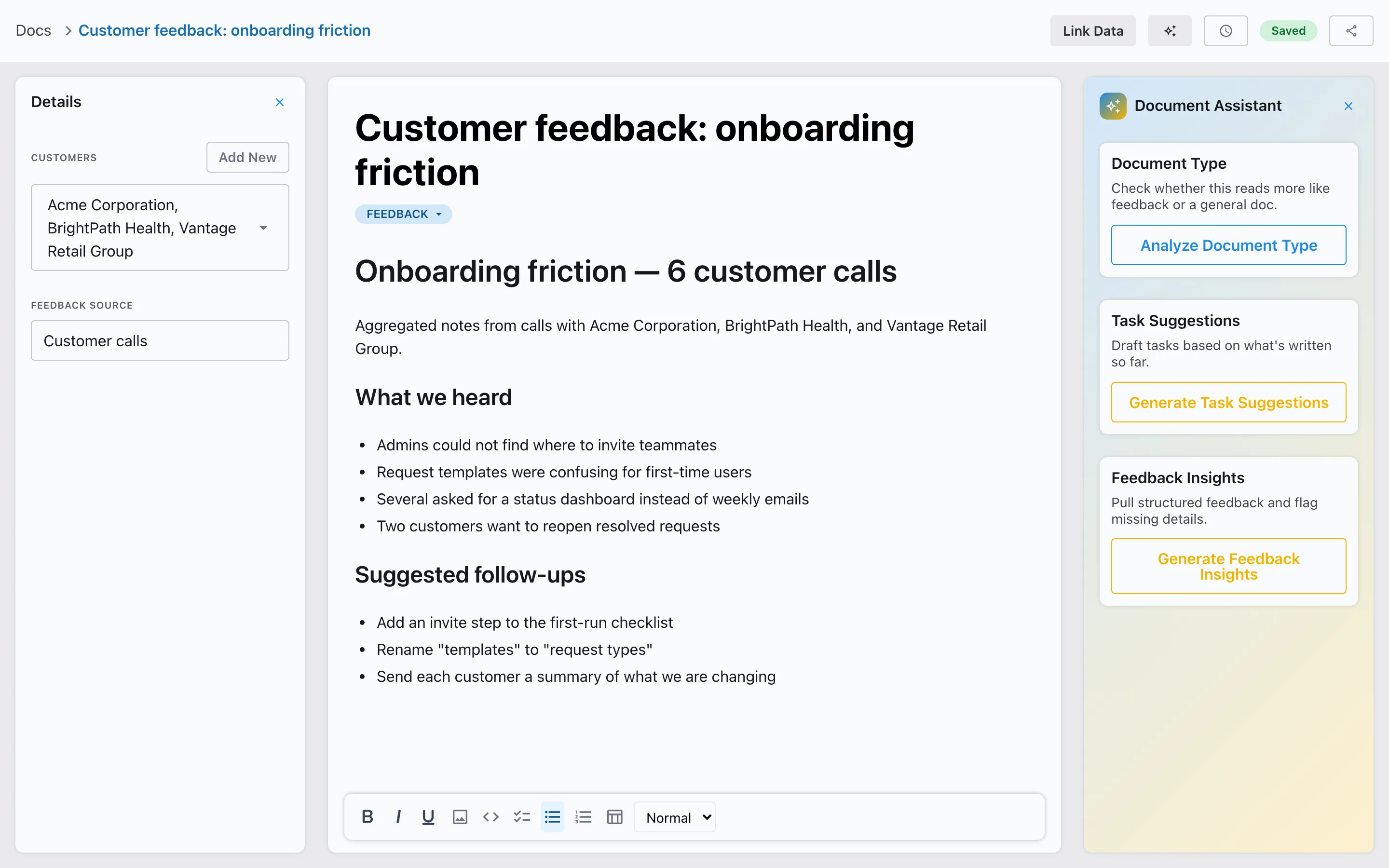
See all your docs in one list with their type, project and last edit. Filter by project, customer or author to get to the right one quickly.
Versions
Know which version is current
Save a new version when a document changes, and open any earlier one to see what it said. Each version shows who saved it and when.
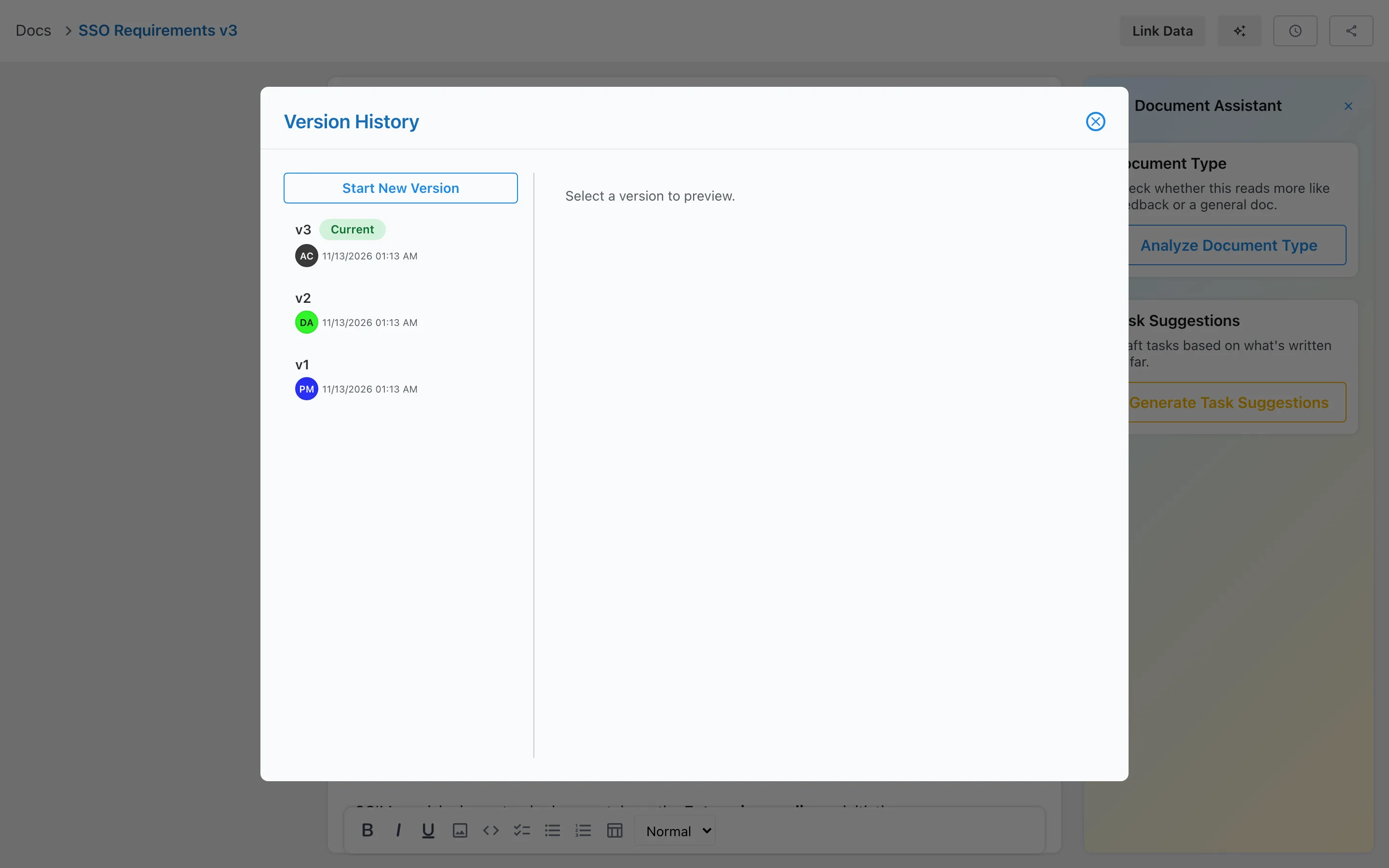
The document assistant
Suggest tasks
Turn a brief or meeting notes into suggested tasks, and add the ones you want in one go.
Feedback insights
Pull the feedback out of call notes into a clear, structured summary.
Follow-up message
Draft a reply to the customers behind a piece of feedback.
Document type
Check whether a document reads more like feedback or a general doc.
Included on every plan
Docs, versions and the document assistant are on every plan, including Free.
Questions
Can I keep related documents together?
Yes. Nest documents under a parent, so a brief and its supporting notes stay together, and link them to the same project.
Can I turn meeting notes into tasks?
Yes. The document assistant reads the document and suggests tasks. Pick the ones you want and Slateo adds them all at once.
How do docs help with customer feedback?
Mark a document as feedback and link the customers it's about. The assistant pulls the feedback into a structured summary and can draft a follow-up message to those customers.
Can I link a document to a project?
Yes. A document can be linked to a project and one or more customers, and it can be added to a task as a requirement for the person doing the work to review.
Give your team docs they'll actually use.
Start writing your first doc in minutes. No credit card required.