
Forms
Collect requests and turn them into work
Build a form in minutes, share one link, and turn each response into a task for your team, without code or a spreadsheet in between.
Free for up to 3 users. No credit card required.
What are forms in Slateo?
Last updated:
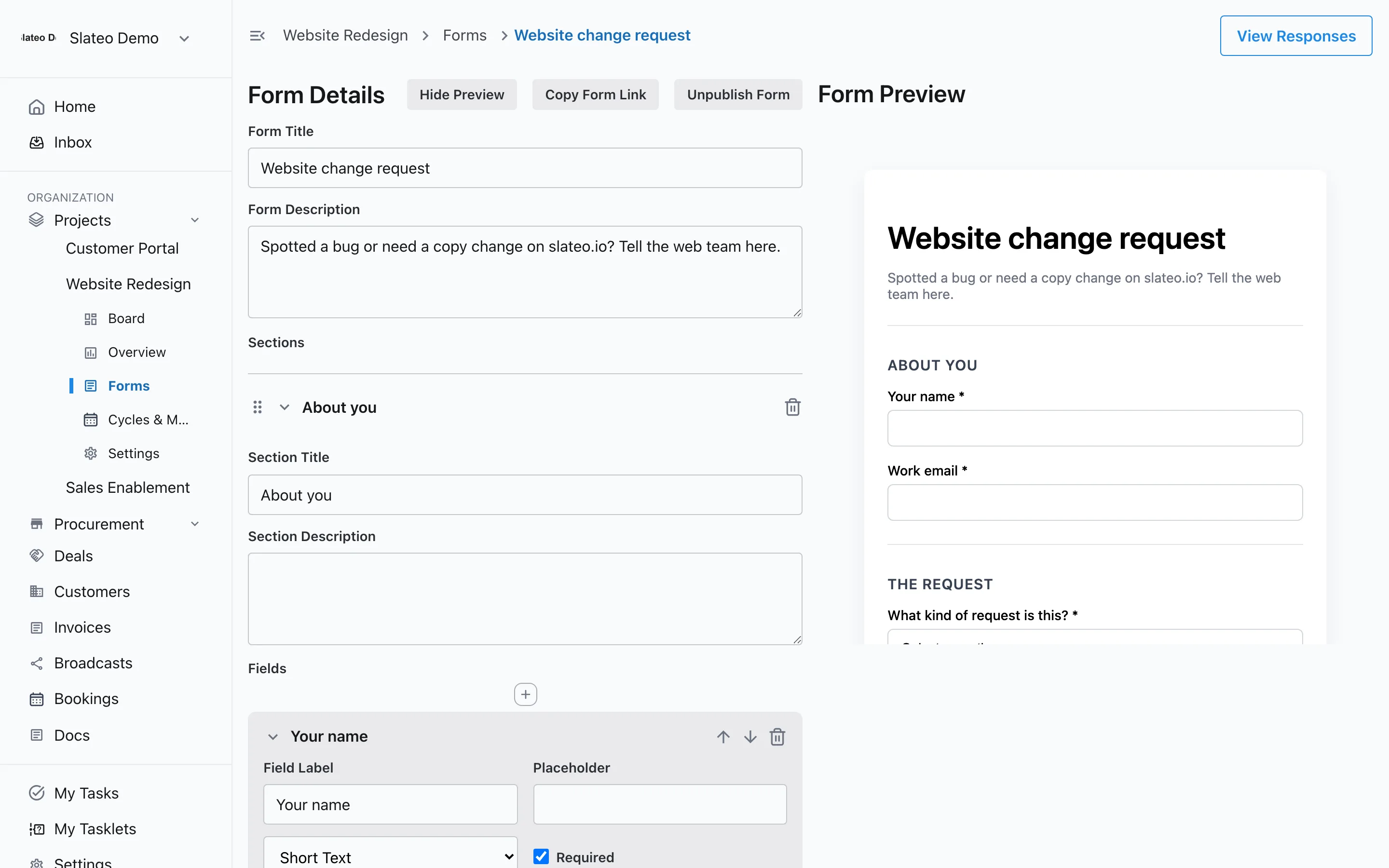
Forms in Slateo belong to a project. You build them from fields and sections, publish them to get a public link, and anyone can fill them in without an account. Every response is saved with the project, and your team can turn it into a task in one click.
Build
A form in minutes, no code
Add fields, group them into sections, mark the ones you need as required, and put them in the order you want. Preview the form as people will see it, and keep it as a draft until it's ready.
- Short text
- Long text
- Number
- Date
- Dropdown
- Multi-select
- Checkbox
Conditional questions
Ask only what applies
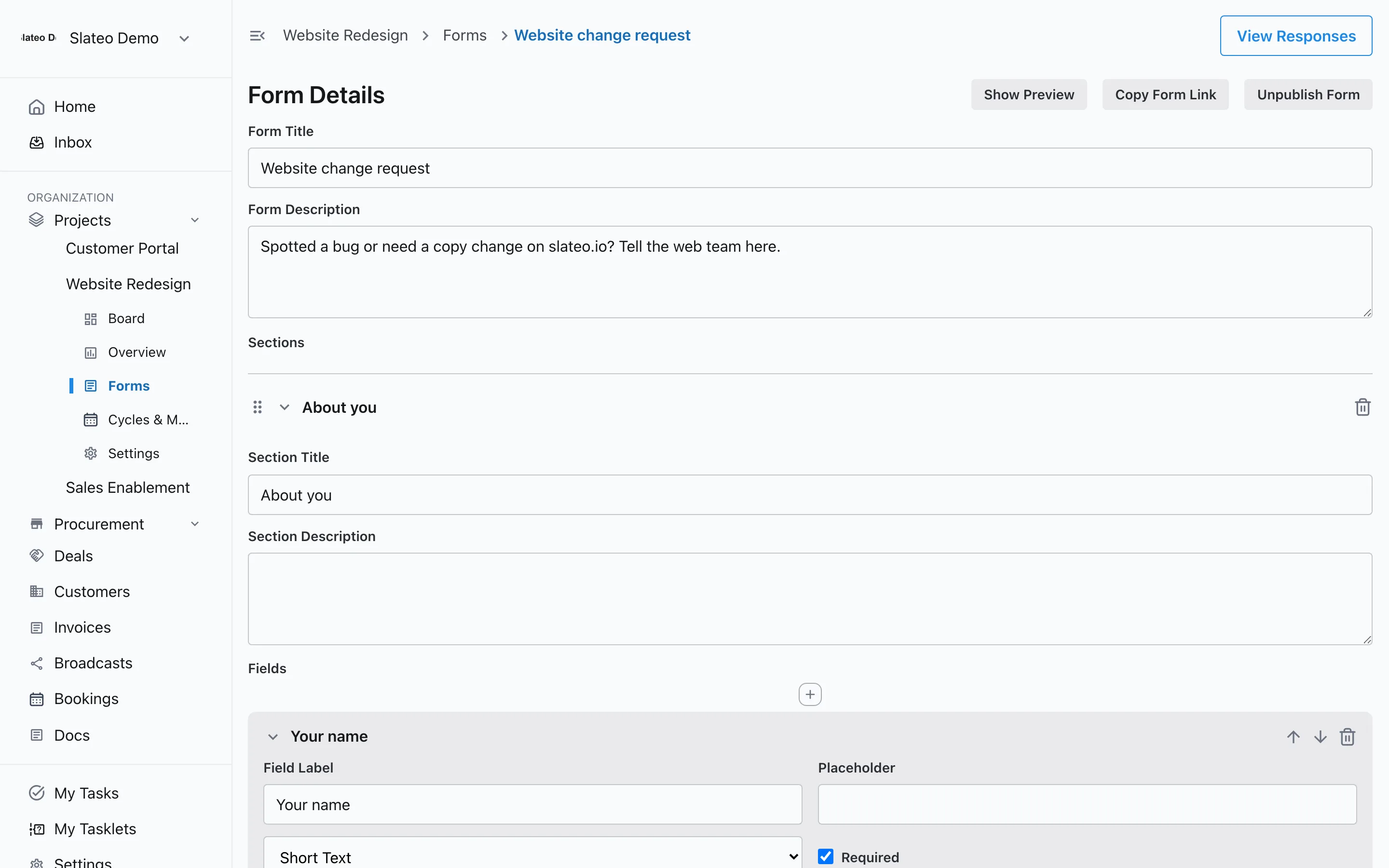
Show a question only when an earlier answer calls for it, like asking which browser only when someone reports a bug. Shorter forms get finished more often.
Share
One link, anyone can respond
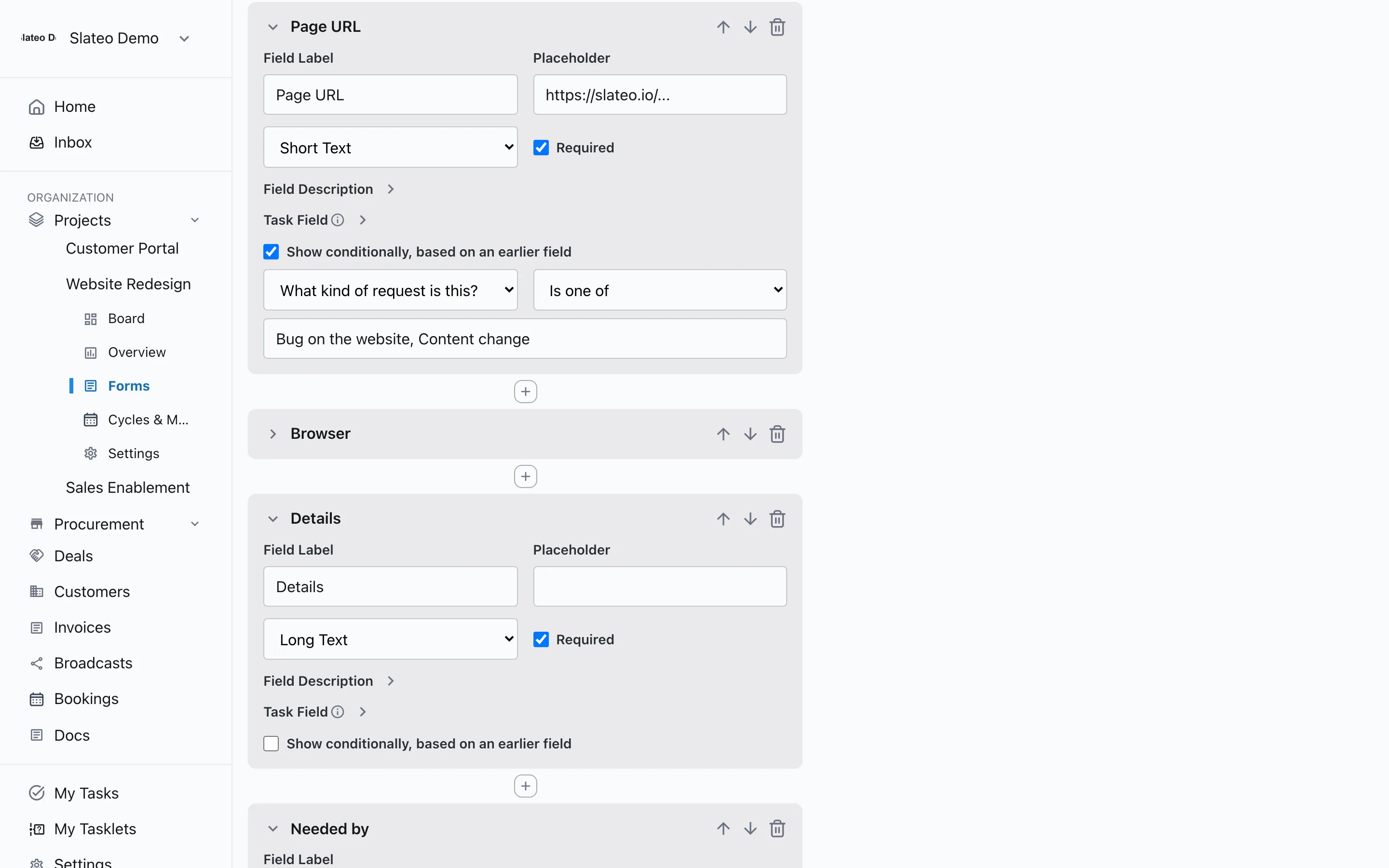
Publish the form and share its link with customers, vendors or teammates. Nobody needs a Slateo account, and the form works on a phone as well as a computer.
Responses
Every response, ready to act on
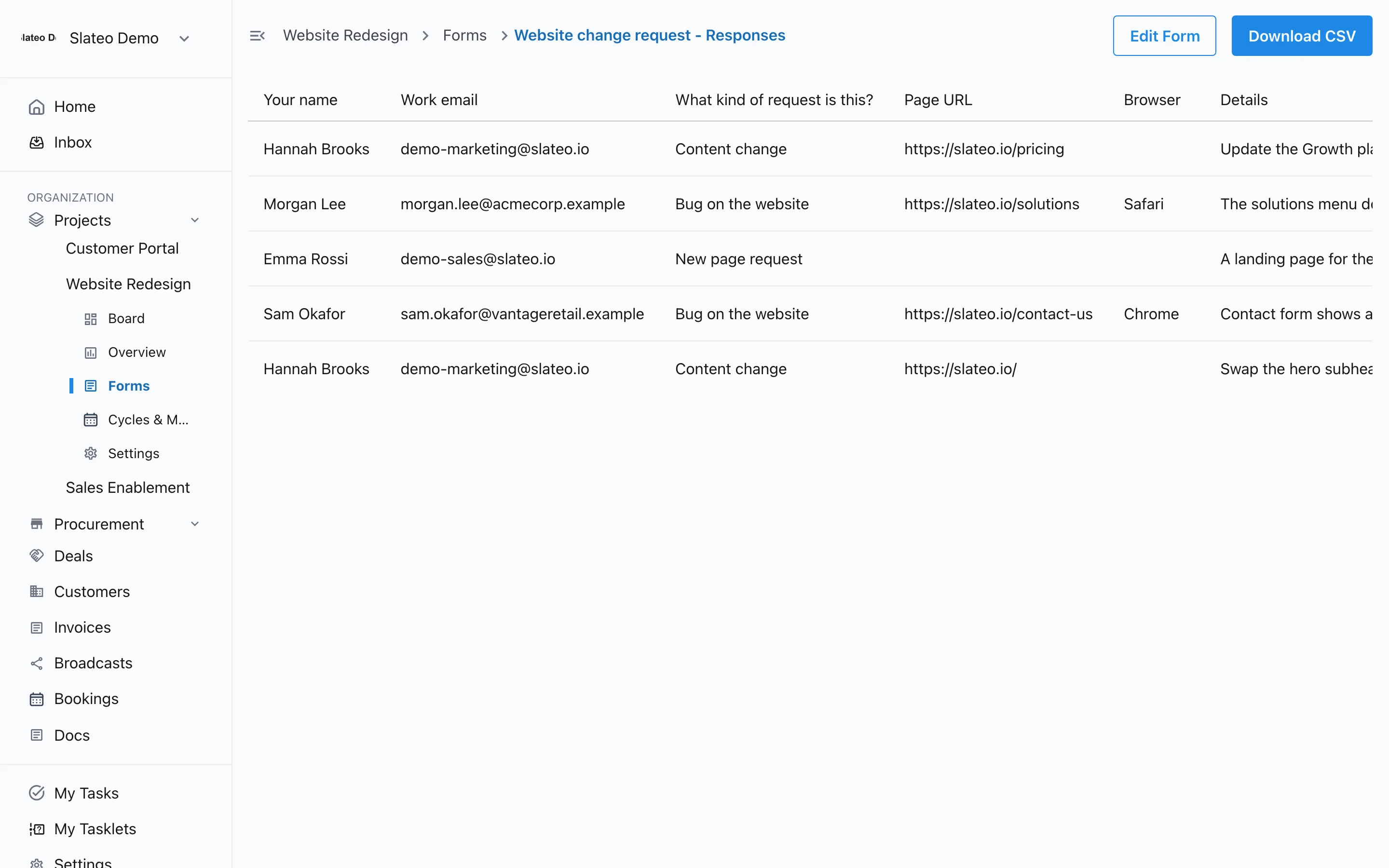
See all responses in one table and download them as a CSV. Turn any response into a task in one click: you choose which answers become the task's title and description. The account owner gets an email for each new response.
What teams use forms for
Bug reports
Give customers a clear way to report problems, and triage each report as a task.
Feature requests
Collect ideas from users and prospects without losing them in a shared inbox.
Client intake
Ask new clients the same questions every time, so work starts with the right details.
Internal requests
Let other teams ask yours for work through one form instead of chat messages.
Included on every plan
Forms, public links and responses are on every plan, including Free.
Questions
Do people need a Slateo account to fill in a form?
No. Once you publish a form it gets a public link, and anyone with the link can respond on a computer or a phone.
What kinds of fields can I add?
Short text, long text, email, number, date, dropdown, multi-select and checkbox. Any field can be required, and fields can be grouped into sections.
Can a form show different questions depending on the answers?
Yes. Set a field to show only when an earlier answer matches a rule, such as equals, contains or is one of.
How do responses become tasks?
Open a response and create a task from it. You decide which answers fill in the task's title and description, so the task is ready to assign.
Will I know when someone fills in a form?
Yes. The account owner gets an email for each new response, and all responses are listed with the form.
Stop losing requests to inboxes and spreadsheets.
Build your first form in minutes. No credit card required.