
Use case: forms
A form builder that turns responses into action
Build a form in minutes, share one link, and turn the responses you act on into tasks for your team.
Free for up to 3 users. No credit card required.
What is a form builder?
Last updated:
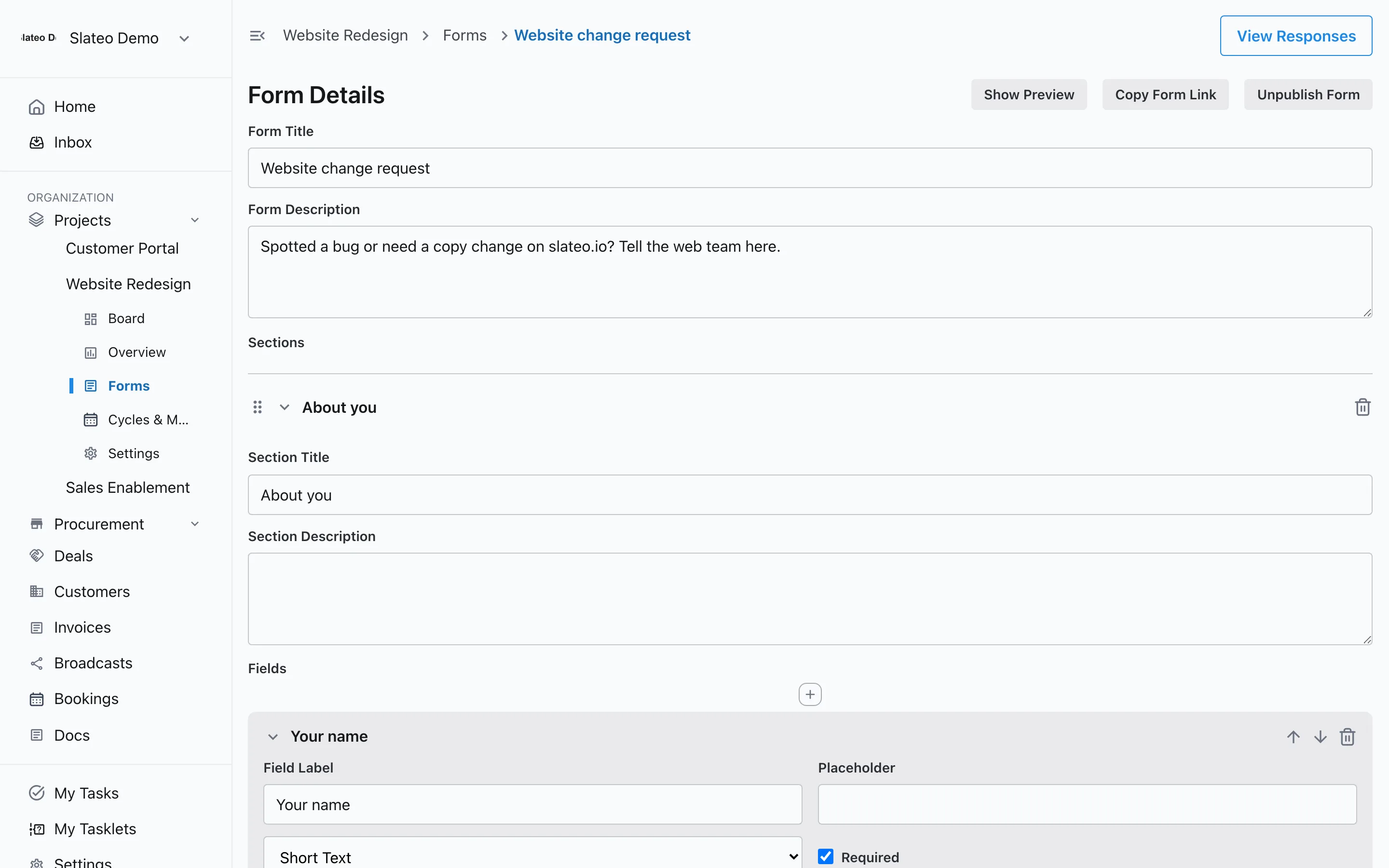
A form builder lets you create forms without code and collect the answers in one place. In Slateo, forms belong to a project: anyone can fill them in through a public link, every response is saved with the project, and your team turns a response into a task in one click.
Smart questions
Ask only what applies
Show a question only when an earlier answer calls for it, like asking which browser only when someone reports a bug.
Forms →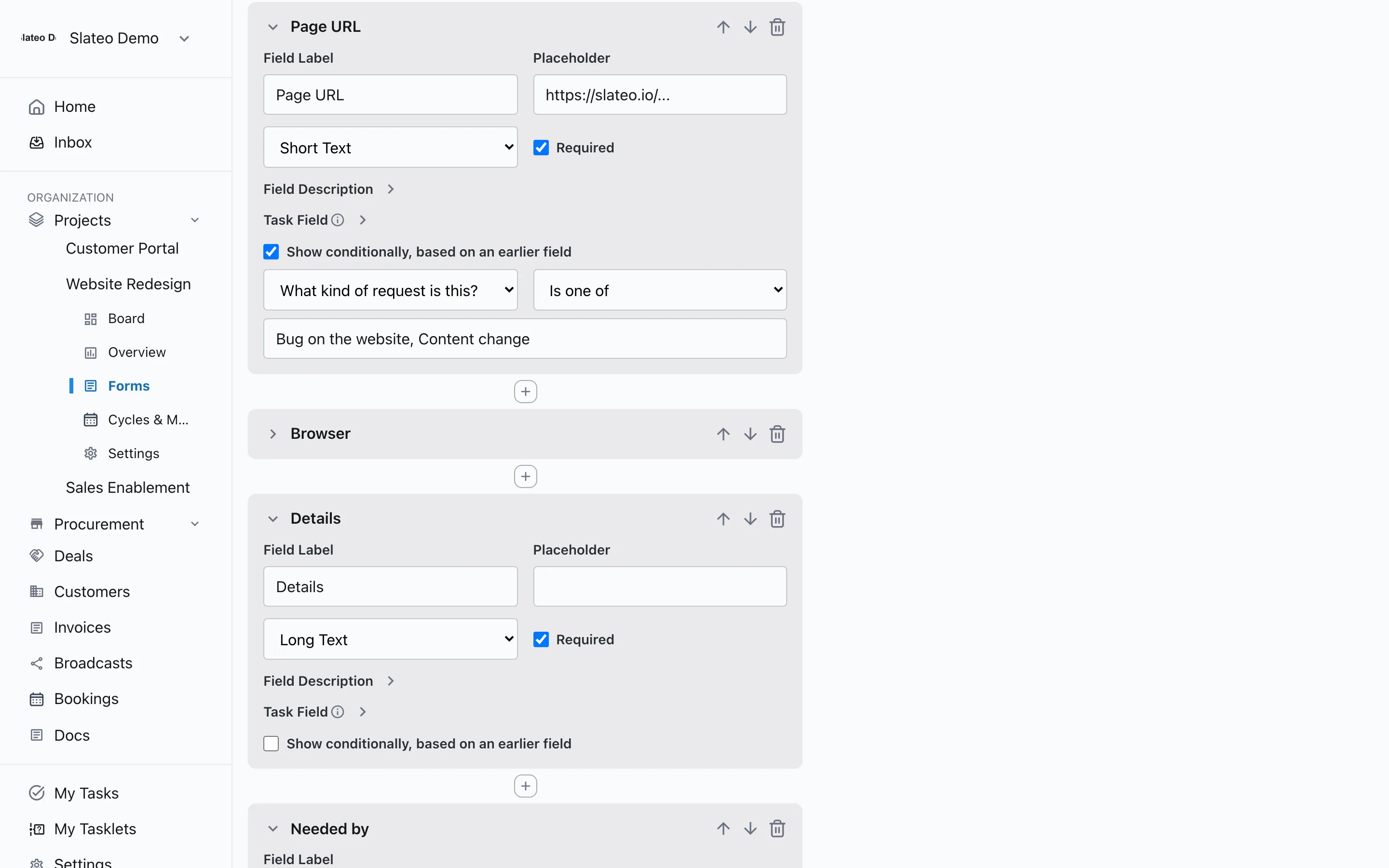
Share
One link, anyone can respond
Publish the form and share its link with customers, vendors or teammates. Nobody needs a Slateo account, and it works on a phone too.
Build a form and collect responses →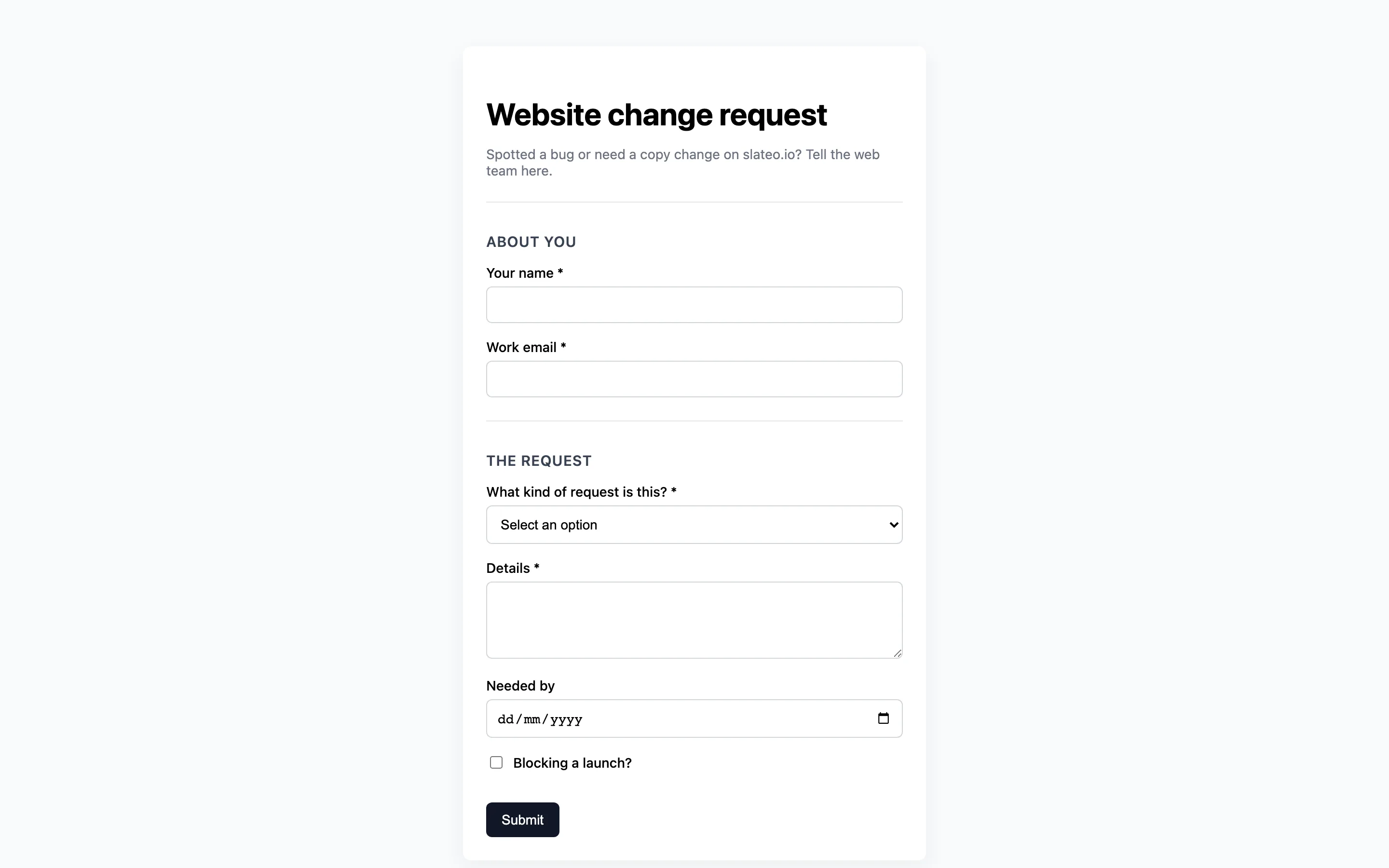
Act
Every response, ready to act on
See every response in a table, download them as a CSV, and turn any response into a task with the answers filled in. The account owner gets an email for each new response.
Forms →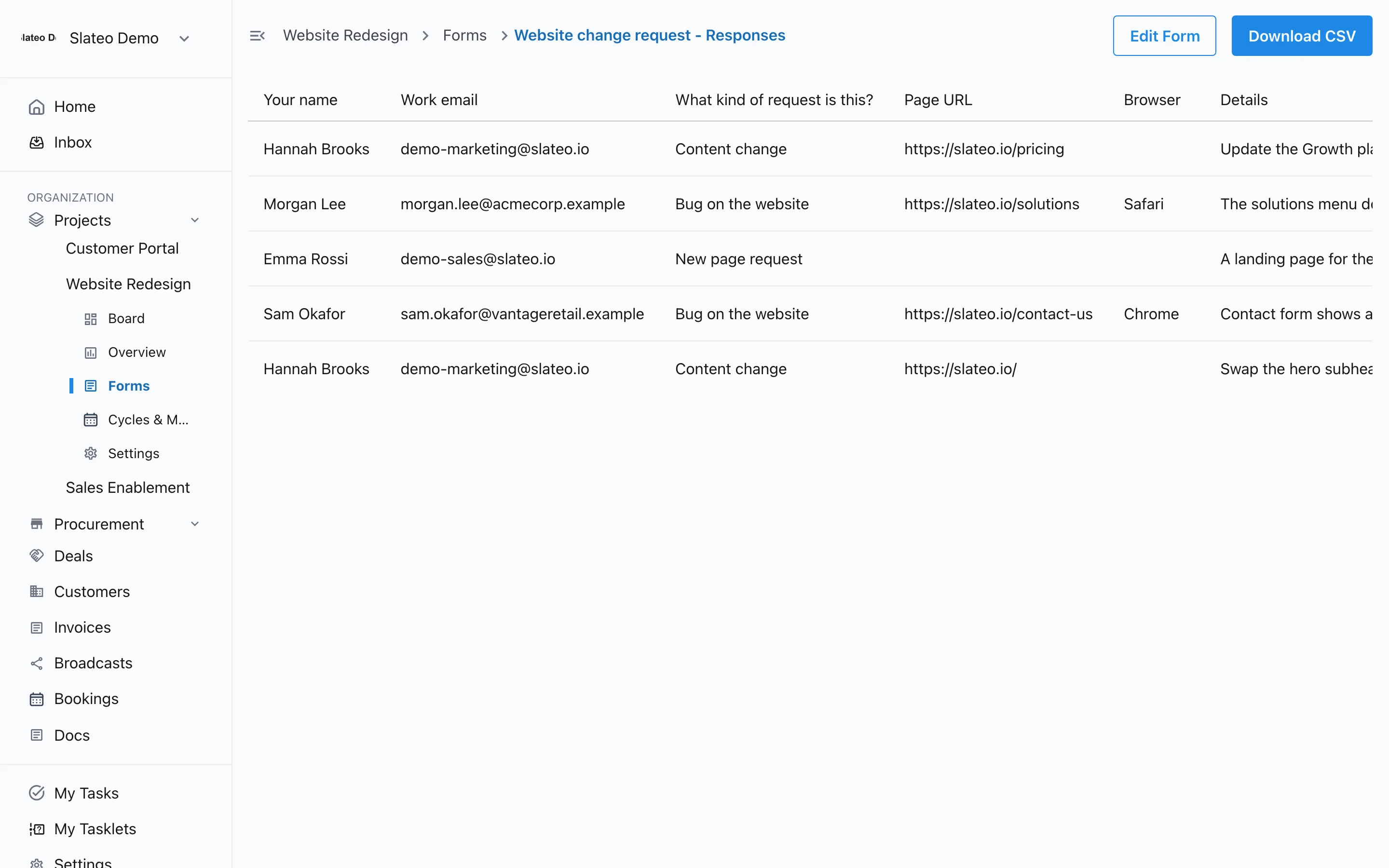
Use it for
Bug reports
Give customers a clear way to report problems, and triage each one as a task.
Client intake
Ask new clients the same questions every time.
Internal requests
Let other teams request work through one form instead of chat.
Feature requests
Collect ideas from users without losing them in an inbox.
Forms on every plan
Forms are included on every plan, including Free.
Questions
Do people need an account to respond?
No. A published form has a public link anyone can open and fill in on a computer or phone.
Which field types are there?
Short text, long text, email, number, date, dropdown, multi-select and checkbox. Any field can be required, and fields can be grouped into sections.
Can forms take file uploads?
No. Ask for a link to the file instead.
How do responses become tasks?
Choose Create Task on a response. You decide in the form builder which answers fill the task's title and description.
Stop losing requests to inboxes and spreadsheets.
Build your first form free. No credit card required.