
Use case: customer feedback
Customer feedback management that closes the loop
Collect feedback, link it to the customer, summarize what people asked for, and reply when it's done.
Free for up to 3 users. No credit card required.
What is customer feedback management?
Last updated:
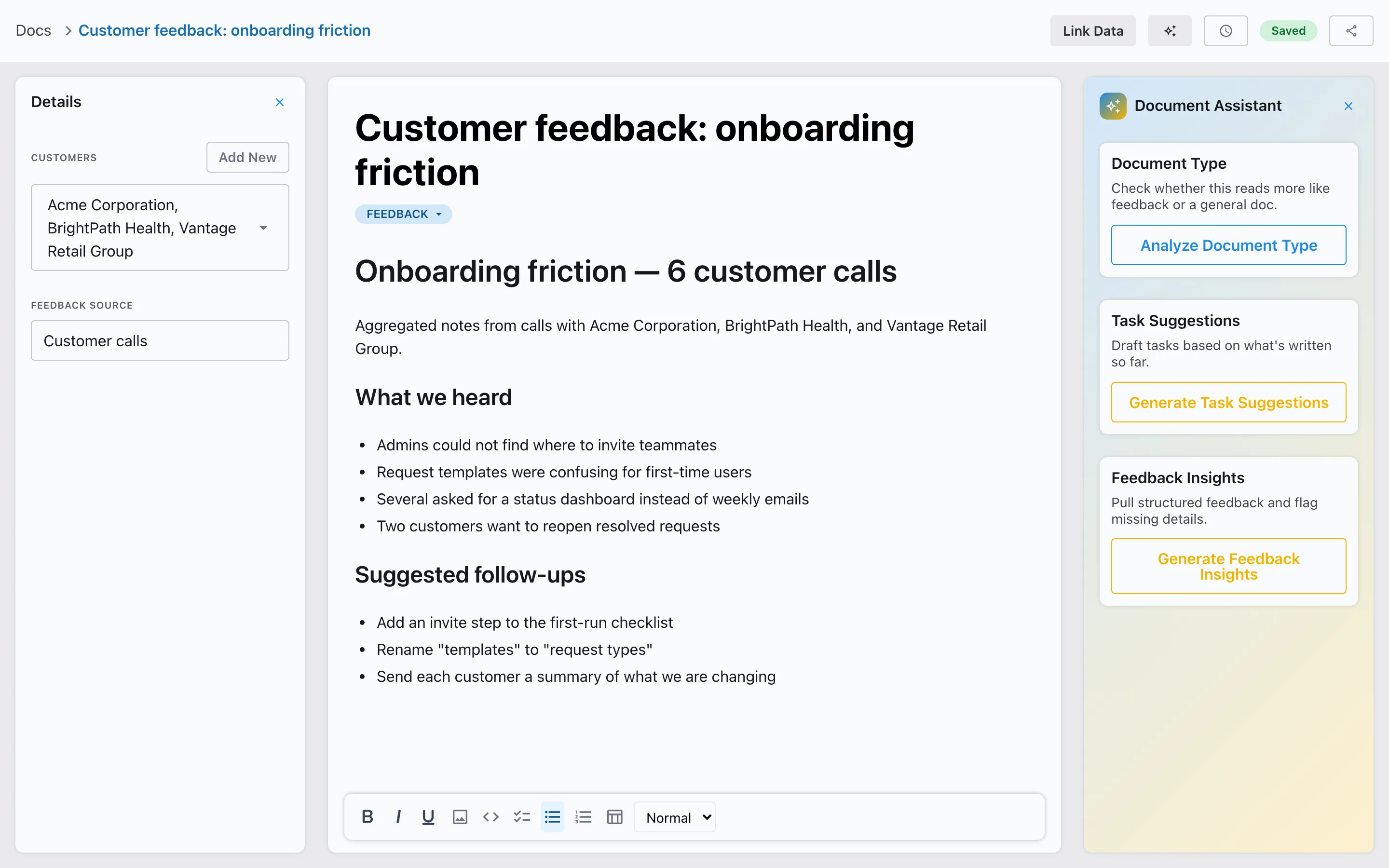
Customer feedback management means collecting what customers tell you, organizing it, and acting on it. In Slateo, feedback comes in through forms and call notes, each feedback document is linked to the customers it's about, and the document assistant pulls out a structured summary and drafts the follow-up message.
Collect
Collect feedback through a public form
Share a form link with customers. Nobody needs an account, every response is saved, and the ones you act on become tasks in one click.
Forms →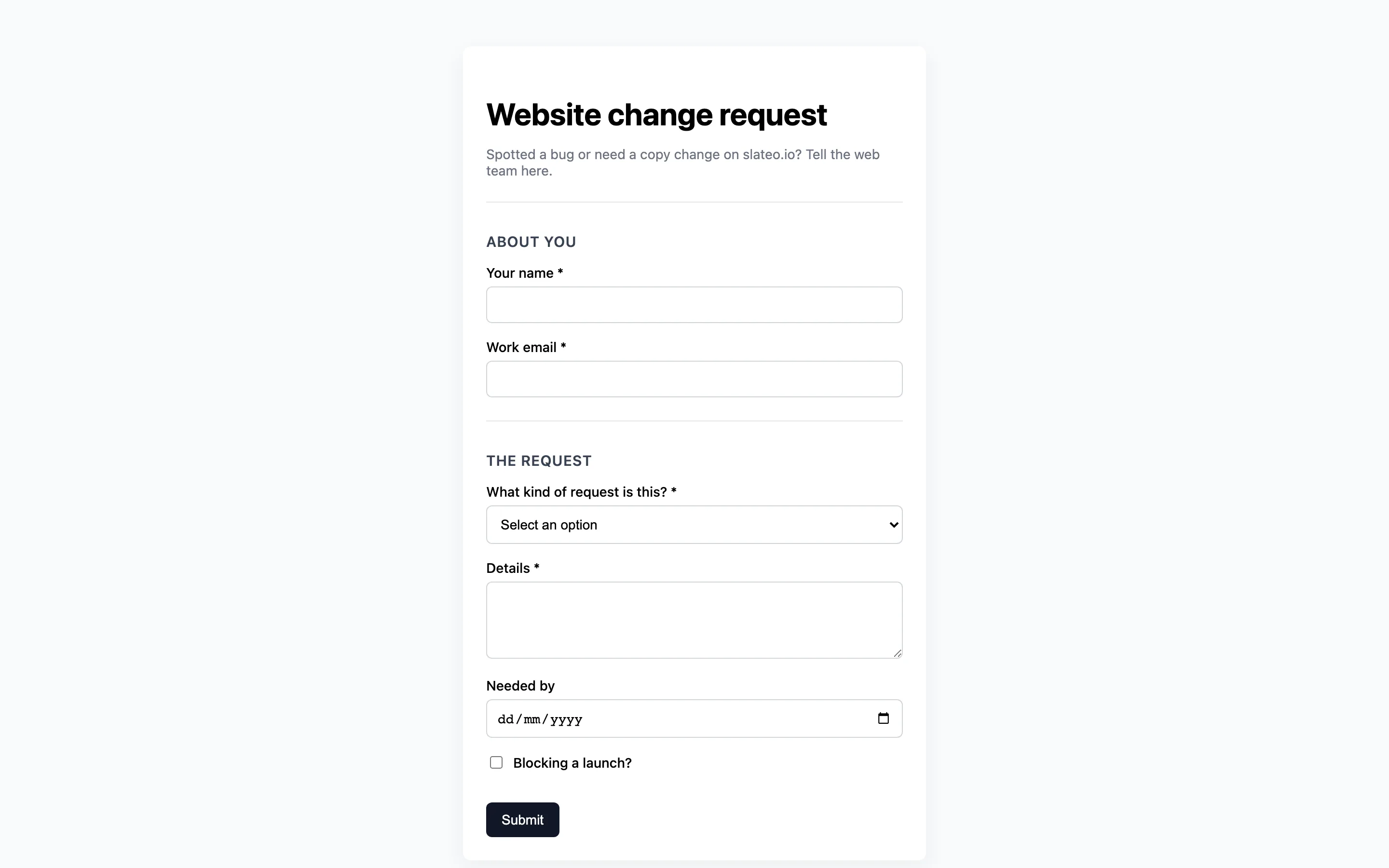
Context
Keep it with the customer
Log calls, emails, meetings and notes on the customer, next to their WhatsApp and Instagram messages, so feedback has its full story.
Customers and CRM →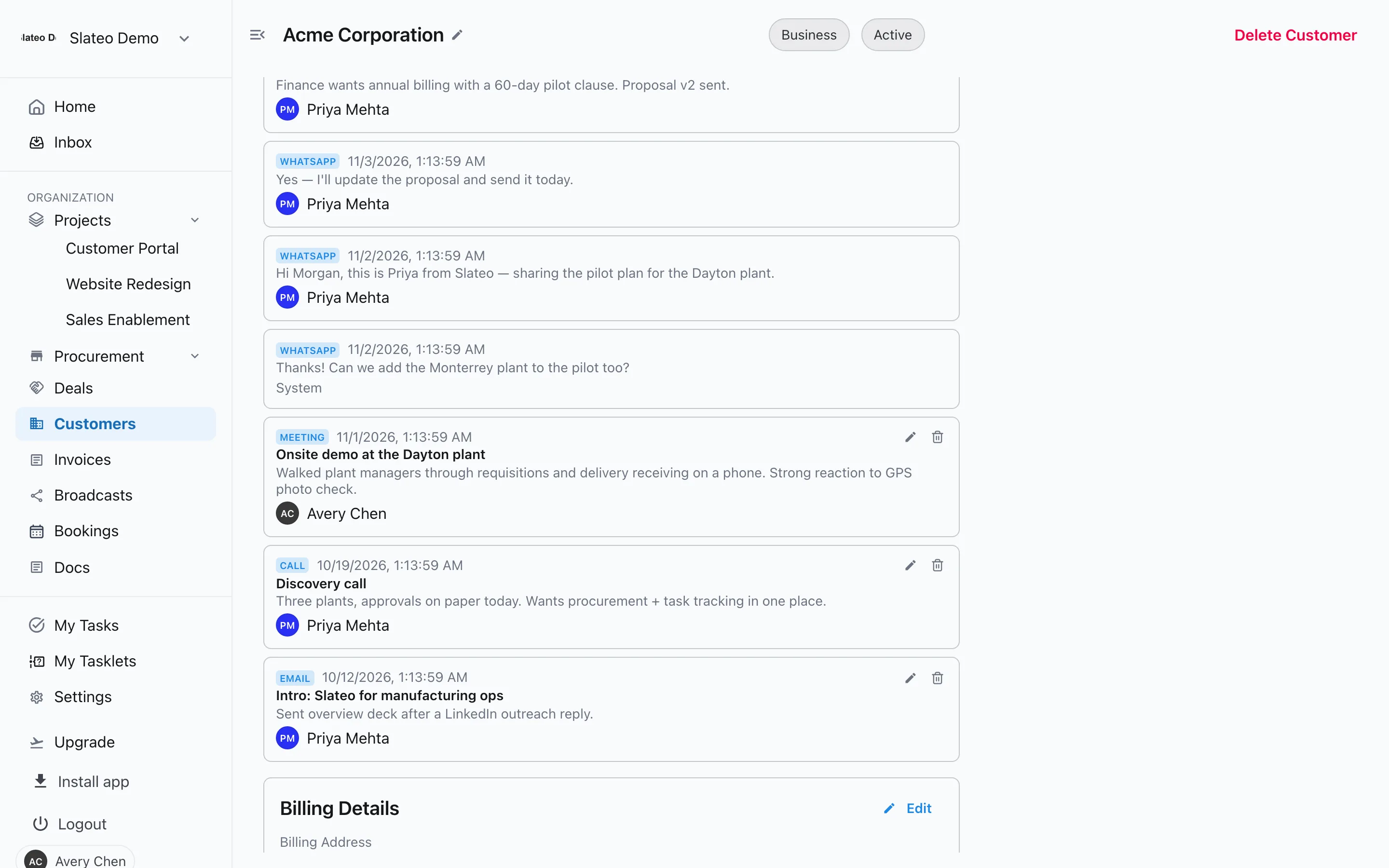
Act
Turn requests into work
See every form response in one table, download them as a CSV, and turn the ones you act on into tasks in one click, choosing which answers become the title and description.
Forms →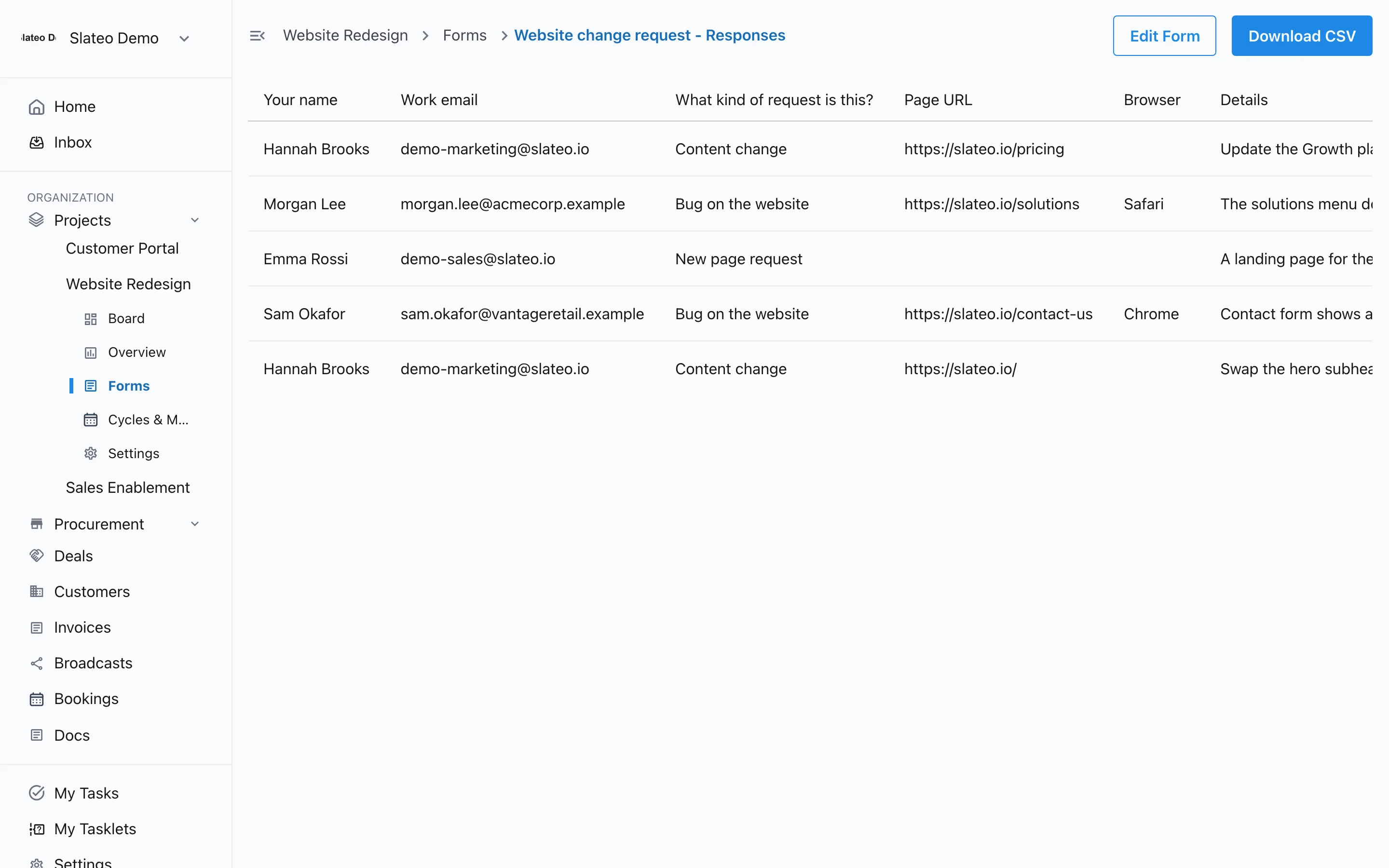
Also for feedback
Feedback insights
Turn call notes into a structured summary of what customers asked for.
Follow-up drafts
Draft a reply to the customers behind a piece of feedback, then edit and send it.
Feedback to tasks
Create tasks from responses and documents so feedback becomes work.
Linked to the customer
Each feedback document links to the customers it came from.
Free to start
Free includes forms, docs and up to 1,000 customers. Pro raises the limits for growing teams.
Questions
How does feedback get into Slateo?
Through forms anyone can fill in, and through documents such as call notes. Customer messages on WhatsApp and Instagram also land on the customer's record.
Can Slateo summarize feedback?
Yes. On a feedback document, the assistant pulls out a structured summary of what customers asked for and flags missing details.
Does Slateo reply to customers automatically?
No. It drafts the follow-up message; you decide whether to edit and send it.
Can feedback become work for the team?
Yes. Turn a form response into a task in one click, or let the document assistant suggest tasks from a feedback document and add the ones you want.
Stop losing customer feedback to inboxes and spreadsheets.
Start free. No credit card required.