
For customer success teams
Keep every customer on track to renew
Run onboarding, spot accounts at risk and work renewals early, with the customer's full history one click away.
Free for up to 3 users. No credit card required.
How do customer success teams use Slateo?
Last updated:
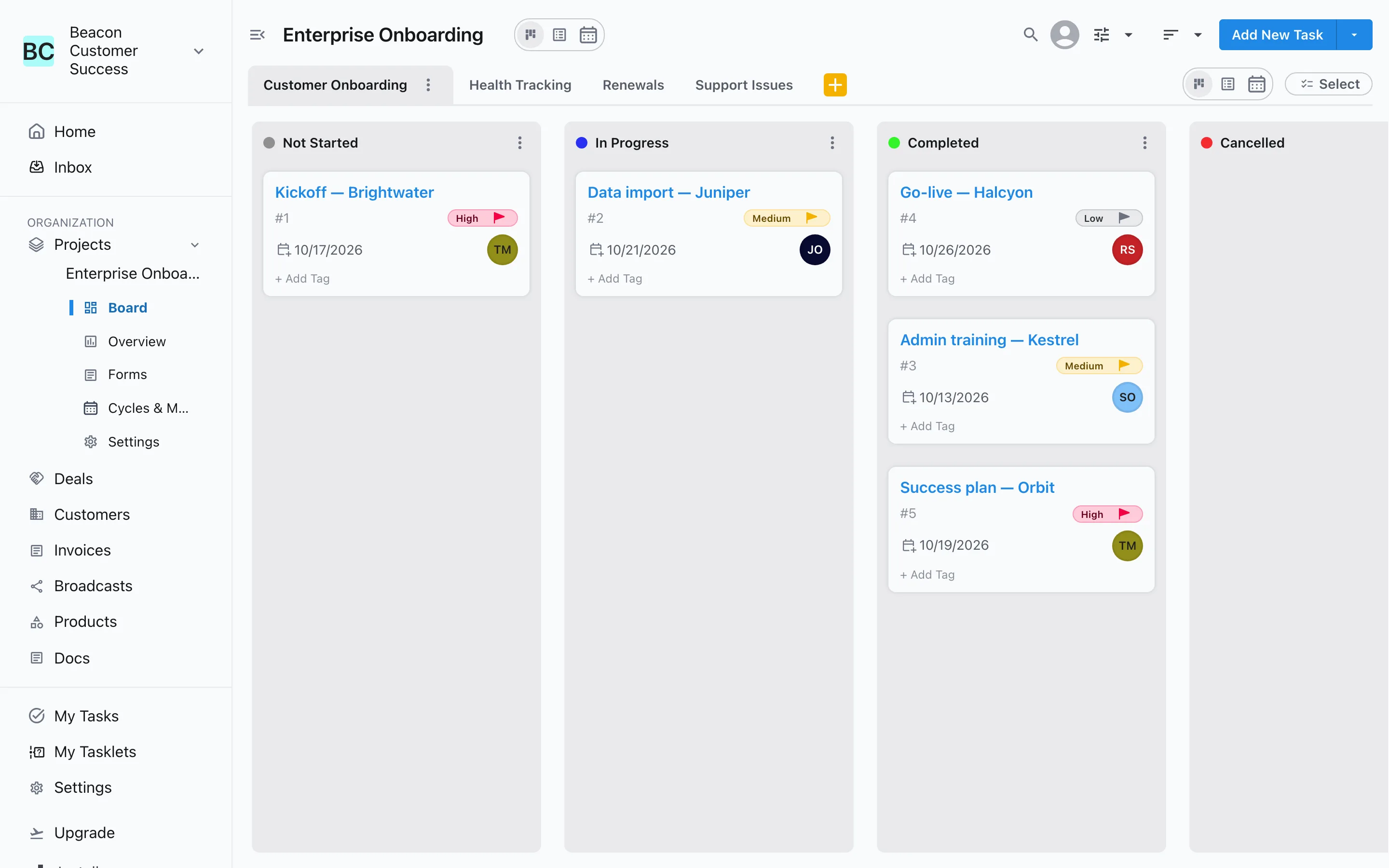
Customer success teams use Slateo to look after customers after the sale: onboarding plans, accounts to watch, renewals and support issues each have a board with their own stages. Every call, meeting, note and WhatsApp message is on the customer's record, reminders make sure follow-ups happen, and feedback from customers is linked to the product it's about.
History
The whole relationship on one record
Calls, emails, meetings and notes are logged on the customer with who took part and when, next to their WhatsApp and Instagram messages. Anyone covering the account sees what happened without asking.
Customers and CRM →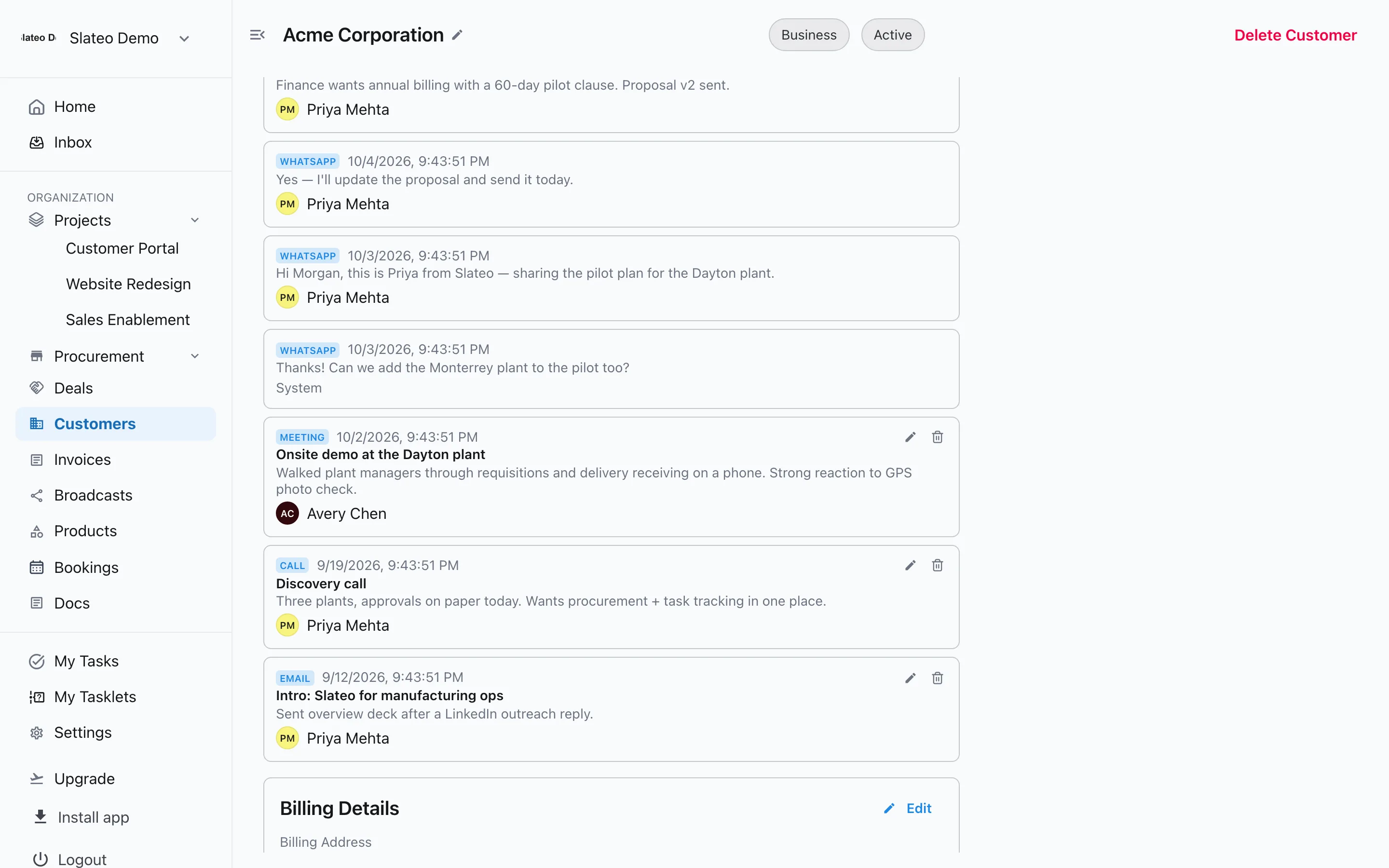
Talk to customers where they already are
Connect your WhatsApp Business number and reply from the customer's record. Send approved templates for check-ins and renewal reminders, and see when each message is delivered and read.
WhatsApp and Instagram →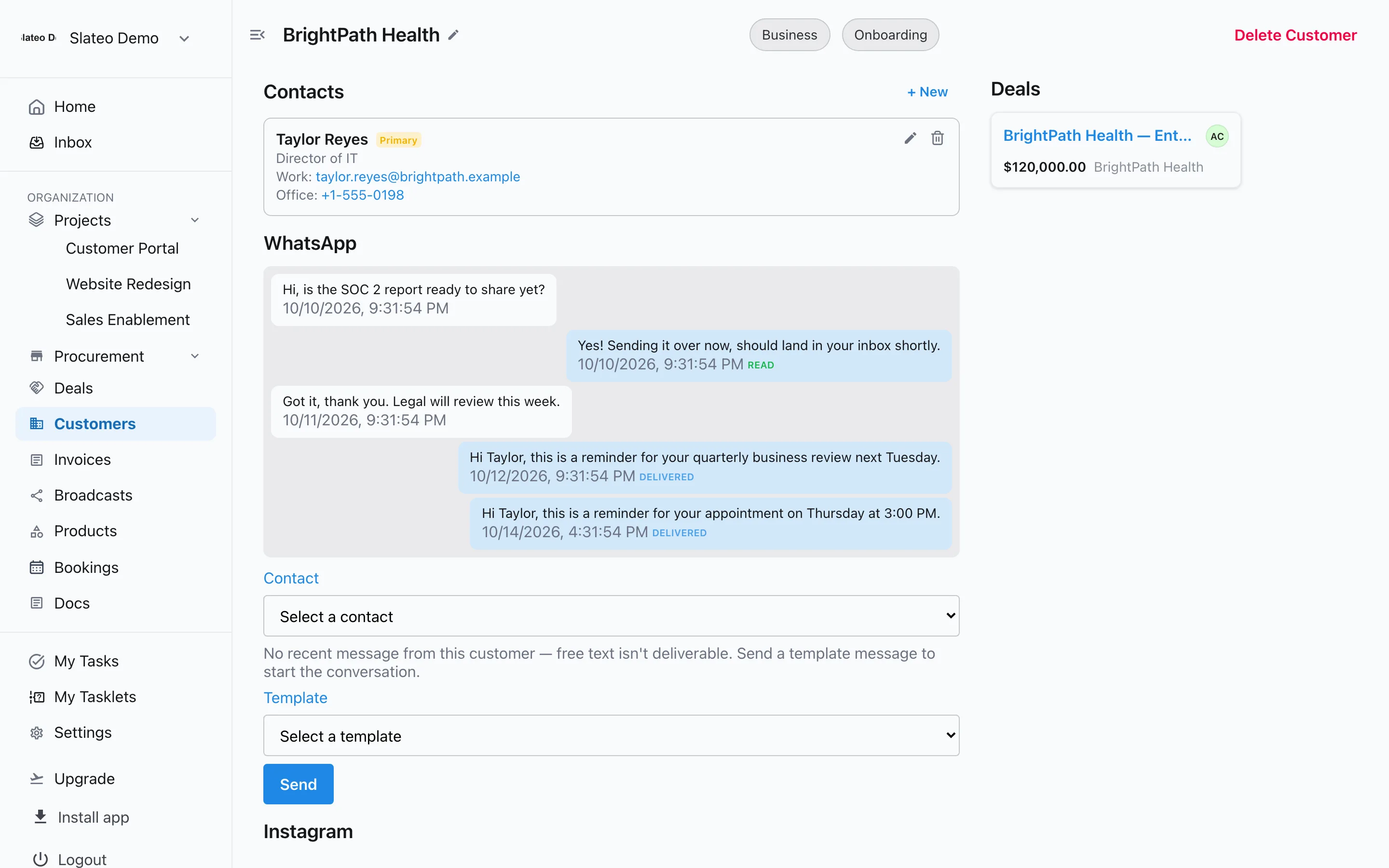
Feedback
Get feedback to the product team
Mark call notes as feedback and link the customers and product they're about. The document assistant pulls out a structured summary and drafts a follow-up message to those customers.
Docs →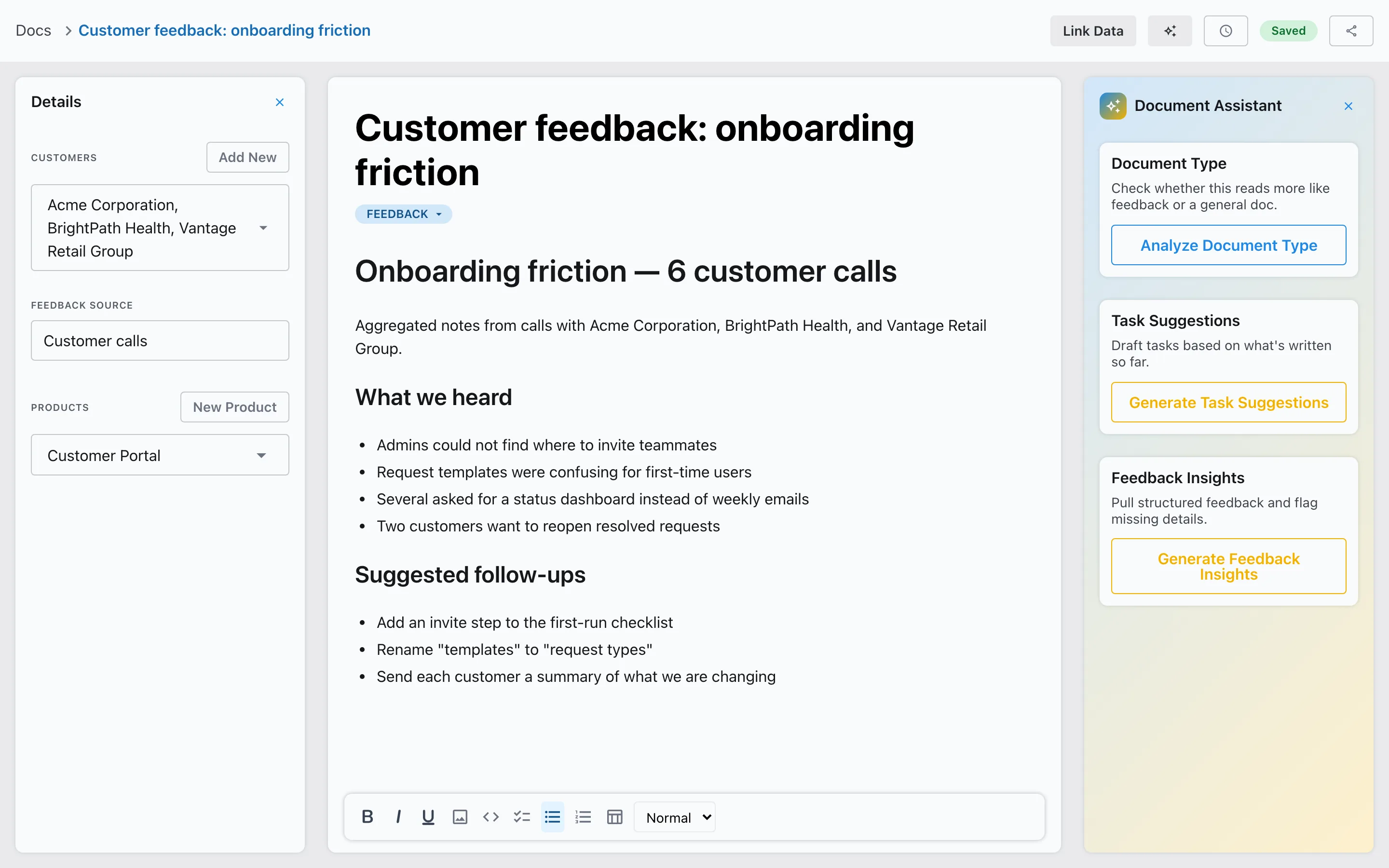
Also for customer success
Customer success template
Start with workstreams for onboarding, health tracking, renewals and support issues.
Your statuses
Set statuses like Onboarding, Active, At risk and Churned, and filter the list by them.
Renewal pipeline
Run renewals as their own deal pipeline with a value and close date for each.
Reminders
Set a follow-up on a customer and assign it to a teammate.
Free to start
Free includes up to 3 users and 1,000 customers. Pro adds unlimited users and up to 5,000 customers.
Questions
Is there a template for customer success?
Yes. Choose Customer Success when you create a project. Slateo sets up workstreams for customer onboarding, health tracking, renewals and support issues, each with its own stages.
Does Slateo calculate a health score?
No. Track health with customer statuses like Active and At risk, or move accounts through the Health Tracking stages. You can add your own fields to customers, too.
Can we track renewals?
Yes. Use the Renewals workstream from the template, or run renewals as a separate deal pipeline with an amount and an expected close date for each.
Is Slateo a support ticketing tool?
Not a full one. The Support Issues workstream tracks issues through New, Waiting on Customer and Resolved, but there are no SLA timers or email-to-ticket.
Know where every customer stands.
Start with the customer success template. No credit card required.