
For sales teams
From first message to paid invoice
Track every deal, every customer conversation and every follow-up in one workspace, then invoice the customer when the deal is won.
Free for up to 3 users. No credit card required.
How do sales teams use Slateo?
Last updated:
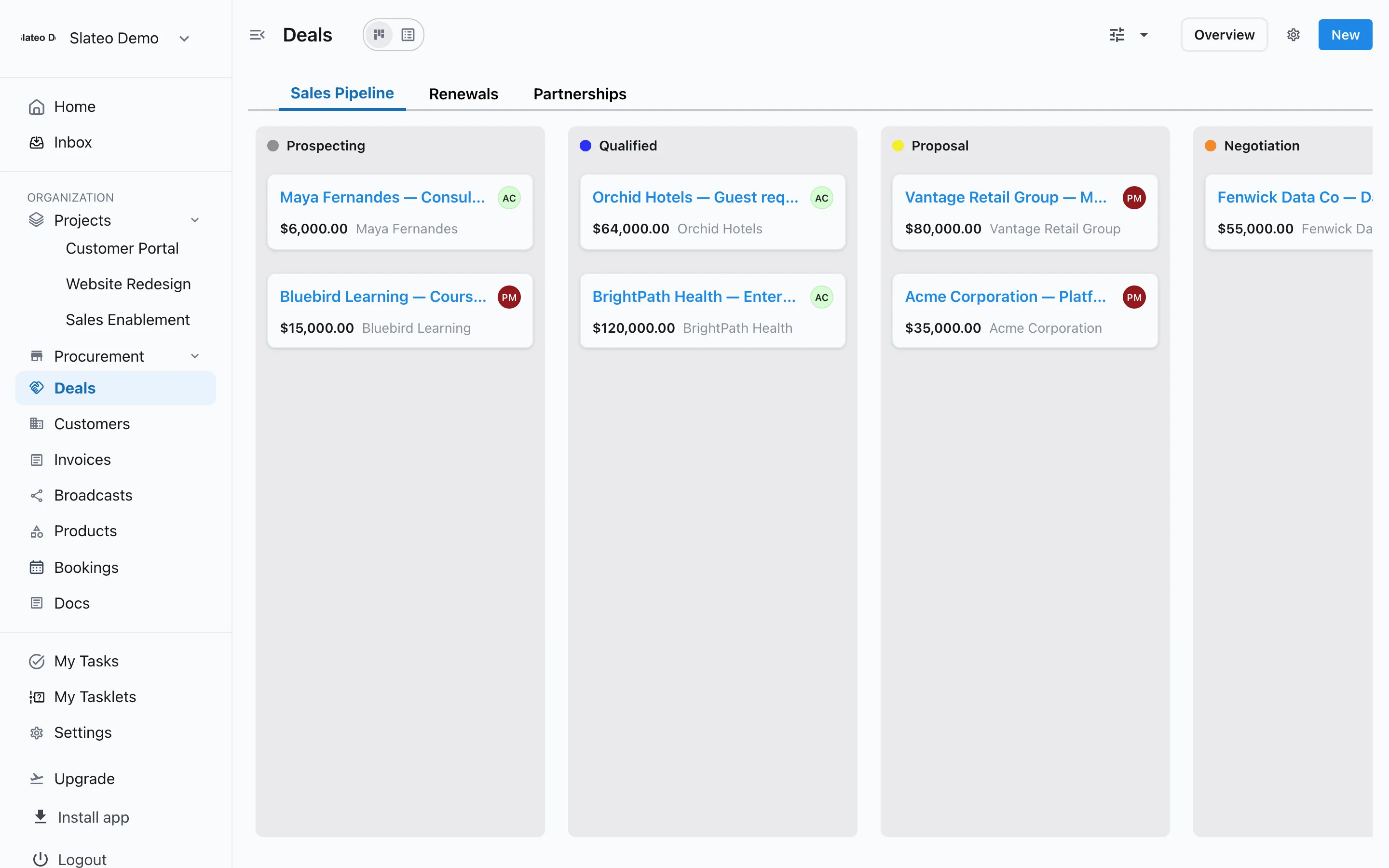
Sales teams use Slateo to run their pipeline and the work around it. Each deal belongs to a customer and moves through stages you define, with an amount, a probability and an expected close date. Calls, meetings, notes and WhatsApp messages sit on the customer's record, follow-ups are tasks with owners and due dates, and a won deal turns into an invoice without retyping anything.
Deals
Everything about a deal on one page
Amount, probability, expected close date, contact, source and owner, plus your own fields. The deal's calls, meetings and notes sit next to it, and they show on the customer's record too.
Deals and pipeline →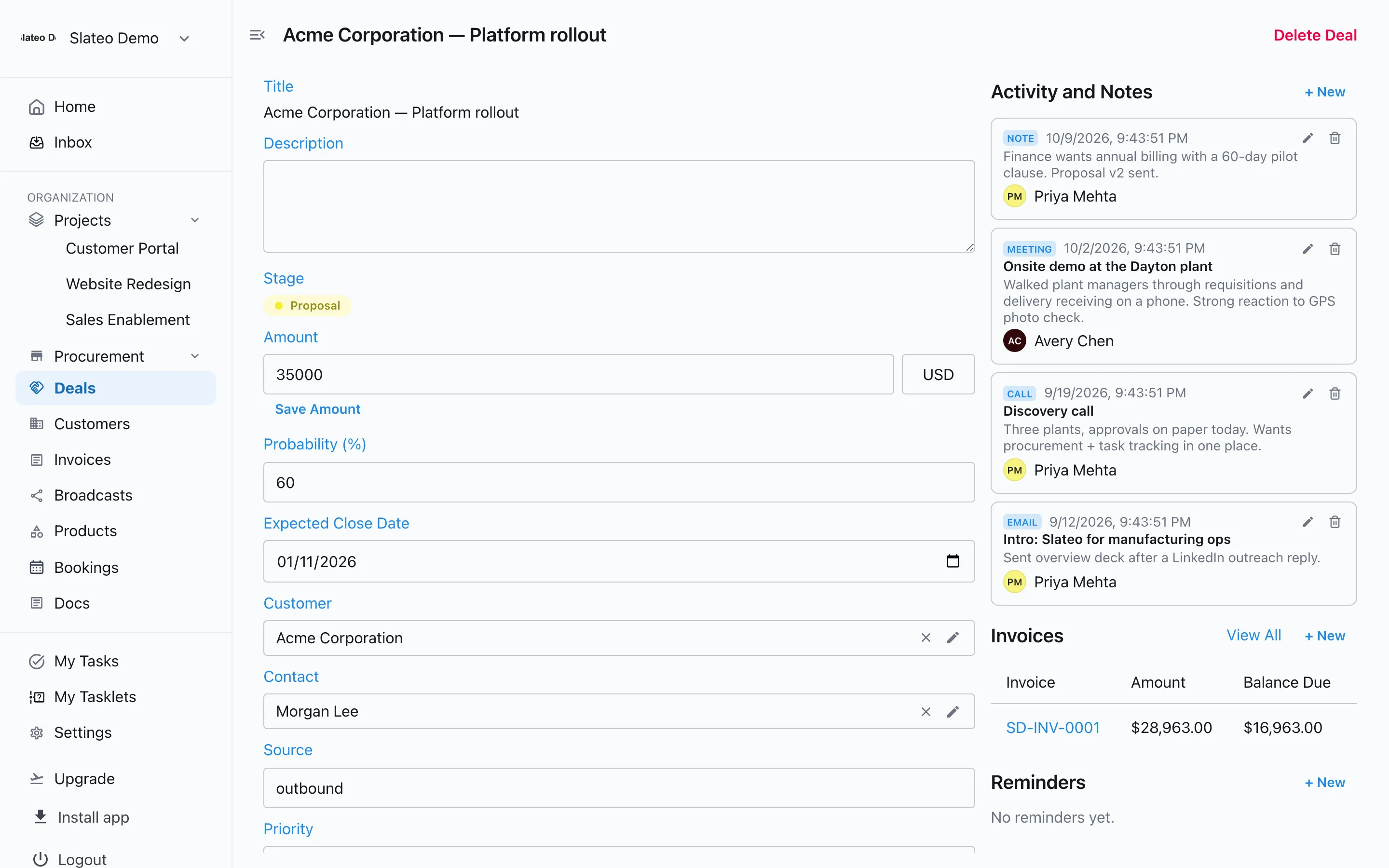
Leads
No WhatsApp enquiry slips through
Connect your WhatsApp Business number, and when someone new messages you, Slateo creates a lead with their number and the conversation. If they're already a customer, link them in one step.
WhatsApp and Instagram →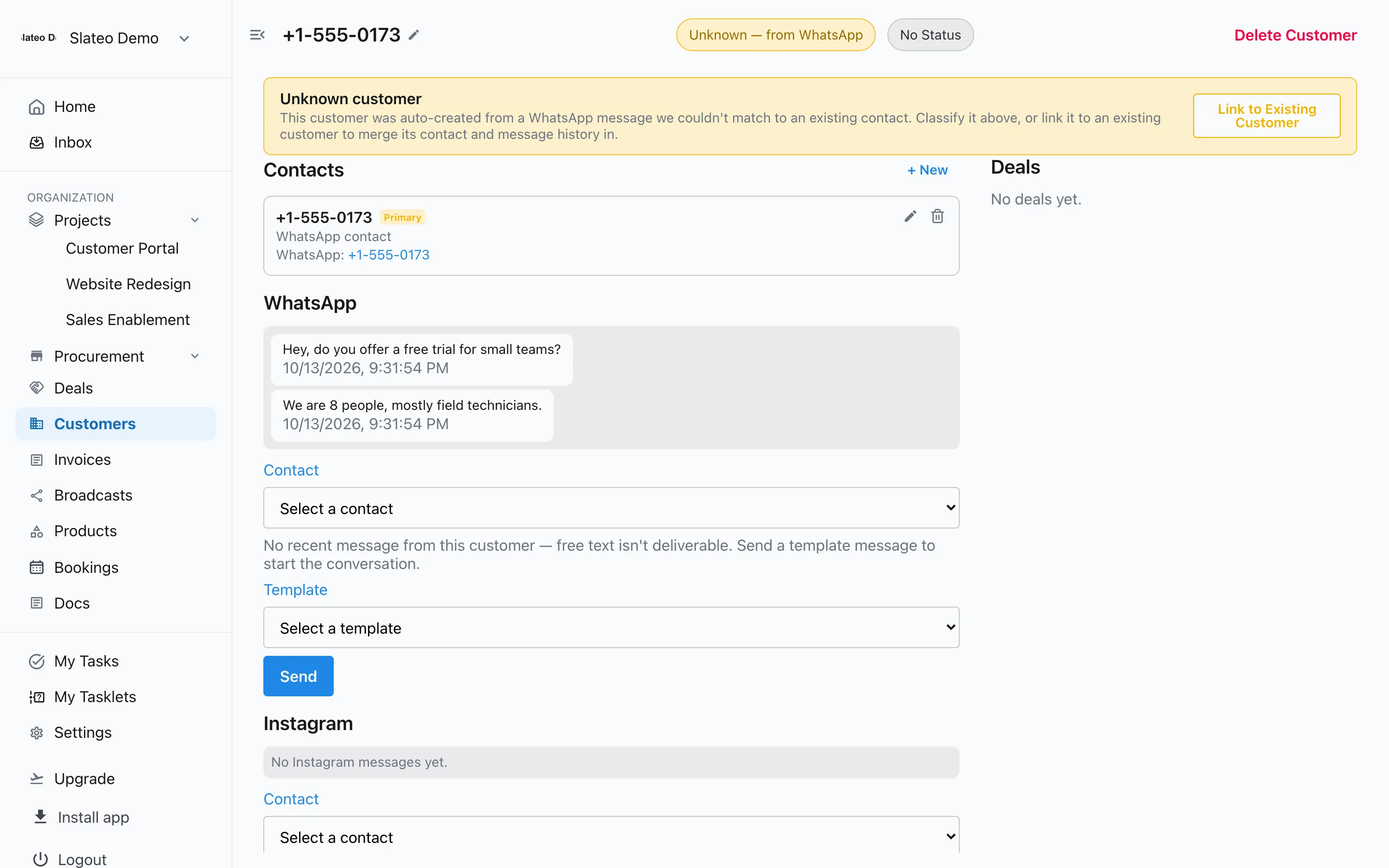
History
Know the whole story before you call
Log calls, emails, meetings and notes on the customer, with who took part and when. WhatsApp and Instagram messages land in the same timeline, so anyone picking up the account sees what was said.
Customers and CRM →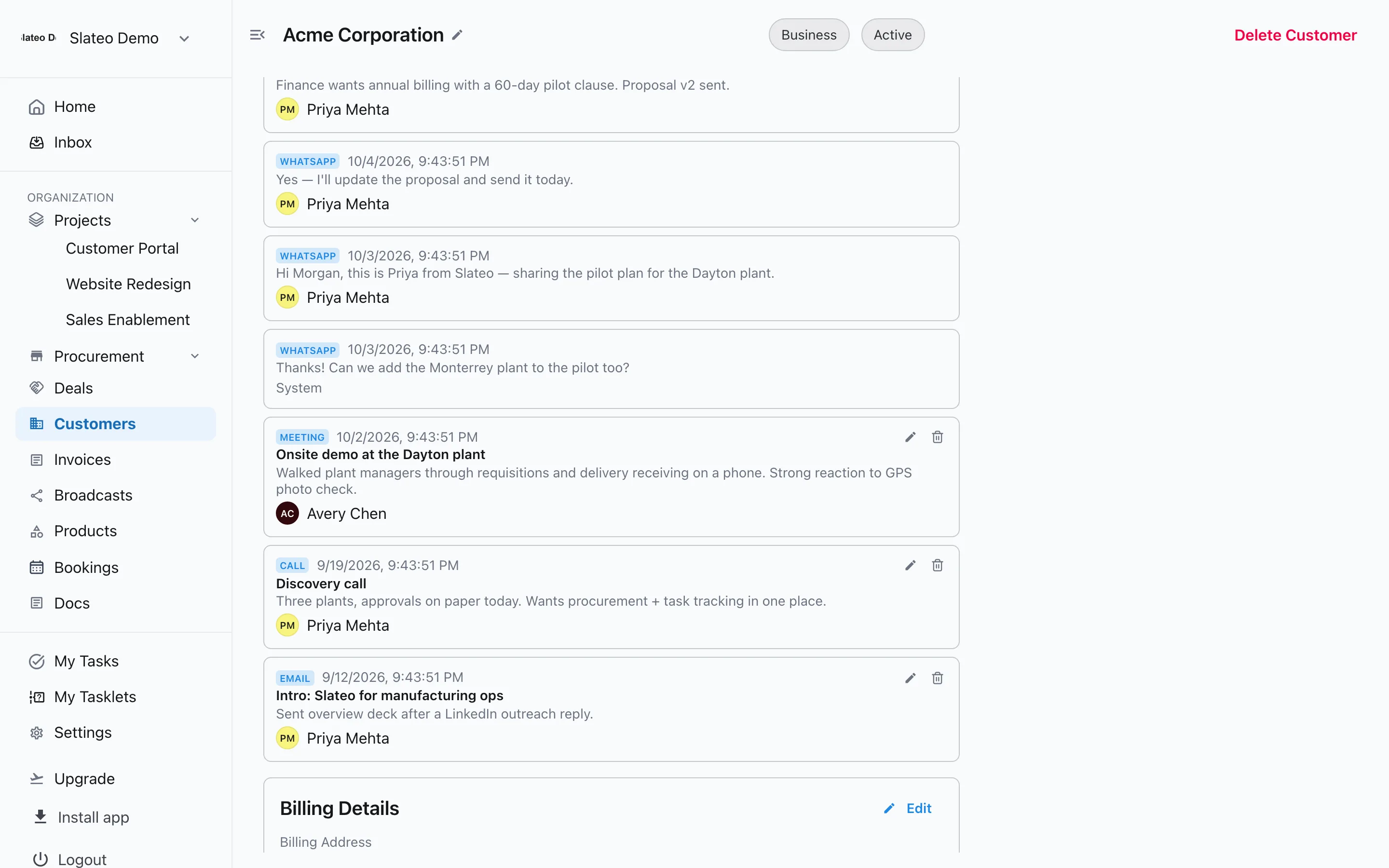
Also for sales teams
Pipeline dashboard
Open, won and lost deals, win rate, average time to close and open pipeline value by stage.
Sales template
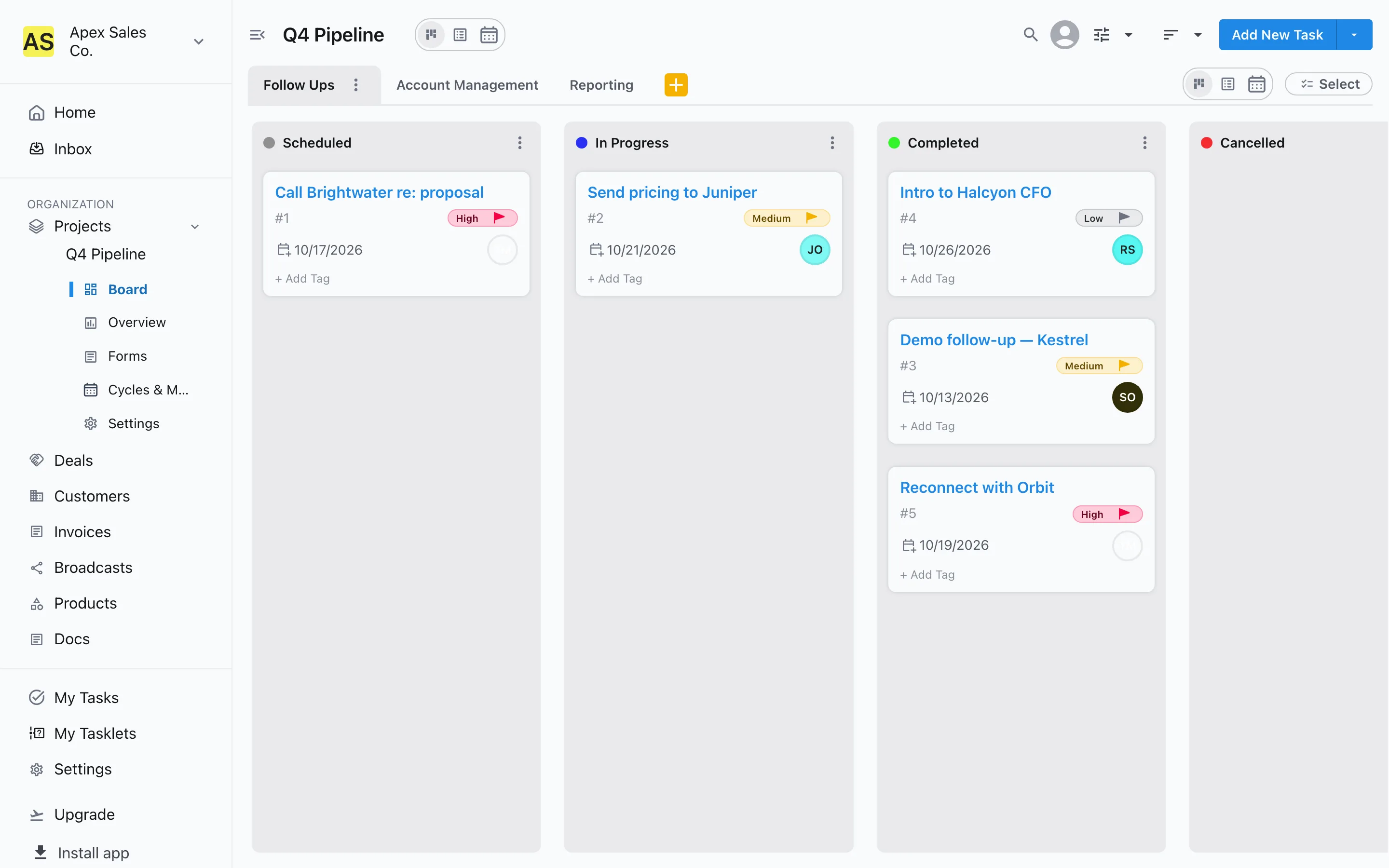
Start with workstreams for follow-ups, account management and reporting.
Invoice the win
Create an invoice from a won deal with the customer already filled in.
Discount sign-off
Require a manager's approval before a deal enters a stage like Proposal.
Free to start
Free includes one pipeline, up to 1,000 customers and 500 deals. Pro allows five pipelines, 5,000 customers and 2,500 deals.
Questions
Can we run more than one pipeline?
Yes. Run new sales, renewals and partnerships as separate pipelines, each with its own stages. Free includes one pipeline, Pro allows five, and Growth and Enterprise have no limit.
Is there a template for sales teams?
Yes. Choose Sales Team when you create a project, and Slateo sets up workstreams for follow-ups, account management and reporting. Your deals live in the Deals pipeline next to them.
What happens when a new number messages us on WhatsApp?
Slateo creates a lead with the number and the conversation, so someone can reply straight away. Link it to an existing customer later if you already know them.
Can we see our win rate?
Yes. The deals dashboard shows open, won and lost deals, your win rate, the average time to close, open pipeline value by stage and the deals closing soon.
Put your whole pipeline in one place.
Start free with one pipeline. No credit card required.