
Customers and contacts
Every customer, with the whole story in one place
Contacts, conversations, deals, invoices and reminders on one customer record, so anyone on the team can pick up a relationship where it was left.
Free for up to 3 users and 1,000 customers. No credit card required.
What is the CRM in Slateo?
Last updated:
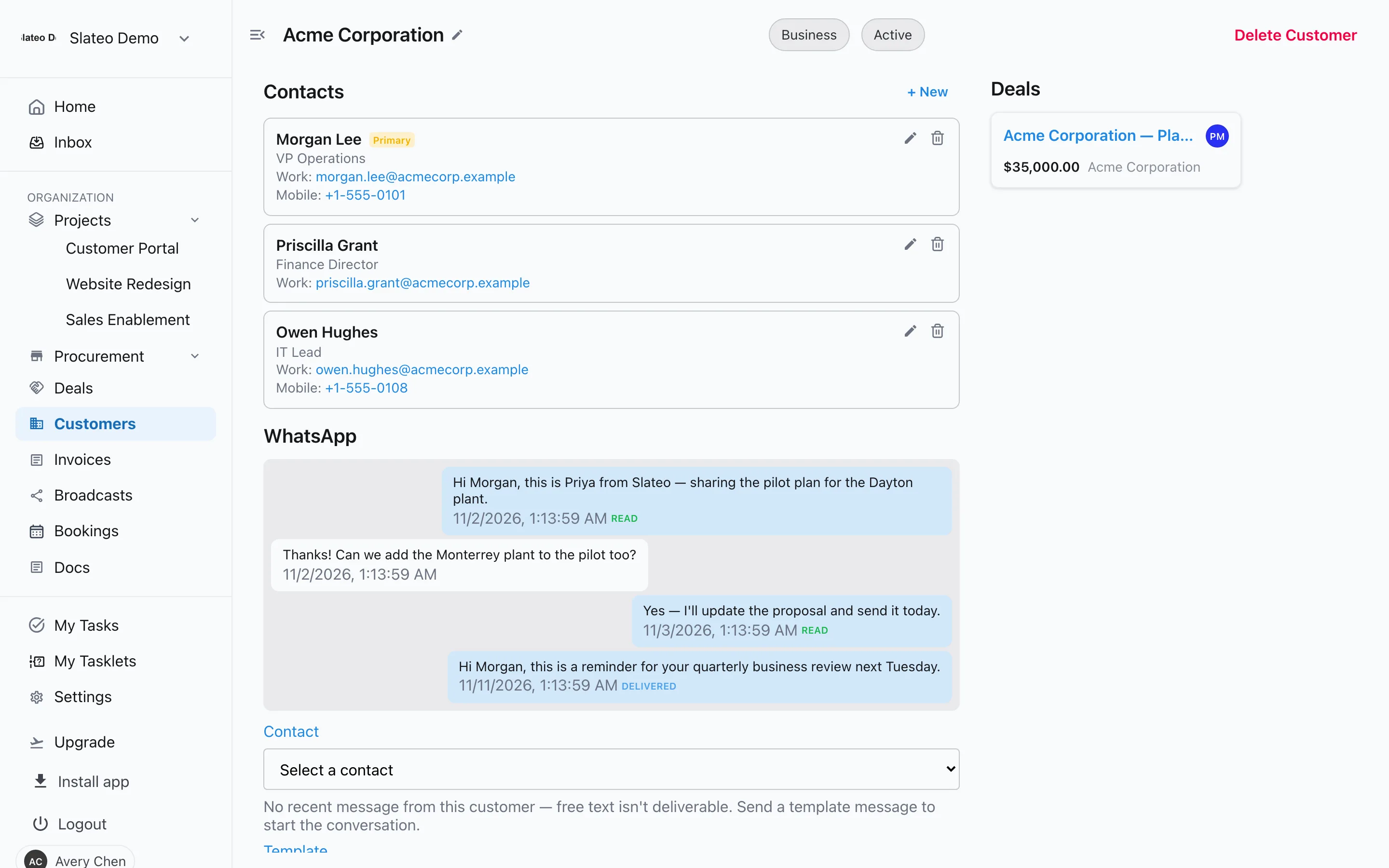
Slateo's CRM is where you keep your customers: businesses or individuals, each with their contacts, a status you define, and a timeline of every call, email, meeting, note and message. Each customer's record also shows their deals, invoices and reminders, and it sits in the same workspace as your projects.
Customer list
Your customers, not a spreadsheet
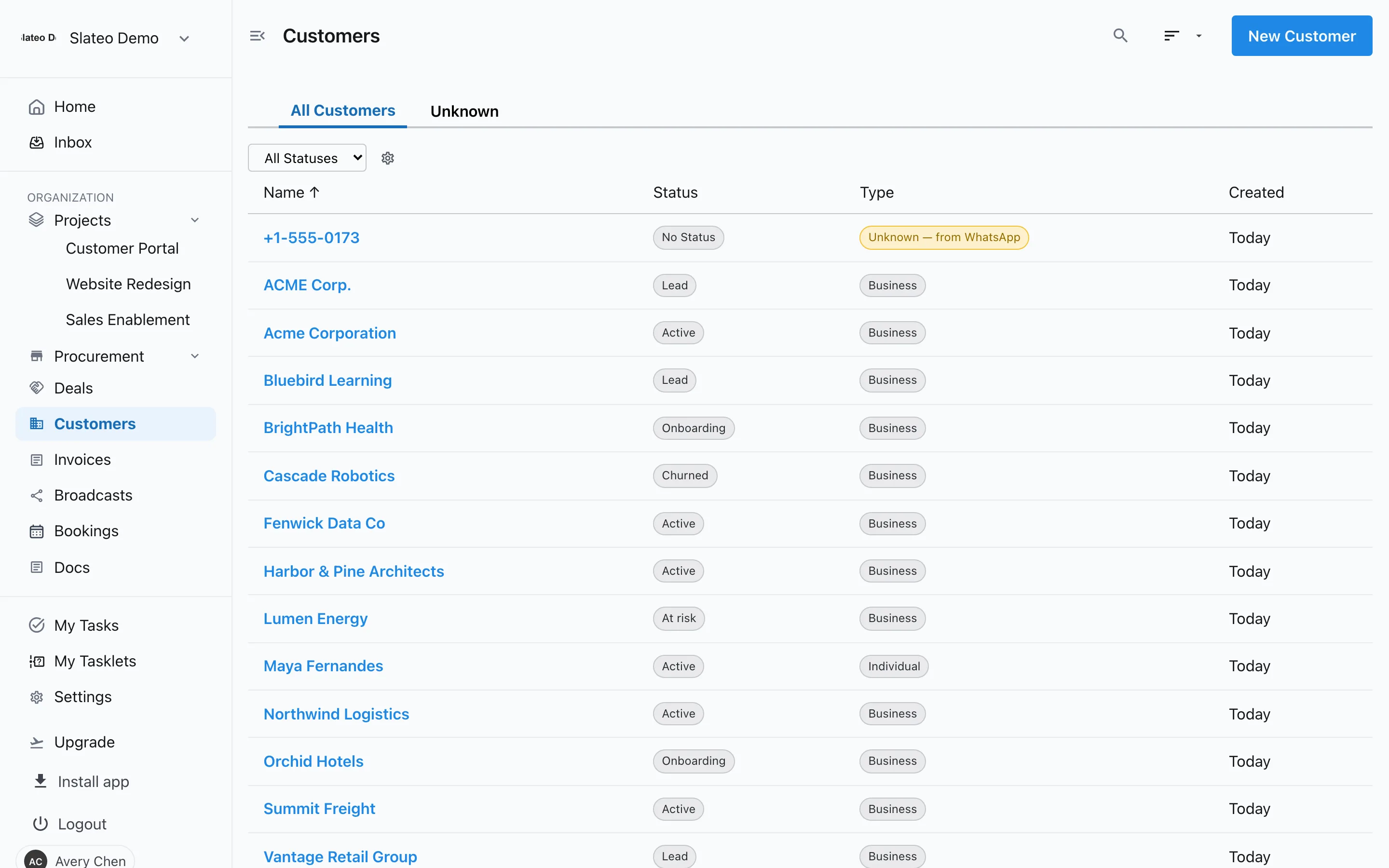
Search the list, sort it by name, date added or status, and filter by status to see who needs attention. Set up the statuses that match how you work, like Lead, Onboarding, Active, At risk and Churned.
Timeline
Every conversation, in order
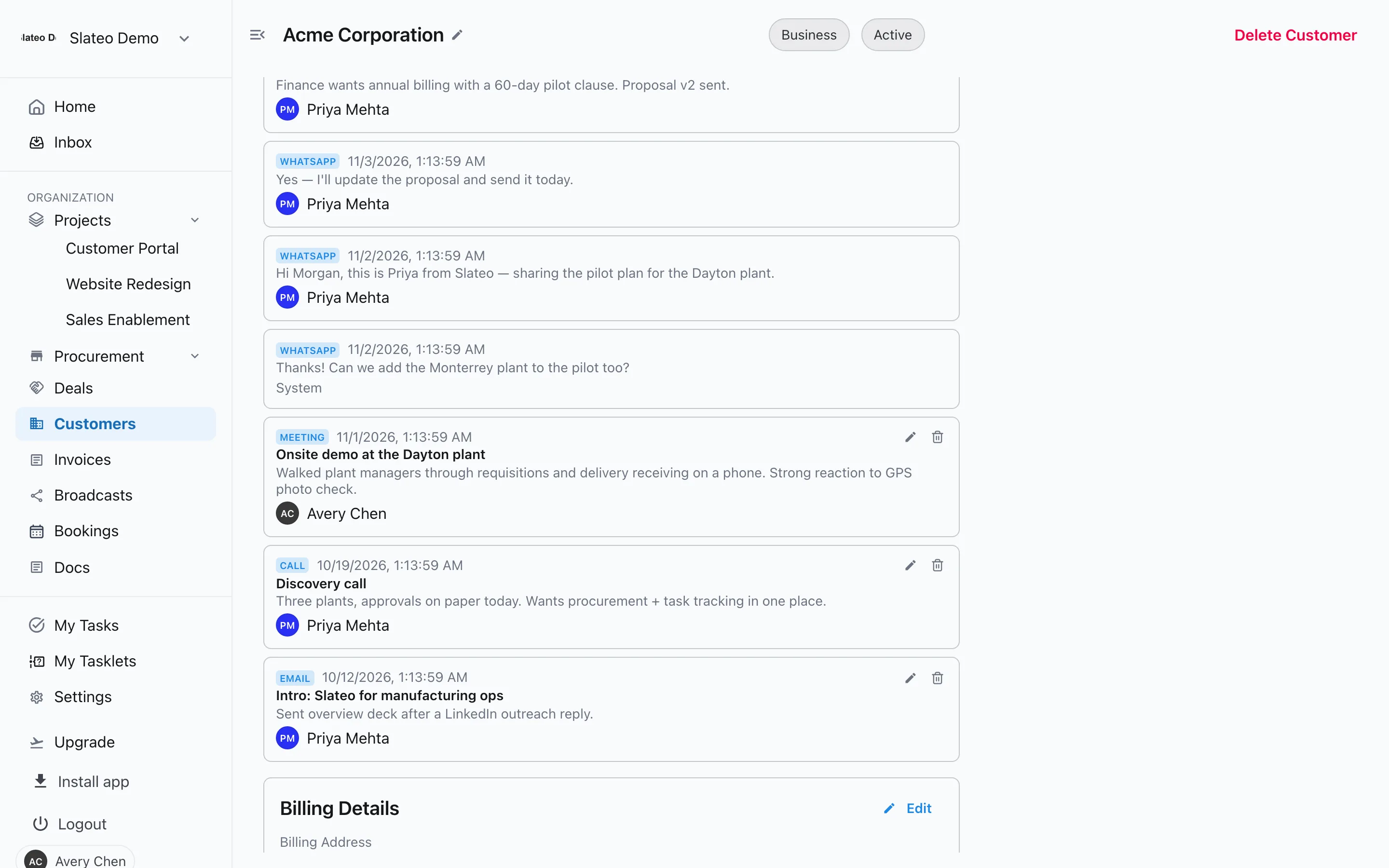
Log calls, emails, meetings and notes against a customer, with who was involved and when. WhatsApp and Instagram messages appear in the same timeline, so the full history is in one place.
- Calls
- Emails
- Meetings
- Notes
New contacts
Turn a new message into a known customer
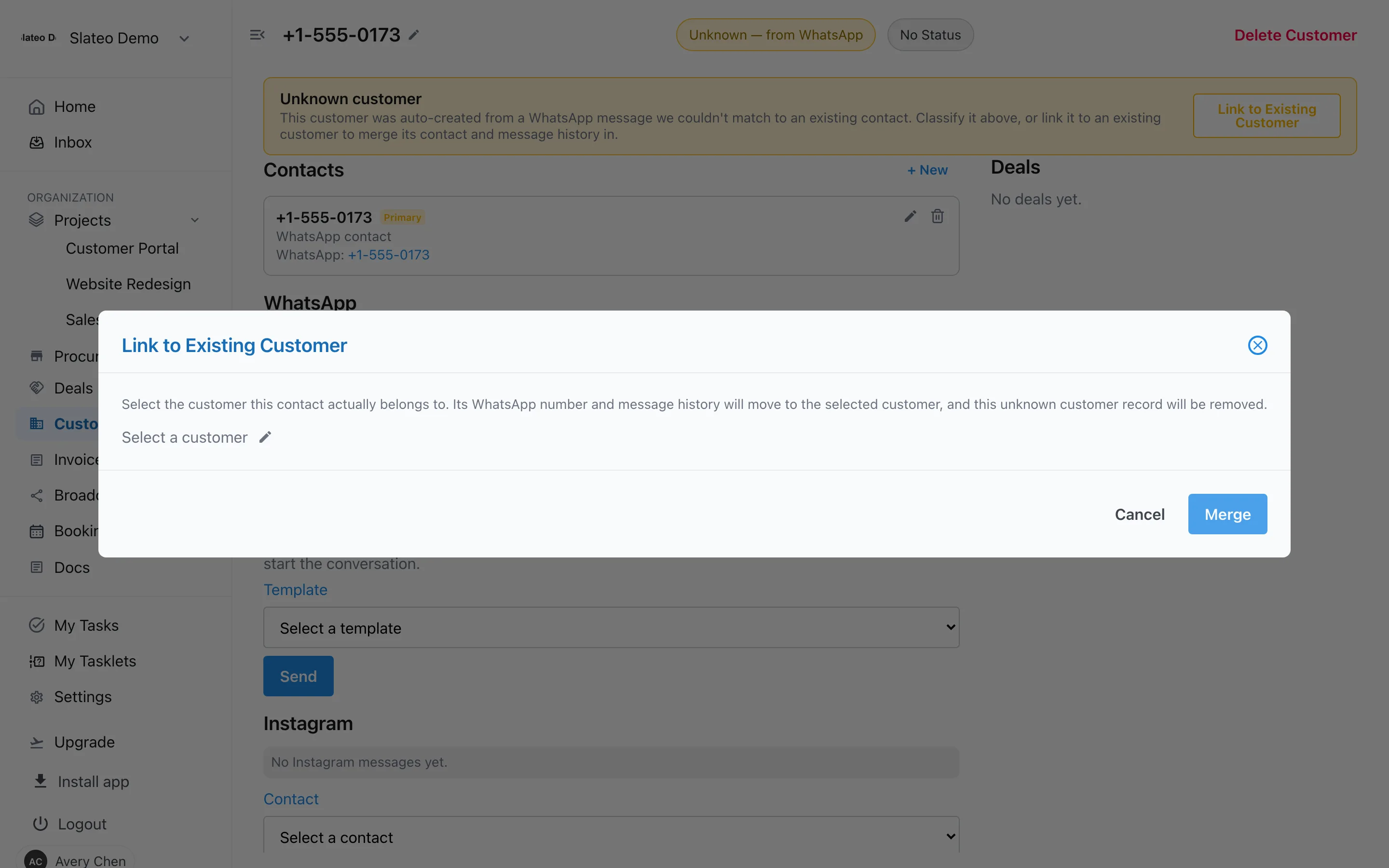
When someone new messages you on WhatsApp, Slateo adds them as an unknown contact so nothing is missed. Link them to the right customer in one step and their message history moves with them.
Your fields
Track what matters to your business
Add your own fields to customers and deals, like lead source, seats, contract value or whether a security review is done. They show on the record for everyone, and can be used in stage entry rules.
See custom fields →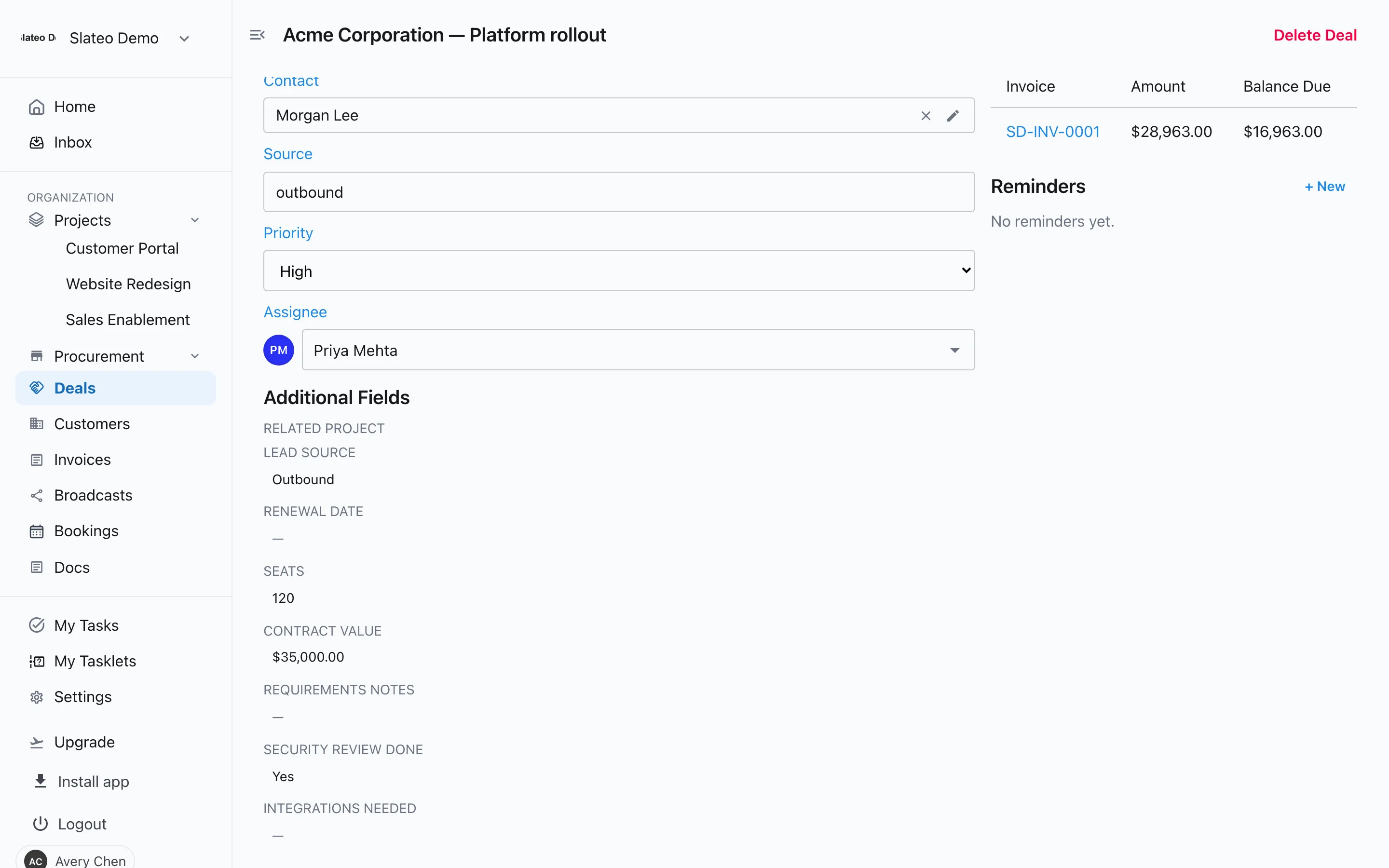
Deals
From customer to deal to invoice
Track each opportunity on a pipeline board with your own stages, then invoice the customer when the work is won. Deals, invoices and reminders all show on the customer's record.
See deals and pipelines →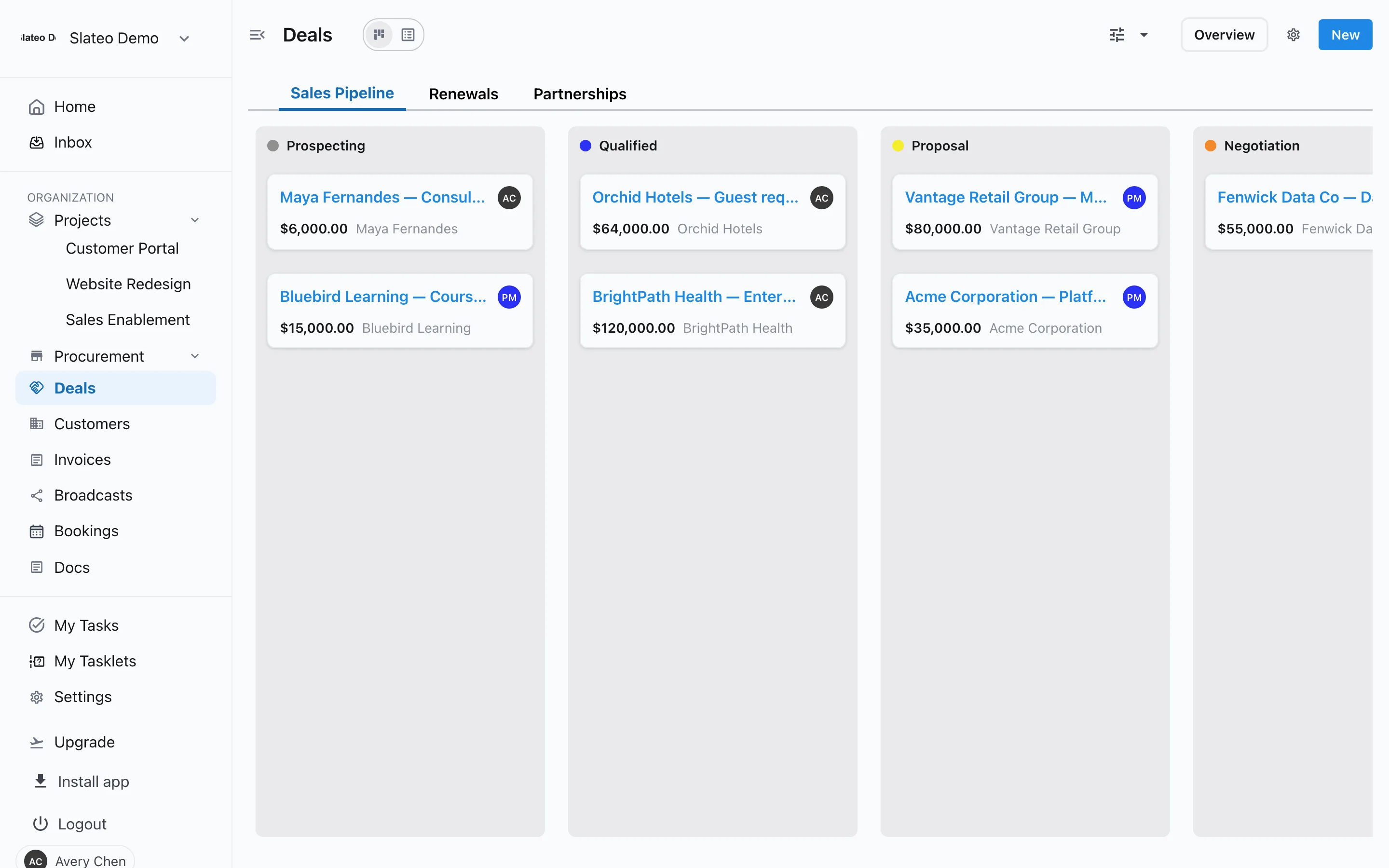
Also in customers
Contacts and roles
Add each person at a customer with their role and ways to reach them, and mark the primary contact. Tap to call or email.
Reminders
Set a follow-up on a customer and assign it to a teammate.
Invoices from the record
Start a new invoice right from the customer's page.
Billing details
Keep each customer's billing address and details ready for invoicing.
Included on every plan
Free includes 1,000 customers and 500 deals. Pro raises that to 5,000 customers and 2,500 deals, and Growth has no limit.
Questions
Is Slateo a CRM?
Slateo includes a CRM for customers, contacts, conversations and deals, and it lives in the same workspace as your projects and invoices. It suits teams that want customer work and delivery work in one place rather than a separate sales tool.
Can I set my own customer statuses?
Yes. Create the statuses you use, such as Lead, Onboarding, Active, At risk and Churned, and put them in the order you want. New customers start in the first one.
Can I log calls and meetings?
Yes. Log calls, emails, meetings and notes on a customer's timeline with who took part and when. Messages from WhatsApp and Instagram show there too.
How many customers can I add for free?
The Free plan includes up to 1,000 customers and 500 deals. Pro allows 5,000 customers and 2,500 deals, and Growth and Enterprise have no limit.
Give your customer relationships a real home.
Add your first customer in minutes. No credit card required.