
For operations teams
Keep the business running the way it's supposed to
Write down how things are done, take requests in one place, make sure the right people sign off, and see what's stuck before anyone has to ask.
Free for up to 3 users. No credit card required.
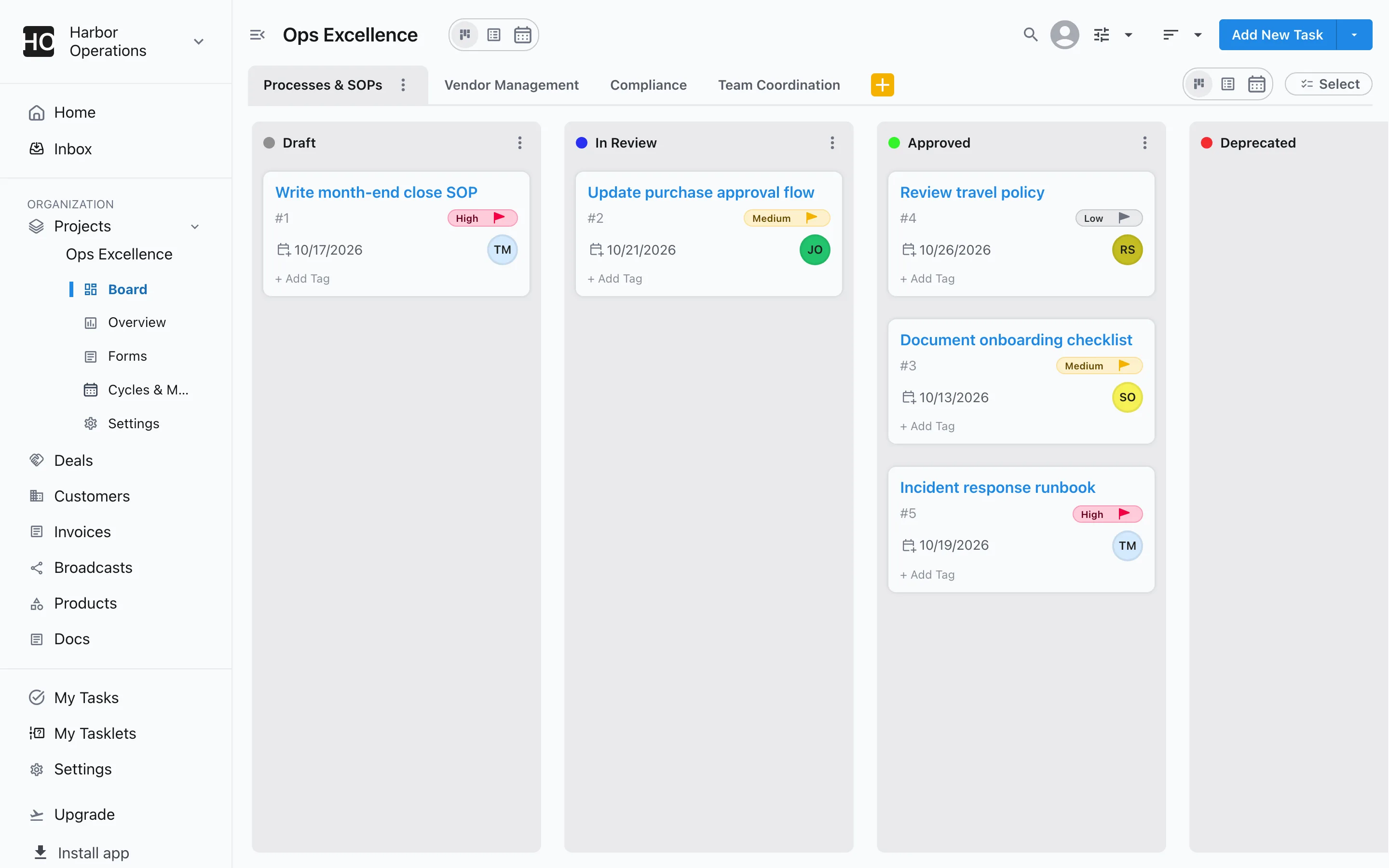
How do operations teams use Slateo?
Last updated:
Operations teams use Slateo to run the work that keeps a business going: writing and approving SOPs, managing vendors, tracking compliance and coordinating the team. Each kind of work has its own stages and rules, other teams send requests through a form, approvals go to the right person with a reminder if it waits, and every project shows what's active, done and stuck.
Rules
Work only moves on when it's ready
Set rules a task must meet before it enters a stage, like an owner and a due date before review, and require a reviewer's approval before anything is marked approved. Slateo stops the move and says what's missing.
Workflows and approvals →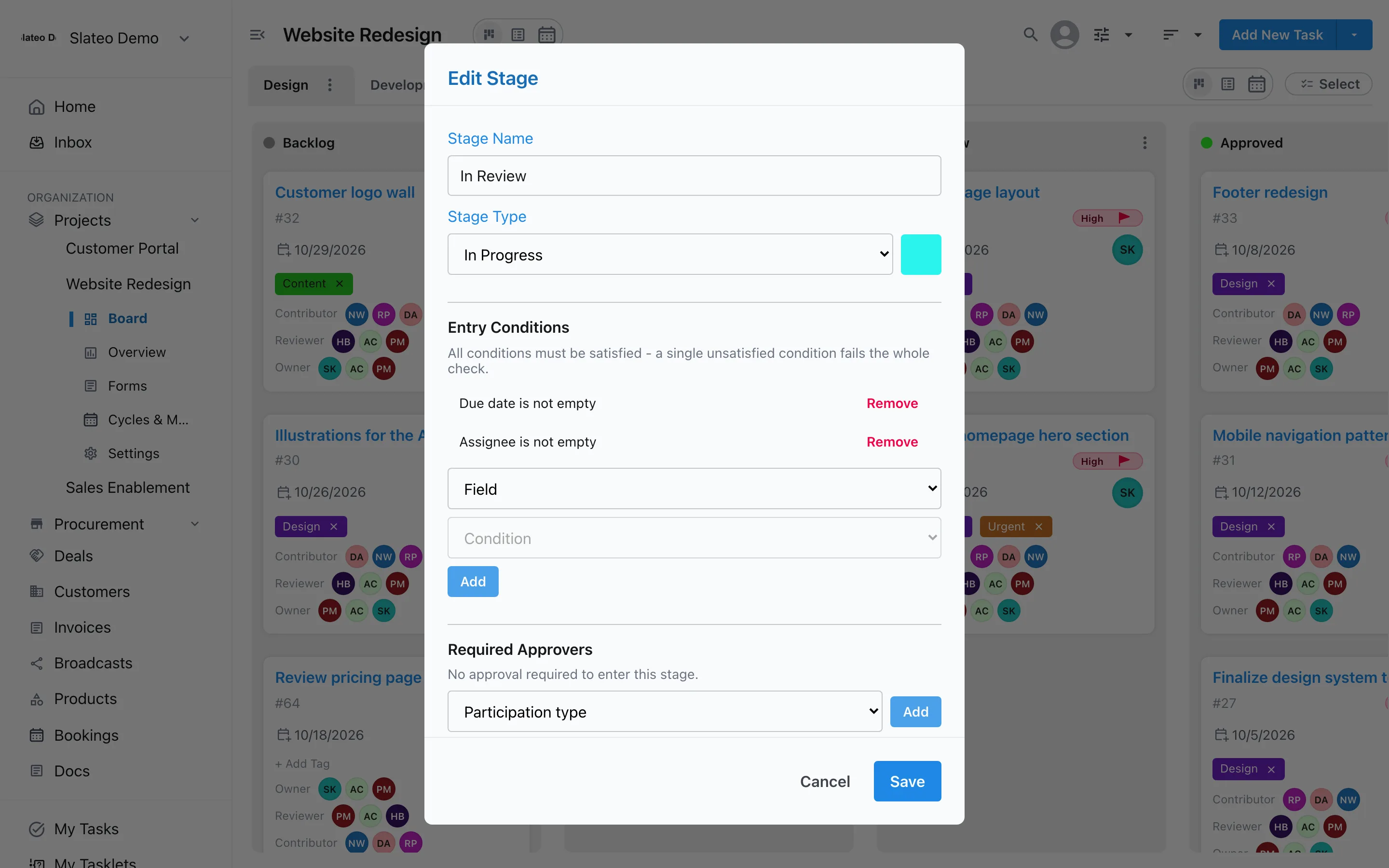
Requests
One front door for requests
Give other teams a form instead of chat messages. Anyone can fill it in from a link, every response is saved with the project, and you turn the ones you'll act on into tasks in one click.
Forms →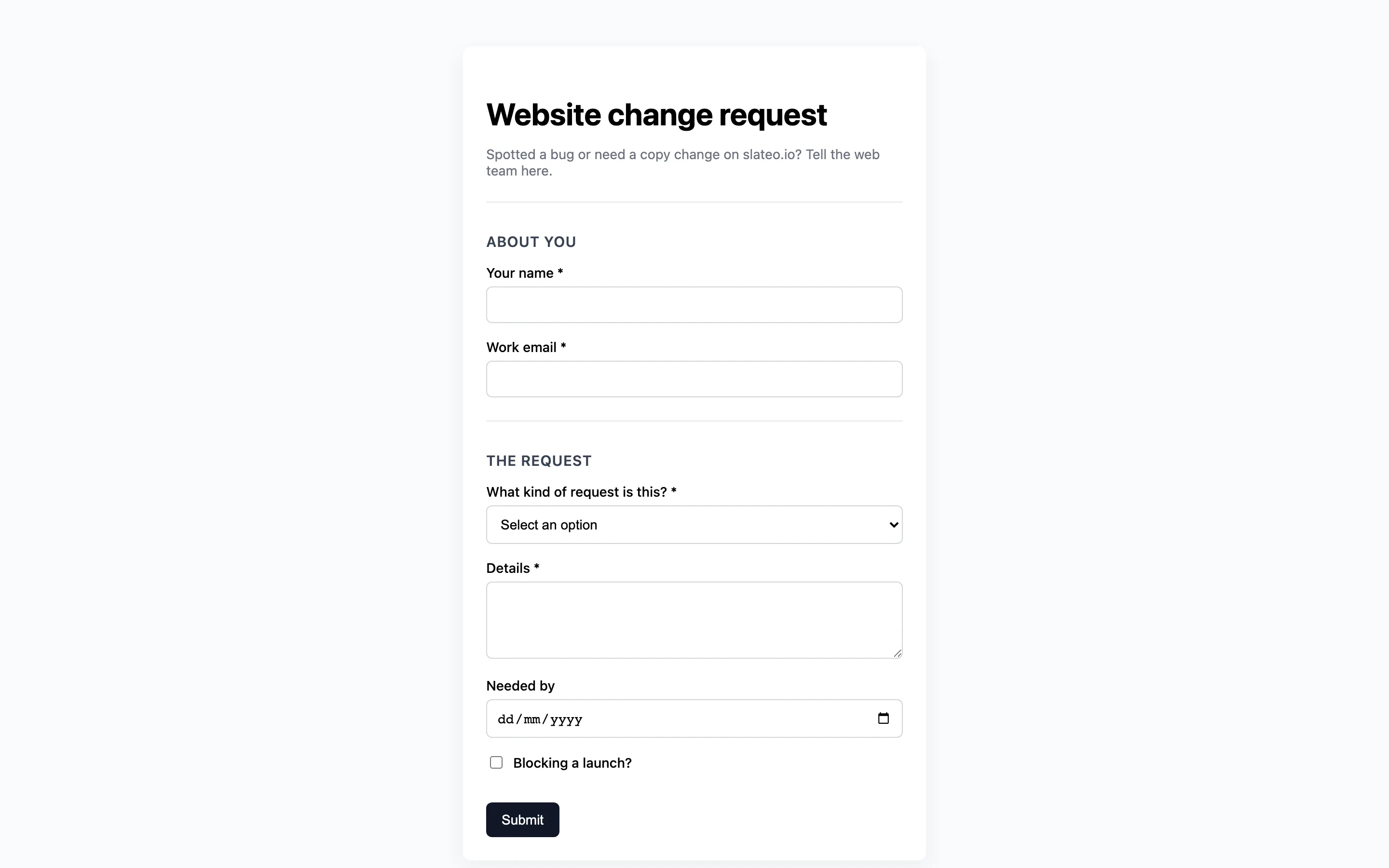
Approvals
Sign-off that doesn't get lost in chat
Ask a specific person to approve, and the request lands in their inbox. Send a reminder if it's waiting, and keep a record of who approved what, and when.
Workflows and approvals →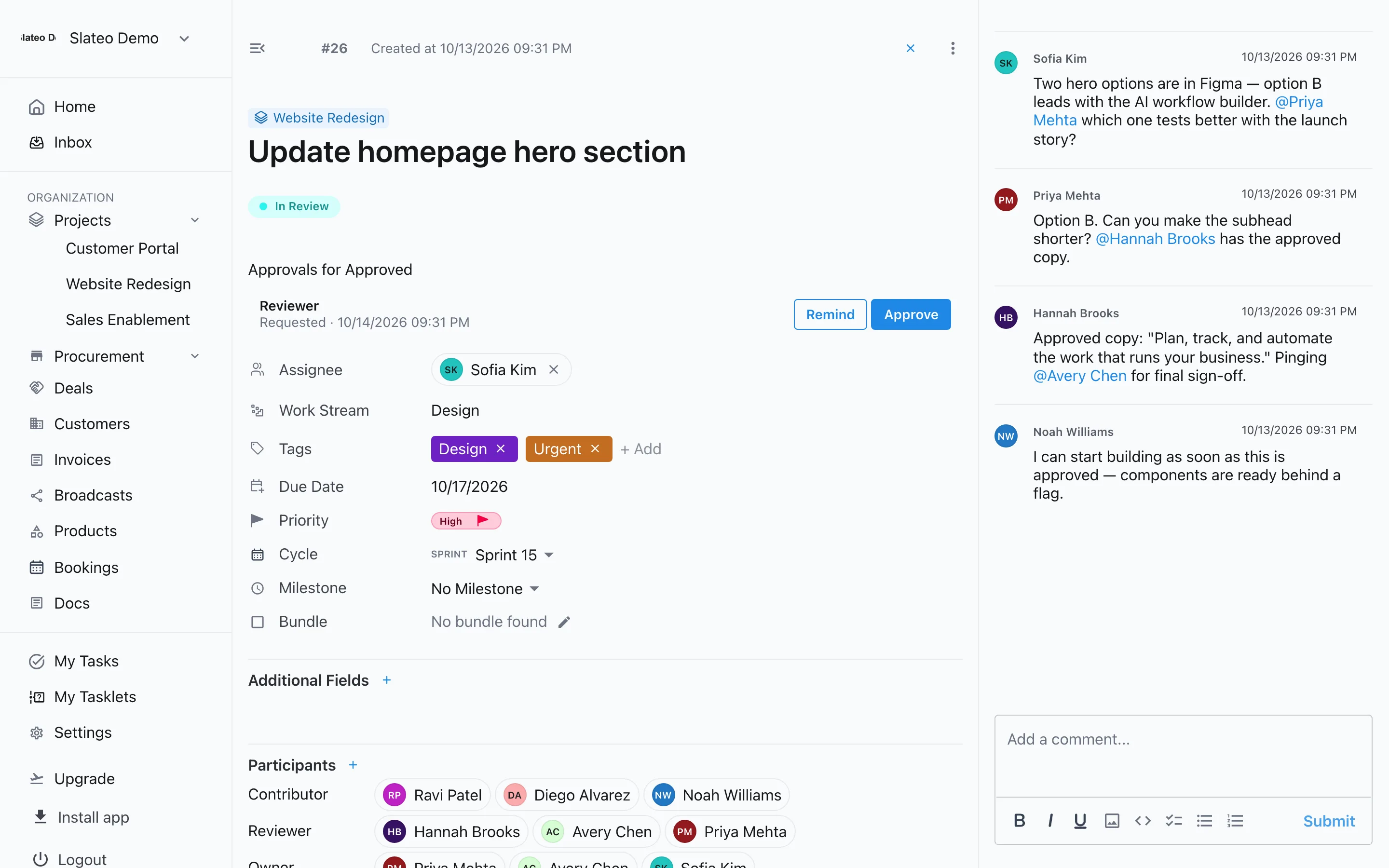
Overview
See what's moving and what's stuck
Each project's overview shows its active tasks, how much is complete and how work splits across stages, next to the people and files involved.
Project planning →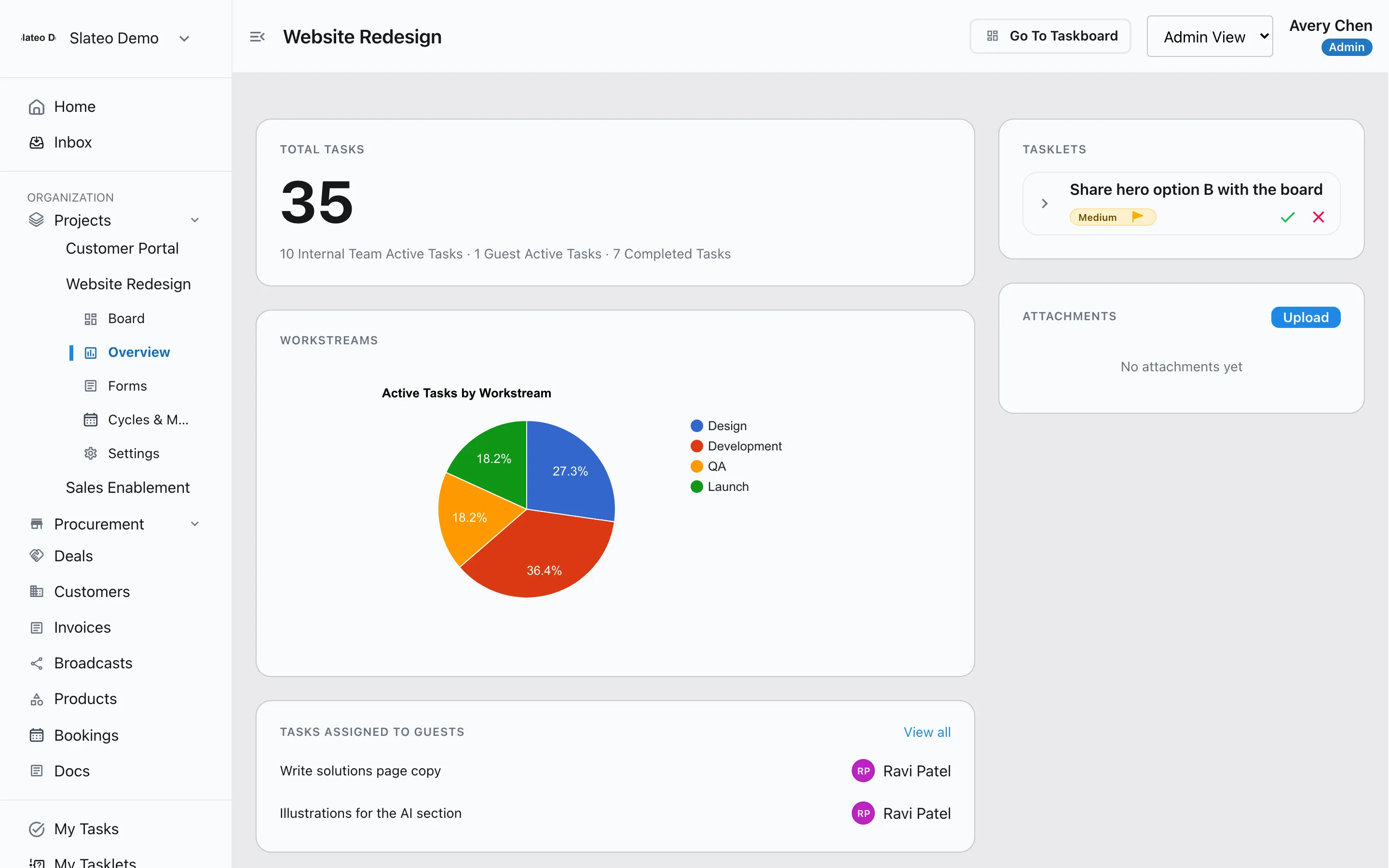
Also for operations teams
Operations template
Start with workstreams for processes and SOPs, vendor management, compliance and team coordination.
Your own fields
Track what matters, like a vendor's contract end date or an audit reference, and make fields required.
Reminders
Set a reminder on any task so renewals and reviews don't slip.
Procurement
Run purchase requests, orders, deliveries and bills, each with its own approvals.
Free to start
Free covers up to 3 users and 3 projects. Pro adds unlimited users and projects for the whole operations team.
Questions
Can we manage SOPs in Slateo?
Yes. The Operations Team template sets up a Processes & SOPs workstream that moves each SOP from Draft to In Review to Approved, and Deprecated when it's retired. You can require a reviewer's approval before anything is marked approved.
How do other teams send us requests?
Build a form in your project and share its link. Anyone can fill it in without an account, every response is saved, and you can turn a response into a task in one click.
Can we track compliance work?
Yes. The template includes a Compliance workstream with To Do, In Progress, Under Audit, Compliant and Non-Compliant stages. Rename or add stages to match your audits.
Does Slateo work on a phone?
Yes. Slateo installs from the browser on any phone and runs full screen, so the team can check tasks, approvals and their inbox on the move.
Put your operations on one board.
Start with the operations template. No credit card required.