
Procurement
From purchase request to paid bill
Approve what gets bought, order it, check it in at the gate with photo proof, and pay the right bill, with every step linked to the last.
Procurement runs in Slateo PlantOps, Restora and VenueOps. Screens shown are from PlantOps.
What does procurement cover in Slateo?
Last updated:
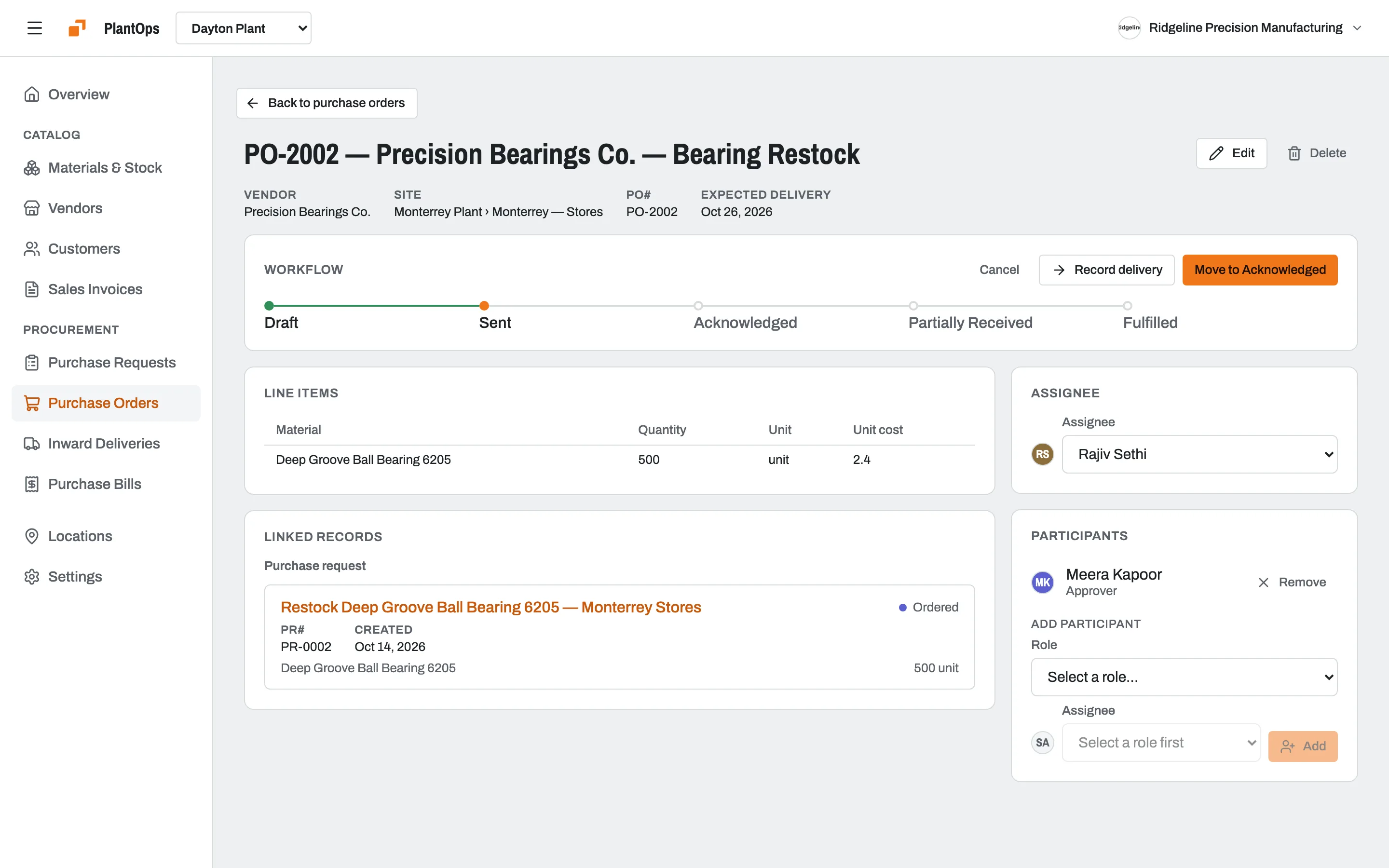
Procurement in Slateo follows a purchase from start to finish: a purchase request, an approved purchase order to a vendor, the delivery at your site, the stock it adds, and the vendor's bill. Each step moves through its own stages and links to the others, so you can trace any bill back to the request behind it.
Requests
Approve before anything is bought
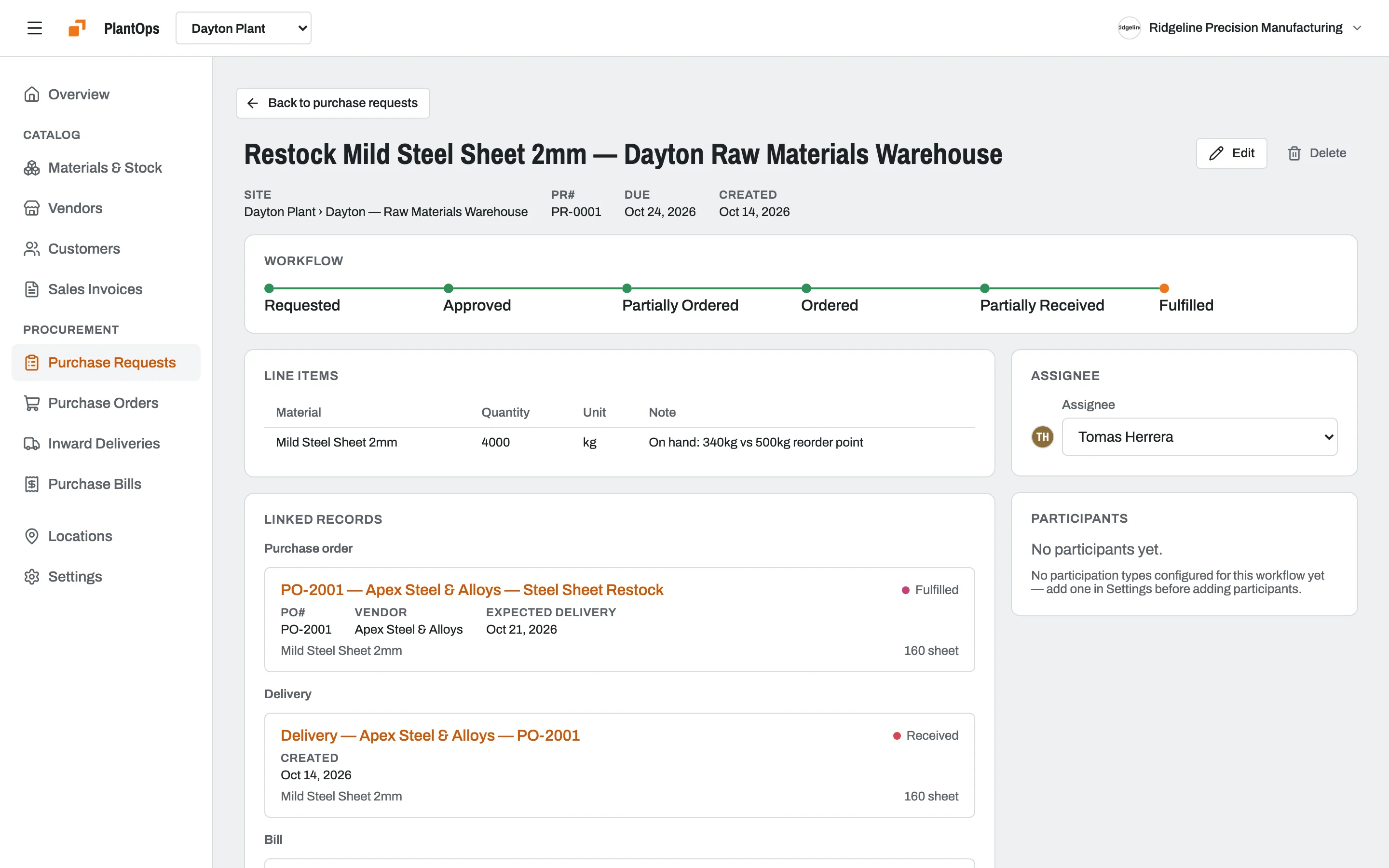
Teams raise a purchase request for what they need, with quantities and notes. It moves through approval to ordered, partly received and fulfilled, and shows the orders, deliveries and bills that came from it.
Deliveries
Proof of what actually arrived
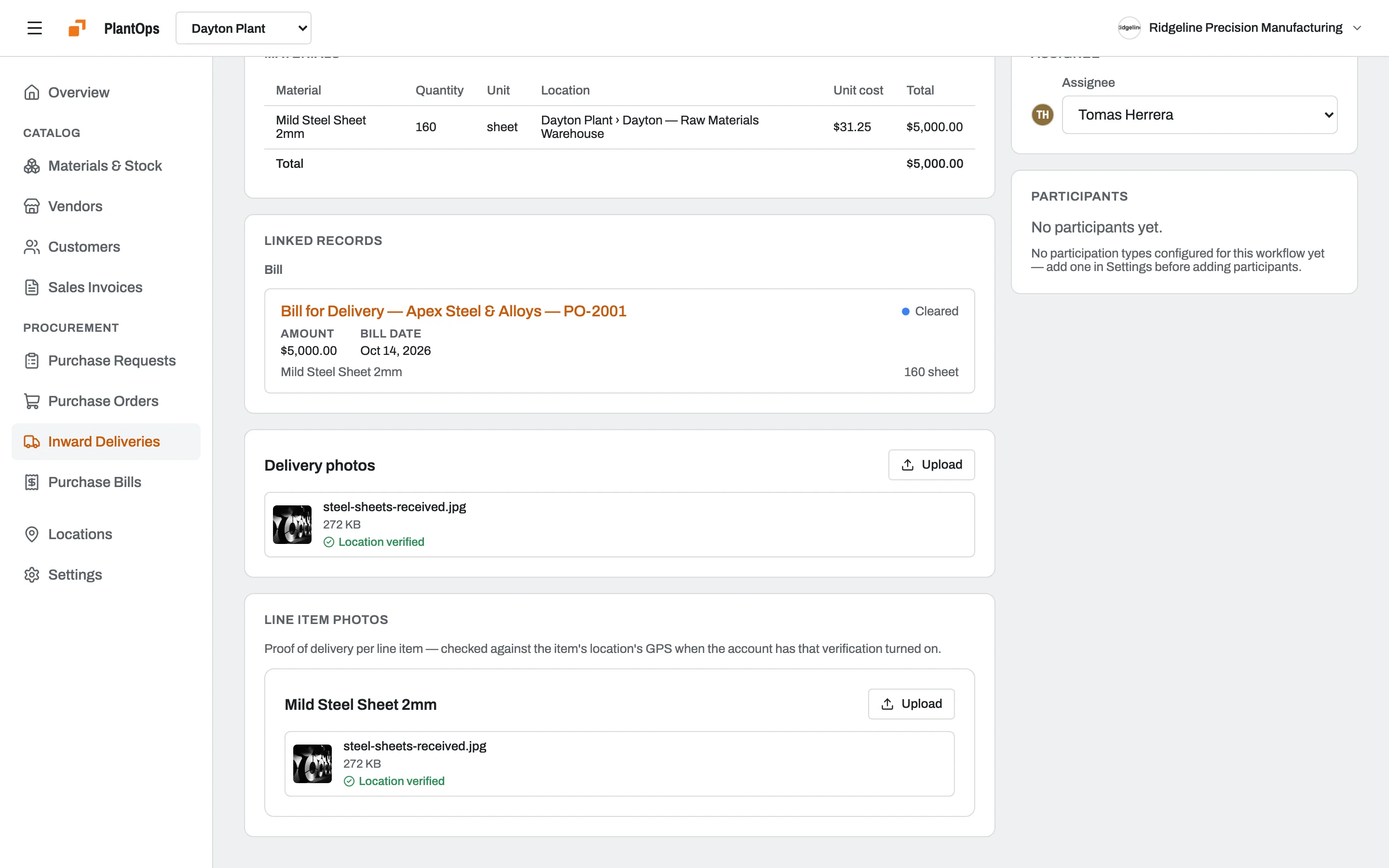
Check in each delivery against its order and attach photos at the gate. When the account turns it on, Slateo checks each photo was taken at the right location. In PlantOps, a verified delivery updates stock and creates the vendor bill on its own.
Stock
Stock you can trust, by location
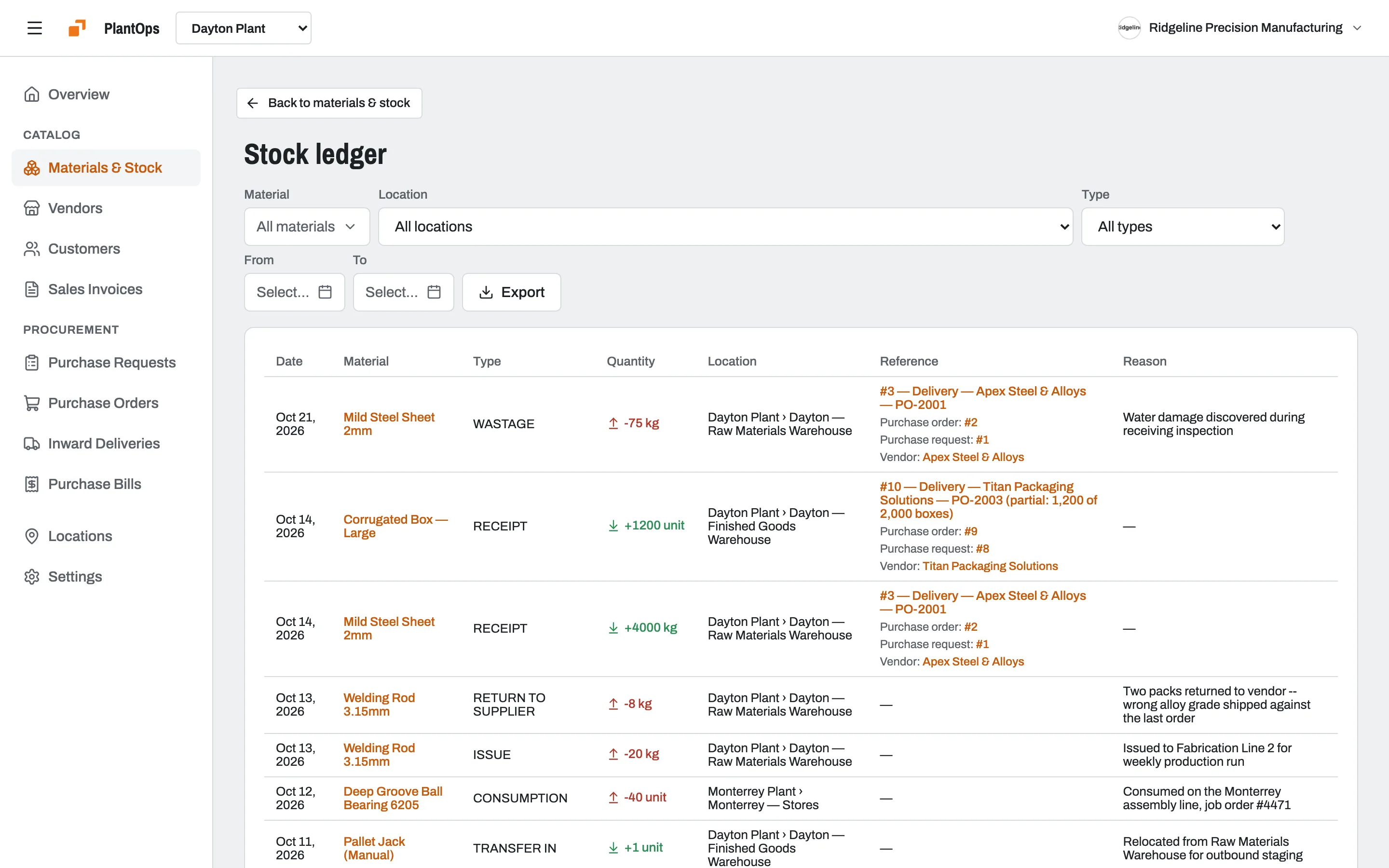
Every receipt, issue, transfer, return and write-off is recorded in a stock ledger with its location, quantity and reason. Filter by material, location, type or date, and export it.
- Receipt
- Issue
- Consumption
- Transfer
- Wastage
- Return to supplier
Bills
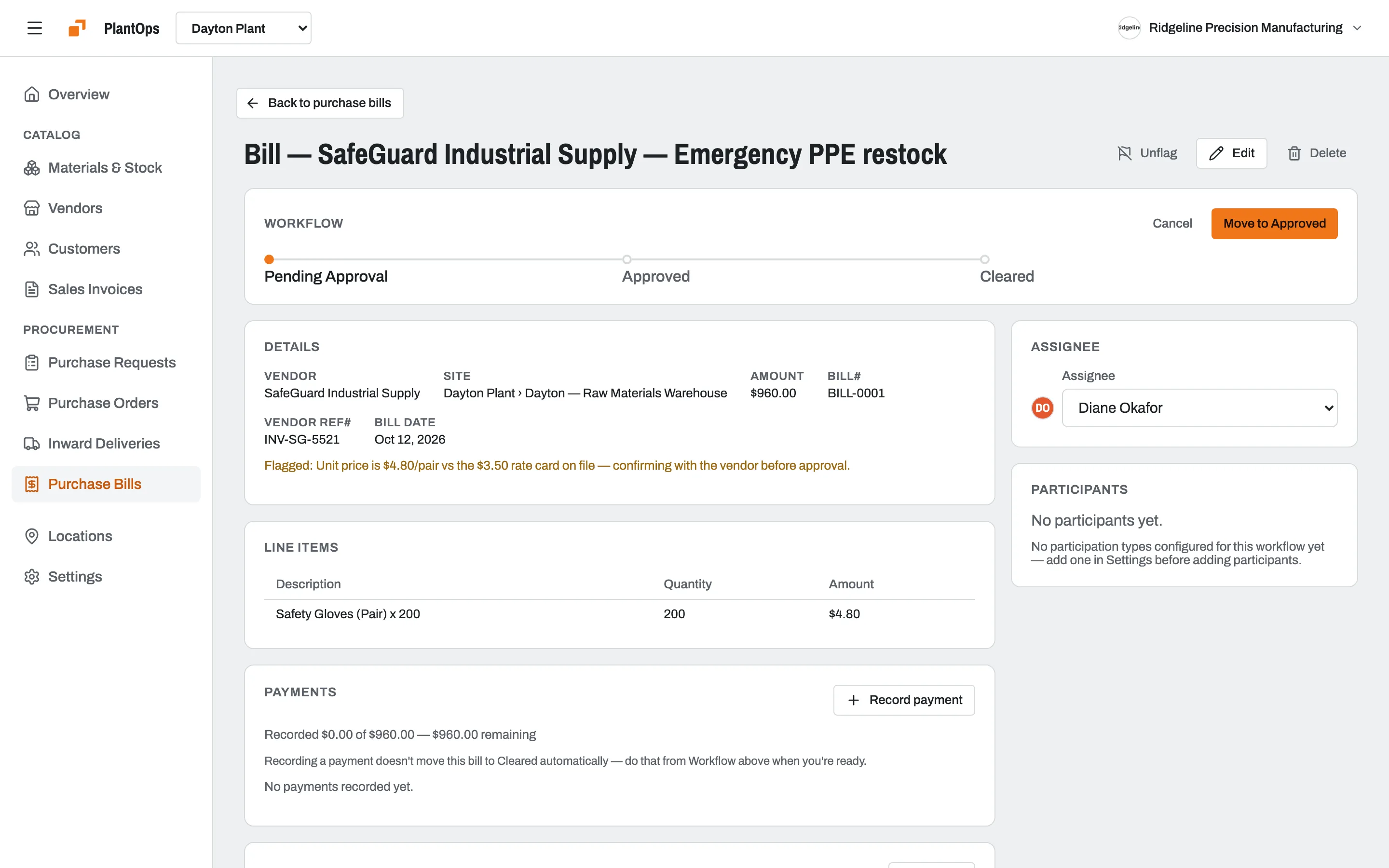
Catch the bill that doesn't match
Vendor bills move through approval before they're cleared. Flag a bill with a note when something's off, like a price above the agreed rate, and record payments as they're made.
Vendors
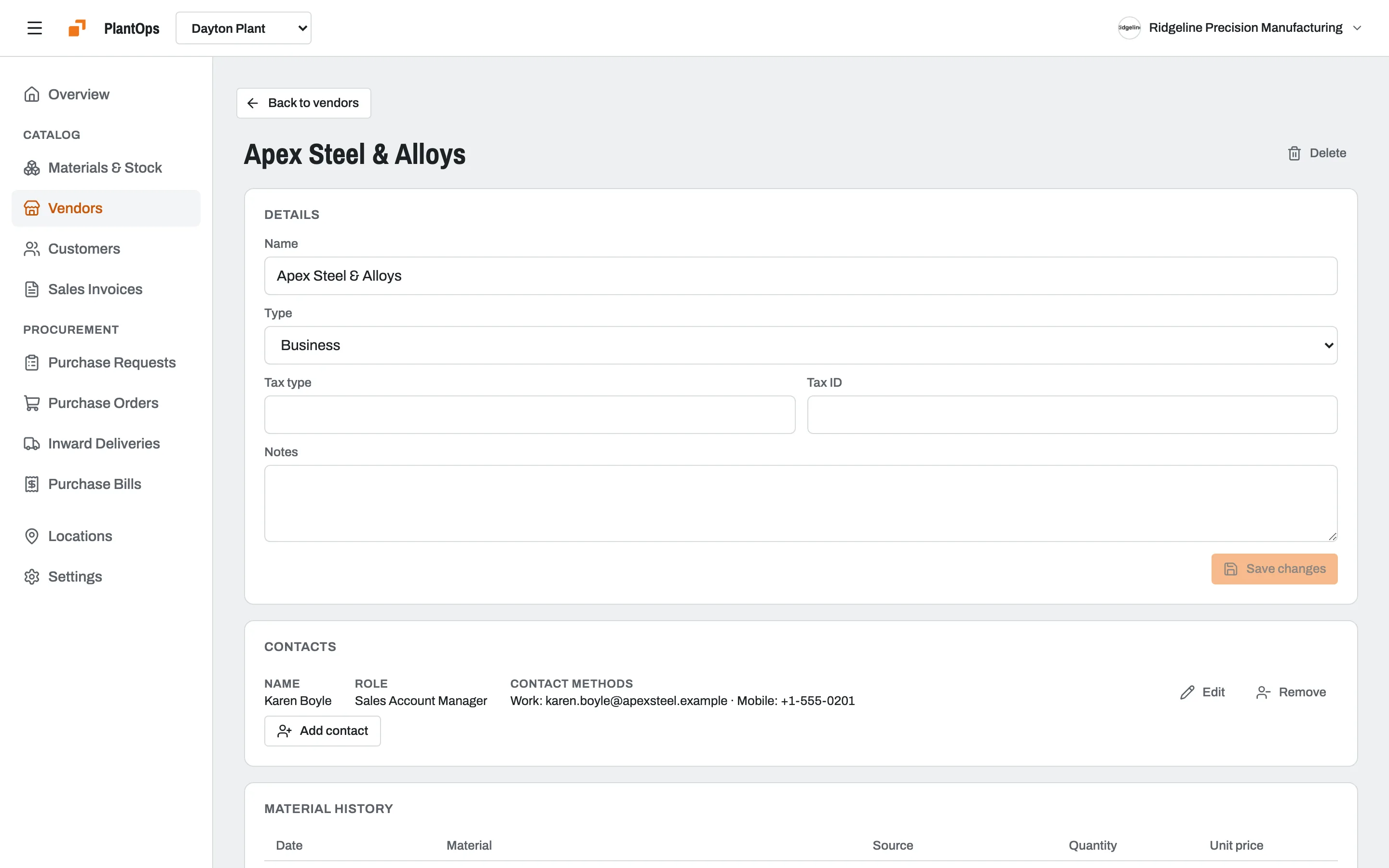
Every vendor's history in one place
Keep each vendor's details and contacts, and see everything you've bought from them, when and at what price.
Also in procurement
Materials
A catalogue of what you buy, with purchase units that convert, like boxes to pieces.
Locations
Sites, warehouses and stores in a hierarchy, with stock tracked at each.
Approvals
The same stage approvals as tasks and deals, on requests, orders and bills.
For manufacturing
See how PlantOps runs procurement for factories, including offline use.
How it's priced
PlantOps has its own plan, priced per location. Restora and VenueOps use Free, Pro and Enterprise.
Questions
Where can I use procurement in Slateo?
In Slateo PlantOps for manufacturing, Restora for restaurants and VenueOps for event venues. Each runs requests, orders, deliveries, stock and bills on the same platform.
Can a purchase need approval?
Yes. Requests, orders and bills move through stages, and you can require approval from a role before they move on.
How does Slateo prove a delivery arrived?
The person receiving it attaches photos at check-in. When location checking is turned on, Slateo confirms each photo was taken at the delivery's location.
Does stock update automatically?
In PlantOps, verifying a delivery adds the stock and creates the vendor bill. Every stock movement is recorded in the ledger with its reason.
Can I track stock across several sites?
Yes. Set up your sites and stores as locations, and stock is tracked at each one, with transfers between them recorded in the ledger.
Put your purchasing on one trail.
Start free with PlantOps, or book a demo to see it with your own process.