
Automations
Let the routine steps run themselves
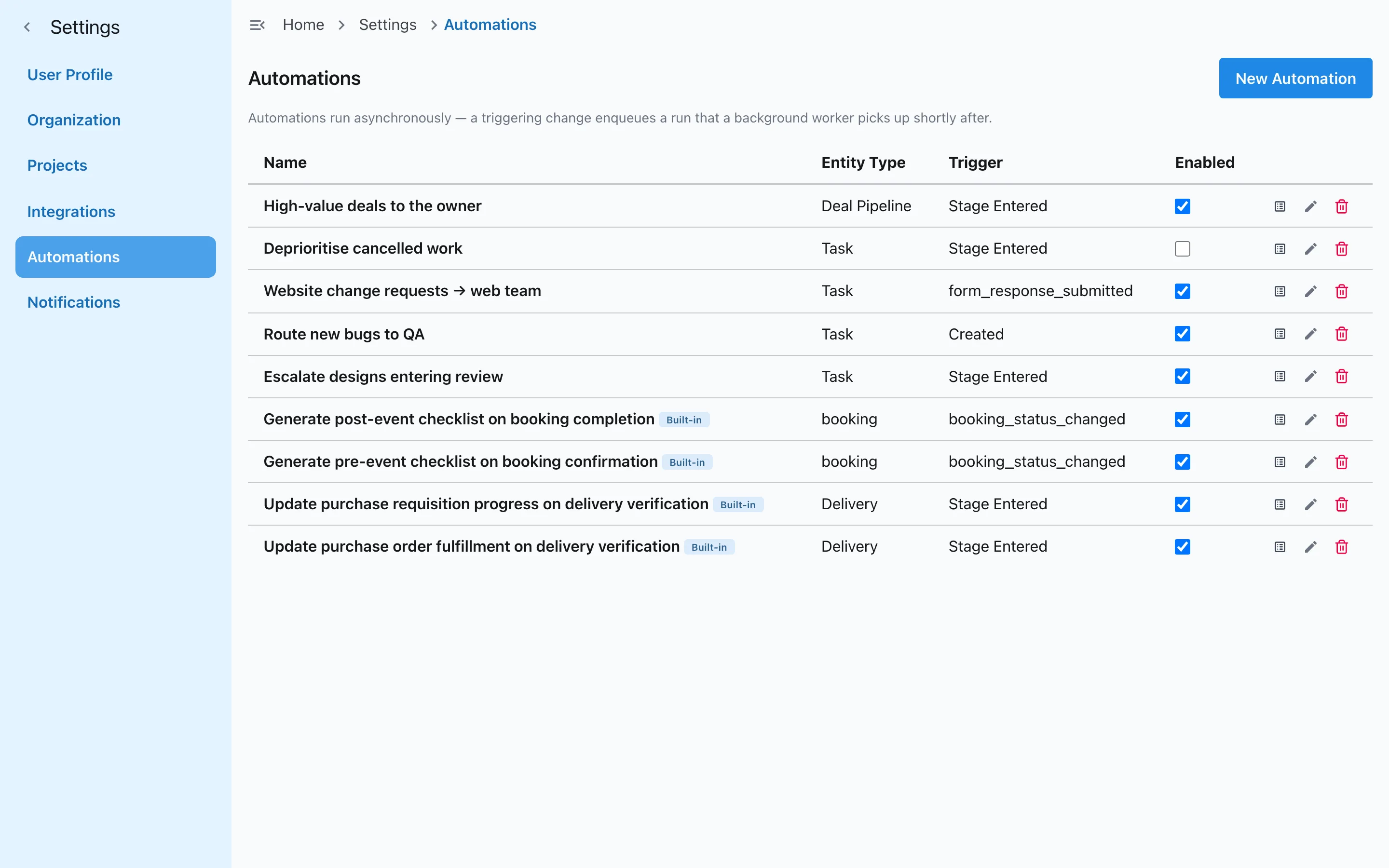
Set simple rules once: when work is created or moves to a stage, Slateo assigns it, changes its priority or sets a due date, so nobody has to remember.
Automations are included on Pro and above.
What is an automation in Slateo?
Last updated:
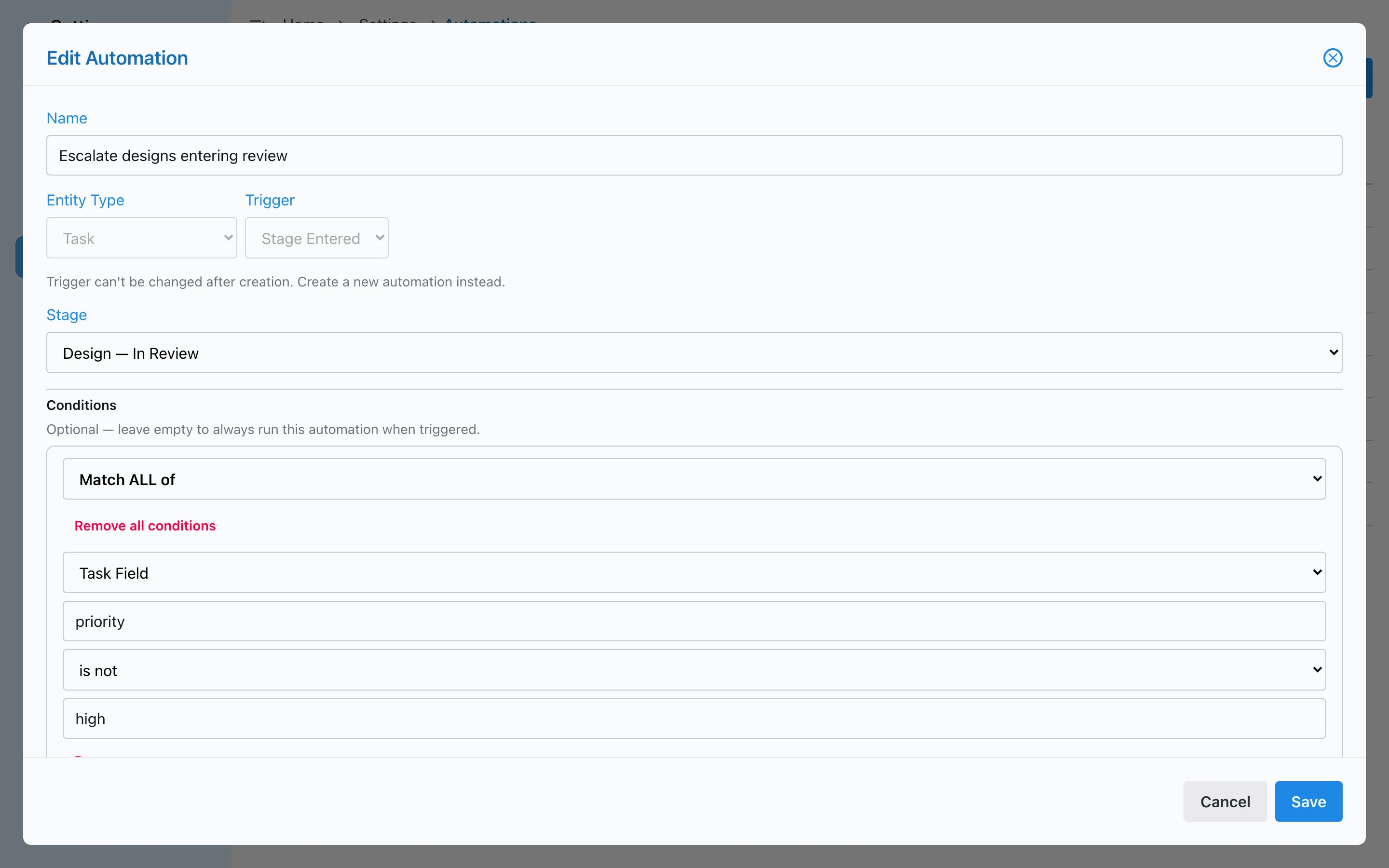
An automation is a rule with three parts: a trigger, like a task entering a stage; optional conditions, like the priority not being high; and actions, like assigning the task to someone. When the trigger happens and the conditions match, Slateo runs the actions within moments and keeps a record of every run.
Triggers and conditions
Run only when it should
Start a rule when a task is created, updated, deleted or enters a stage, and the same for deals and purchasing records. Add conditions on any field, including your own, and choose whether all of them or any of them must match.
- Created
- Updated
- Deleted
- Enters a stage
Run history
See what ran, and why
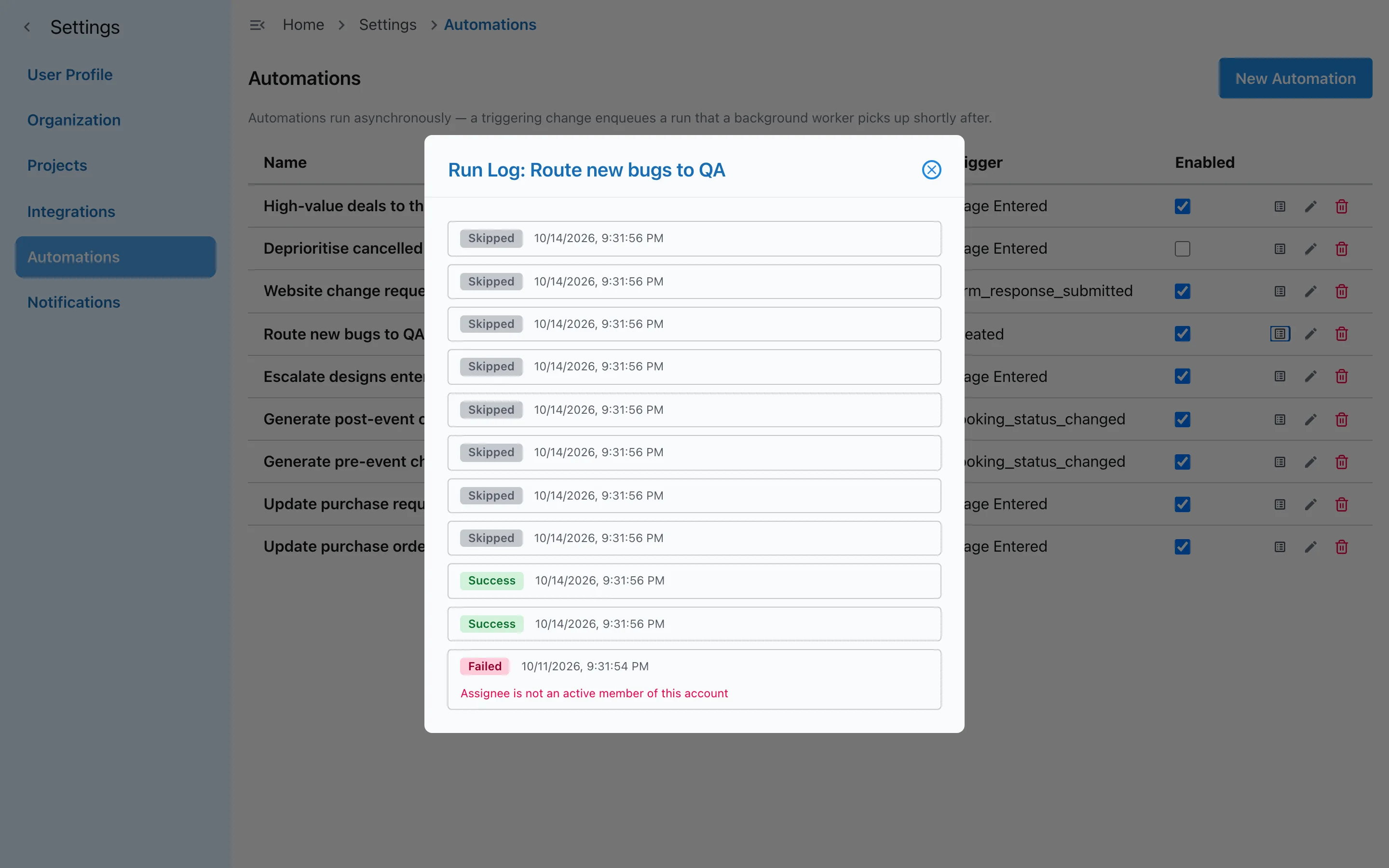
Every run is logged as a success, skipped because the conditions didn't match, or failed, with the reason. When a rule doesn't do what you expected, the log shows you where to look.
Operations
Paperwork that follows the goods
In Slateo's purchasing flow, checking in a delivery can update stock, create the vendor bill and update the purchase order on its own.
See PlantOps for manufacturing →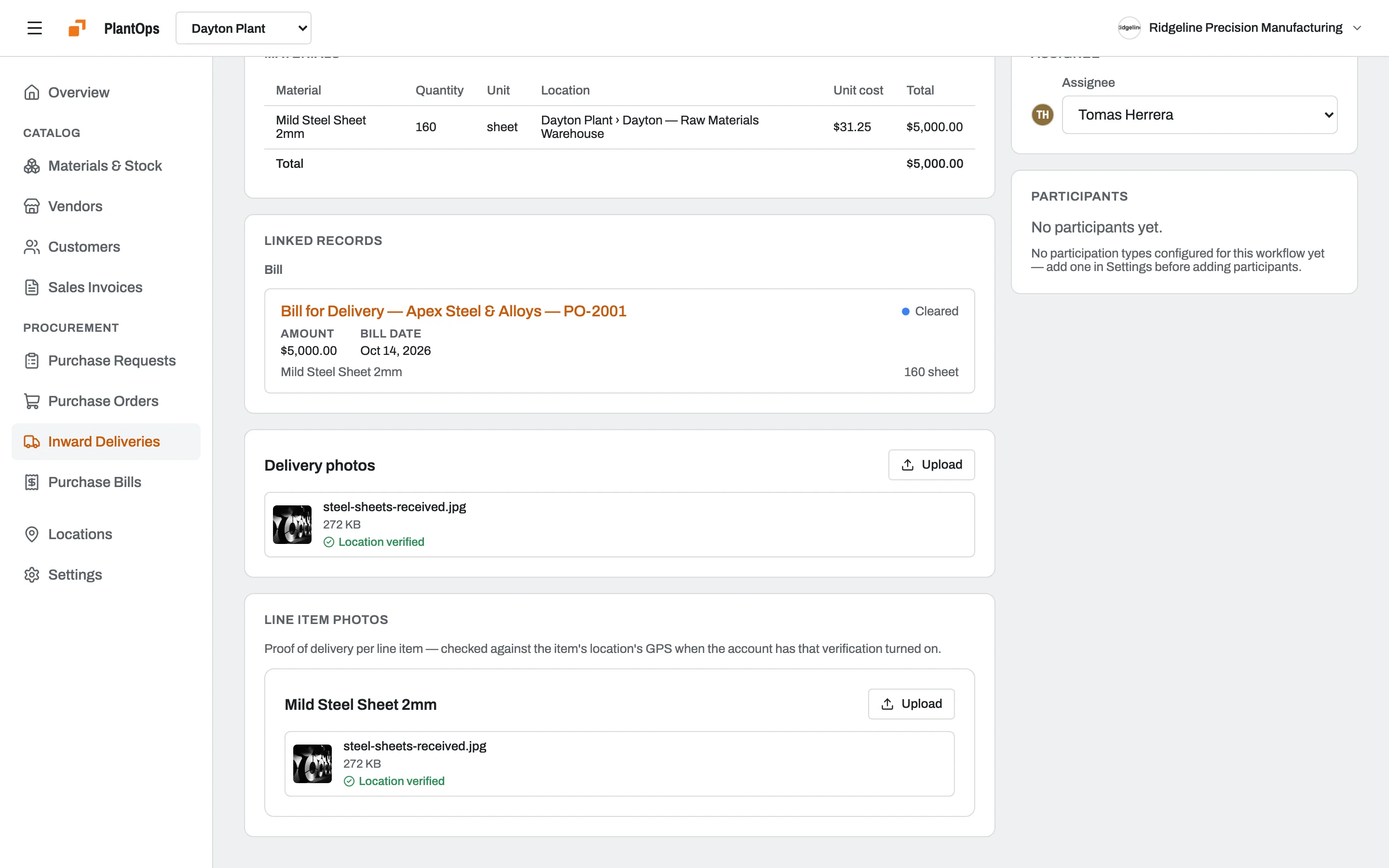
Works with
Workflows and approvals
Automations build on the stages you set up for each kind of work.
Custom fields
Use your own fields in conditions, like a budget or a client tier.
Deals
Run rules when a deal moves through its pipeline.
Procurement
Requests, orders, deliveries and bills that update each other.
On Pro and above
Automations are included on Pro, Growth and Enterprise. Stages and approvals are on every plan, including Free.
Questions
What can an automation do to a task?
It can change the assignee, the priority or the due date. Use it to route new bugs to QA, to escalate work that enters review, or to set a deadline when something starts.
What starts an automation?
A task being created, updated, deleted or entering a stage. Deals and purchasing records have the same triggers.
Which plans include automations?
Pro, Growth and Enterprise. The Free plan includes stages, entry conditions and approvals, but not automations.
Can automations send emails or connect to other apps?
Not yet. Automations act on records inside Slateo. To connect other tools, use Slateo's API or MCP server.
How do I know an automation worked?
Each automation has a run log that shows every run as a success, skipped or failed, with the reason for any failure.
Stop doing the same step twice.
Start free, then turn on automations with Pro when your team is ready.