
Slateo PlantOps · Purchase orders
Purchase order management for manufacturers
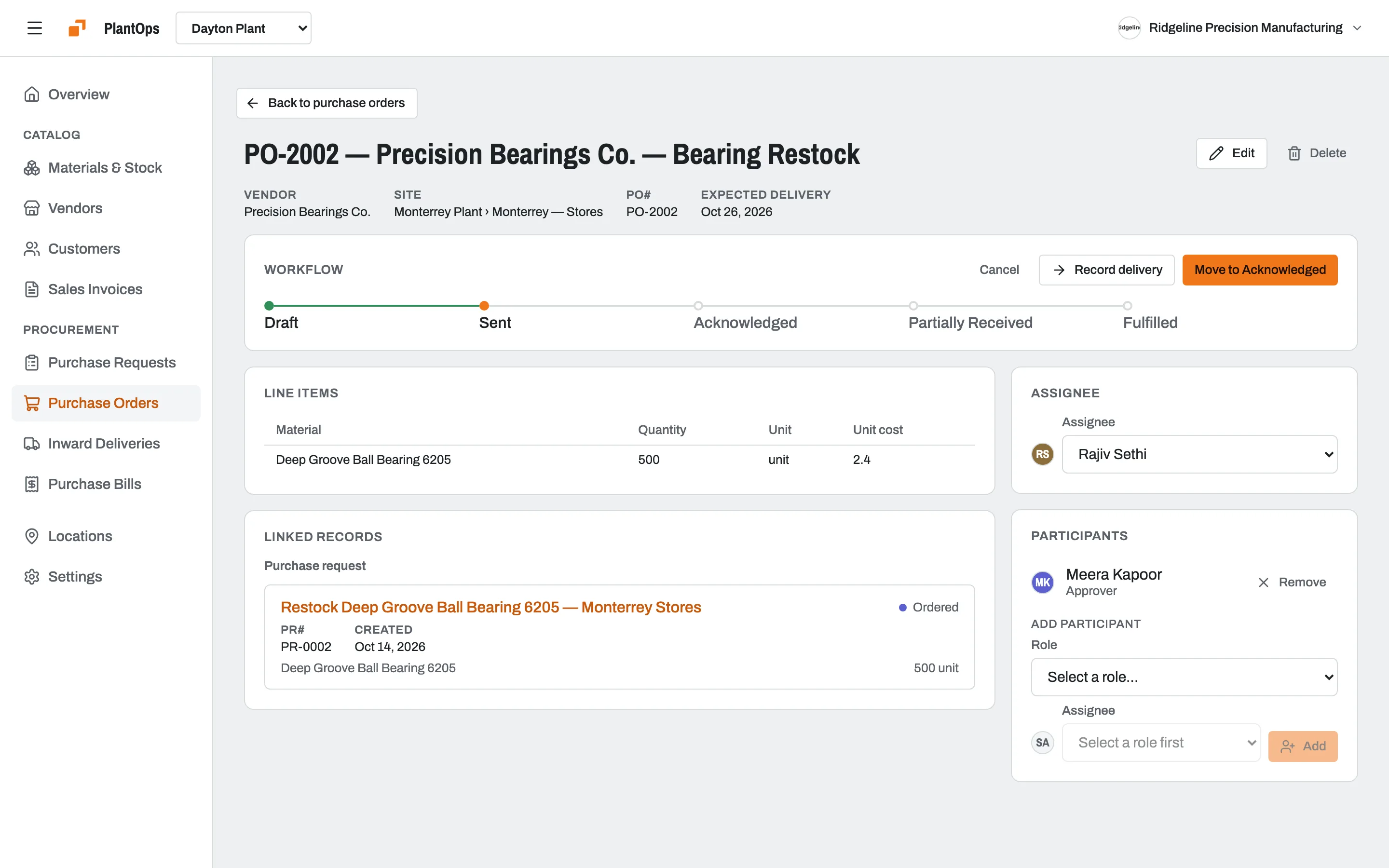
Every order approved before it's placed, tracked until it's delivered, and matched to the bill that follows, for every plant and warehouse.
Free for up to 3 users. PlantOps Pro is priced per location, with unlimited users.
What is purchase order management?
Last updated:
Purchase order management is how a business requests, approves, places and tracks orders with its vendors. In Slateo PlantOps, a purchase request is approved, turned into a purchase order, received at the gate against that order, and the vendor's bill stays linked to it, so every rupee or dollar spent can be traced back to who asked for it.
How it works
From purchase request to paid bill, in one flow
- Step 1
Purchase request
Requested, then approved by whoever you choose.
- Step 2
Purchase order
Raised for the vendor and tracked until they acknowledge it.
- Step 3
Delivery
Received at the gate, with a photo, then verified.
- Step 4 · Automatic
Stock and bill
Verifying a delivery adds the stock and creates the bill.
- Step 5
Bill cleared
Approved, checked against its order, then paid.
Don't use purchase requests? Turn them off and start from the purchase order.
Nothing is ordered without approval
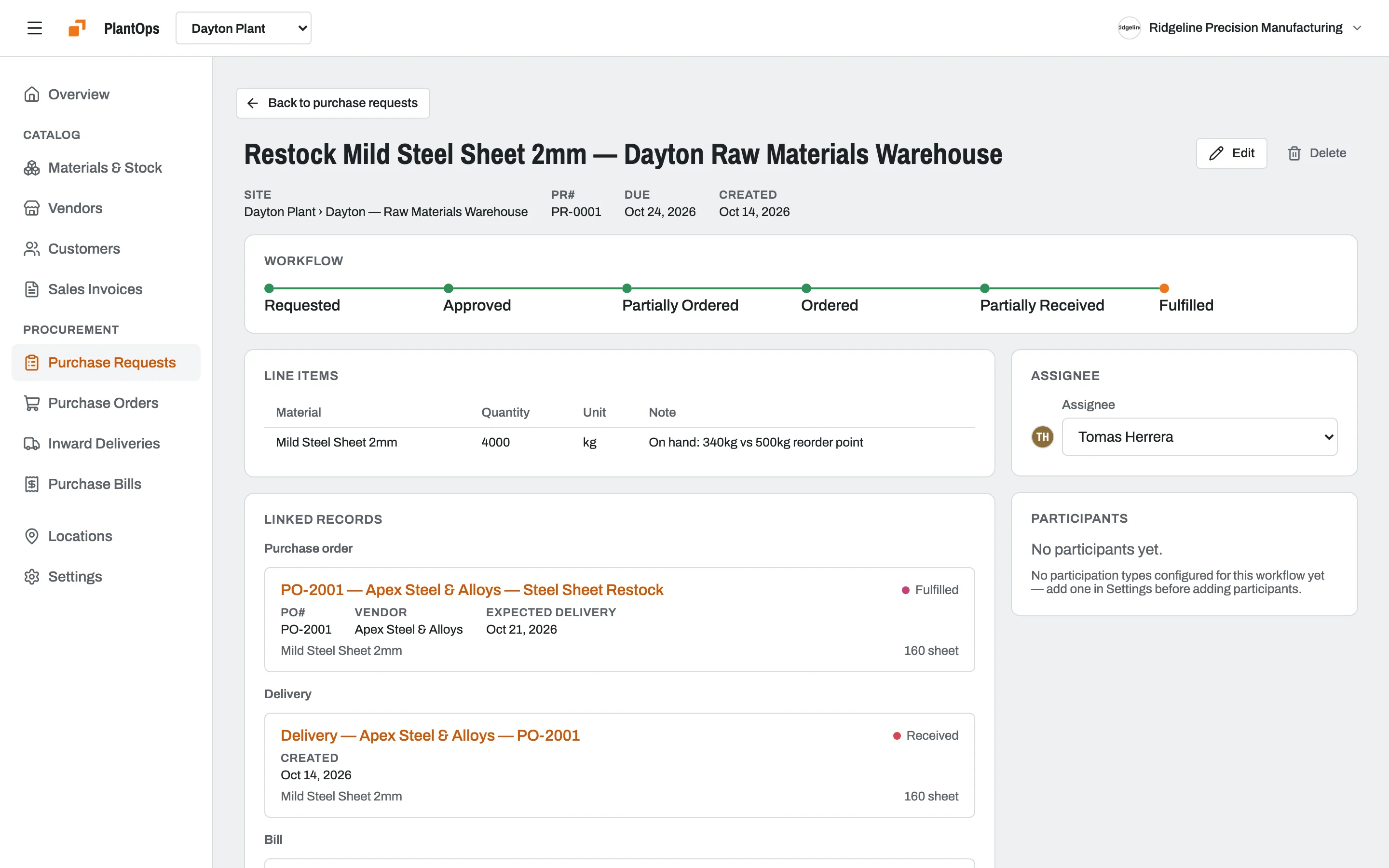
Each purchase request shows where it stands, from requested to fulfilled, and the orders, deliveries and bills that came from it. Set approval steps for requests, orders and bills separately.
Check what arrived against what you ordered
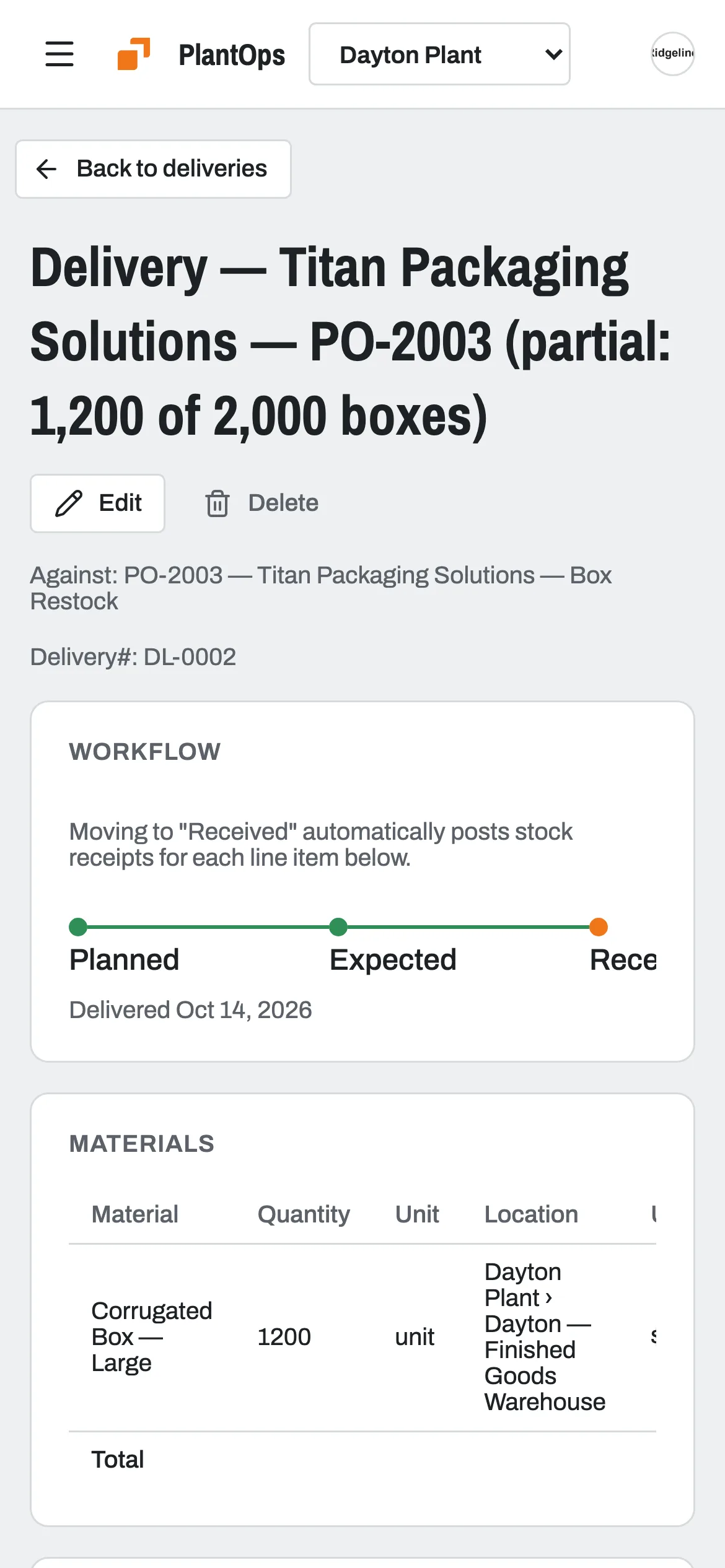
Receive a delivery against its purchase order at the gate, with a photo. Record partial deliveries, and the order shows as partly received until the rest arrives.
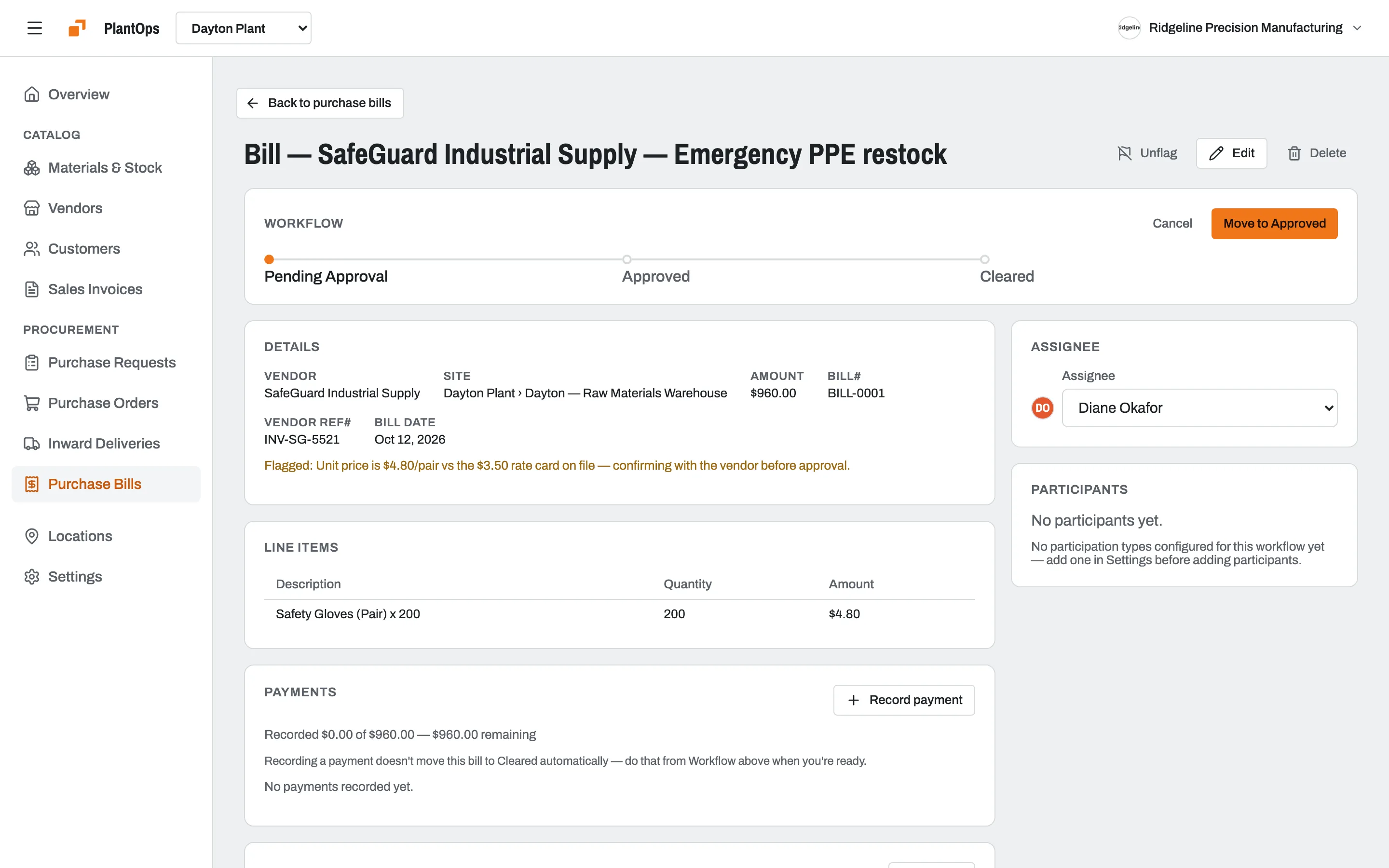
The bill stays tied to the order
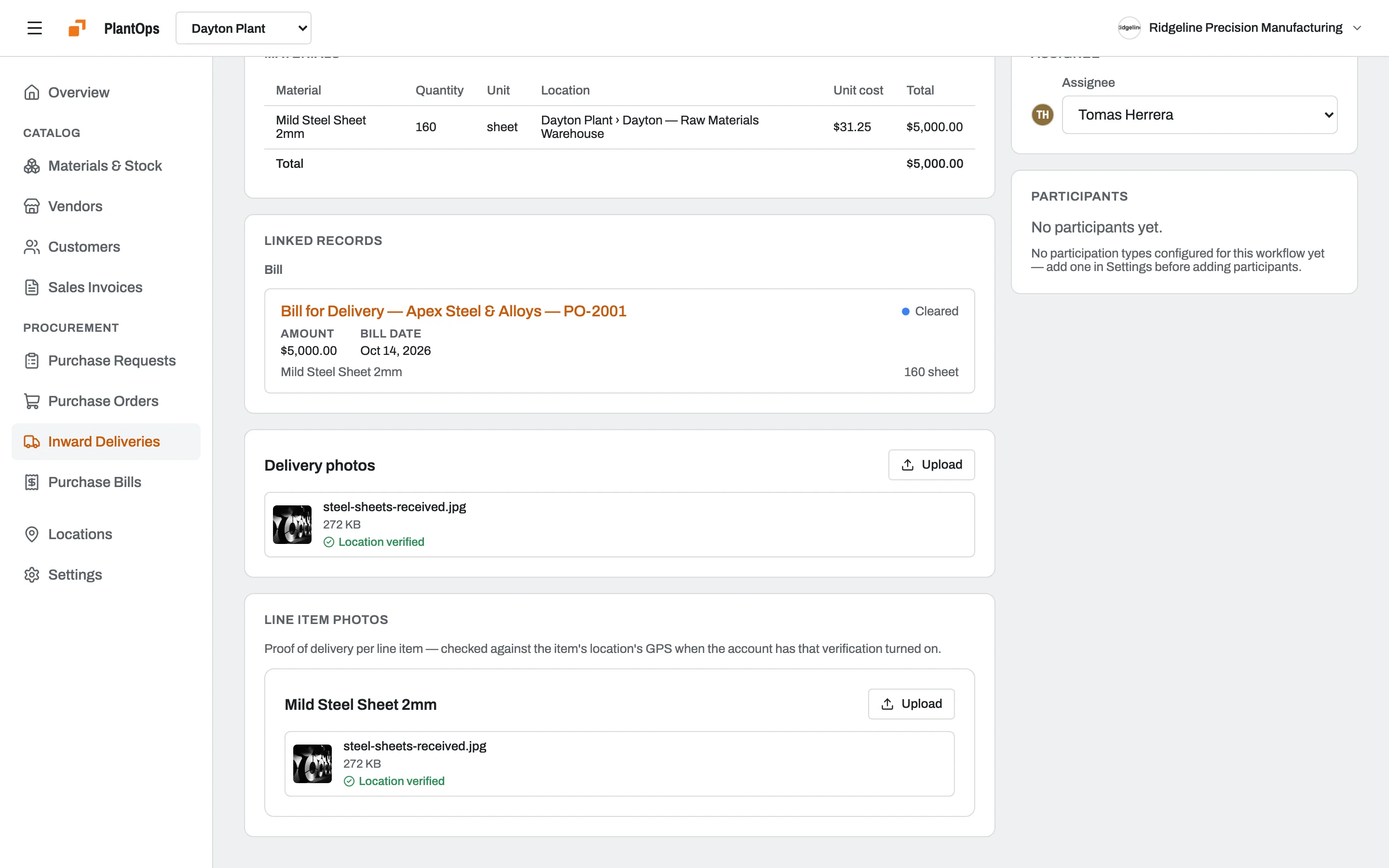
When a delivery is verified, PlantOps creates the vendor bill from it. Each bill links back to its order, and you can flag one with a note when the price or quantity looks off.
Also included
- Order stagesTrack each order through its stages until the vendor acknowledges it and it's delivered.
- Skip requestsDon't use purchase requests? Turn them off and start from the order.
- Vendor historySee everything you've bought from each vendor, when and at what price.
- Works offlineRecord deliveries and requests with no signal; they sync later.
Pricing
PlantOps Pro is priced per location, however many people use it.
Free
$0
Up to 3 users
- Unlimited locations
- Unlimited materials
- Unlimited vendors
- 1,000 customers
- 100 invoices
PlantOps Pro
$14.99 /location/mo
Per location, unlimited users
- Unlimited locations
- Unlimited materials
- Unlimited vendors
- 5,000 customers
- Unlimited invoices
- Unlimited users
- Email and chat support
Questions
Can a purchase order need approval?
Yes. Requests, orders and bills each move through stages, and you choose who has to approve each one before it moves on.
Can PlantOps email the order to my vendor?
Not yet. Send the order the way you do today, and track its stages in PlantOps until the vendor acknowledges it and the goods arrive.
What happens with a partial delivery?
Record what arrived. The order shows as partly received, and the rest can be received on a later delivery.
Does PlantOps match bills to orders automatically?
Each bill is created from a verified delivery and linked to its order, so checking it is quick. Matching isn't automatic: flag a bill with a note when something doesn't add up.