
Integrations
Connect Slateo to where your work happens
Talk to customers on WhatsApp and Instagram from their Slateo record, build your own connections with the API, and let your AI assistant work with your Slateo data.
Free for up to 3 users. No credit card required.
What can I connect to Slateo?
Last updated:
Slateo connects to WhatsApp Business and Instagram, so customer conversations land on the customer's record. For everything else there's a REST API with personal API keys, and an MCP server that lets AI assistants that support MCP read and update your Slateo data with your permissions.
WhatsApp and Instagram
Customer conversations, right on the customer record
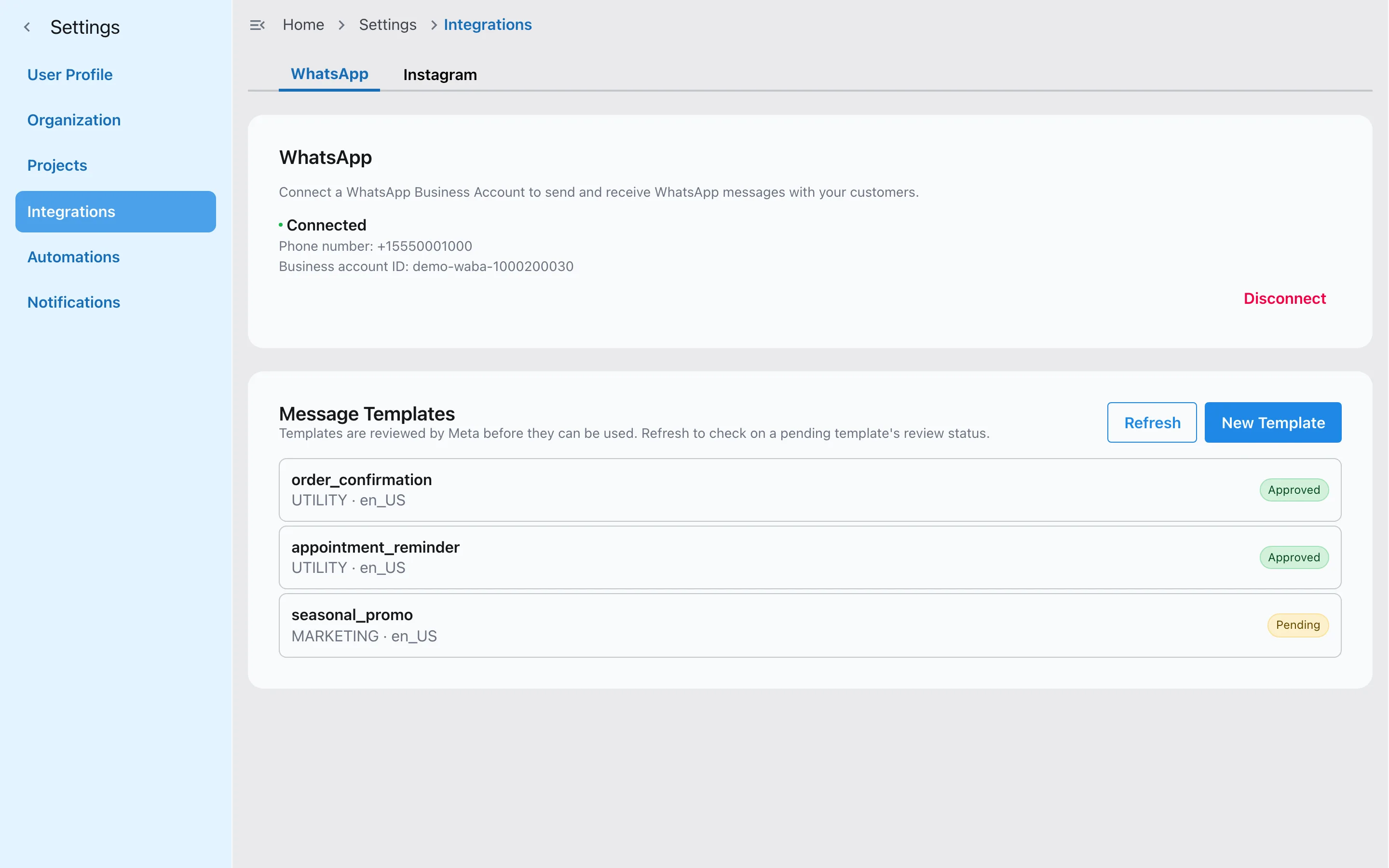
Connect your WhatsApp Business number and Instagram account in a few clicks. Messages show up on the customer's page next to their deals and invoices, and your team replies from Slateo.
More about messaging →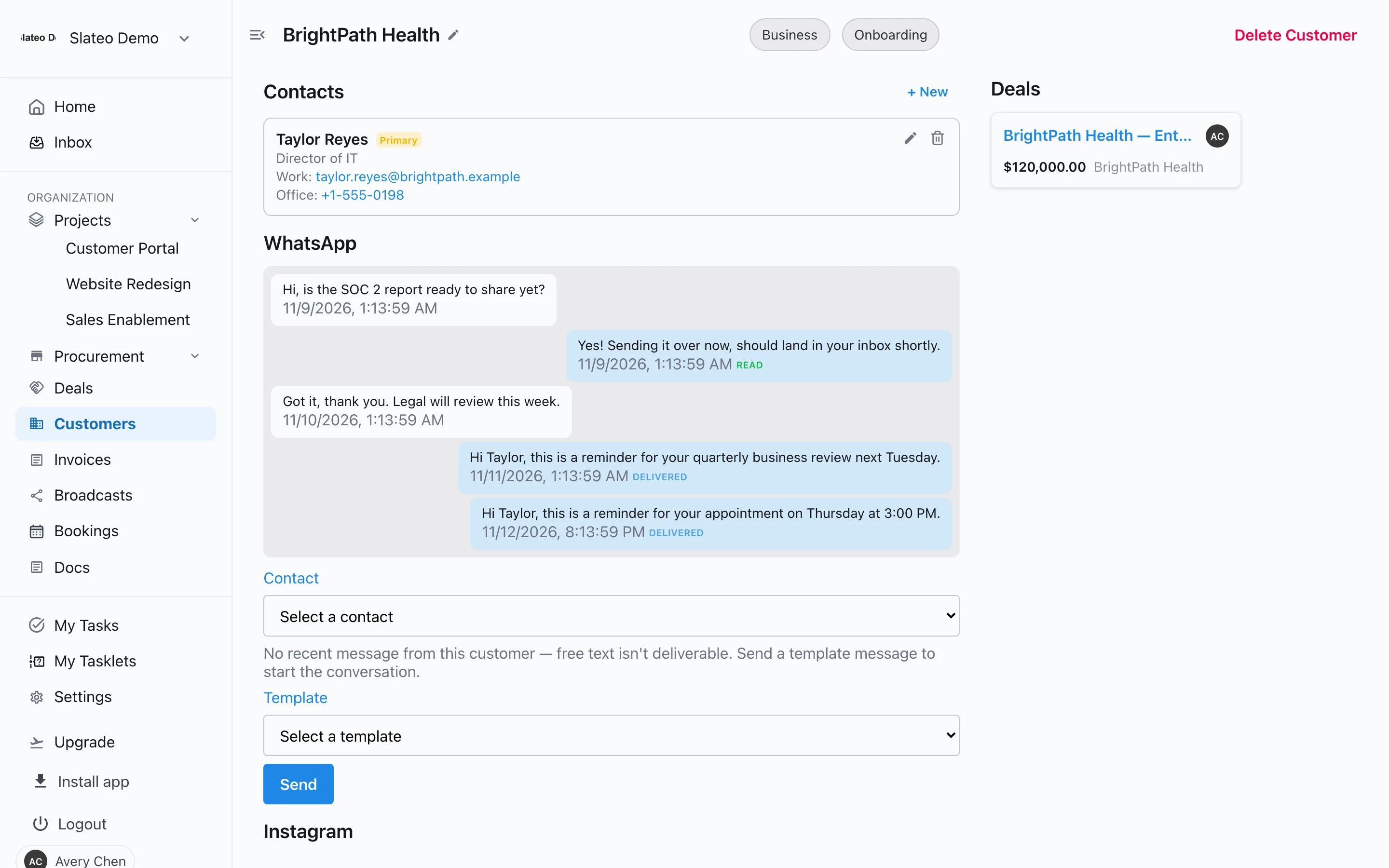
REST API
Build your own connections
Create an API key in your profile and connect Slateo to your own tools and scripts. Each key acts as you, with your permissions. Name each key, see when it was last used, and revoke it any time.
Read the API docs →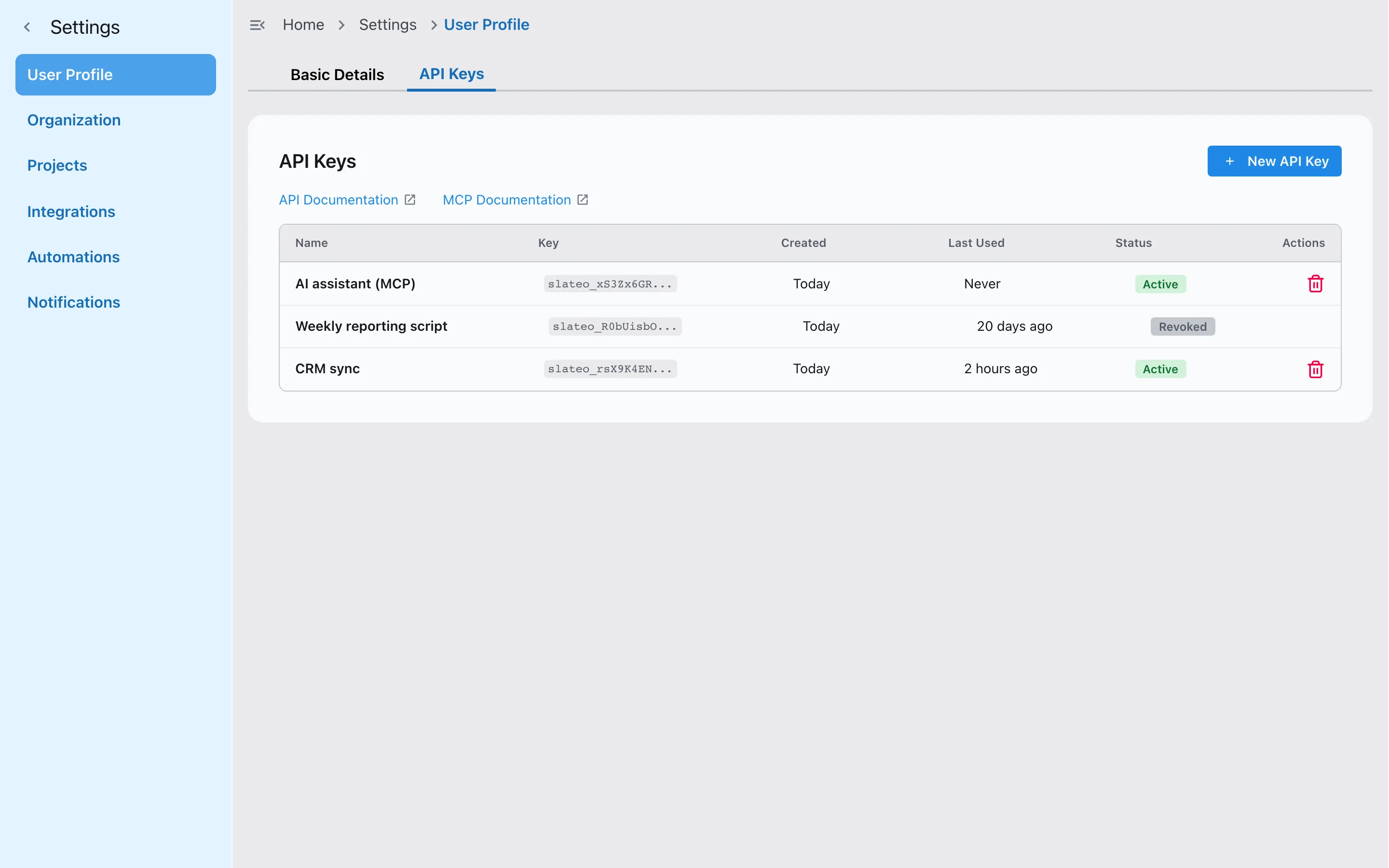
MCP
Let your AI assistant work in Slateo
Connect an AI assistant that supports MCP to your Slateo account. Ask about your projects in plain language, or have it create and update tasks for you, with the same permissions you have in the app.
More about API and MCP →- Homepage hero section · due Oct 12 · Sofia Kim
- Mobile navigation pattern · due Oct 13 · Noah Williams
- Footer redesign · due Oct 8 · Sofia Kim
Also connected
Sign in with Google
Your team can sign in with their Google account instead of another password.
Message templates
Create WhatsApp templates in Slateo and see when Meta approves them.
MCP docs
Every tool the MCP server offers, with the address to connect to.
API docs
A public reference for projects, tasks, customers and more, with a quickstart.
Included on every plan
WhatsApp, Instagram, the API and MCP are on every plan. Free includes 500 API requests and 500 MCP operations a month; paid plans have no monthly cap.
Questions
Can I connect a tool that isn't listed?
Yes, through the API. Your own scripts or an integration platform can read and update Slateo with an API key, and an AI assistant that supports MCP can work with your data directly.
What can I do with the API?
Read and update your projects, tasks, customers and more from your own tools and scripts. Each API key acts as the person who created it, with their permissions.
Which AI assistants work with Slateo?
Any AI assistant that supports MCP (Model Context Protocol). Point it at Slateo's MCP server, sign in, and it can work with your data with your permissions.
Do I need a developer to connect WhatsApp or Instagram?
No. Connect them from Settings → Integrations by signing in with the business's Meta account.
Bring Slateo into the tools you already use.
Connect WhatsApp or create an API key in minutes. No credit card required.