
Customer Success template
Onboarding, health and renewals
Onboard new customers, watch accounts that are at risk, work renewals early, and resolve support issues.
Pick this template when you create your first project. Free for up to 3 users.
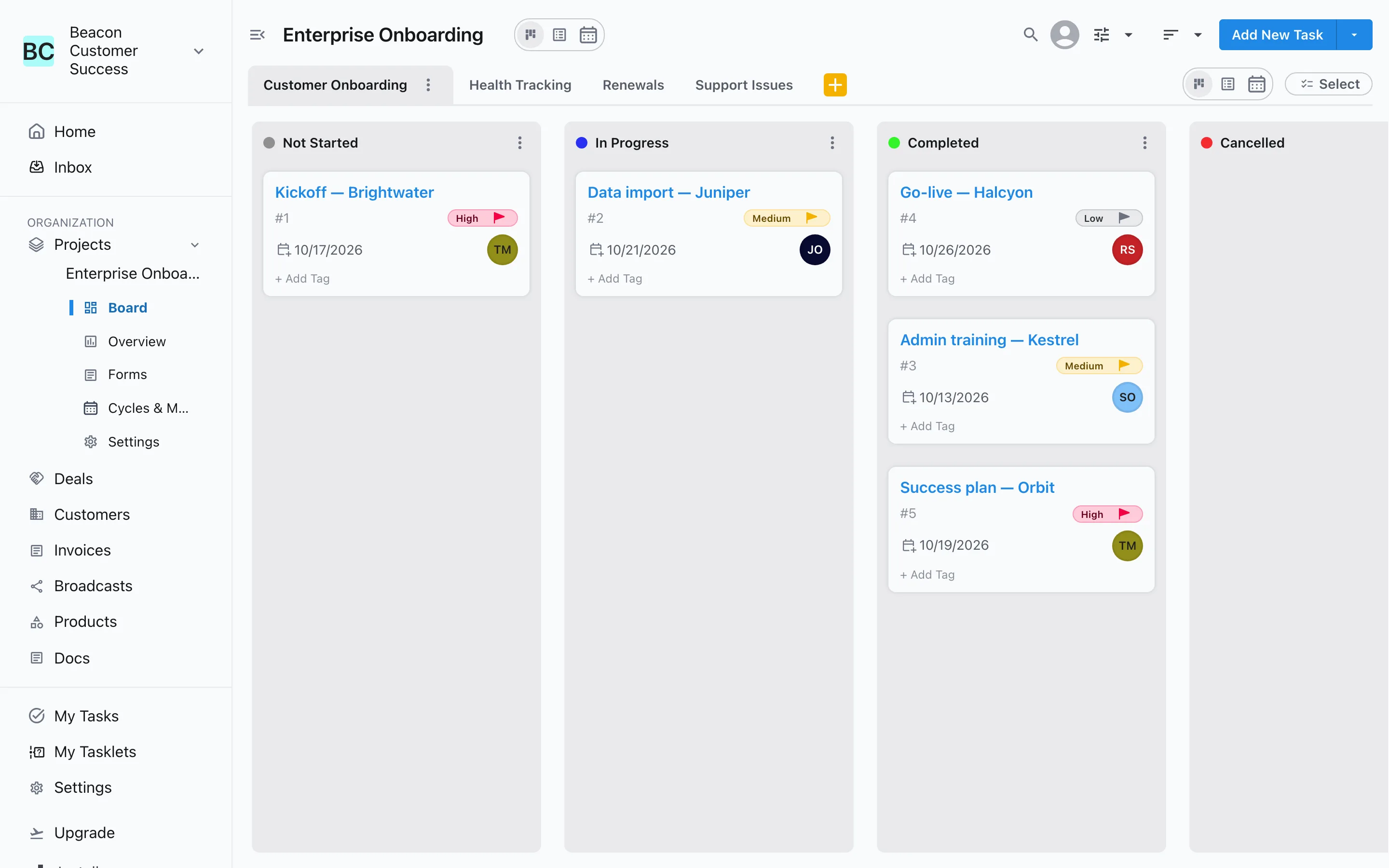
What is in the Customer Success template?
Last updated:
The Customer Success template creates a project with 4 workstreams: Customer Onboarding, Health Tracking, Renewals and Support Issues. Each workstream has its own stages: Customer Onboarding, for example, runs Not Started → In Progress → Completed. Built for customer success teams, and every stage can be renamed, removed or given rules once you're in.
Make it yours
Change any stage once you are in
Rename a stage, add a new one, or change its type. Add entry conditions, like a due date before review, and require an approval before work moves into a stage.
Set up stages, rules and approvals →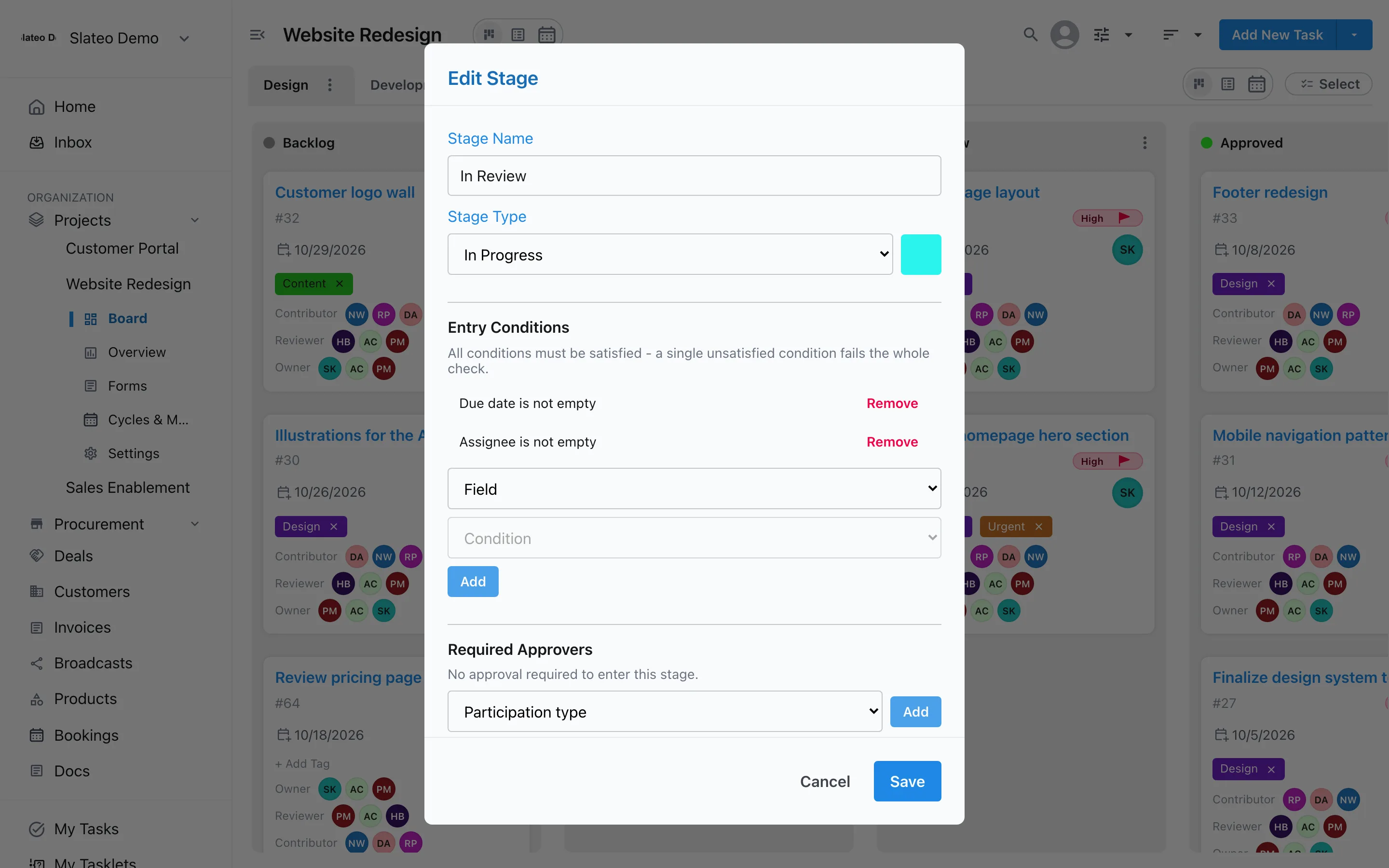
Views
See every workstream your way
Work on one workstream at a time on the board, or switch to List view to see them all, grouped by workstream, assignee or stage. Calendar view shows what is due when.
Task management →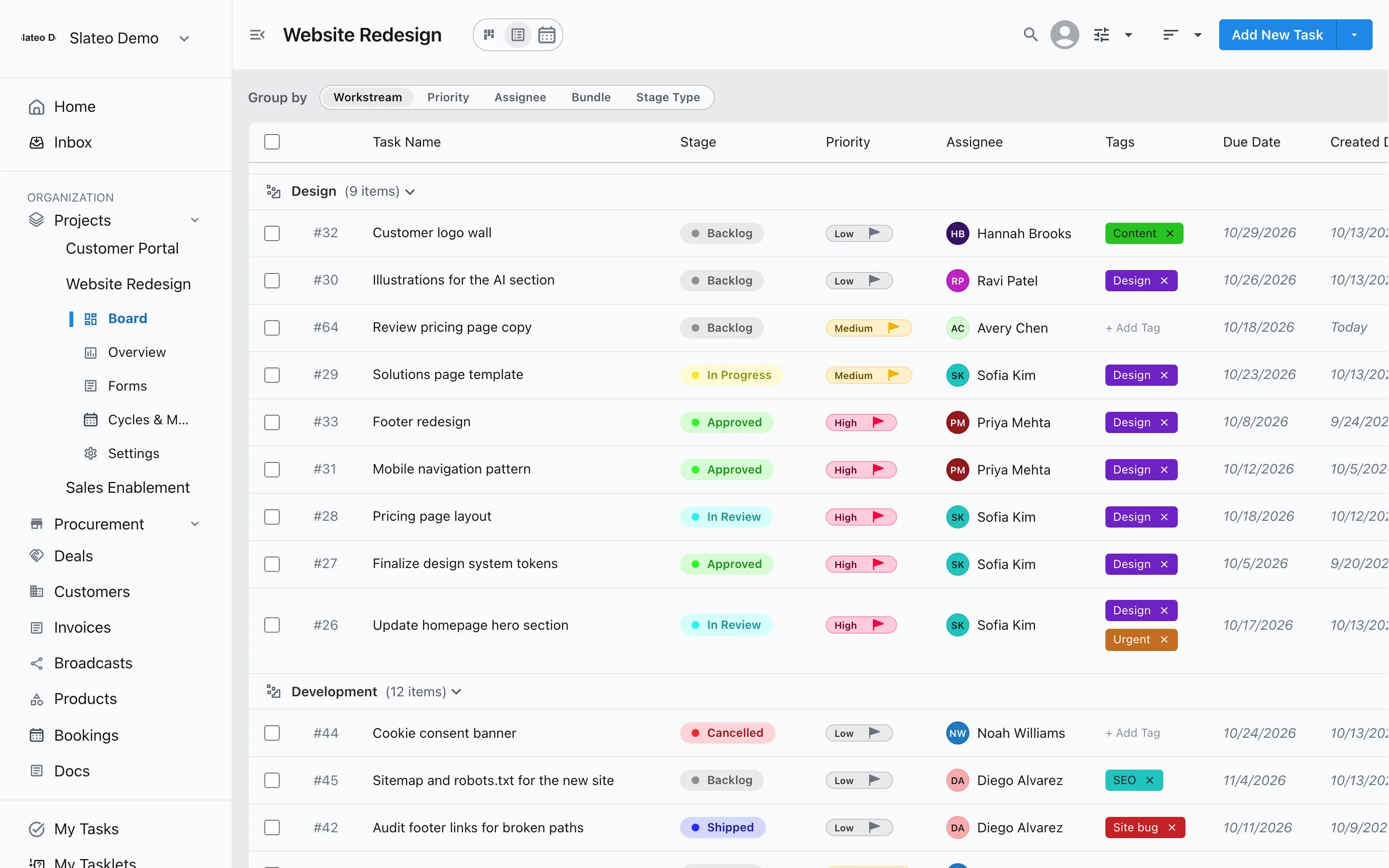
Workstreams and stages
Customer Onboarding
Not Started → In Progress → Completed. Closed as Cancelled.
Health Tracking
To Review → Monitoring → At Risk → Resolved. Closed as Escalated.
Renewals
Upcoming → Negotiating → Contract Sent → Renewed. Closed as Churned.
Support Issues
New → In Progress → Waiting on Customer → Resolved. Closed as Closed.
Questions
How do I use the Customer Success template?
Sign up for Slateo and, when it offers to create your first project, choose Customer Success. The project opens with the Customer Onboarding, Health Tracking, Renewals and Support Issues workstreams and their stages.
Can I use it for a later project?
Not yet. Templates are offered for your first project. For later projects, start blank or describe your work and Slateo suggests workstreams and stages for you.
Can I change the stages?
Yes. Everything the template creates is an ordinary Slateo workstream and stage. Rename, add or remove them, and add rules or approvals.
Is the template free?
Yes. Every template is available on every plan, including Free.
Start with the Customer Success template.
Free for up to 3 users. No credit card required.