
For product teams
From idea to shipped, with the why attached
Keep ideas, the roadmap, sprints and goals in the same workspace as the work, so everyone can see what's being built, when, and what it's meant to move.
Free for up to 3 users. No credit card required.
How do product teams use Slateo?
Last updated:
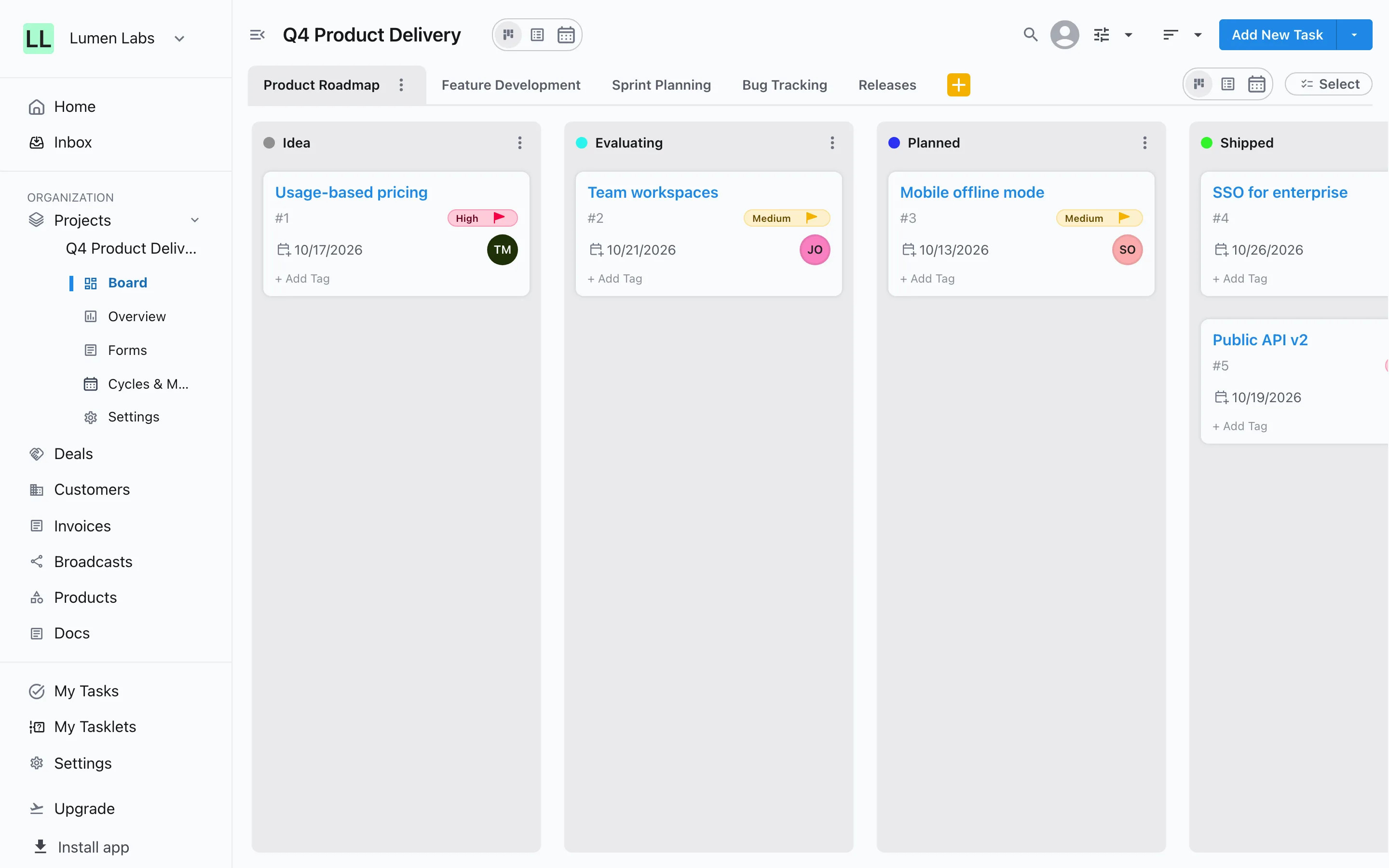
Product teams use Slateo to collect ideas, list the features they plan to build and lay them out on a roadmap, then run the work in sprints and releases with dependencies between tasks. Roadmap items link to the tasks doing the work and to the key results they should move, so progress on goals comes from work actually finished.
Roadmap
A roadmap connected to the work
Put features on a timeline with planned dates, and link each roadmap item to the tasks delivering it and the key results it should move. Zoom by days, months or the year, or switch to a list.
Product roadmap →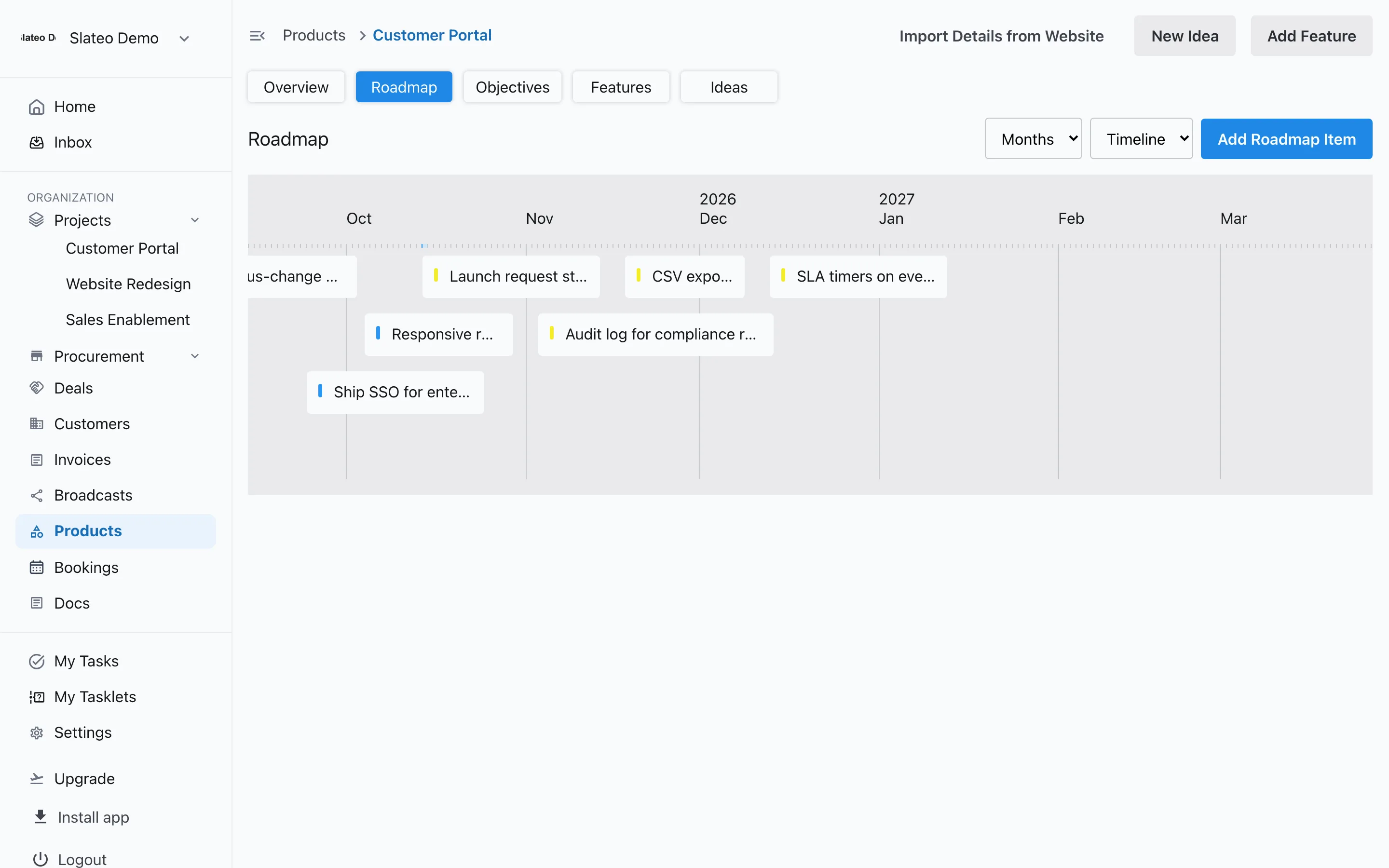
Delivery
Sprints and releases your way
Turn on phases, releases, sprints and milestones for a project, nest sprints inside releases, and mark which one is current. Every task can belong to a sprint and a milestone.
Project planning →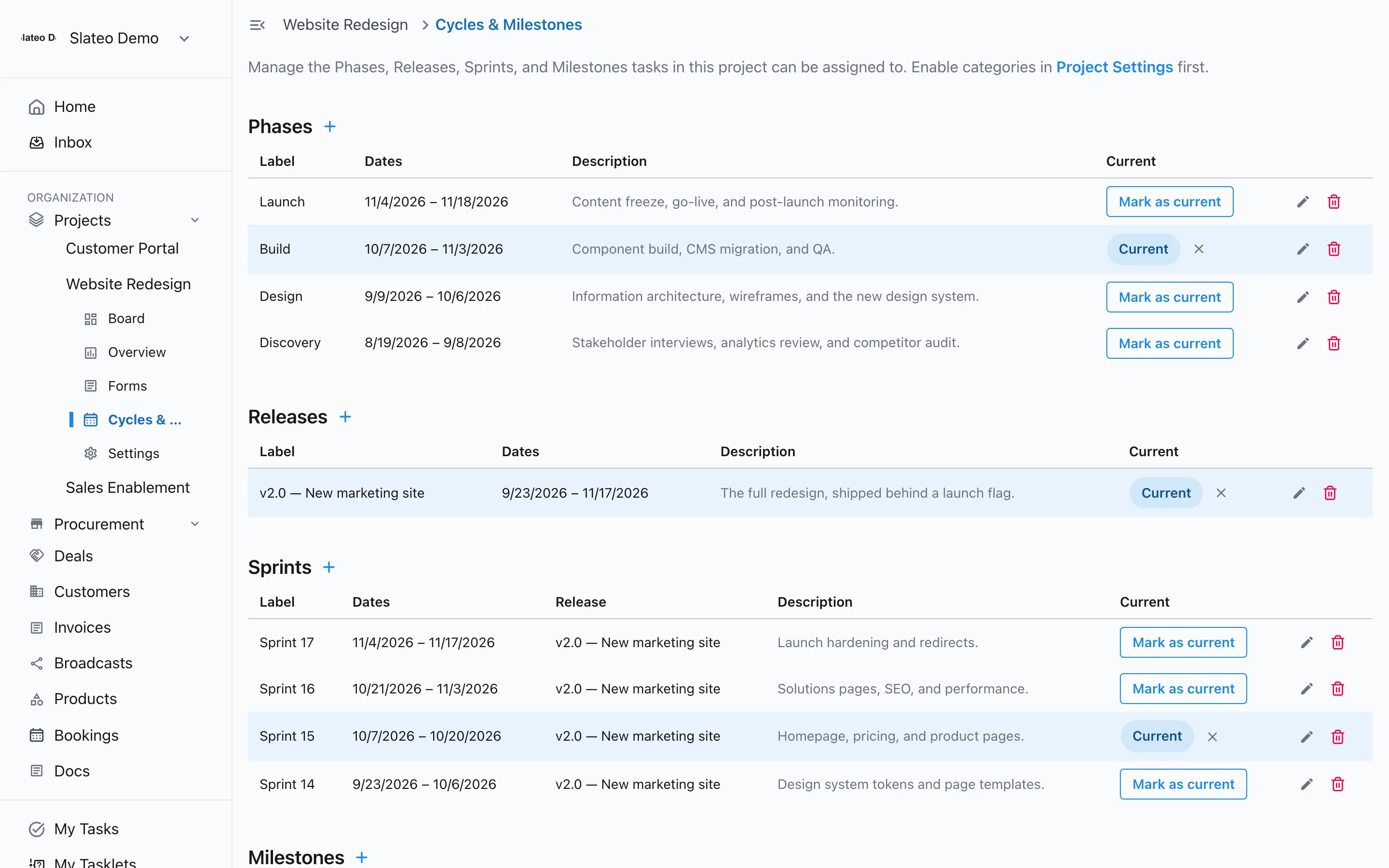
Goals
OKRs measured by what ships
Give each product objectives with key results that have a baseline, a target and a current value. A key result linked to roadmap items shows the share of their tasks that are done.
OKRs →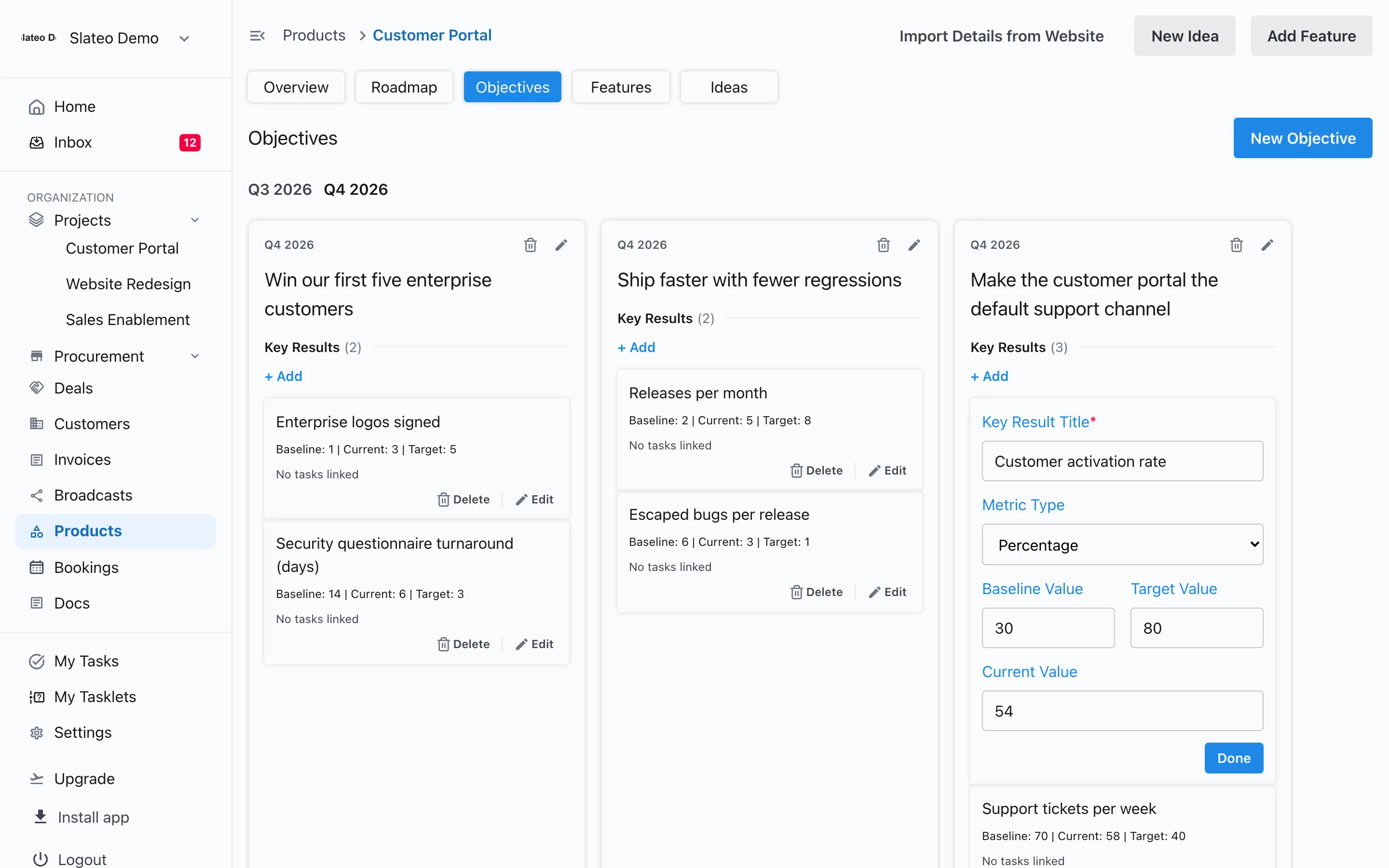
Bugs and feedback
Bug reports that arrive complete
Share a form for bug reports and feature requests, with questions that only appear when they apply, like the browser for a bug. Turn each response into a task in one click.
Forms →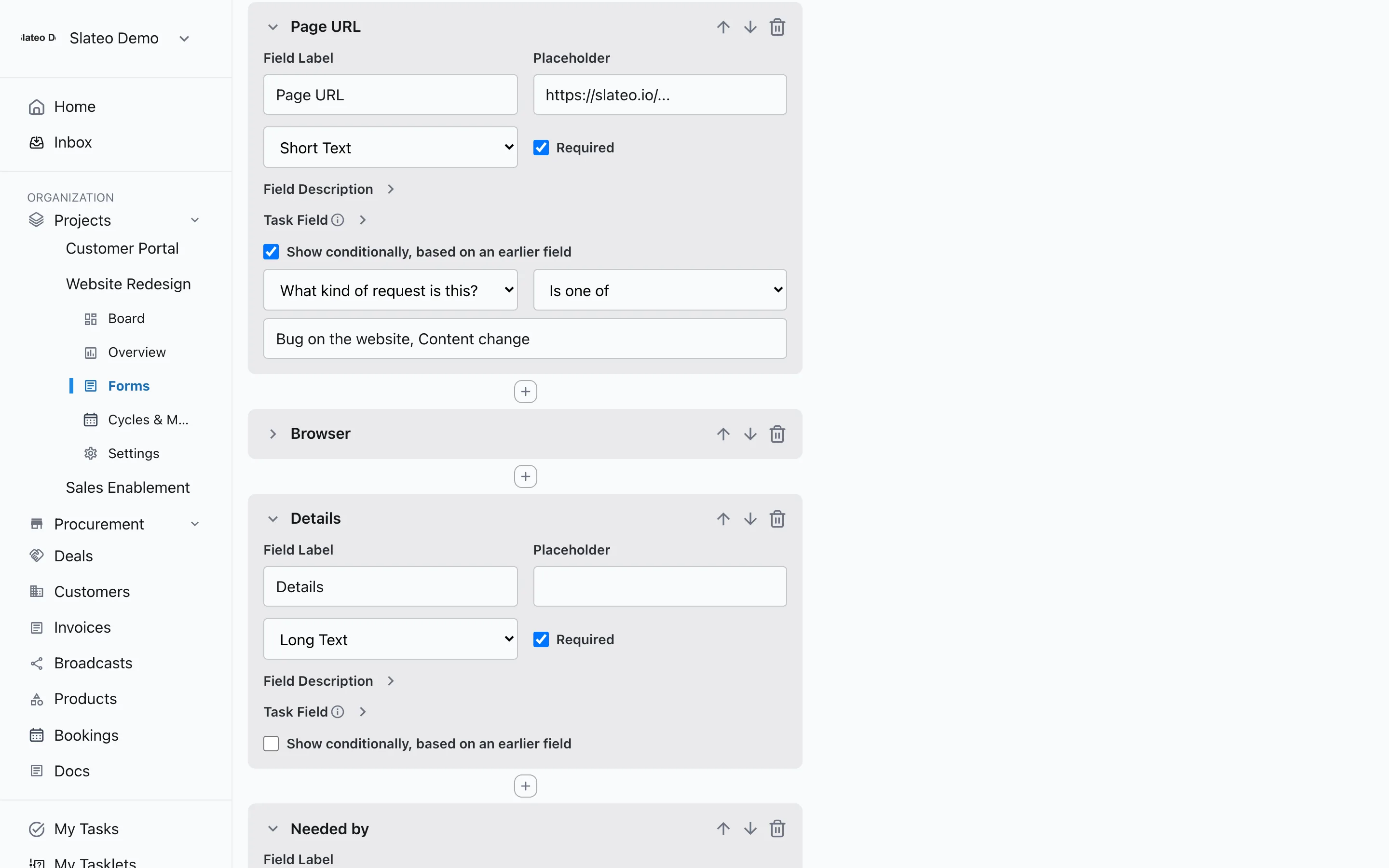
Also for product teams
Ideas with votes
Collect ideas for each product and let the team vote them up or down before they reach the roadmap.
Specs with versions
Write specs in Docs, save versions, and turn a spec into suggested tasks with the document assistant.
Dependencies
Link tasks finish-to-start and more, so everyone can see what has to come first.
API and MCP
Connect your own tools, or let an AI assistant read and update your Slateo work with your permissions.
One product free, unlimited on Growth
Free and Pro include one product with its roadmap and OKRs. Growth adds unlimited products, and Pro and above add unlimited users and projects.
Questions
Is there a template for product teams?
Yes. Choose Product & Engineering when you create a project. Slateo sets up workstreams for the product roadmap, feature development, sprint planning, bug tracking and releases, each with its own stages.
Can we run sprints in Slateo?
Yes. Turn on sprints for a project, nest them inside releases if you like, mark the current one, and assign tasks to it.
How does OKR progress work?
Each key result has a baseline, a target and a current value. When you link roadmap items to a key result, it also shows the share of finished tasks on those items.
Does Slateo have a Gantt chart?
No. Slateo has Kanban, List and Calendar views for tasks, a timeline view for the roadmap, and dependencies between tasks.
Plan it, ship it, and show why it mattered.
Start with the Product & Engineering template. No credit card required.