
For consultants
Every engagement, from proposal to paid
Win the work, run the research, get deliverables through review and invoice the client, all in one workspace.
Free for up to 3 users. No credit card required.
How do consultants use Slateo?
Last updated:
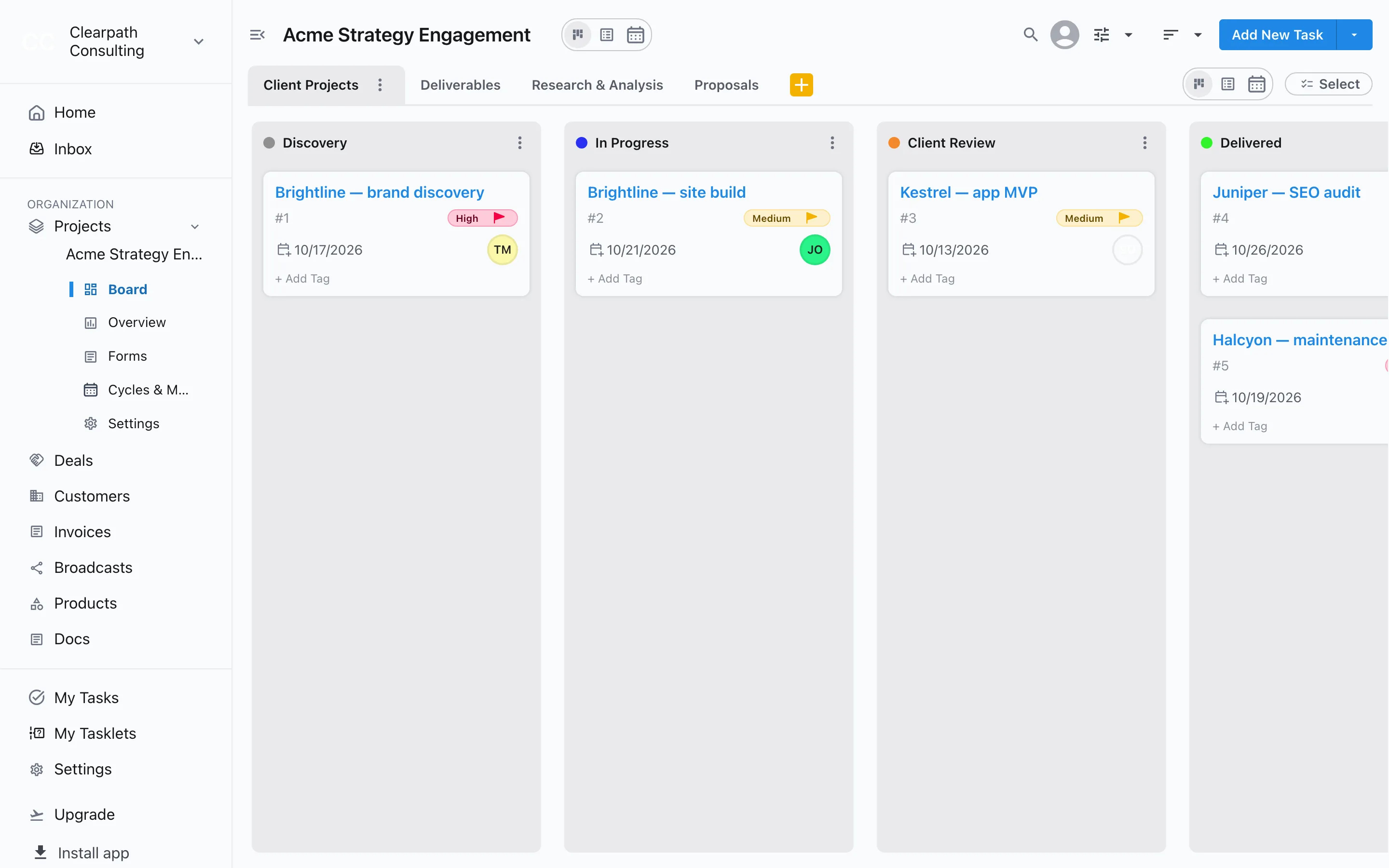
Consultants and consulting firms use Slateo to run client engagements end to end. Proposals move from drafting to won or lost, research and deliverables each have their own stages, and nothing reaches the client before an internal review. Notes and reports live in documents linked to the client, and the engagement is invoiced from the same workspace.
Delivery
See where every deliverable stands
Each engagement gets a board with stages like Discovery, Client Review and Delivered. Switch to List or Calendar view to see what's due this week across every client.
Task management →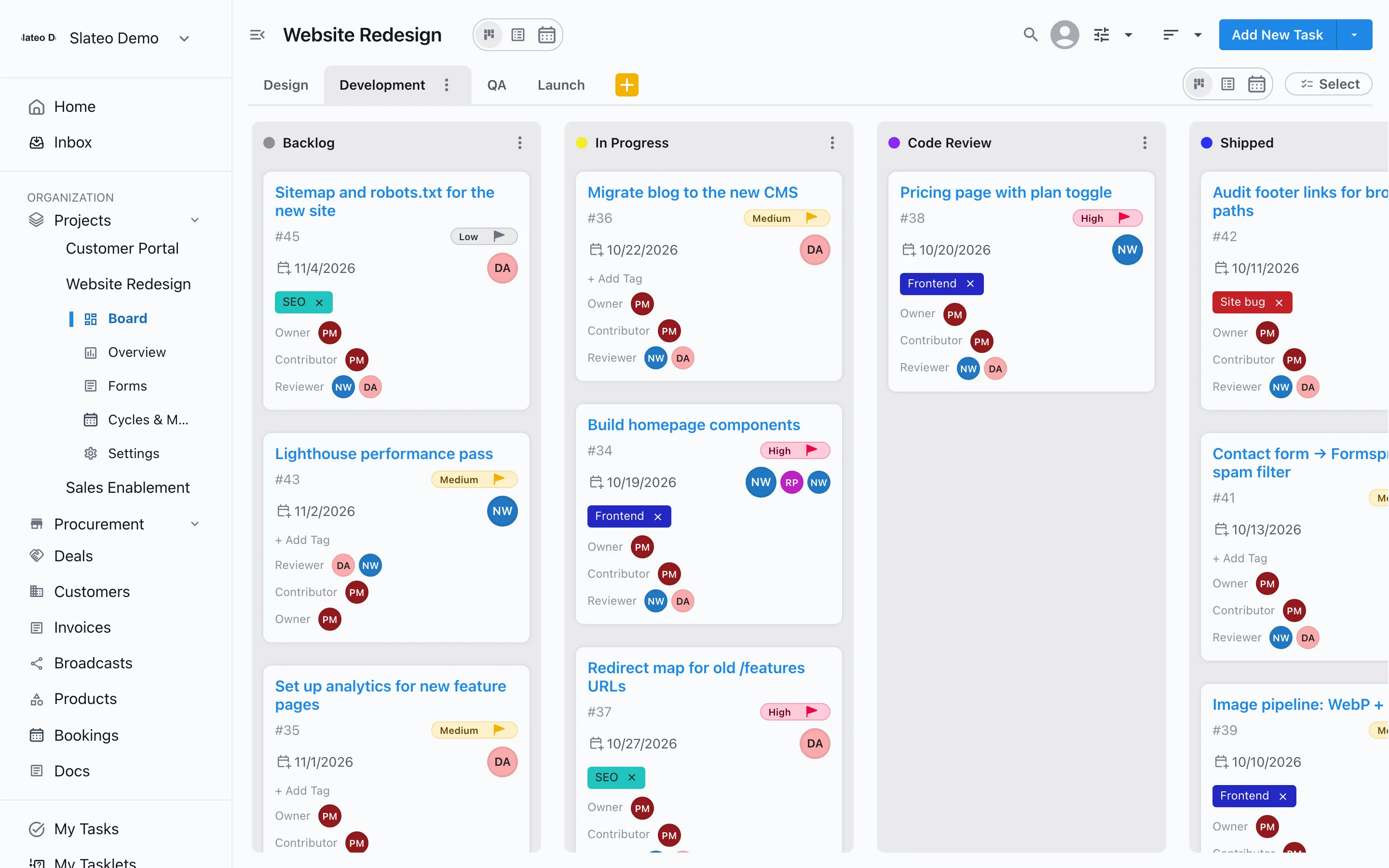
Working documents
Notes and reports next to the work
Write interview notes, findings and reports in Docs with tables and @mentions, and link them to the client. The document assistant turns meeting notes into suggested tasks you add in one go.
Docs →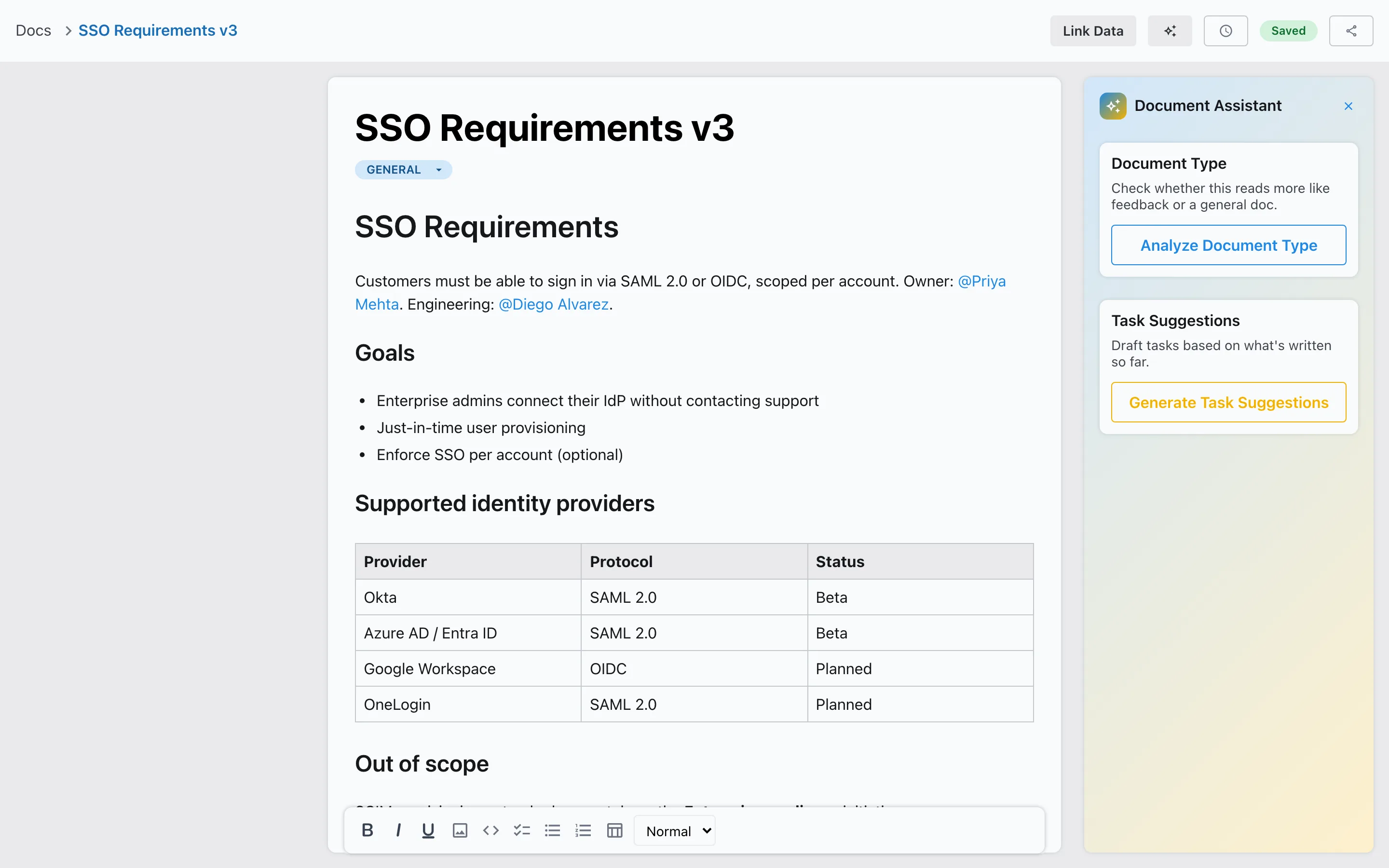
Billing
Invoice the engagement when it's done
Create an invoice from the client's record or a won deal, add line items with tax and a discount, and email it with your logo on the PDF. Record payments as they come in and see what's still owed.
Invoicing →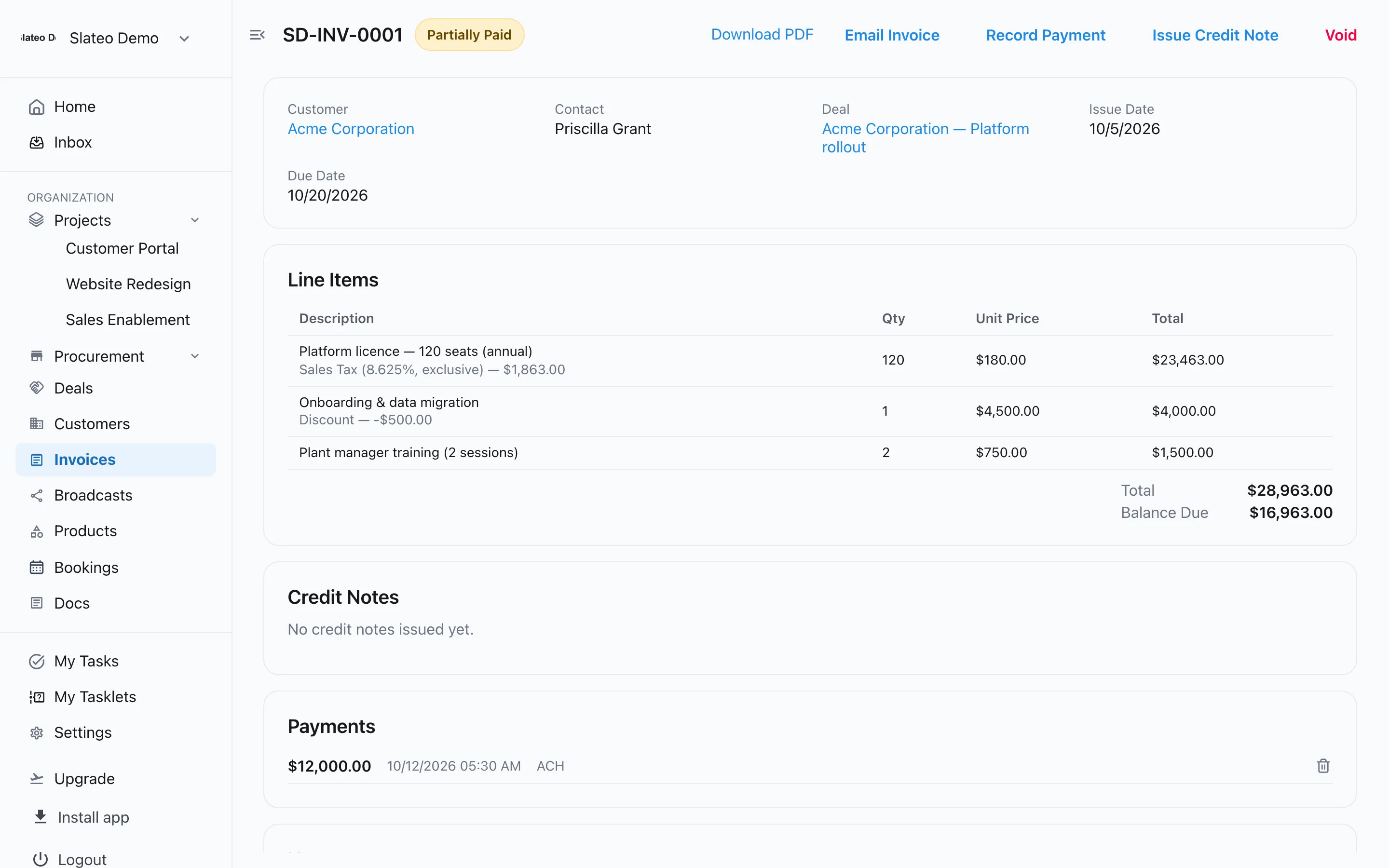
Also for consultants
Consulting template
Start with workstreams for client projects, deliverables, research and proposals.
Internal QA
Require a partner's approval before a deliverable is marked Approved.
Client intake
Send new clients a form so every engagement starts with the right details.
Pipeline of proposals
Track each opportunity as a deal with its value and expected close date.
Free for a small practice
Free covers up to 3 users and 3 projects, with customers, deals and invoices. Pro adds unlimited users and projects as the firm grows.
Questions
Is there a template for consulting firms?
Yes. Choose Consulting Firm when you create a project. Slateo sets up workstreams for client projects, deliverables, research and analysis, and proposals, each with its own stages.
Can I invoice clients from Slateo?
Yes. Create invoices with line items, tax and discounts, email them with the PDF attached, and record full or partial payments.
Does Slateo track billable hours?
No. Slateo has no time tracking. Add the hours or fees as line items on the invoice.
Can clients log in to see progress?
Not yet. Slateo has no client portal, so send updates and invoices to the client by email.
Run your next engagement in one place.
Start with the consulting template. No credit card required.