
For HR and recruiting
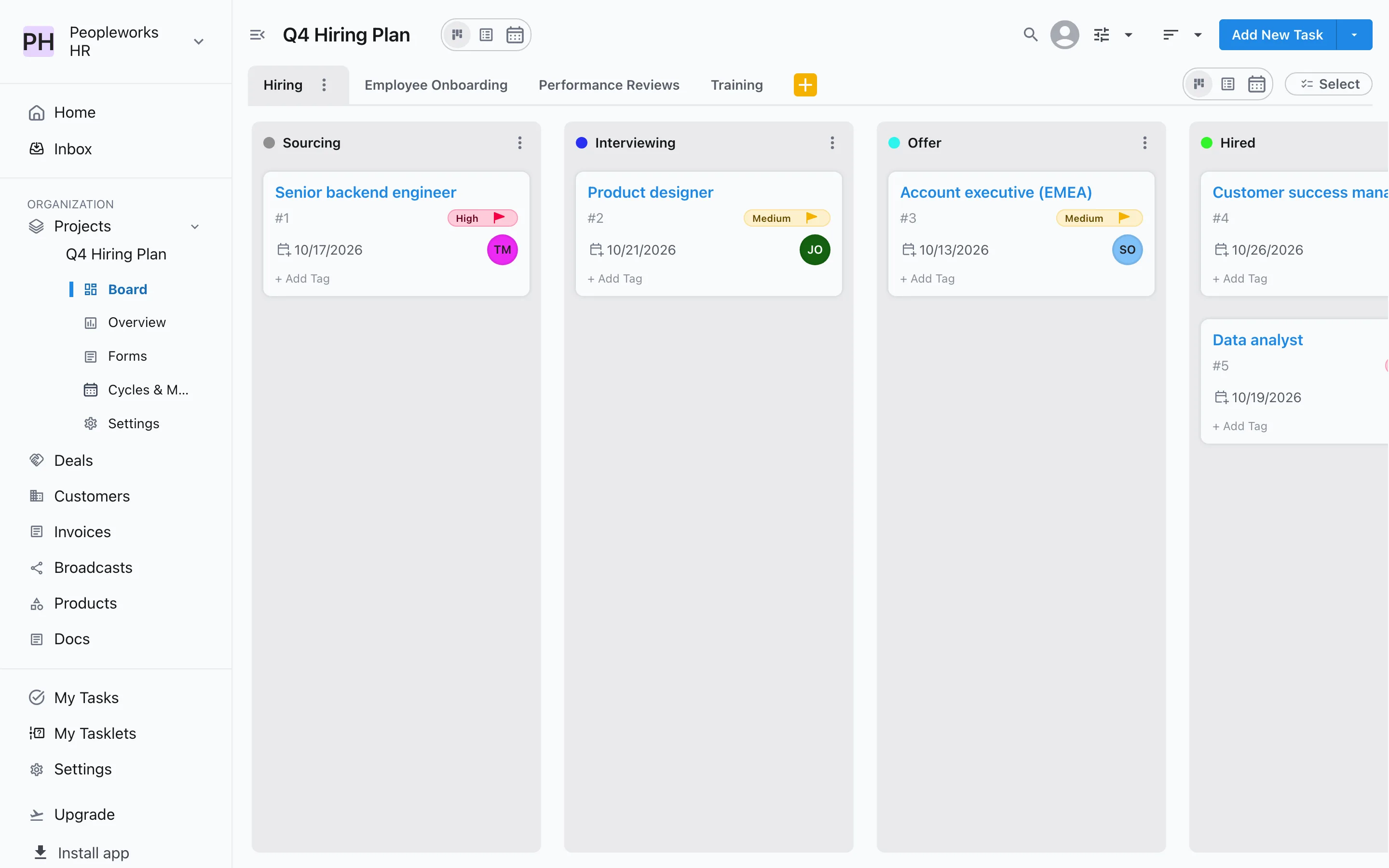
Hiring, onboarding and reviews, all on one board
Track every open role from sourcing to hired, give each new joiner a clear onboarding plan, and keep reviews and training on schedule.
Free for up to 3 users. No credit card required.
How do HR and recruiting teams use Slateo?
Last updated:
HR and recruiting teams use Slateo to plan and track people work: open roles, new-joiner onboarding, performance reviews and training, each on a board with stages that fit it. Hiring managers send requests through a form, offers can need a sign-off before they go out, and policies live in documents with a version history. Slateo is a workspace for the process, not an applicant tracking system or a payroll tool.
Requests
One form for every hiring request
Give hiring managers a form to request a new role or a new joiner's setup. Nobody needs a Slateo account to fill it in, every response is saved with the project, and the ones you take on become tasks in one click.
Forms →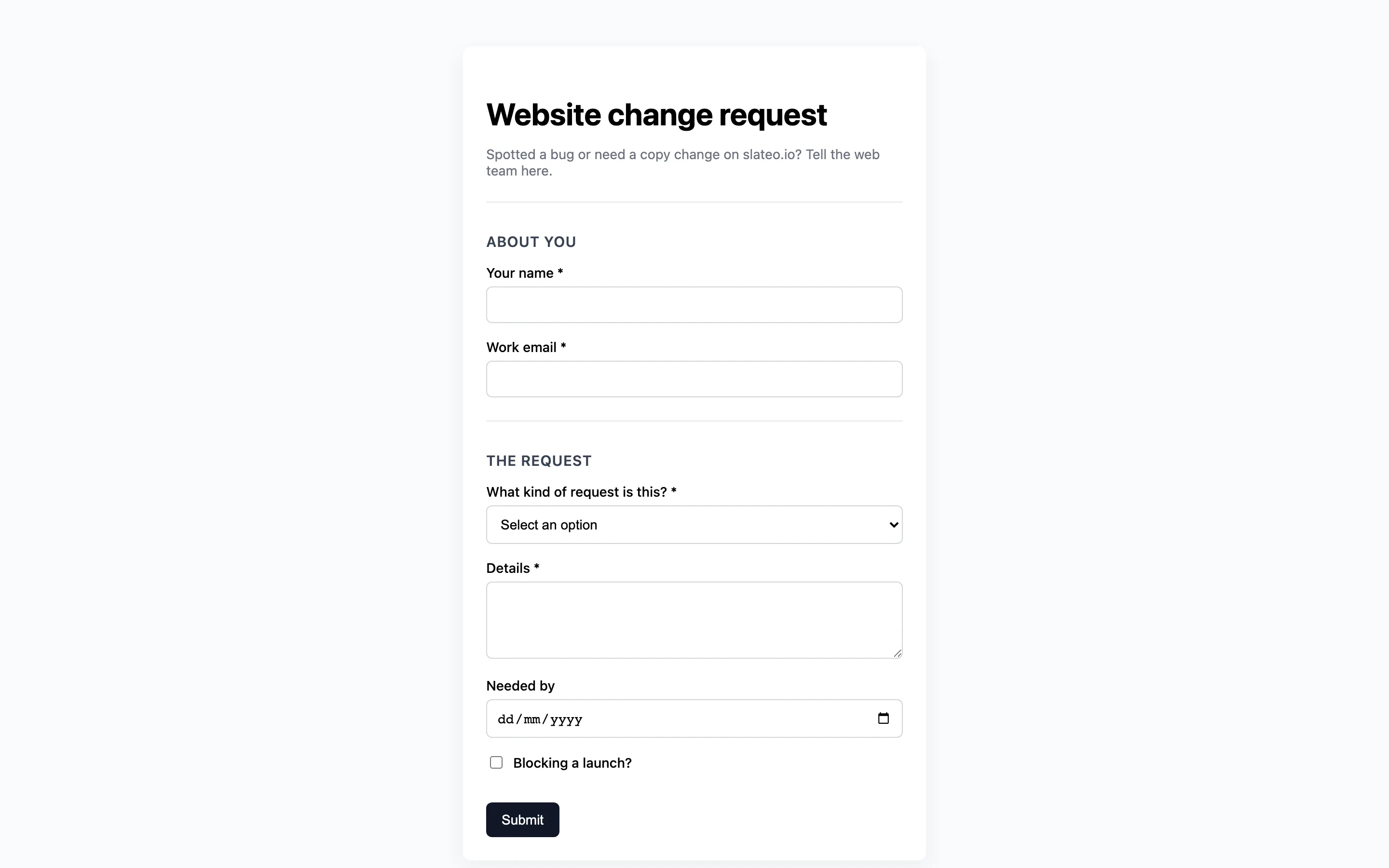
Sign-off
No offer goes out without approval
Require an approval before a role moves to Offer or Hired. The right person is asked directly, can be reminded if it's waiting, and the approval is recorded on the task.
Workflows and approvals →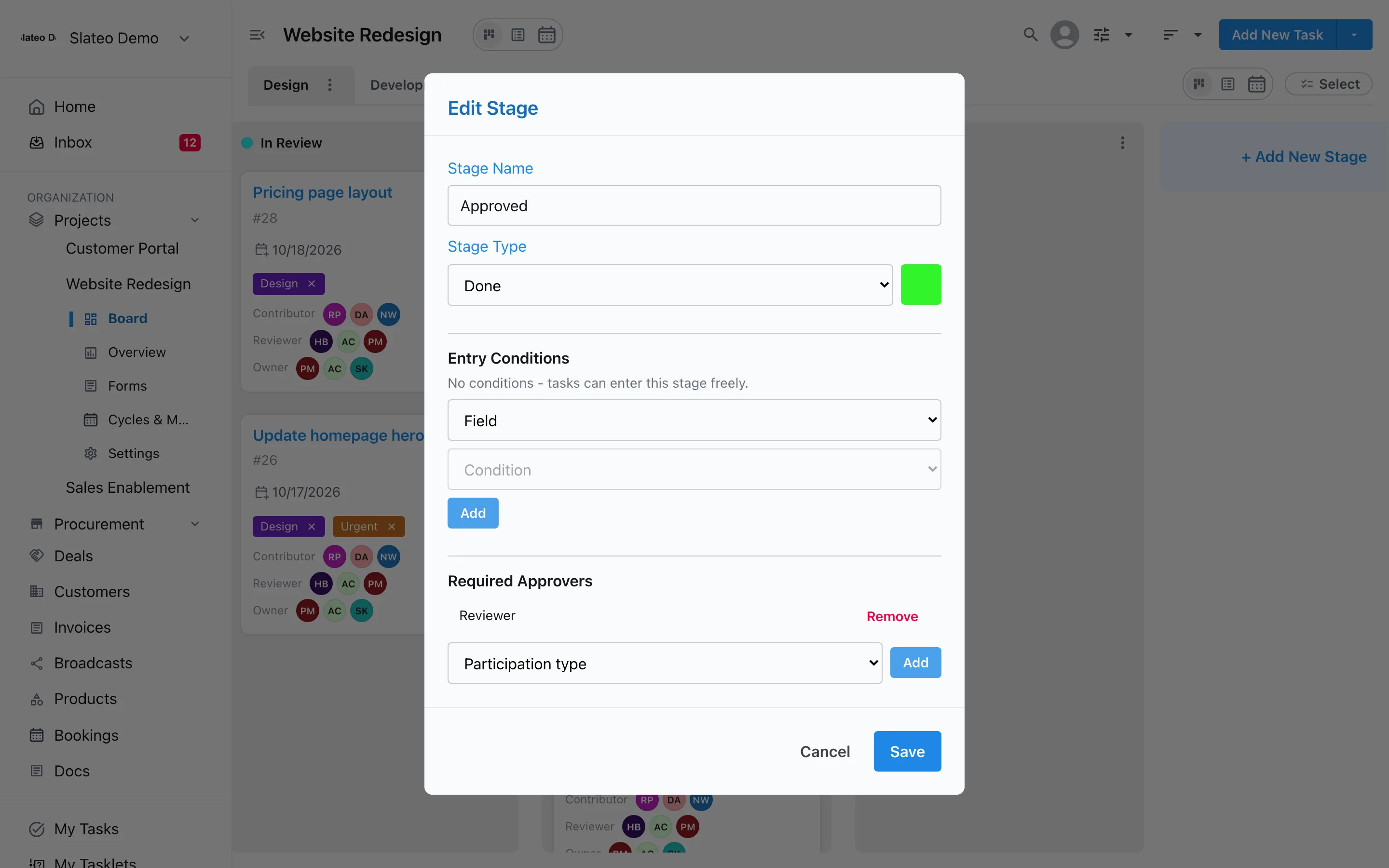
Policies
Keep the current policy, and the old ones
Write handbooks, interview guides and policies in Docs. Save a new version when something changes, and open any earlier version to see what it said and who saved it.
Docs →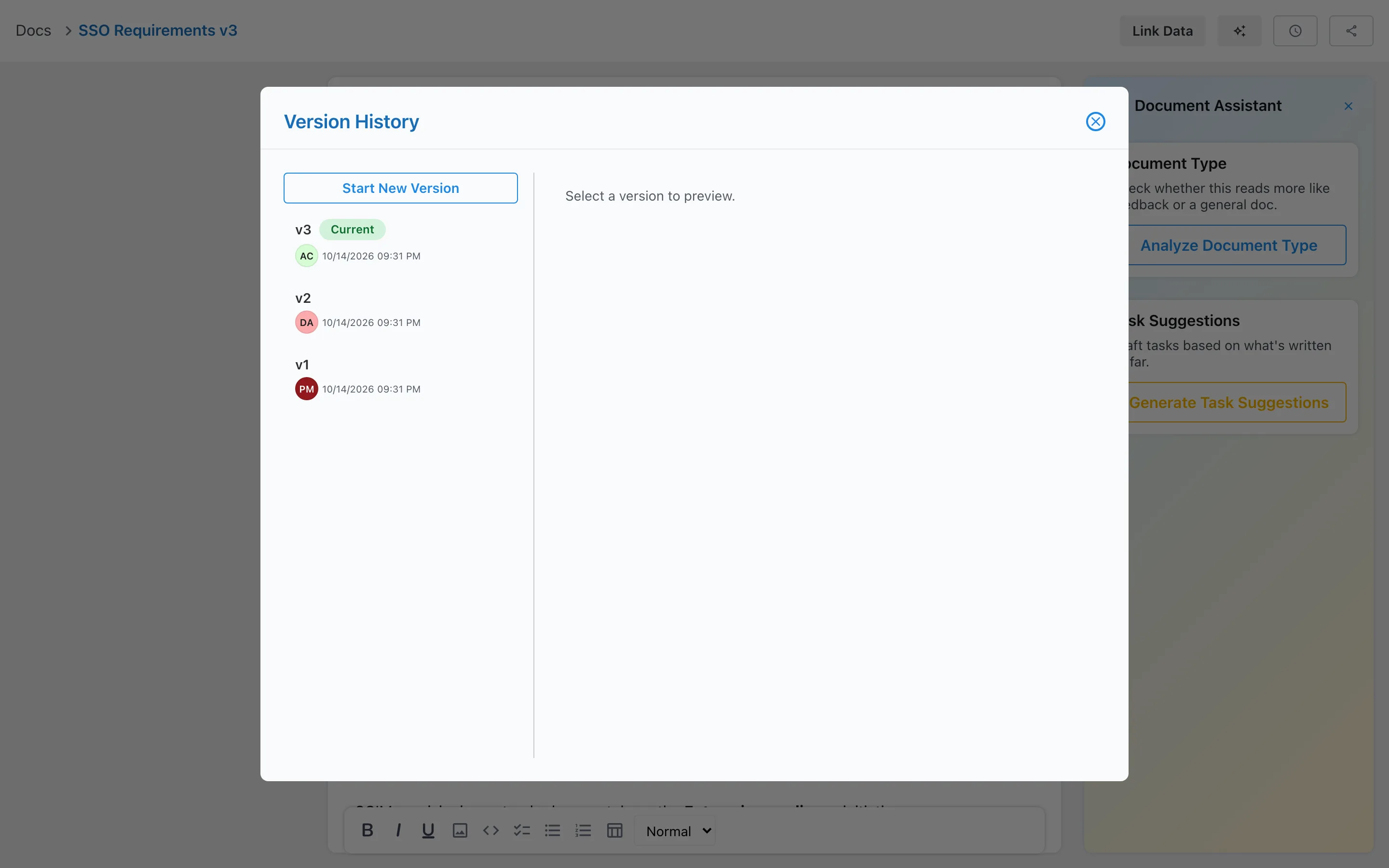
Also for HR and recruiting
HR template
Start with workstreams for hiring, employee onboarding, performance reviews and training.
Your own fields
Track department, location, start date or salary band on each task.
Private projects
Keep a project visible only to the people you add, and give each one a role.
Read and confirmed
Link a policy to a task and see when the new joiner marks it as reviewed.
Free for small teams
Free covers up to 3 users and 3 projects. Pro adds unlimited users and projects, so hiring managers can join in.
Questions
Is there a template for HR teams?
Yes. Choose HR & Recruiting when you create a project. Slateo sets up workstreams for hiring, employee onboarding, performance reviews and training, each with its own stages.
Is Slateo an applicant tracking system?
No. Slateo tracks the hiring process: each role or candidate is a task moving through your stages, with notes, approvals and owners. It doesn't post jobs to job boards or parse CVs.
Can candidates apply through a Slateo form?
A published form has a public link anyone can fill in without an account, so you can collect names, emails and answers. Forms don't take file uploads, so ask for a link to the CV instead.
Can we keep HR work private?
Yes. Make the project private so only the people you add can see it, and choose each person's role in it.
Give every hire and new joiner a clear plan.
Start with the HR template. No credit card required.