
For marketing teams
Every campaign, post and launch on one plan
Plan campaigns, run the content calendar and get sign-off before anything goes live, in one workspace the whole team can see.
Free for up to 3 users. No credit card required.
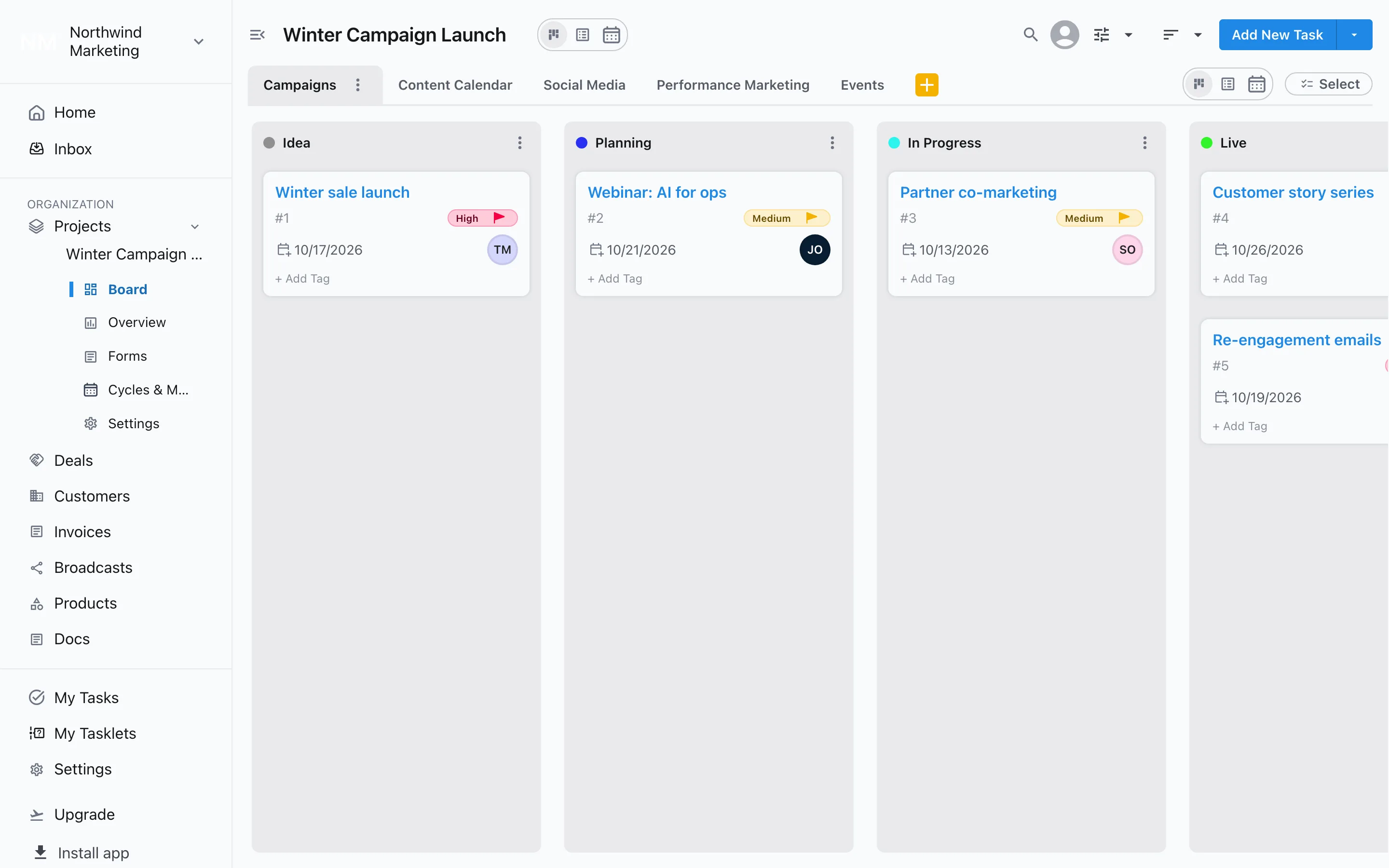
How do marketing teams use Slateo?
Last updated:
Marketing teams use Slateo to plan and run their work: campaigns, the content calendar, social posts, paid campaigns and events, each with stages that match how it really moves. A calendar shows what's due when, approvals make sure the right person signs off before anything is published, and requests from other teams come in through a form. Slateo plans the work; you still publish posts and run ads in your usual tools.
Calendar
See the month at a glance
Switch any board to Calendar view to see every post, email and launch by its due date. On the board, move each piece through stages like Drafting, Review and Published.
Task management →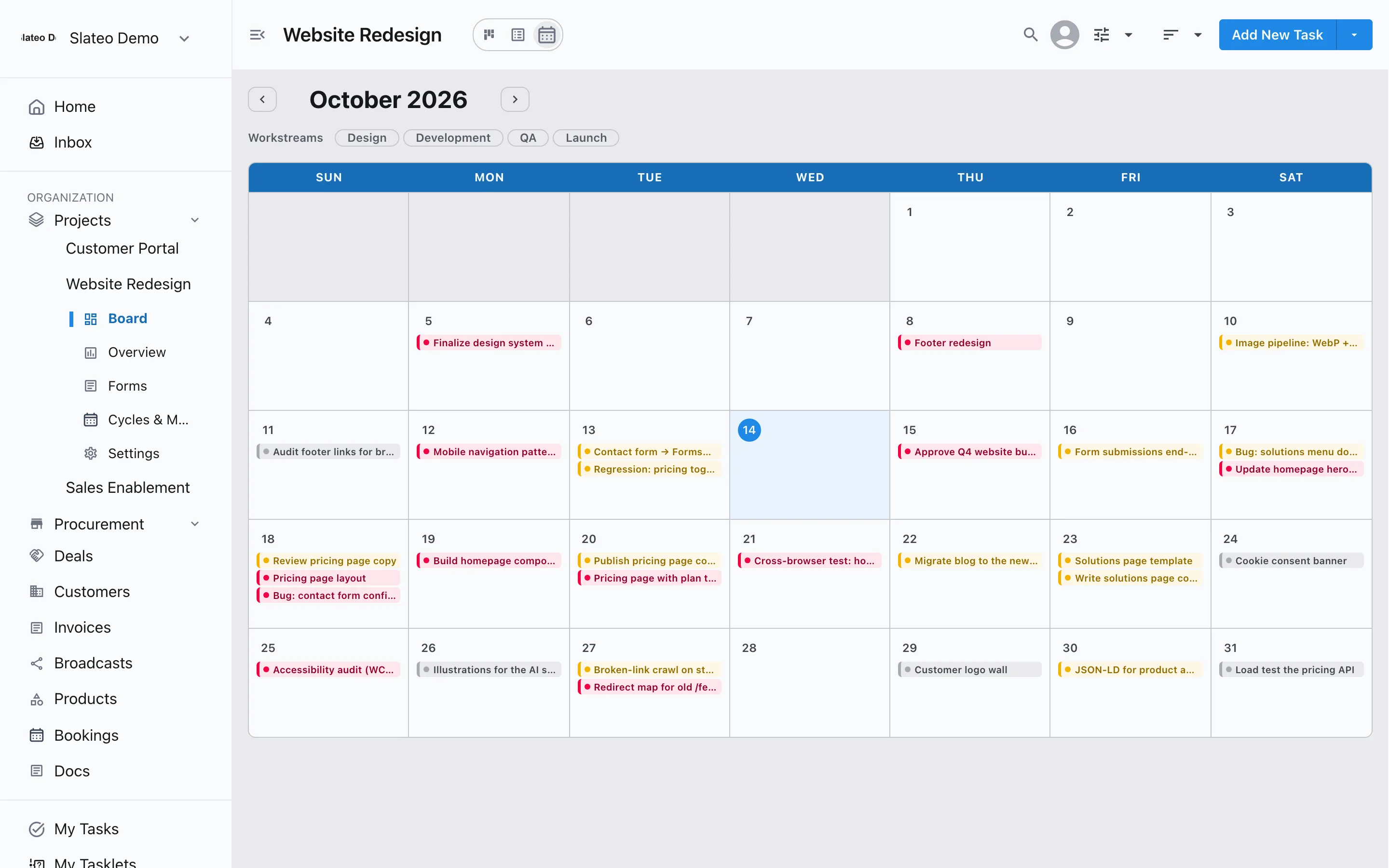
Review
Nothing goes live without sign-off
Require an approval before content enters Published or a campaign goes Live. Ask the reviewer directly, send a reminder if it's waiting, and keep a record of who approved what.
Workflows and approvals →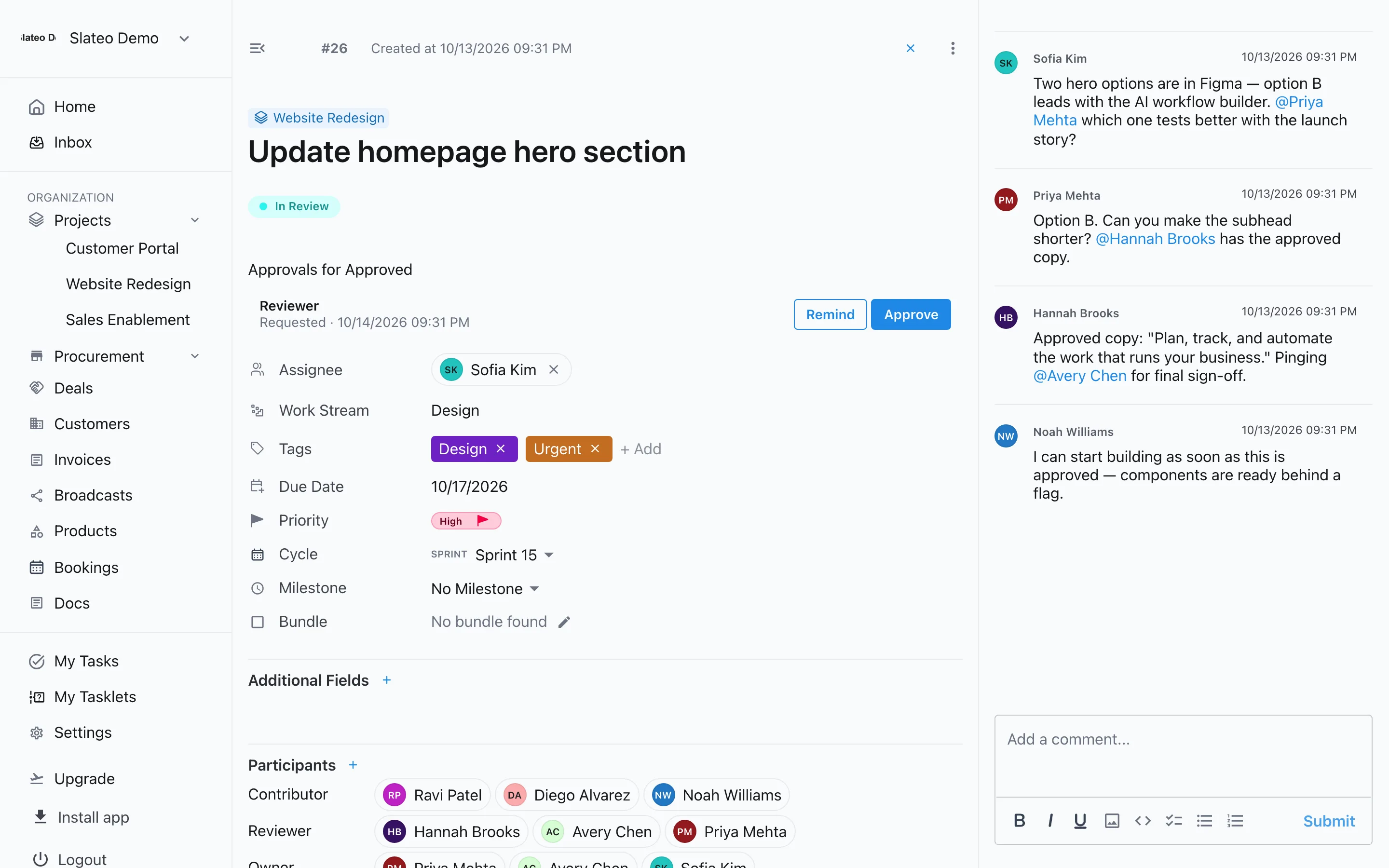
Requests
Take requests without the chat threads
Give sales and other teams a form for content and design requests. Every response is saved with the project, and the ones you take on become tasks in one click.
Forms →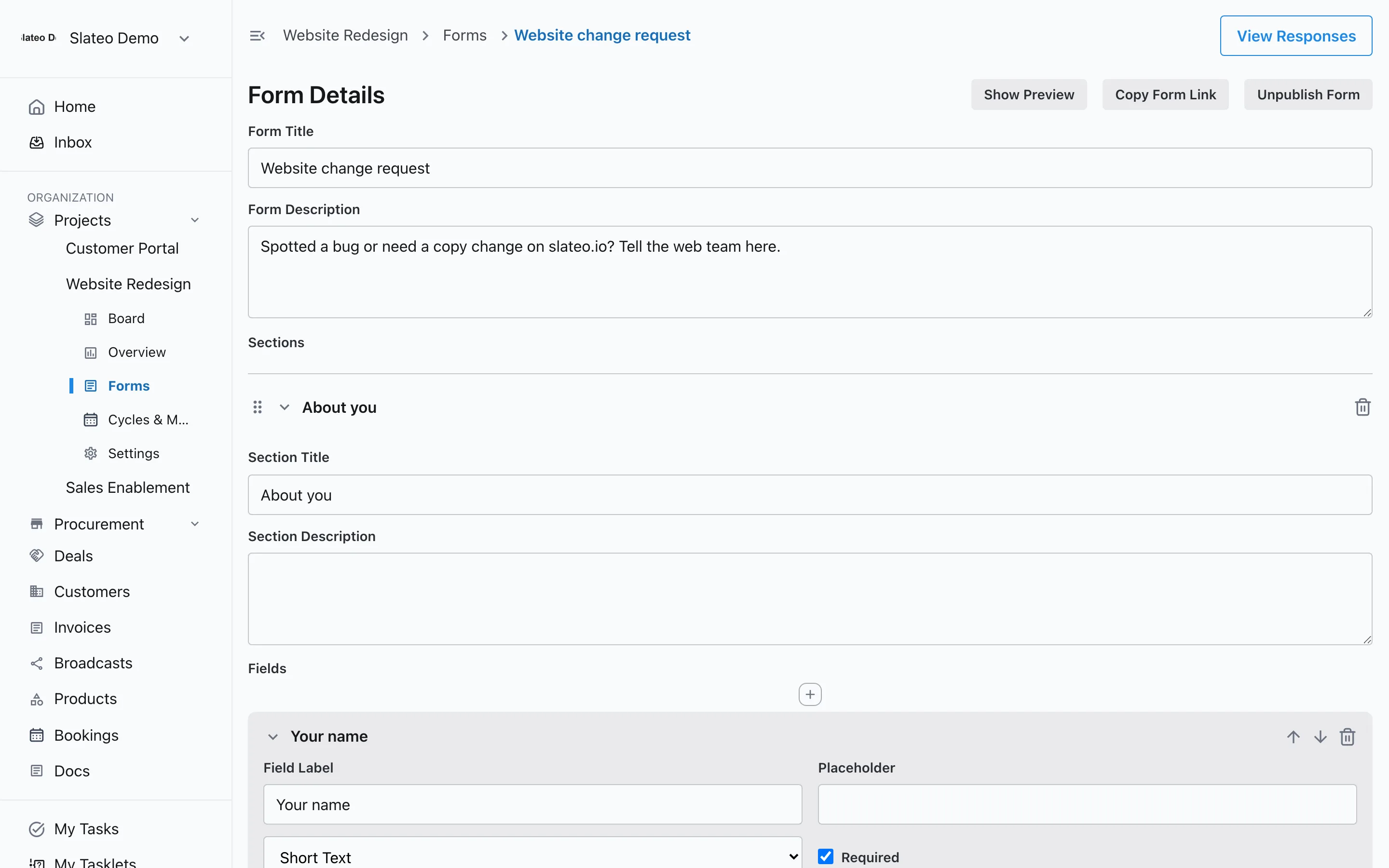
Social inbox
Instagram messages next to the customer
Connect your Instagram account and direct messages appear on the customer's record, next to their WhatsApp chats, calls and emails. Reply from Slateo.
WhatsApp and Instagram →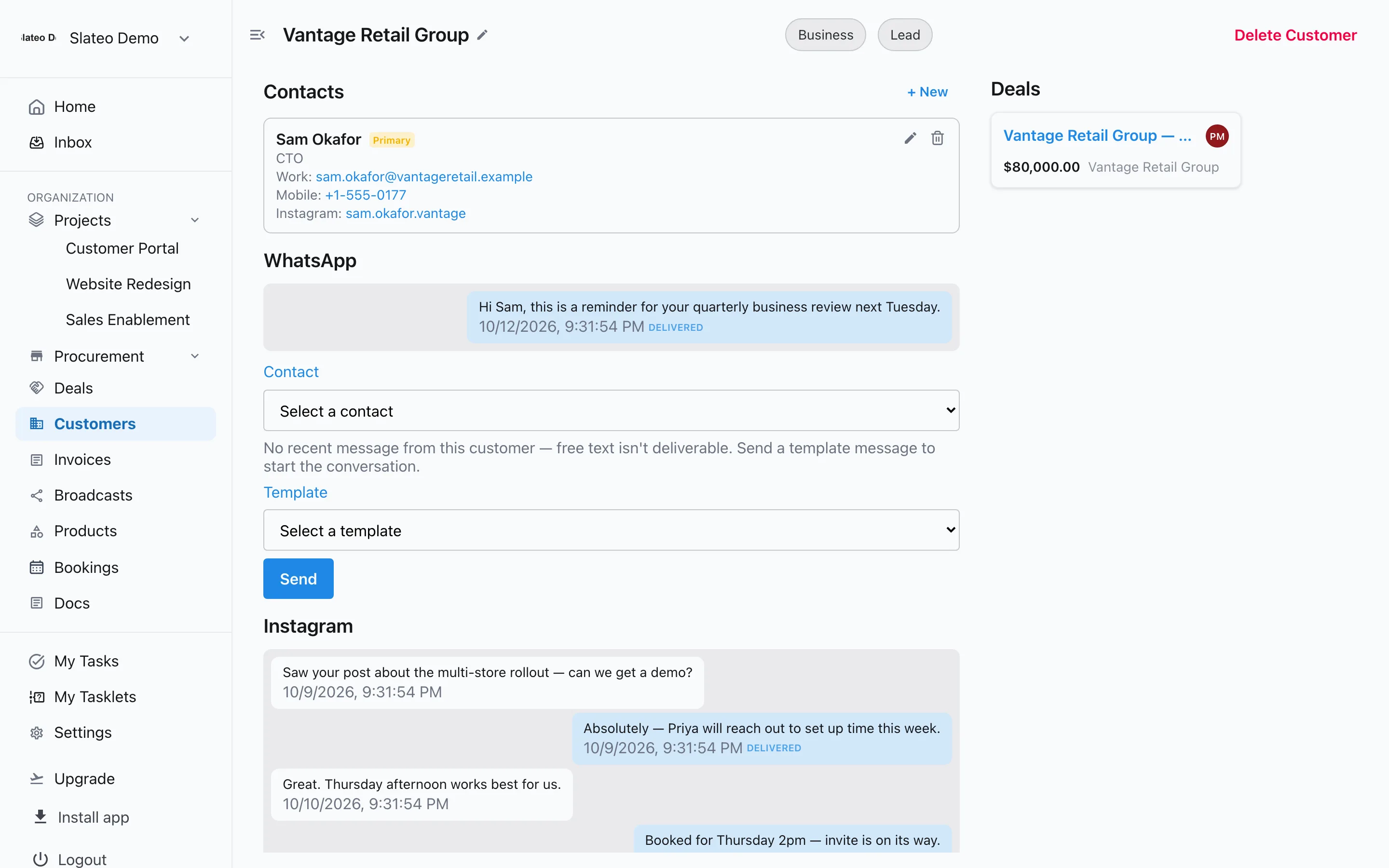
Also for marketing teams
Marketing template
Start with workstreams for campaigns, the content calendar, social media, performance marketing and events.
Briefs to tasks
Write a brief in Docs and let the document assistant suggest the tasks in it.
Your own fields
Track channel, budget or audience on each task, and filter the board by them.
Sprints for launches
Group work into sprints or phases with milestones for launch dates.
Free for small teams
Free covers up to 3 users and 3 projects. Pro adds unlimited users and projects for the whole marketing team.
Questions
Is there a template for marketing teams?
Yes. Choose Marketing Team when you create a project. Slateo sets up workstreams for campaigns, the content calendar, social media, performance marketing and events, each with its own stages.
Can Slateo be our content calendar?
Yes. Give each piece of content a due date and switch the board to Calendar view to see the month. Stages like Drafting, Review and Published show where each piece is.
Does Slateo publish posts or run ads?
No. Slateo plans and tracks the work. You publish posts and run ads in your usual tools, then move the task to Posted or Running.
Can we require approval before something is published?
Yes. Add a required approver to a stage like Published or Live, and work can't move there until that person approves.
Put the whole marketing plan in one place.
Start with the marketing template. No credit card required.